
Hi everyone,
After a lot of testing, benchmarking, and trial & error, I wanted to share a clean and stability-focused optimization guide for people running similar hardware.
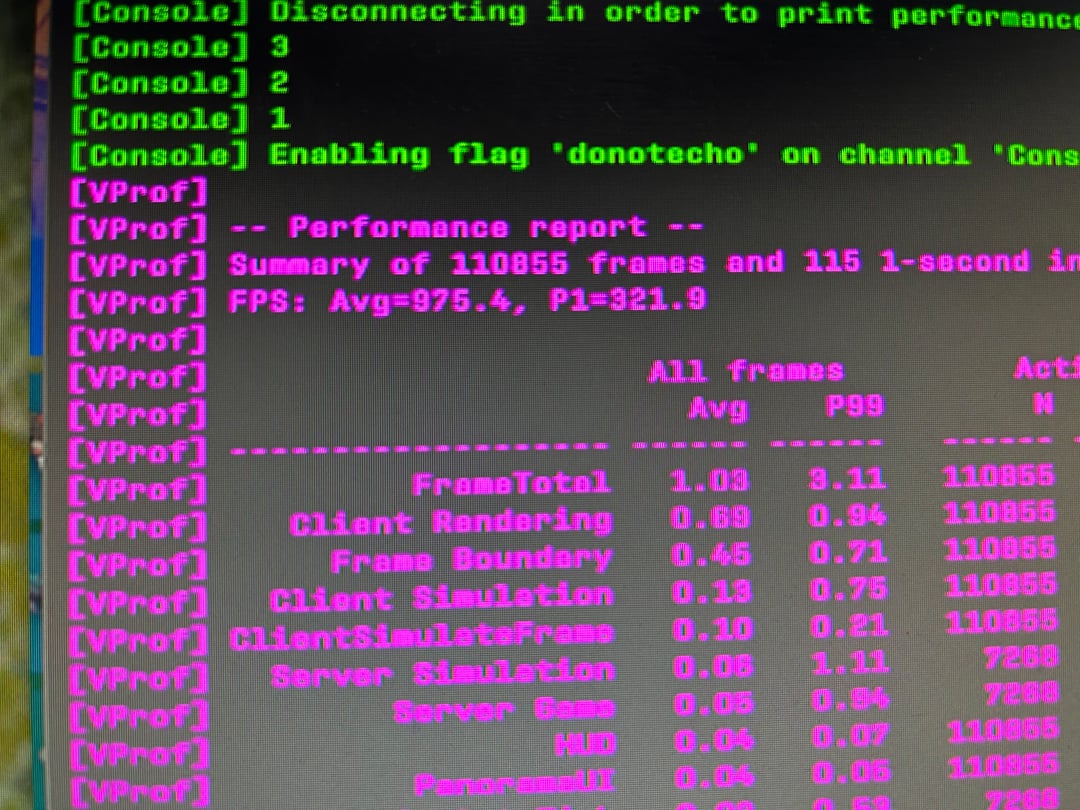
Benchmark Results (CS2)
• Resolution: 1280×960
• Average FPS: 975.4
• 1% Low: 321.9
This setup is focused on real smoothness and frametime consistency, not chasing higher numbers at the cost of gameplay quality.
⸻
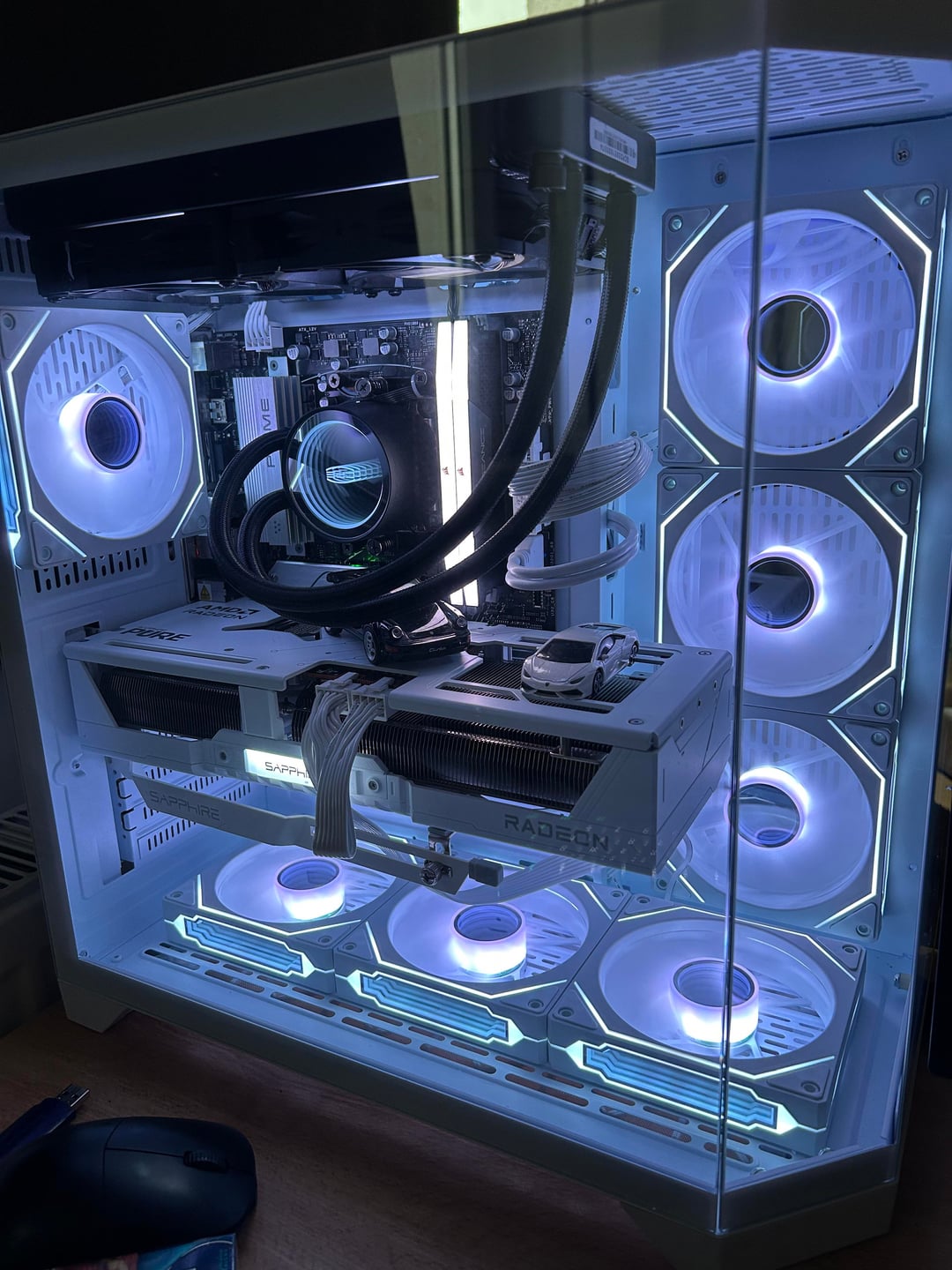
My PC Specs
• CPU: Ryzen 7 7800X3D
• GPU: AMD Radeon Sapphire RX 9070 XT Pure
• RAM: 32GB Corsair Vengeance DDR5 – 6000 MHz CL38
• Motherboard: ASUS Prime B650M-K
• PSU: Gigabyte 850W 80+ Gold (White)
• Storage: 1TB NVMe SSD
• OS: Windows 11 25H2 (Original, fully updated)
⸻
Important Philosophy (OC / Undervolt Reality Check)
A small FPS gain from overclocking or undervolting is meaningless if it introduces:
• screen tearing
• micro-stutters
• inconsistent frametimes
In my testing, aggressive OC/UV setups sometimes showed slightly higher average FPS, but gameplay felt worse, not better.
Lower AVG with stable frametimes > higher AVG with tearing and stutters.
That’s why this guide focuses on stock stability instead of chasing numbers.
⸻
System Preparation
• Fresh Windows 11 install
• All Windows updates installed
• BIOS updated to latest version
• All drivers downloaded ONLY from ASUS motherboard website
• AMD Adrenalin + Chipset installed
• Power plan handled automatically by Process Lasso
⸻
BIOS Settings
After extensive testing, I found STOCK BIOS = BEST RESULT
❌ Disabled
• PBO (Precision Boost Overdrive)
• Caused noticeable stuttering in CS2
• SMT (Simultaneous Multithreading)
• Results:
• +30–40 FPS AVG
• +~15 FPS on 1% lows
• Much smoother frametimes
✅ Enabled
• Secure Boot
• Memory Context Restore
• EXPO/XMP enabled (6000 MHz)
⸻
AMD Adrenalin Settings
• GPU Profile: QUALITY
• Performance profile resulted in 30–40% fewer FPS
• AMD Anti-Lag: ENABLED
• No Radeon Chill
• No forced sharpening
⸻
CS2 – Clean Config
Disable Steam Cloud
1. Steam → Library → Counter-Strike 2
2. Right click → Properties
3. General → Disable Steam Cloud
Delete Old Config
Steam\userdata<your_steam_id>\730\local\cfg
Delete everything inside and launch CS2.
⸻
Process Lasso Setup
• Disable CPU Core 0 for cs2.exe
• CPU Priority: High
• Power plan managed automatically
Improved consistency during heavy fights and reduced stutters.
⸻
Final Thoughts
• No overclocking
• No undervolting
• No PBO
• No aggressive BIOS tuning
• No Windows debloat scripts
Just clean OS + correct scheduling + stable hardware behavior.
If you’re running 7800X3D + AMD GPU, this approach may give you better real-world performance, even if AVG FPS looks slightly lower on paper.
Hope this helps someone 🙌
Feel free to share results or ask questions.