
When it comes to large-scale warfare, the Battlefield 6 Open Beta has proven to be some of the best action out there. While you are just one small cog in the huge machine that is a lobby, how you play is going to have a direct effect on whether you’re winning or losing most of your games.
Because of that, you may prefer to focus entirely on performance. While some players may love the cinematic nature and scale the franchise is known for, for some, it’s about slaying out and coming top of the leaderboard. If you’re the latter, you may be looking to turn off distractions such as Haptic Feedback on your triggers, which help create an experience, but may put you off your aim or be annoying. Here’s how to do that.
How to Turn off Haptic Feedback in BF6
Turning off Haptic Feedback on a Dualshock 5 is a process. There’s no way to turn it off specifically within the Battlefield 6 Open Beta. You’ll have to do it out of game.
PlayStation
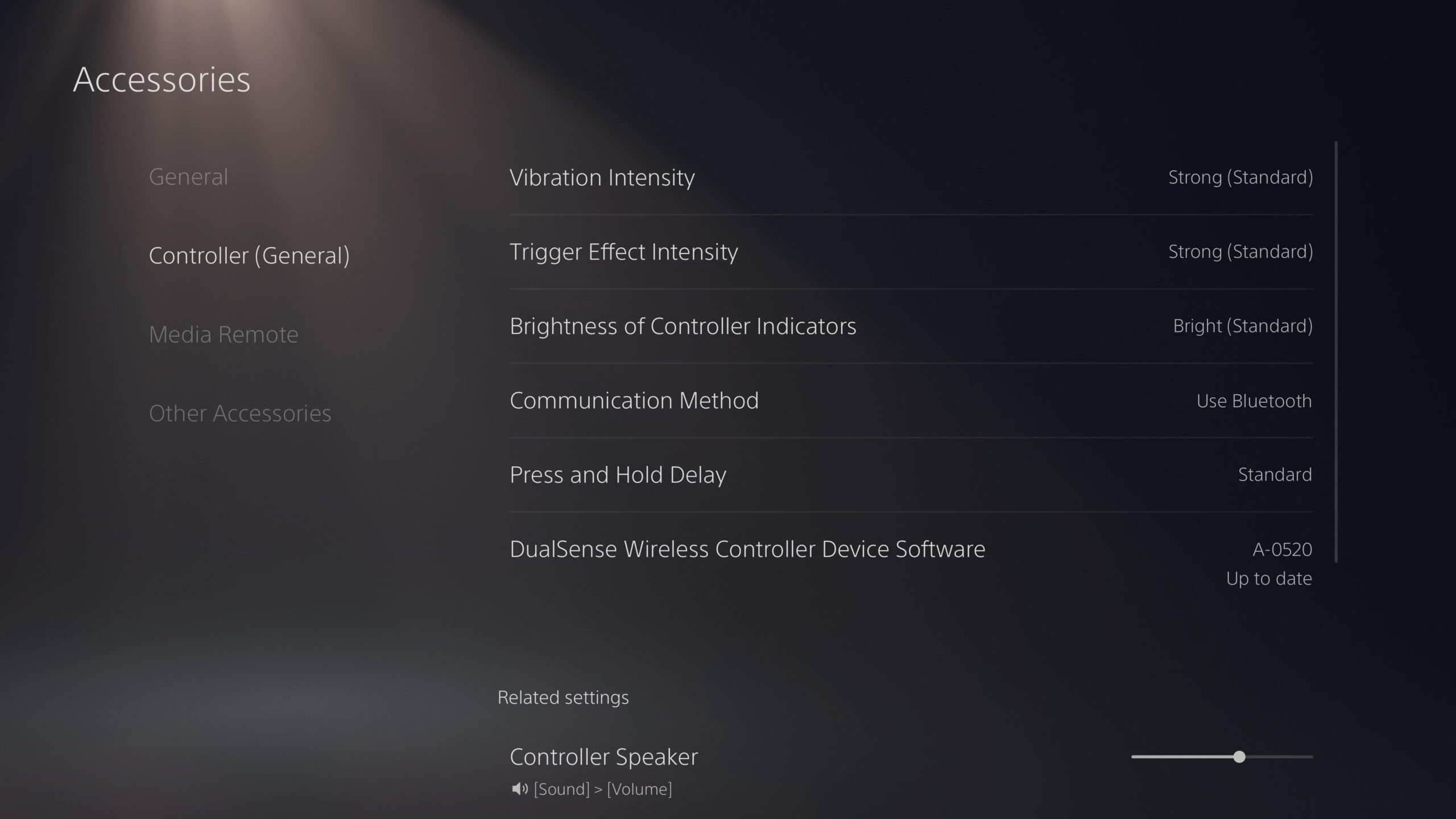
On PlayStation, this isn’t too difficult. Go to Settings, then Accessories, then Controller. In here, you will see a setting call Trigger Effect Intensity. Here you can choose whether the effect is Strong, Medium, Weak or Off.

Steam
On PC, things are similar. Playing through Steam, plug your controller in.
Then navigate to the Steam settings and go down to the Controller tab. Here, you should see your controller registered. You’ll also see a setting for Game Rumble. Turn it off.
It’s worth noting that both of these settings will turn off Haptic Feedback for all of your games. If you want it back in other titles, you will need to remember to go through this process again to turn this on.