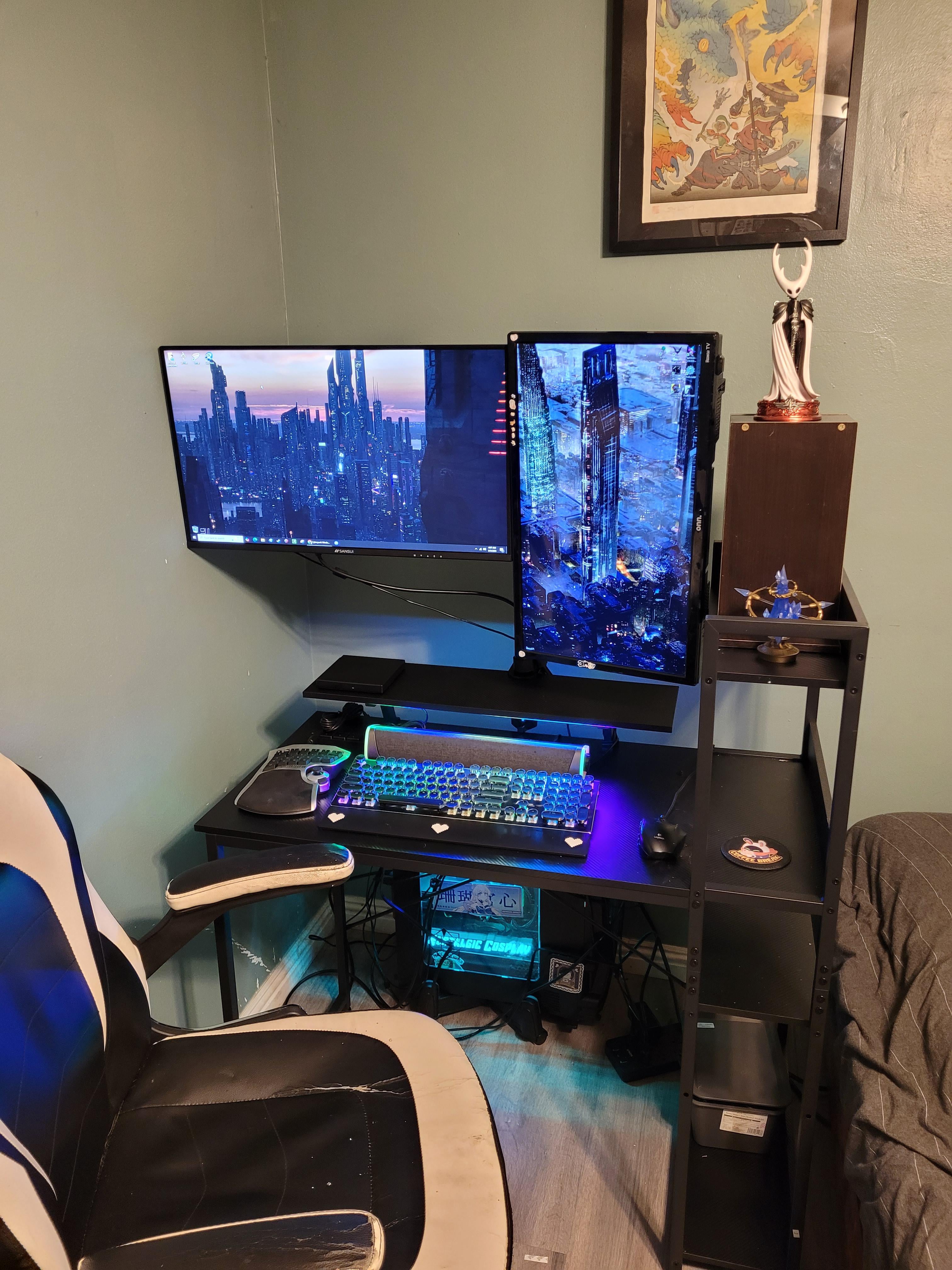
Ok I've finally moved. I don't have a lot of room so I'm trying my best. What do you guys think?( did cable management but some are super long).

Ok I've finally moved. I don't have a lot of room so I'm trying my best. What do you guys think?( did cable management but some are super long).
4 Comments
Angle your vertical monitor so you can center your horizontal one?
I used to have a similar situation with space and my PC was essentially my nightstand so I can make some suggestions based on what I did. Not sure what kind of money you have to throw around, but here’s my two cents.
Consider mounting your monitors on top of each other with a vertical mount, like [one of these](https://www.amazon.com/HUANUO-Vertical-Monitor-Stand-Monitors/dp/B081H8WMXT). It’ll do wonders for your space. Also consider losing the gaming keypad and getting a 60% keyboard. If you rely on the numpad, get a dedicated USB numpad that you can push back/pull out as needed.
Is that middle shelf on the right of your desk critical to the desk’s structural integrity? If your PC tower is too big to fit on that bottom shelf, try and remove that middle shelf and put the tower on that bottom shelf and give yourself some room to stretch your legs.
Perfect cable management isn’t something you’re going to get with this kind of cramped space, so I would just aim for neat and tidy. Take your set up completely apart, put your towers/monitors/peripherals into position, and then wire it all up. Velcro instead of zip ties, always. For cables that are too long, just loop them somewhere where you can tuck them out of sight.
It can be fun setting up your battlestation in cramped spaces, too!
Personally I would switch the vertical one to the left side so it’s aligned with the wall and that corner more than just being out. But your desk does have that shelf there so idk!
Find a saw and cut the top part of the shelf. You can center your normal monitor and place the vertical one comfily on the right. It’ll also give you more mouse space.