
Specs-
Cpu-ryzen 77800x3d
GPU-msi 5060ti trio oc
RAM-corsair vengeace 32gb RAM 6000mhz cl36
Psu:Corsair rmx850w
Motherboard-msi pro b650swifi
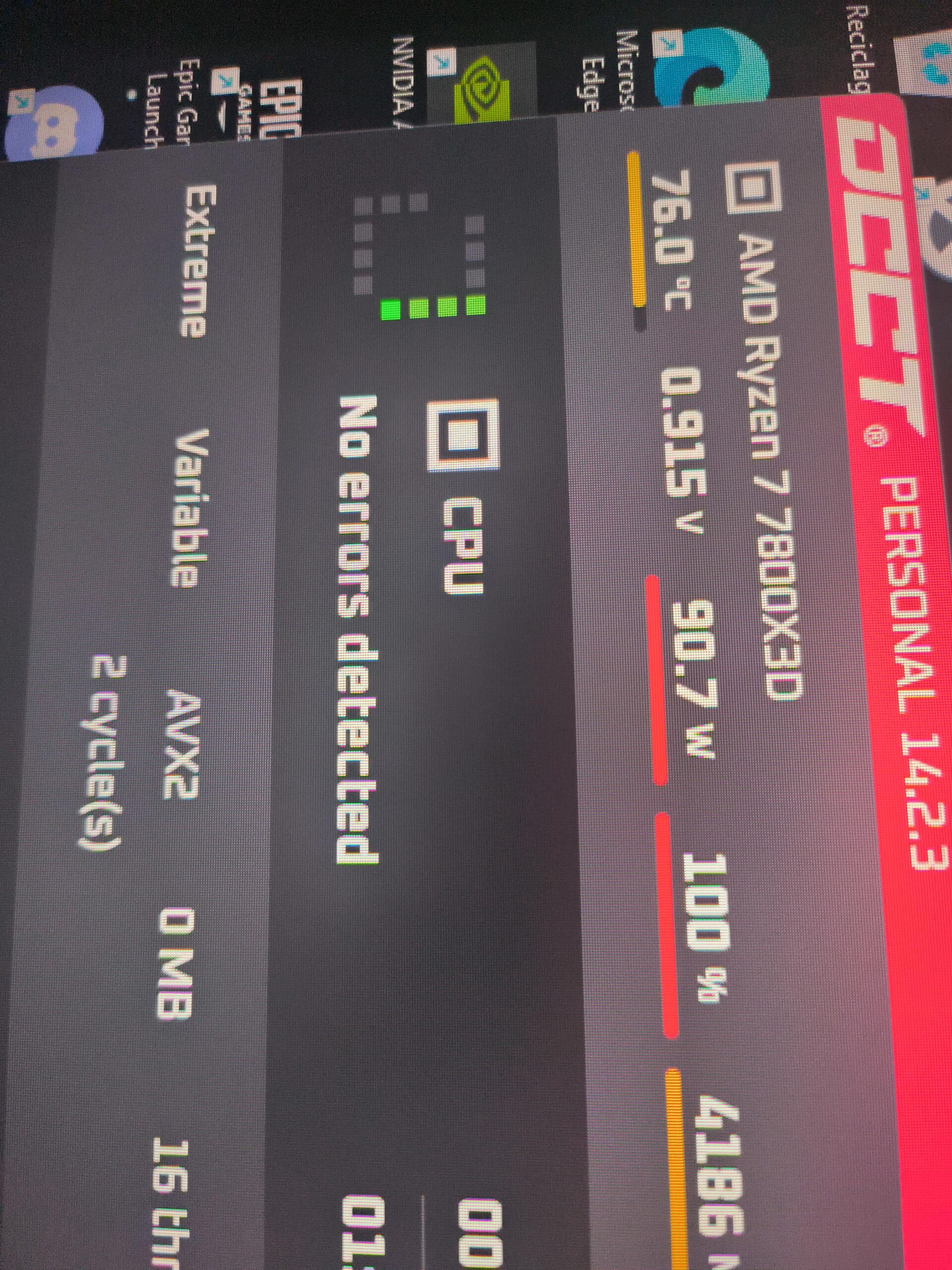
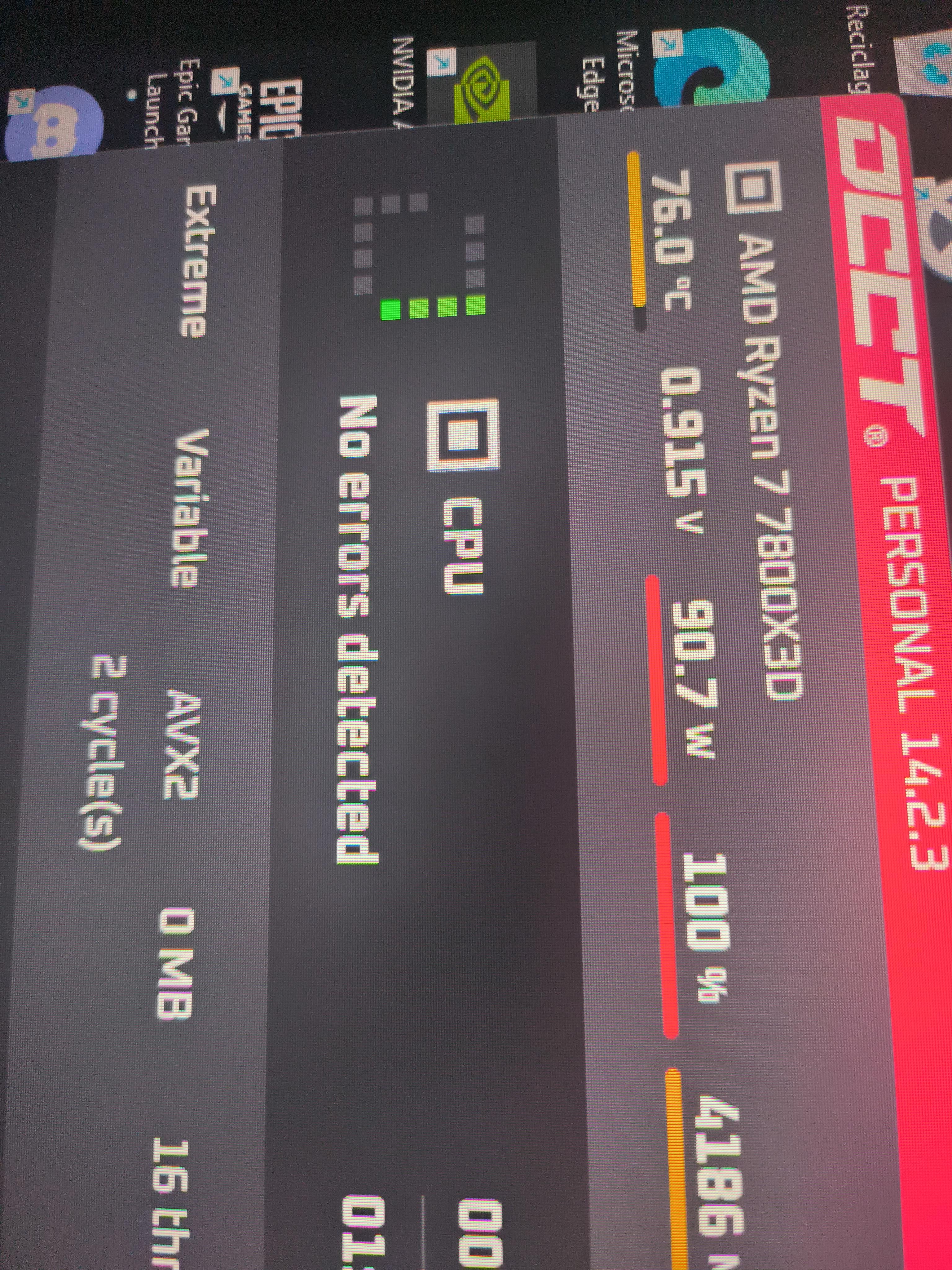
Hello, I’ve been having problems with my computer for quite some time. I’ve been experiencing a lot of stuttering, especially in competitive games. While playing, I noticed that my processor doesn’t consume more than 60W, and its frequencies don’t go above 4.6GHz. Then, I ran a Cinebench test with a -25 undervolt and got 18K points, but the stuttering continued regardless of the game.
I experience stutters in Fortnite, FIFA, and CS2. In the BIOS, I have PBO enabled as well as the EXPO profile for my RAM. In Windows, I use the High Performance power plan, and I also tried the Balanced mode, but the stuttering was still there.
17 Comments
Sell it to me for $250 🤷♂️
Undo your curve optimizer and see if it improves
Factory reset, default bios, PBO on, EXPO on, Re-sizable BAR on.
Disable igpu, only run dgpu
In bios and nvidia control center
Why is everything „High-End“ just because it’s SOTA 🤷🏼♂️
Download latencymon, and watch for which program is causing it.
Could be wd0100.sys or dxkernl, they’re usually a problem.
fTPM stutter perhaps? Look up YouTube videos and see if it the same issue. I had that problem until I got a discrete tpm module…
B650 is not high-end. It’s probably why you have issues. Too weak for 7800x3d and 5060ti.
Could be gpu power monitoring enabled in msi ufterburner (disable, its not working well with amd cpus) I guess you use some kind of software to see frame time graph and see stutters, right ?
Stutters could be caused by windows especially if its 11, ram > some timings are incorrect / unstable.
Check each of these seperately, start with default bios settings, if problem is not solved then its software related most likely.
Nothing “high end” about a B650 and a 5060ti.
Do you have the adrenalin overlay enabled? Do you have the screen capture(or whatever it’s called, used to be able to make game clips for the prior 30 seconds or whatever you set it to) turned on in Adrenalin? Both of these create stutters for me
Hello, I think your curve optimization might be too much, that is a lot of wattage at that frequency IMO
7800x3d, asus x870a, co -18 to -8 per core, 4417mhz ~ 73watts on the same test above
64gb CL30, tight timings
VSOC 1.21
vdd/vddq/vddio 1.36
M/UCLK 3000
FCLK 2000
First of all, why are you so fixated on the CPU? Your 7800X3D is running normal, it doesn’t draw much power during gaming because of the large L3 cache, you should have tested the GPU in OCCT.
2nd, would be great if you specify what’s the VRAM capacity on your 5060 Ti, if it’s the 8GB variant it could be you’re going over your VRAM budget.
3rd, I would recommend just sticking with balance power profile in windows, I read somewhere that high performance profile can cost you some performance, might have been for the Ryzen CPUs with multiple CCD but I can’t remember, still I would recommend just sticking with balance as you’re not exactly gaining anything by going with high performance mode.
Do NOT use the power profiles windows gives you, download the chipset drivers from AMD’s website and use the power profiles that the driver gives you.
Another victim of Power% on X3D chips lol
Try setting everything back to default. From my experience instabilities caused by overclocking, especially memory instability, will cause stuttering.
My 7800x3d at -30 no stutter and 18500 at cinecinebench max watt 94 with the latest bios/AGISA and chipset driver
optimization for windows and some tweaking in os/bios will give some latency and may help
Is your ram overclock and compatible with your motherboard? I have Corsair Rams cl30.