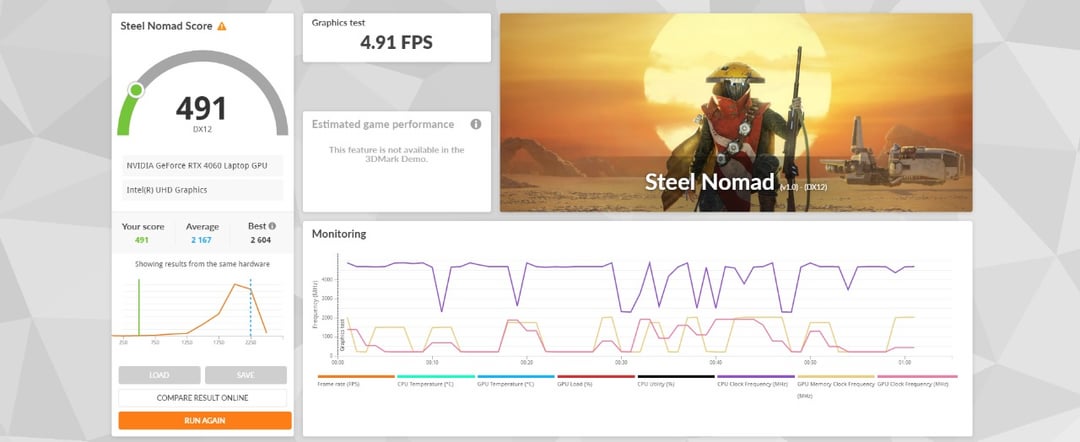
This seems extremely off, but Im not sure what could be my issue or if simply i need to be overclocking in order to get the average score.
Thanks in advance!

This seems extremely off, but Im not sure what could be my issue or if simply i need to be overclocking in order to get the average score.
Thanks in advance!
10 Comments
Your test seem to have run on the Intel iGPU
Make sure it’s not running on the iGPU and make sure it’s plugged in during the test
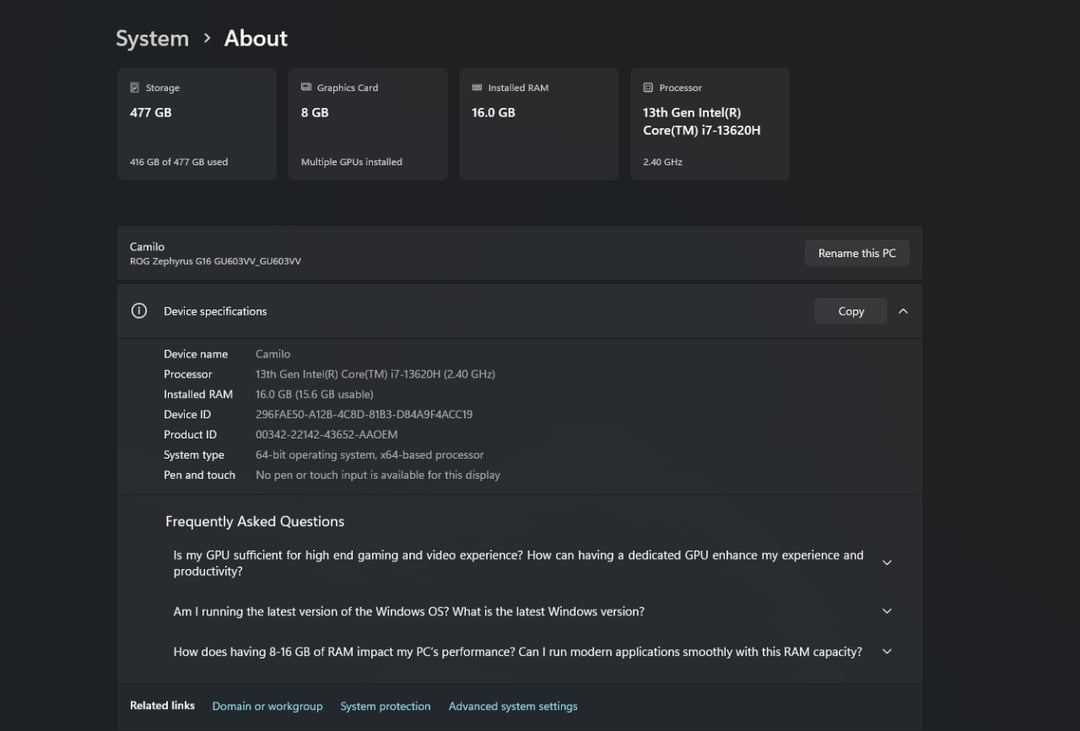
You have a laptop, performance will be dictated by system power profile, power limits & cooling systems setup by that laptop manufacturer.
That number is very low, you’re running off battery or it’s overheating.
If you can turn off hybrid mode (uses the igpu and dgpu) which would just have it so the 4060 is used.
I would never play on this, I have a full 5090 PC it’s amazing
Disable steam recording
The laptop aspect is probably an issue. A laptop 4060 is ≠ a dedicated 4060.
Even if the average person was overclocking, it’s not a 4x increase.
In the NVIDIA control panel there’s something about preferred graphics processor for different applications or something similar. Laptops are designed to save power unless they’re absolutely sure you need it. Often they guess wrong.
Plug the monitor into the gpu’s displayport/hdmi, not the one on your motherboard.
Also the fact the frequencies are ping-ponging like crazy indicates thermal throttling.