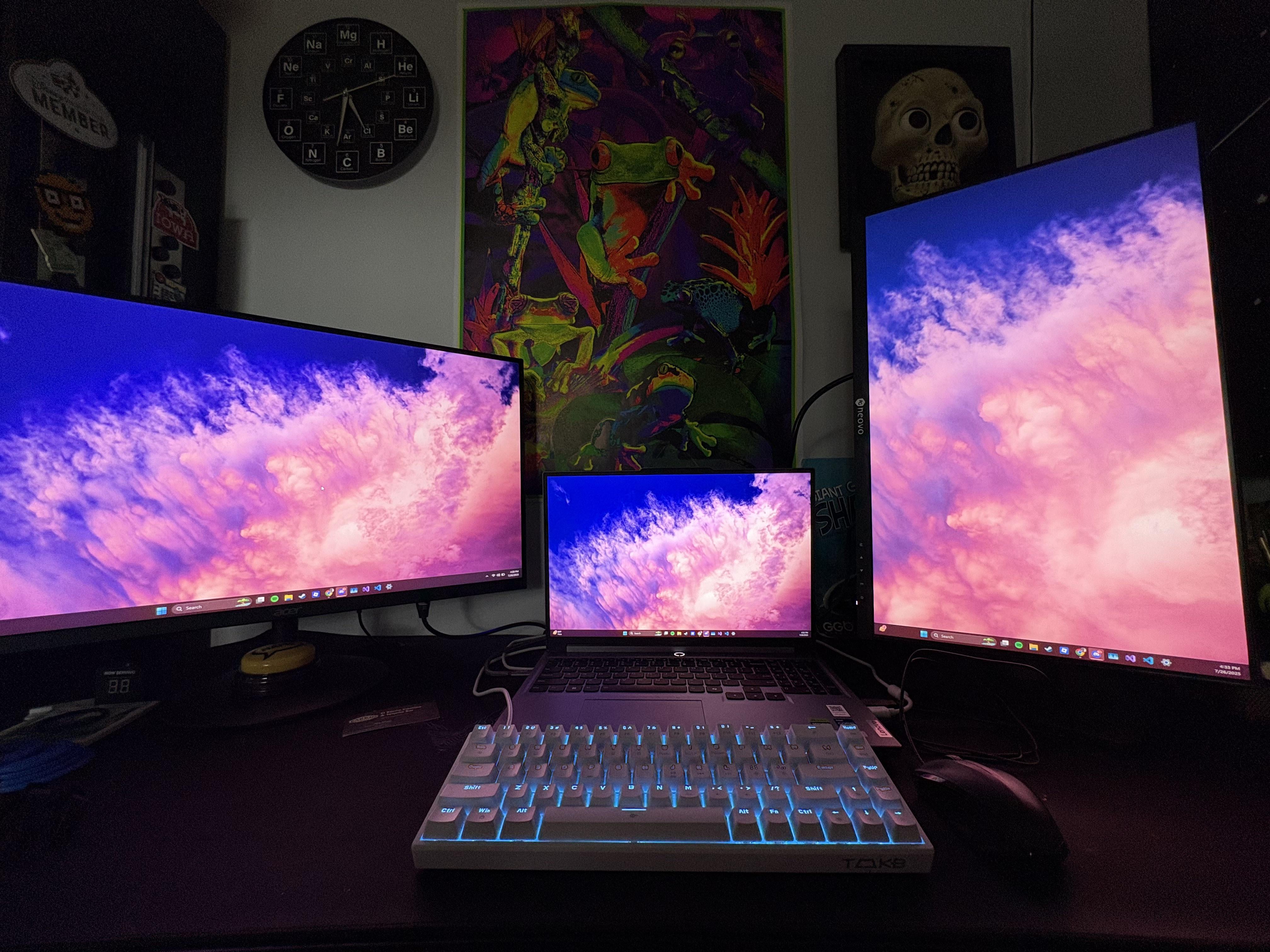
The space looks cozy, but I kind of hate the setup. I’m curious what you use it for. Do you work from home? Gaming? Coding? Here are some more constructive thoughts:
More is not necessarily better. You have three screens but do you need them? Your laptop is your smallest screen and it’s currently your primary facing monitor. It has the smallest resolution and It’s not even eye level. At the very least get a shelf or laptop stand and move it higher to eye level. Alternatively center your best monitor and use it as your primary with your laptop on the side. IDEALLY get a cheap docking station, and store it closed on the desk or mount it underneath. The laptop eats up a lot of prime real estate and you are already working with a keyboard and mouse. It’s also going to be annoying as hell to manage windows between three monitors of different resolutions. Only way I might keep the laptop on the desk is if you’re working from home, might keep it as a dedicated Slack/Teams chat or email so you can notice and respond quickly. Either way I can’t see any reason to put it in the center. Vertical monitor suggests you are coding or browsing through log files often. If that’s not the case, store the laptop out of the way and center your two monitors (which appear to be close in size/resolution) horizontally. Also move your monitors as far back as you can once you have adequate desk space to do so. Your eyes and neck will thank you if you are working for extended periods of time.
Snooklife
Not sure what you use the setup for so can’t say too much but I would have the monitor in the center, vertical on left/right, and laptop opposite side. Looks nice though 🙌

2 Comments
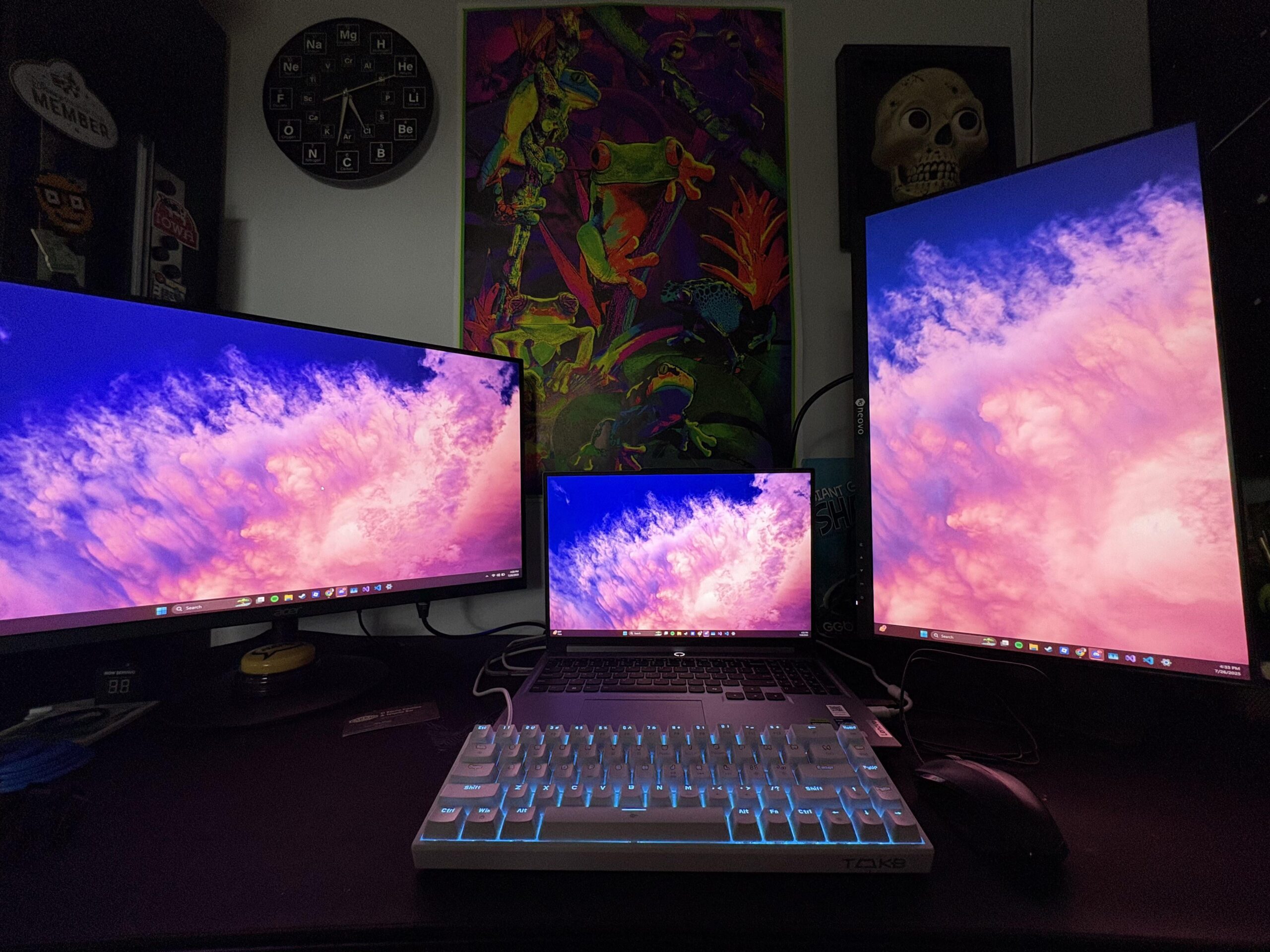
The space looks cozy, but I kind of hate the setup. I’m curious what you use it for. Do you work from home? Gaming? Coding? Here are some more constructive thoughts:
More is not necessarily better. You have three screens but do you need them? Your laptop is your smallest screen and it’s currently your primary facing monitor. It has the smallest resolution and It’s not even eye level. At the very least get a shelf or laptop stand and move it higher to eye level. Alternatively center your best monitor and use it as your primary with your laptop on the side. IDEALLY get a cheap docking station, and store it closed on the desk or mount it underneath. The laptop eats up a lot of prime real estate and you are already working with a keyboard and mouse. It’s also going to be annoying as hell to manage windows between three monitors of different resolutions. Only way I might keep the laptop on the desk is if you’re working from home, might keep it as a dedicated Slack/Teams chat or email so you can notice and respond quickly. Either way I can’t see any reason to put it in the center. Vertical monitor suggests you are coding or browsing through log files often. If that’s not the case, store the laptop out of the way and center your two monitors (which appear to be close in size/resolution) horizontally. Also move your monitors as far back as you can once you have adequate desk space to do so. Your eyes and neck will thank you if you are working for extended periods of time.
Not sure what you use the setup for so can’t say too much but I would have the monitor in the center, vertical on left/right, and laptop opposite side. Looks nice though 🙌