It can cause issues with memory training and expo/xmp particularly on and systems.
Izan_TM
instability, DDR5 is SUPER fast and it’s on the edge of not running, so current motherboards and memory controllers don’t do well at all with having 4 sticks
OurManInHavana
If you need the capacity, it’s not bad. Yes 2x64GB can run at higher speeds… but that doesn’t help you if your services need 4x64GB to run properly. Lower-clocks will beat higher-clocks+swapping any day 🙂
BadatOldSayings
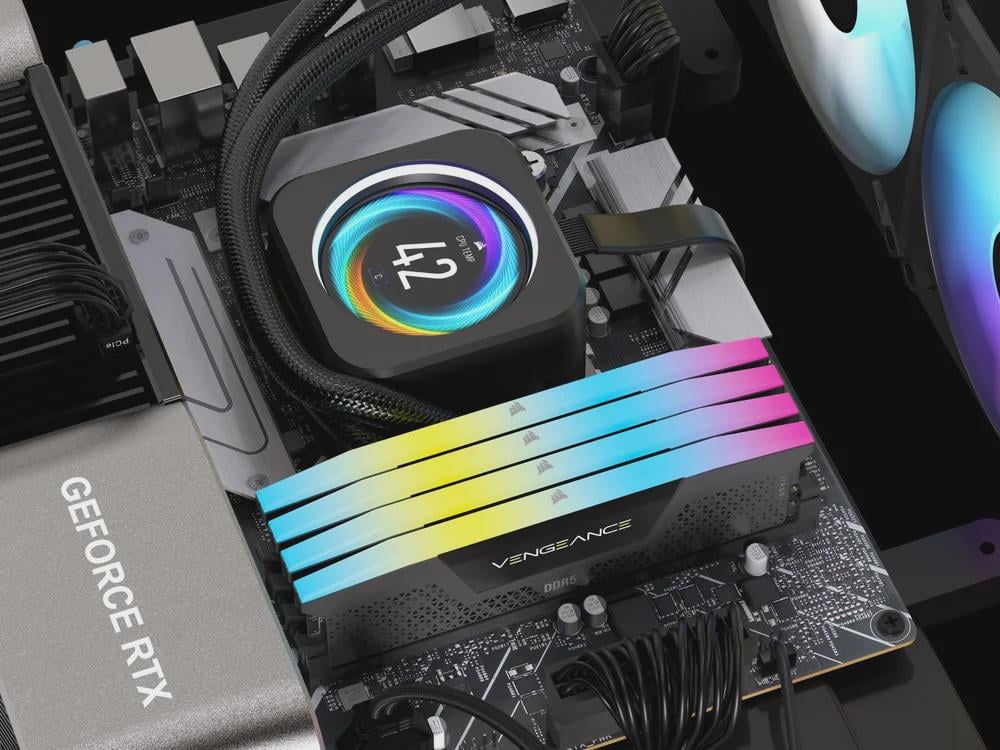
Cooling as well. Look at those sticks jammed together.
MetPagliarulo
I might remember wrong, but sometimes, with AMD I think, 4 sticks of DDR5 can run at a lower speed than default 4800 MHz, because of instability, so not only you’re sacrificing stability as a whole with 4 sticks, you’re also losing speed.
Snagmesomeweaves
The same reason it was bad with ddr4 for a while. It just didn’t run well and caused crashes. I got 4 dims of 3200 and I had crashes all the time early on, but eventually it was sorted out. If you want the look, companies sell dummy dims that have heat spreaders and lights so you can have the look.
ro3lly
I’m a firm believer that if your 4 stick kit is on the QVL of your motherboard, itll work.
Once you start to deviate from the QVL, thats when you start running into issues imo.
Prrg88
Stability, especially on am5. If you really want the 4 sticks for the looks, companies like Corsair sell dummy sticks. There is no actual ram there, but it looks like normal ram and has rgb.
X-KaosMaster-X
The true answer is STRESS on the IMC (Memory Controller).
The amount of channels + number of chips equals more work the IMC needs to do….it just cannot function correctly with that much LOAD…so you MUST reduce the speed to allow the controller to not get errors
TheReelReese
Actually awful with AMD.
No issues with Intel.
Zerberus009
CPU cant Handle it porperly. (i have it anyways bcs why not)
unabnormalday
I’ve had 2 sets of g.skill 32GB 6000MHz fail on me. When they finish the RMA, i will be on my third set. It’s already super unstable. No reason to add another layer
BurdensOfTruth
I have been running a 14700k with 4x16gb ram and not had a single issue so….
Optimal-Slice7238
Consumer cpu’s have two memory channels. When you have 4 dimms, you then have two modules on each channel. If the memory ran at the same speed with one dimm per channel as on two dimms, the memory controller in your cpu would be stressed twice as much which is too much. For the cpu to be stable, the memory would have to reduce its bandwith which reduces performance.
However, not all cpu’s have two channels. Mostly server and hedt cpu’s have more memory channels and so the optimal amount for a kit changes. You can find this by looking up the cpu specifications on intel or amd website how many channels it has.
Sidenote: because the cpu has two channels, if you only have a single stick, your cpu would have half the bandwith which also reduces performance.
Xenon-Hacks
Follow the QVL for your motherboard from the manufacturers website and you shouldn’t have any issues.
BinaryJay
It’s only bad if it doesn’t work. It’s just not as likely to work at the rated speed as only two.
C-D-W
It’s not necessarily bad *inherently.*
If you want to run fast RAM though, you’re far more likely to have issues with four sticks than with two.
AMD for example defines the memory specs for various memory configurations for the chips. For example on , with a 2 stick configuration DDR5-5600 is supported. But for a 4 stick configuration, only a DDR5-3600 configuration is supported.
falkenberg1
I‘m running 4x16gb corsair ddr5 on an AM5 Board. No issues so far.
Saved on ram for my build, because it is one of the easiest and cheapest parts to upgrade, so i went with 2x16gb. Instantly realited, that thats absolutely not enough for what i use my pc so i got another pair of the same ram
Icy-Advisor-2999
Bad is probably wrong choice in words but 4 sticks of ram can definitely be more finicky.
MrHeffo42
I believe G.Skill have come out with new sticks that work in a 4-Slot configuration AND at XMP speeds, getting around the signal issues that typically plague AM5 platforms.
-_-not_a_bot-_-
I’ve never had problems with 4 sticks of ddr5. Maybe I’m just lucky.
Lucky_Newspaper_6829
The mainstream CPU/Mobos are all dual rank so there’s no benefit from using 4 instead of 2 larger ones. Two slots share a channel and the memory controller needs to work harder and might have issues with expensive memories with extreme XMP/EXPO like 8000 kits
dep411
I run 4 sticks no issues
_Mr-Z_
This whole thread is mildly concerning to see after I just got another 2x48GB kit on top of my existing 2x48GB. Literally just got it delivered today and I see this shit bruh.
For anyone curious; I play with virtual machines, LLMs, self hosted sevrices and game servers for friends.
False-Associate-9488
I have seen people get better memory preformance from having 4 stick, I never had a problem with stability
New-Audience2639
Imagine you have two conveyor belts sending you packages and you have to sort those packages. Now imagine DDR4 puts those belts on medium speed meaning it’s pretty easy to keep up even with four conveyors of packages coming to you. Now imagine DDR5 is putting those belts on high speed. You can pretty decently keep up with two belts moving packages fast but four is just to much at once so you start dropping packages and accidentally misplacing them. That is why four sticks of DDR5 is bad. It’s to much data to quickly for most CPU and will cause data loss and crashes. It comes down to modern CPU and motherboard not being able to keep up with the speeds of multichannel DDR5 yet.
ComradeWeebelo
In addition to what other people have said, it splits the speed on the memory controller. You can’t reach as high speeds with the same stability with 4 sticks as you could with 2.
The same thing happens with PCI/PCI-e slots. Have too many expansion devices plugged in and they’ll all collectively slow down.
The severity of this depends on the motherboard, but it’s generally the case for most if not all consumer-grade motherboards.
sparda4glol
it’s not bad at all. Thousands upon thousands of computers need to run more ram.
Myself and plenty others need the 128gb – 192gb range.
Also plenty of boards that support 256gb of ddr5 and use quad channel just fine.
ironiclyironic4
Its like a bad ex gets unstable real fast
tiniestvioilin
I personally have had no issues running all 4 dims.
I’ve currently got 4 16gb sticks of cl36 5600 ddr5 with the xmp profile enabled.
All sticks are running at 5600 with no issues/stability problems.
Chronos669
Puts more stress on the memory controller causing stability issues supposedly. You won’t have any issues unless running overclocked memory
runed_golem
I’m not sure about Intel, but I know with AMD systems 4 sticks of DDR5 can sometimes cause instability at speeds that it’d be stable at with 2 sticks.
nigori
It’s not necessarily bad. Go by your QVL. Lots of times you can’t maintain the same timings in 4x that you can in 2x
AdvisorEducational98
PCIE lane sharing on AM5 boards means 4 sticks actually runs slower than 2. Which is shitty because it unofficially soft-caps your RAM way lower than what the board is rated for

34 Comments
It can cause issues with memory training and expo/xmp particularly on and systems.
instability, DDR5 is SUPER fast and it’s on the edge of not running, so current motherboards and memory controllers don’t do well at all with having 4 sticks
If you need the capacity, it’s not bad. Yes 2x64GB can run at higher speeds… but that doesn’t help you if your services need 4x64GB to run properly. Lower-clocks will beat higher-clocks+swapping any day 🙂
Cooling as well. Look at those sticks jammed together.
I might remember wrong, but sometimes, with AMD I think, 4 sticks of DDR5 can run at a lower speed than default 4800 MHz, because of instability, so not only you’re sacrificing stability as a whole with 4 sticks, you’re also losing speed.
The same reason it was bad with ddr4 for a while. It just didn’t run well and caused crashes. I got 4 dims of 3200 and I had crashes all the time early on, but eventually it was sorted out. If you want the look, companies sell dummy dims that have heat spreaders and lights so you can have the look.
I’m a firm believer that if your 4 stick kit is on the QVL of your motherboard, itll work.
Once you start to deviate from the QVL, thats when you start running into issues imo.
Stability, especially on am5. If you really want the 4 sticks for the looks, companies like Corsair sell dummy sticks. There is no actual ram there, but it looks like normal ram and has rgb.
The true answer is STRESS on the IMC (Memory Controller).
The amount of channels + number of chips equals more work the IMC needs to do….it just cannot function correctly with that much LOAD…so you MUST reduce the speed to allow the controller to not get errors
Actually awful with AMD.
No issues with Intel.
CPU cant Handle it porperly. (i have it anyways bcs why not)
I’ve had 2 sets of g.skill 32GB 6000MHz fail on me. When they finish the RMA, i will be on my third set. It’s already super unstable. No reason to add another layer
I have been running a 14700k with 4x16gb ram and not had a single issue so….
Consumer cpu’s have two memory channels. When you have 4 dimms, you then have two modules on each channel. If the memory ran at the same speed with one dimm per channel as on two dimms, the memory controller in your cpu would be stressed twice as much which is too much. For the cpu to be stable, the memory would have to reduce its bandwith which reduces performance.
However, not all cpu’s have two channels. Mostly server and hedt cpu’s have more memory channels and so the optimal amount for a kit changes. You can find this by looking up the cpu specifications on intel or amd website how many channels it has.
Sidenote: because the cpu has two channels, if you only have a single stick, your cpu would have half the bandwith which also reduces performance.
Follow the QVL for your motherboard from the manufacturers website and you shouldn’t have any issues.
It’s only bad if it doesn’t work. It’s just not as likely to work at the rated speed as only two.
It’s not necessarily bad *inherently.*
If you want to run fast RAM though, you’re far more likely to have issues with four sticks than with two.
AMD for example defines the memory specs for various memory configurations for the chips. For example on , with a 2 stick configuration DDR5-5600 is supported. But for a 4 stick configuration, only a DDR5-3600 configuration is supported.
I‘m running 4x16gb corsair ddr5 on an AM5 Board. No issues so far.
Saved on ram for my build, because it is one of the easiest and cheapest parts to upgrade, so i went with 2x16gb. Instantly realited, that thats absolutely not enough for what i use my pc so i got another pair of the same ram
Bad is probably wrong choice in words but 4 sticks of ram can definitely be more finicky.
I believe G.Skill have come out with new sticks that work in a 4-Slot configuration AND at XMP speeds, getting around the signal issues that typically plague AM5 platforms.
I’ve never had problems with 4 sticks of ddr5. Maybe I’m just lucky.
The mainstream CPU/Mobos are all dual rank so there’s no benefit from using 4 instead of 2 larger ones. Two slots share a channel and the memory controller needs to work harder and might have issues with expensive memories with extreme XMP/EXPO like 8000 kits
I run 4 sticks no issues
This whole thread is mildly concerning to see after I just got another 2x48GB kit on top of my existing 2x48GB. Literally just got it delivered today and I see this shit bruh.
For anyone curious; I play with virtual machines, LLMs, self hosted sevrices and game servers for friends.
I have seen people get better memory preformance from having 4 stick, I never had a problem with stability
Imagine you have two conveyor belts sending you packages and you have to sort those packages. Now imagine DDR4 puts those belts on medium speed meaning it’s pretty easy to keep up even with four conveyors of packages coming to you. Now imagine DDR5 is putting those belts on high speed. You can pretty decently keep up with two belts moving packages fast but four is just to much at once so you start dropping packages and accidentally misplacing them. That is why four sticks of DDR5 is bad. It’s to much data to quickly for most CPU and will cause data loss and crashes. It comes down to modern CPU and motherboard not being able to keep up with the speeds of multichannel DDR5 yet.
In addition to what other people have said, it splits the speed on the memory controller. You can’t reach as high speeds with the same stability with 4 sticks as you could with 2.
The same thing happens with PCI/PCI-e slots. Have too many expansion devices plugged in and they’ll all collectively slow down.
The severity of this depends on the motherboard, but it’s generally the case for most if not all consumer-grade motherboards.
it’s not bad at all. Thousands upon thousands of computers need to run more ram.
Myself and plenty others need the 128gb – 192gb range.
Also plenty of boards that support 256gb of ddr5 and use quad channel just fine.
Its like a bad ex gets unstable real fast
I personally have had no issues running all 4 dims.
I’ve currently got 4 16gb sticks of cl36 5600 ddr5 with the xmp profile enabled.
All sticks are running at 5600 with no issues/stability problems.
Puts more stress on the memory controller causing stability issues supposedly. You won’t have any issues unless running overclocked memory
I’m not sure about Intel, but I know with AMD systems 4 sticks of DDR5 can sometimes cause instability at speeds that it’d be stable at with 2 sticks.
It’s not necessarily bad. Go by your QVL. Lots of times you can’t maintain the same timings in 4x that you can in 2x
PCIE lane sharing on AM5 boards means 4 sticks actually runs slower than 2. Which is shitty because it unofficially soft-caps your RAM way lower than what the board is rated for