
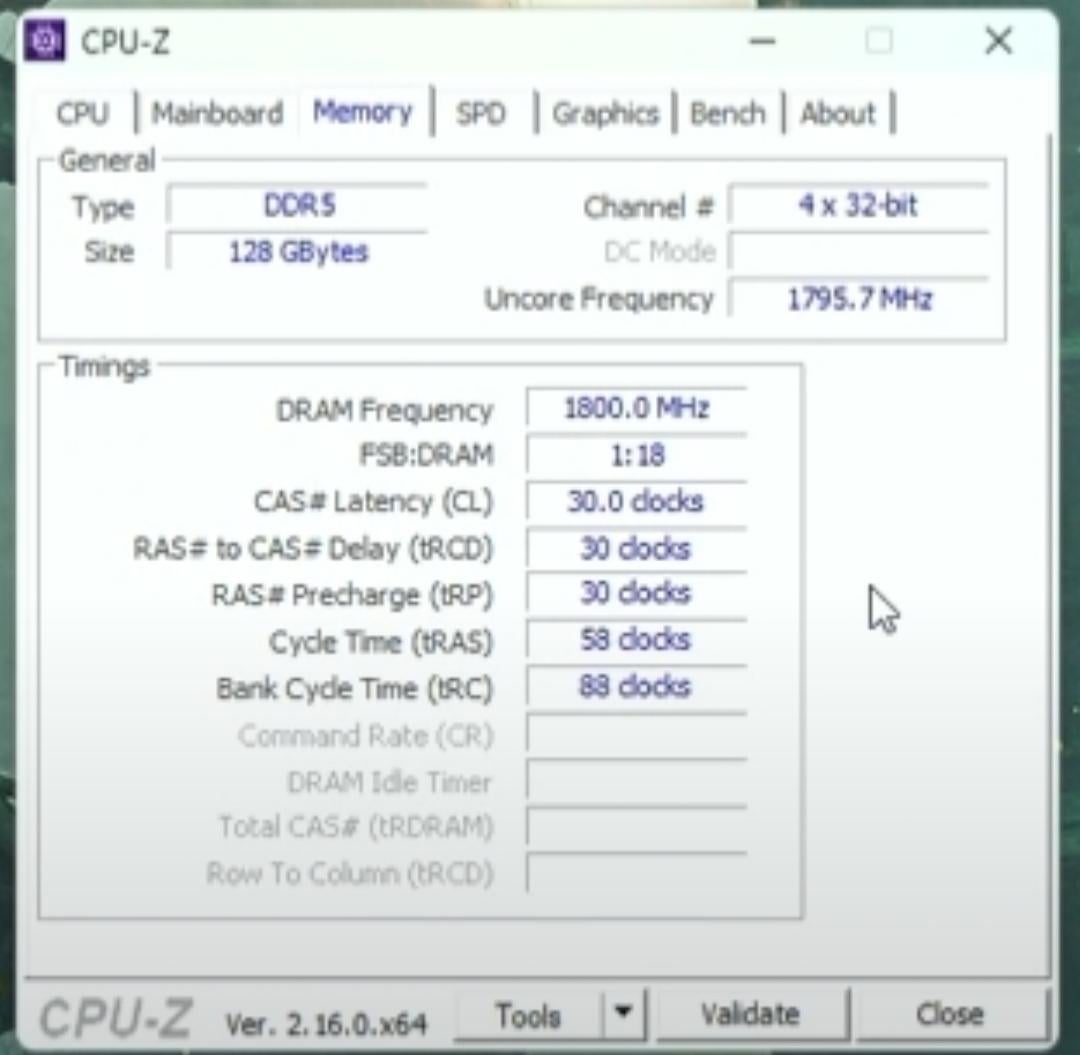
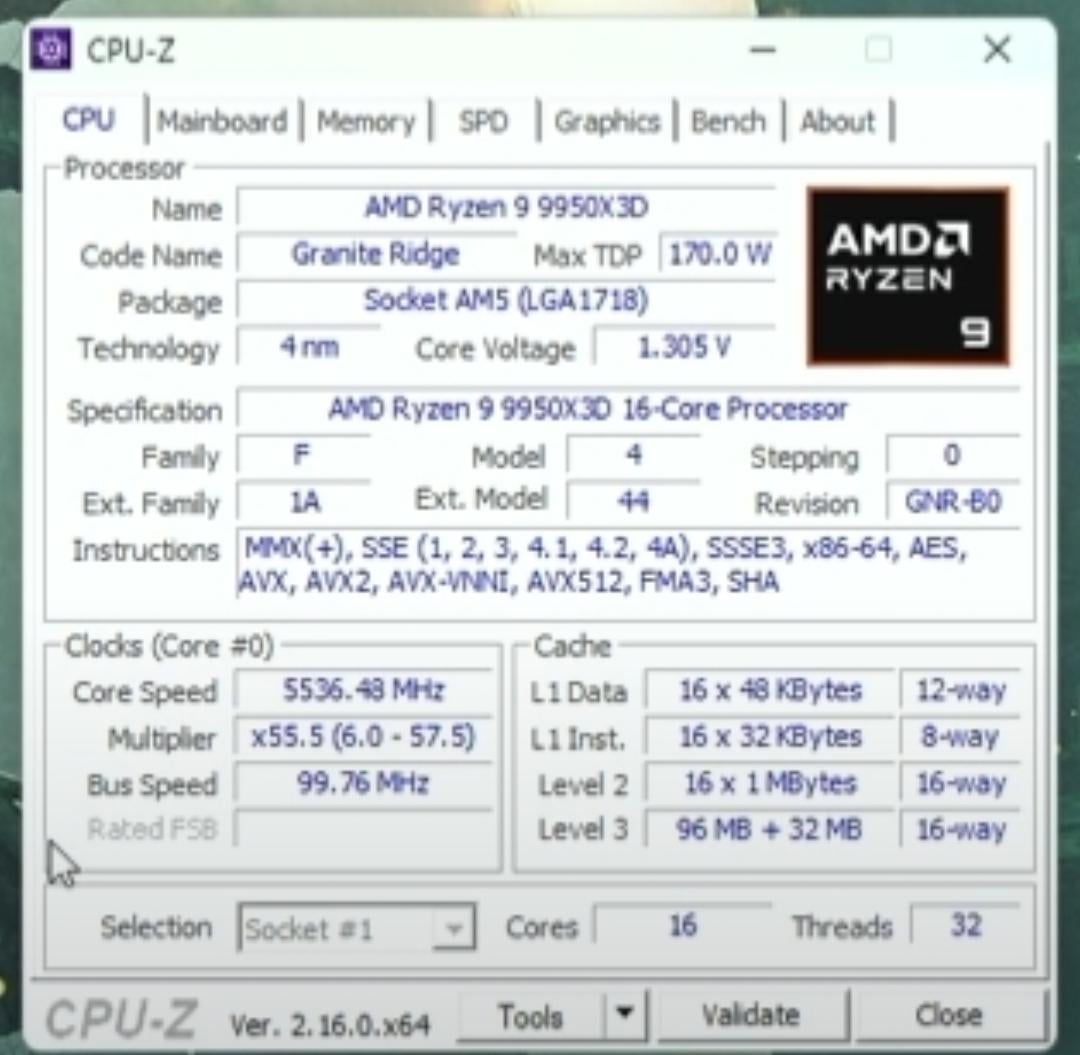
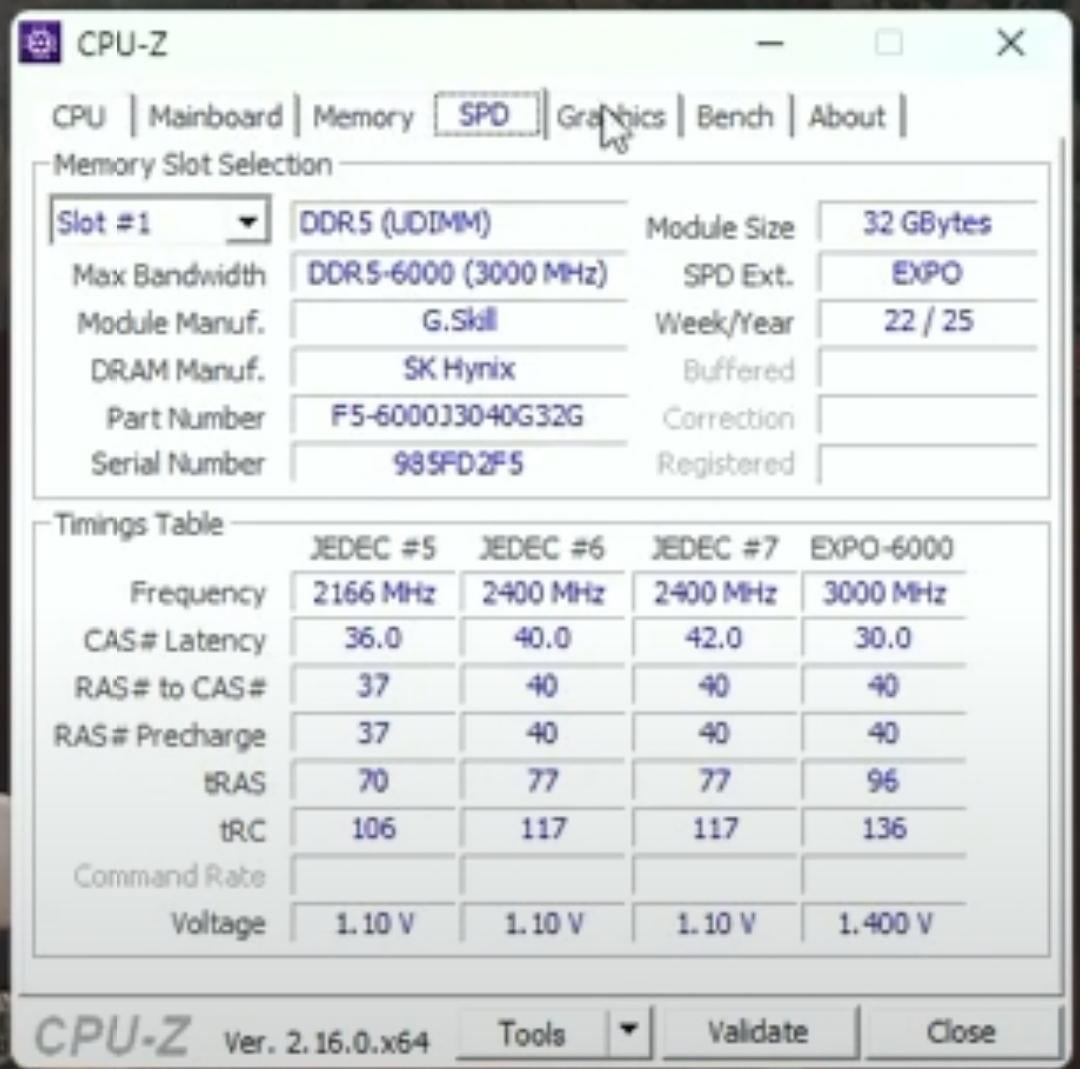
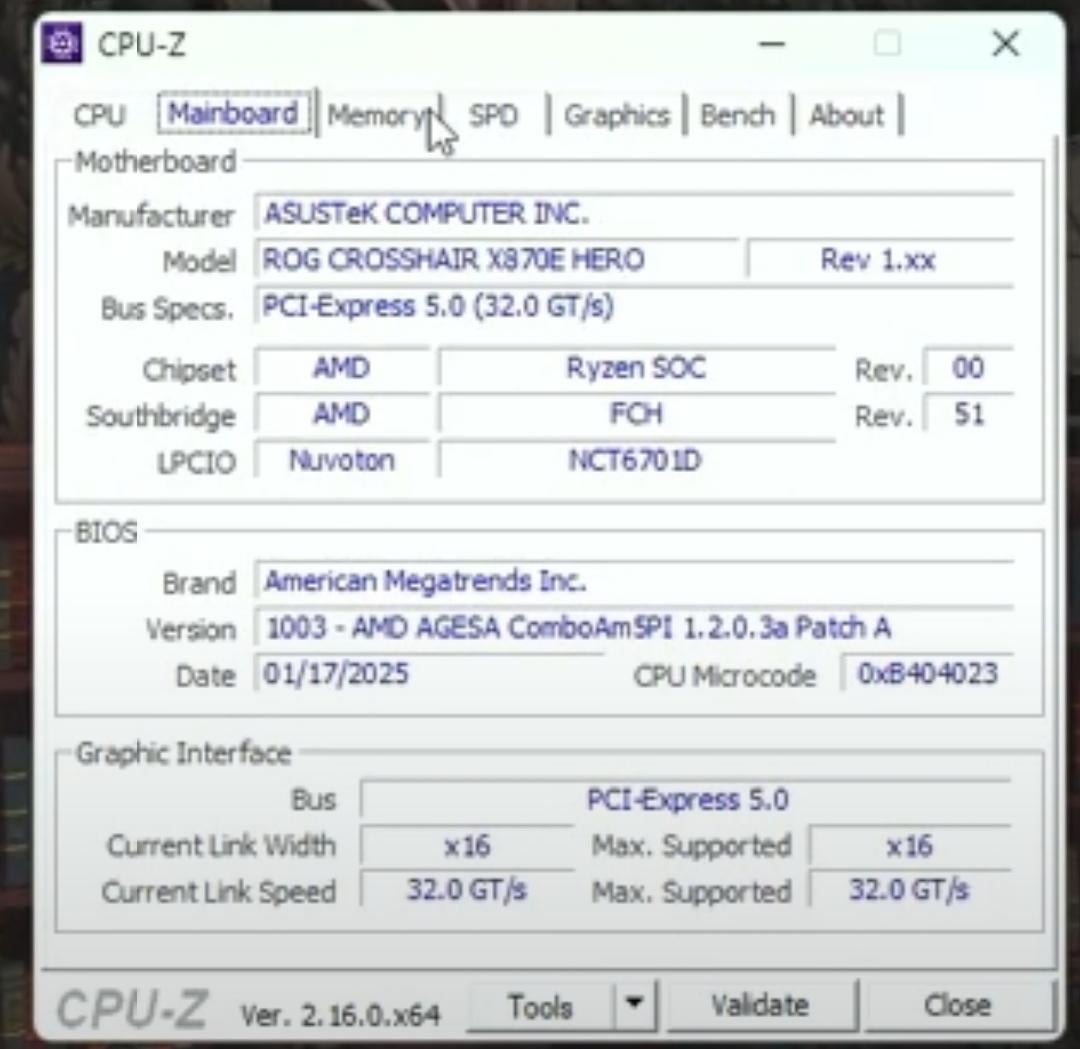
I built a new high end PC. I'm using 4 ram slots each with 32GB and in total 128GB. My ram is currently running at 3600Mhz and I tried going into Bios and select EXPO-1 profile but it didn't work and then I tried manually selecting 6000Mhz and that also failed and went into safe mode. I have never used 4 ram slots before and not sure how to increase my ram frequency to max performance coz rn it's very low at 3600Mhz. I didn't touch any voltages or timings at all. Please help, I have attached CPU-Z screenshots.
Specs-
CPU: AMD Ryzen 9 9950X3D
Motherboard: Asus ROG Crosshair X870-E HERO
Ram:128GB- 4x GSkill 32GB DDR5 6000Mhz EXPO
GPU: Nvidia RTX 5090
13 Comments
It’s already running expo
Timings try to boot with with CL40 then go down if it’s boots. Try the 42 40 40 77 117 at 5200mhz If it boost 40 40 40 77 117 , Then 36,37,37,70,106
Most likely it won’t do 6000.
In the speed selector in your bios try setting 4800 (on its own, nothing else)
Manually overclock your ram but my suggestion is don’t and leave it at xmp because you’re missing a lot of base knowledge (I’m not knocking you)
Also, ddr5 on amd doesn’t really like 4 slots “yet” although it can be done with a lot of work.
I currently am running ddr5 @6400 cl32 – 96gb from tcreate (2 sticks).
Lastly, if you’re stuck on running 4 sticks then they have to absolutely be two identical matched sets but each set running on a channel. Meaning one complete set in A and the identical set running in b. Don’t split the sets between a and b like we did on ddr4.
Try reseating the ram. Its possible that one or more of them may not be able to use expo, youll have to troubleshoot a bit launching with each stick. I had a faulty kit awhile back where only one stick had expo and the other spazzed out and didnt have it. I got new ones and new kit jumped to 6000 when enabling it.
You might also need to try memtest64. Im unsure if this will reveal the speed answers but if you have errors it will show.
[Ryzen 9 9950X3D](https://www.amd.com/en/products/processors/desktops/ryzen/9000-series/amd-ryzen-9-9950x3d.html)
Max Memory Speed
2x1RDDR5-5600
2x2RDDR5-5600
4x1RDDR5-3600
4x2RDDR5-3600
—
look like you are capped by your cpu
Isn’t ddr5 notoriously bad at running dual channel…get 2x64gb sticks for better speeds
I had 4 sticks of the same G.Skill RAM and got 5600 C28 with considerable tweaking. You might be able to get similar with these timings.
https://i.ibb.co/93hsYwt4/IMG-20250326-WA0001.jpg
I would try to go for 5600mt/s first, leave the timings lose at like cl40-48-48 or higher, if it runs you can either try lowering latencies or go up to 5800-6000 mt/s. I would also suggest you try setting the VDD voltage to like 1.55 or 1.6v and VDDQ to 1.4-1.45. If your ram has a decently sized heatspreader this will work without temperature problems. Next thing you can do is set Trefi to 65535. Note that this will also raise temps although I’ve never really had problems with that aslong as your ram heatspreader is decent. Another tip: Set TRas to the maximum it lets you. This timing does not affect your Ram’s performance but if you set it too low it will cause additional instability and worse overall performance. Usually tras matters for stuff like Trc but luckily on am5 it doesn’t matter so just set Trc as low as possible.
This provides useful info about 4 sticks:
https://youtu.be/e2pPIHGuLPU?si=nZd5FOhsaHW1Hxz6
You’re trying to overclock from 3600mt/s to 6000mt/s with an automatic overclock profile which was not made for your memory configuration (It’s for 2×32).
If it works there at all, it’s likely only with manual tuning.
4x32GB is simply a bad configuration at the moment; 2×32 / 2×48 / 2×64 are much more capable for all dual channel CPU’s, and the latter has the same memory capacity.
Remove 2 sticks. It’s not going to work and 128GB is not needed.
If you insist you need a server CPU, Threadripper or Xeon that can run quad channel.
The few that post successfully going over 3200 mhz 4800-5200 with a ton of tuning. I’ve only seen a few hit 6k on here.