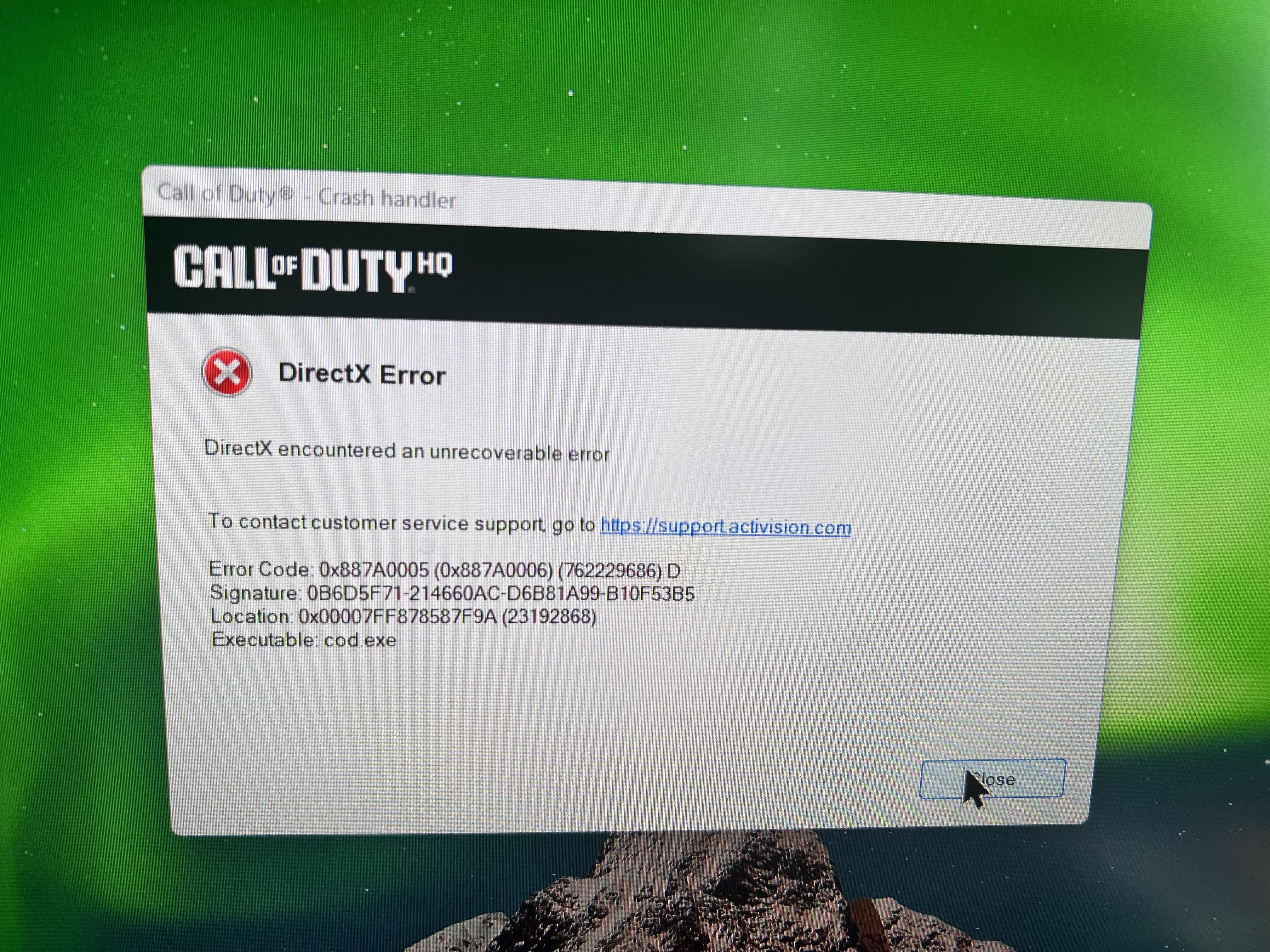
Switch from Nvidia 5070 to 9070XT.
Warzone crashes when I'm about parachuting.
Not sure what to look for. Used DUU to remove all previous drivers, installed and updated AMD Drivers and no luck.

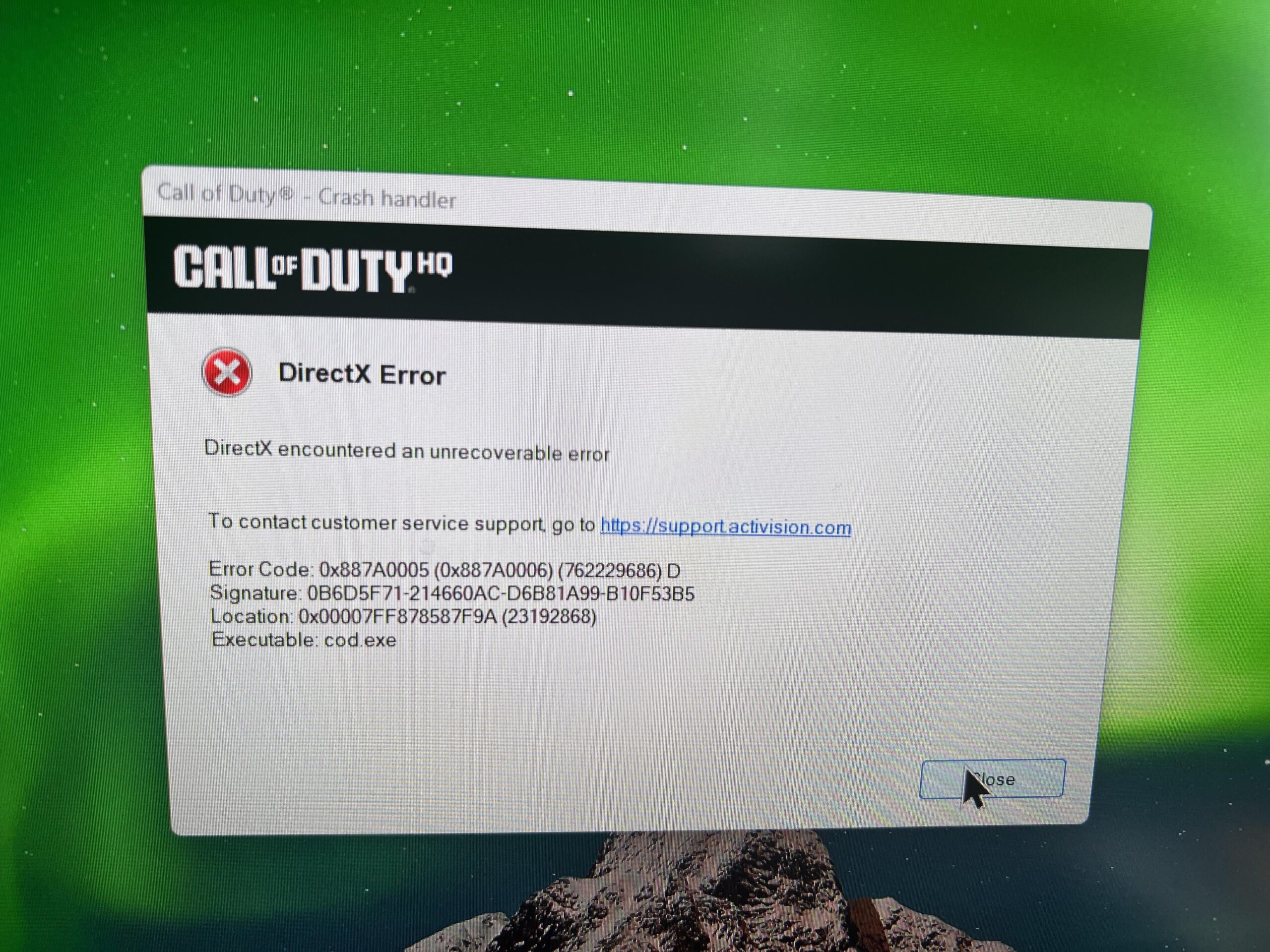
Switch from Nvidia 5070 to 9070XT.
Warzone crashes when I'm about parachuting.
Not sure what to look for. Used DUU to remove all previous drivers, installed and updated AMD Drivers and no luck.
13 Comments
Did you update the chipsets as well?
Remove overlays from running while the game is on. This includes the Steam overlay Razor Synapse. And AMD adrenaline. Which if you press ALT+R Will pop up.
There is a known Directx error. That causes misconfiguration and corruption of the DX file. If you’re on Windows 10, you can uninstall and reinstall. Directx, if you’re on Windows 11, you can’t. You just have to follow this link and use their web installer and it reinstalls it for you.
[https://www.microsoft.com/en-us/download/details.aspx?id=35](https://www.microsoft.com/en-us/download/details.aspx?id=35)
I had the same crashes on a new 9070xt. For me, deleting the files in the folder documents – call of duty – players fixed it. I also need to keep everything on low/off. If I bump some stuff back to medium or high (like shaders, textures or particles) the crash comes back and I have to delete the mentioned files again. It will reset your settings after you delete the files in the folder.
With everything on low/off I had zero crashes on the latest amd driver.
Delete call of duty folder on my documents and boot the game, it redos the important graphic settings.
Do this every big update, 2 in 2 months +-
I would just do a clean reinstall of Warzone, it always runs much smoother after.
Kind of off topic but I have had MUCH less crashing in WZ after getting a 7800XT. In well over a year I have only had a handful of dev errors.
Friend of mine struggled with the exact same issue for months. Tried everything.. Reinstalled game, DDU, even reinstalled Windows. No luck. Eventually replaced his PSU as he had a Gamedias 600w and wanted to upgrade to a Corsair 700w anyway, problem gone. Been a month now, not a single crash. He has a AMD Ryzen 5600 with a Radeon 7600. The 600w was supposed to be enough wattage for his build but we assume that the Gamedias PSU’s are just sub par and didn’t provide enough juice.
pc builder here did you do this first remove all GPU drivers (intel, **Nvidia** and AMD) in Safe Mode, then manually install the latest GPU driver sourced from AMD’s support site in an elevated command, i.e, Right click installer>Run as Administrator.
I always had that problem with my 6700xt .I got a 5070 and never had this problem again
Saving this thread cause it has stopped but only because I formatted and reinstalled all drivers and the game…
It is not just an amd problem. I run a nvidia 4080 and I was getting that atleast once a night. My problem ended up being the ram for some reason. I went and removed them and put them back in and my pc worked perfect after that. An odd fix but it worked.
I searched and searched for a solution of this and came across a video that said to change the ram speed to auto in your bios. I did that and I haven’t had the problem since. I’m no PC expert, but it worked for me.
There’s an ongoing issue with 90 series AMD cards. Set shader quality to LOW and that should solve it.
Worked for my 9060XT.
It’s not an AMD thing. My 5090 goes through phases where it will crash with a directX error. It’s a shitty made game by people who don’t care about gaming.
My rx 9070xt is working fine,no crashes… reinstall the adrenaline software, will get the drivers verified. One of the latest drivers launched on windows update is bad.