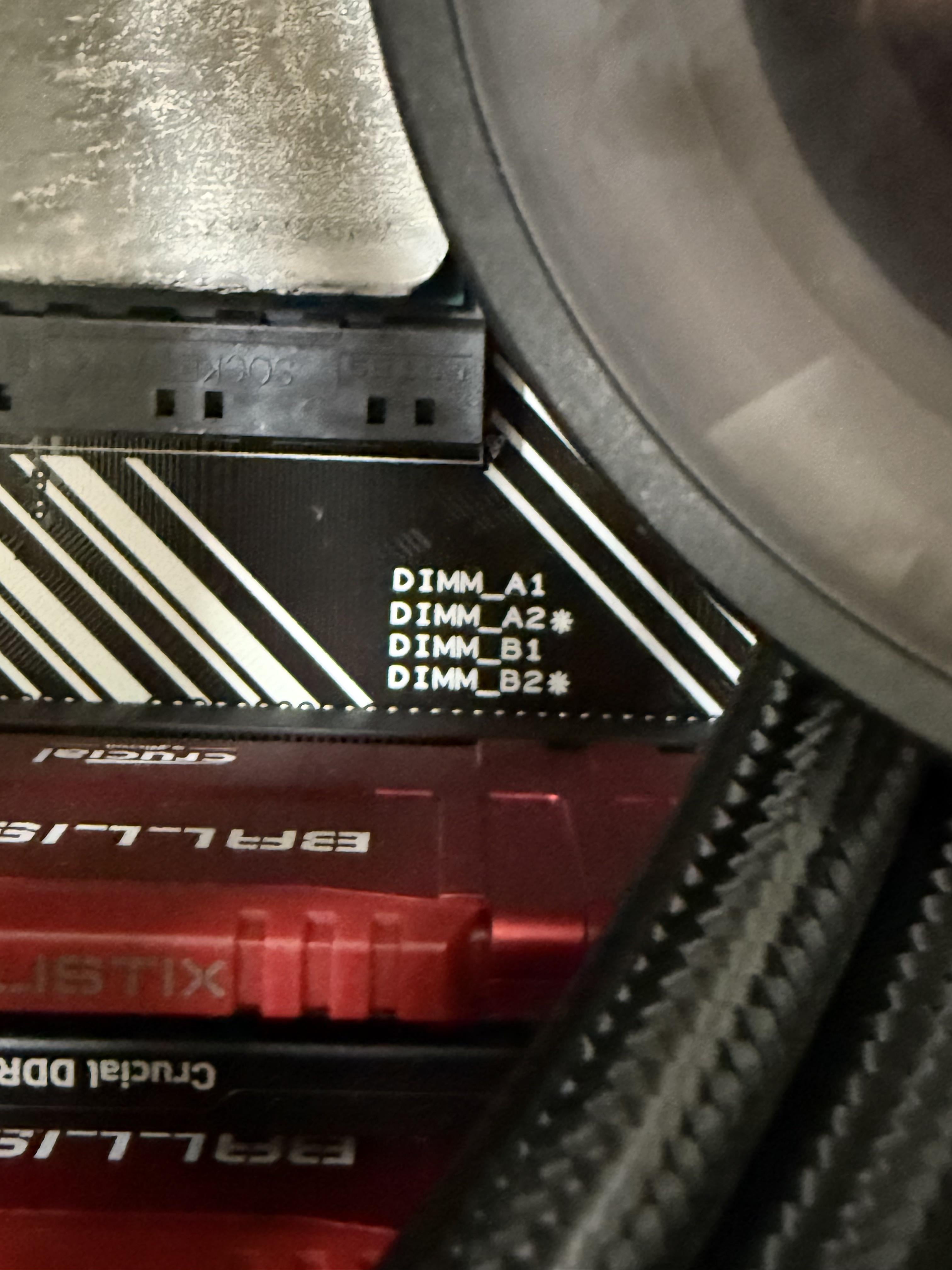
I saw this while I was replacing my CPU and I thought it was interesting. I’ve replaced ram before but I didn’t take much note of it.
Mobo is the Asus Prime B550 A AC

I saw this while I was replacing my CPU and I thought it was interesting. I’ve replaced ram before but I didn’t take much note of it.
Mobo is the Asus Prime B550 A AC
33 Comments
Normally it means to pair them up as a set or fill those ones first for the best performance higher speed if you only have two sticks
Dual channel slots
If you have only 2 sticks, those should be the slots you use. usually they make you check the manual for that kind of thing.
Primary ram slots if using only 2 sticks of RAM. Also mixing different RAMs will hurt performance.
Primary slots. These slots should be used first when running only two sticks of RAM
Yeah just means “If ur going to use only 2, use these 2”
Interleave pattern. Filling up empty-only or asterix-only slots first givest best performance in access time due to the wiring of the slots. Sometimes used for safety features (RAID ram etc.) too.
it’s the slots you populate with ram first
Unrelated… But the two different sets of RAM is driving my OCD absolutely insane…
It’s almost like pc companies should make like a little book thingy with instruction on what everything is in the pc….
Steroids
It means read the owners manual.
[deleted]
They mean that those 2 slots need to be populated first, so the exact opposite how you did it lol
It means to populate those slots first. Which you didnt do.
Reason for that is how the traces are set up, they terminate on those slots, but the other slots are just kind of on the way, so they have a dead end in one direction that will mess with signal integrity. Its *usually* not a problem, but if you balls-to-the-wall OC your RAM it could make a difference.
Edit: Okay, didnt see that there was a second set of RAM sticks that were just black, so I overlooked them. Carry on.
it is to show the optimal locations the ram sticks should go, USUALLY this is the same across lots of motherboards being A2 and B2 or the 2nd and 4th slots, but sometimes its different, your ram should follow where the stars are in the picture
Slot a2 and b2 are your primary ramm slots
Put the ram sticks in those slots first.
* If you buy ASUS boards. USUALLY populate the grey slots first.
It’s telling you that you have your ram in the wrong slots.
Preferred slots when only 2 sticks are used
Lmao you got the thing in the wrong slots
I found this quite funny
But not that much will happen.
Those are the ones you can download from the internet
Preferred slots when using 2 sticks.
Omg just noticed you have different ram😳
You already got your answer so I can’t help but say… Damn the mixed modules hurts my soul😂
Dual rank slots
RTFM
The stars mean that those 2 slots are crunchier.
2nd ones are always best for performance, espiecally A2 ( second DIMM closest to your CPU usually) and is best for testing things too
It means “populate those two first”
Started to indicate preferred by the CPU and manufacturer
Apparently, it didn’t work.
It means read the motherboard manual