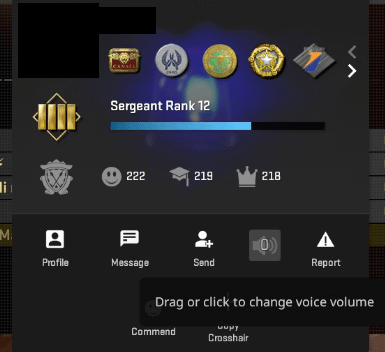
when i change mic volume to 0 i still hear the person talking on normal volume. i used this since the mute functions makes the persons name too dark in the scoreboard.

when i change mic volume to 0 i still hear the person talking on normal volume. i used this since the mute functions makes the persons name too dark in the scoreboard.
12 Comments
Experienced the same issue. Thanks volvo
Weird. I’ve been doing it from the scoreboard in game and it works for me.
Casino works they don’t care lol
Didnt work for me for 3 days now. Fucks me up.
Same issue.
Side note – I made a detailed post about how the red was too dark when they added it, because you couldn’t tell if they were alive or not very well, got dozens of downvotes. semi-popular content creator makes same post day later and he gets hundreds of upvotes
Had a similar issue, have found that after changing the volume, muting then unmuting seems to work.
Would be nice if they fix it and add that you can adjust volume to higher than 100 as some teammates have really quite mics
THANK YOU.
Literally had the most loud mic user and i lowered him to 50.
Still loud. Kept lowering and every time he talked was loud. Finally lowered him to 1 he was loud. I just did snd voip and lowered everyone
same for me
Workaround (At least it works for me):
Turn them down, mute & unmute them and they should be quieter
feels like it’s never adjusted volume past noise level 1,2, or 3
It’s kinda impressive how little Valve cares about their biggest game/child gambling app