
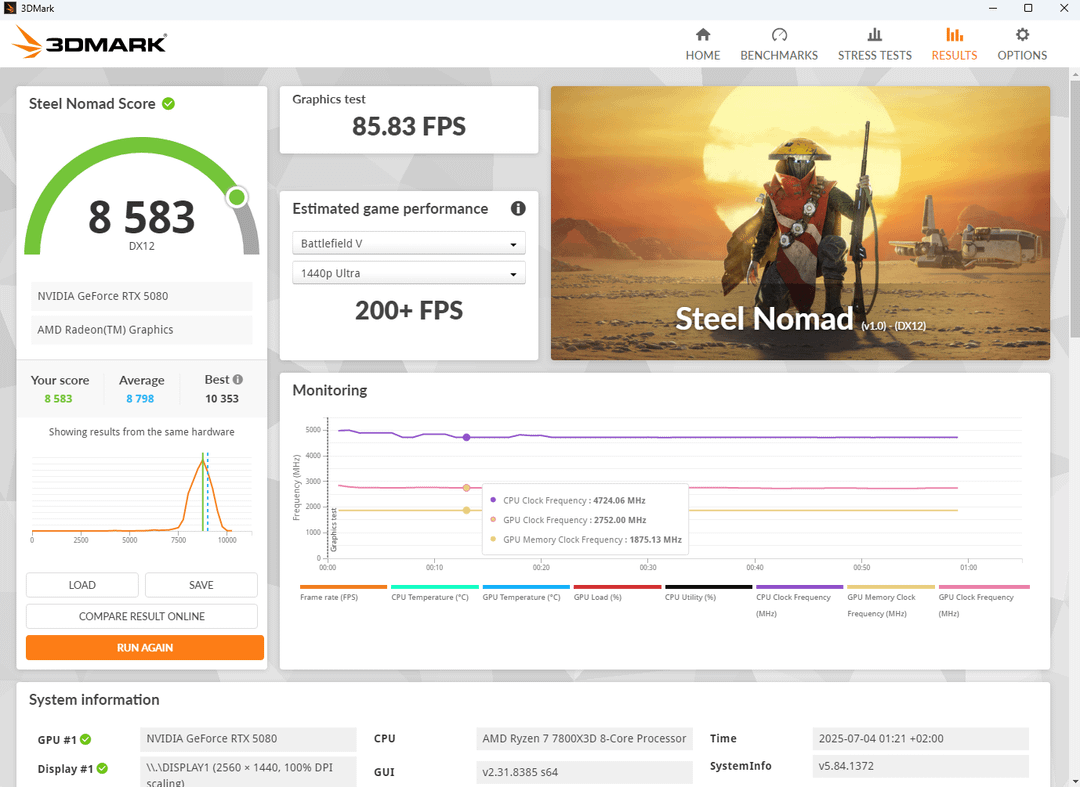
I ran a couple of benchmarks in Steelnomad as shown in the screenshots. Stock my clockspeeds where higher than proclaimed by ASUS themselves (2752Mhz as shown in the first screenshot)
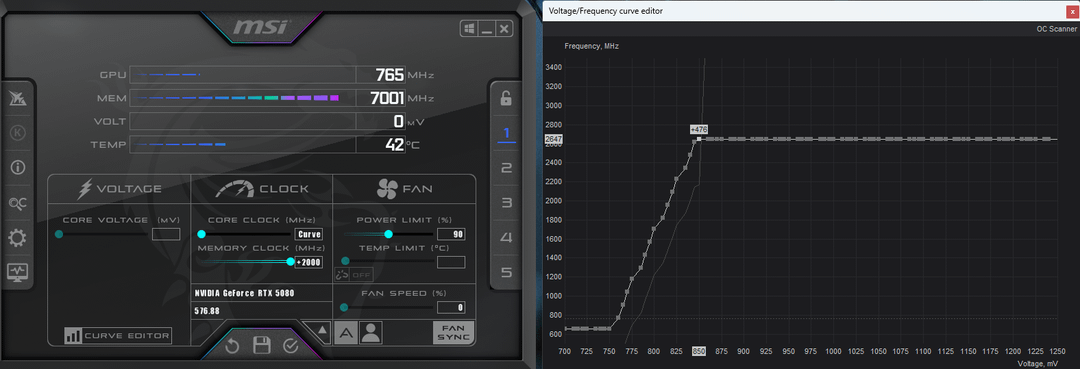
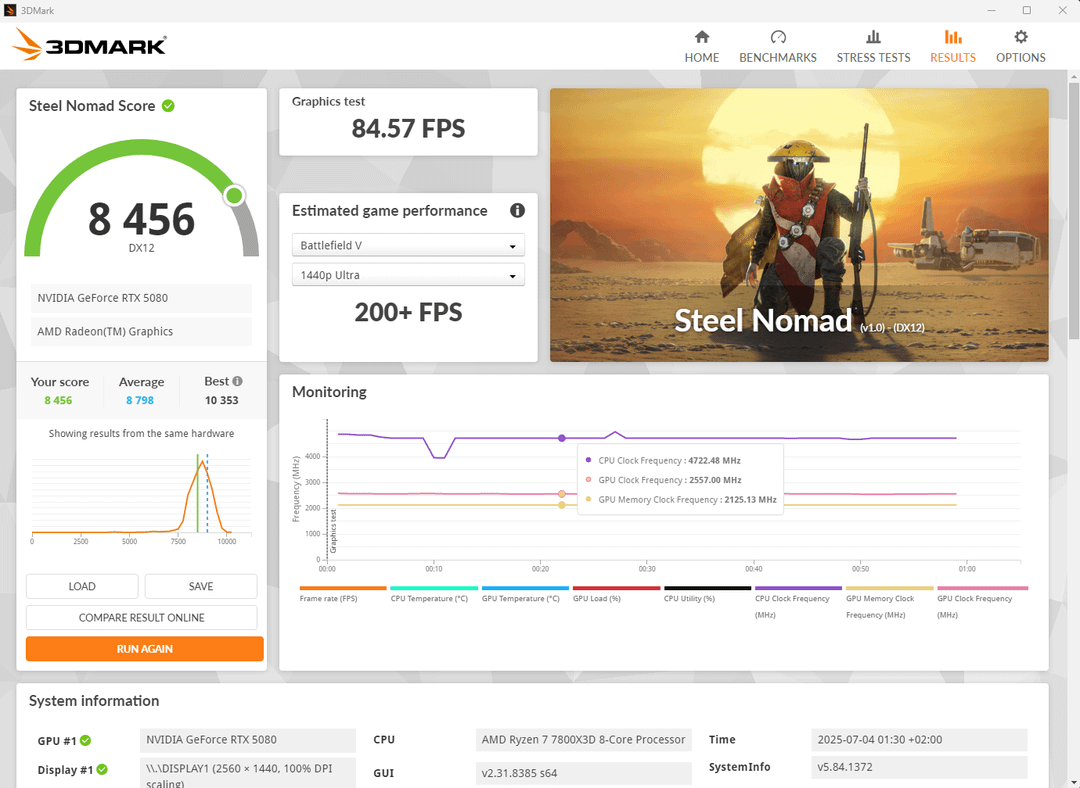
But when it comes to undervolting my clockspeed was set to 2647Mhz at 850mV and in the benchmark I got 2557Mhz most of the time as shown in the third screenshot. Is it silicon lottery or something that I can not hit the clockspeeds I set up?
PS: I deleted my first post since the Steel Nomad Score showed a warning triangle and I though that may lead to confusion and my stock settings score had weird clockspikes so I reran the benchmarks. Sorry about that
1 Comment
Because the frequency you see in the curve editor does not update in real time – the stock curve constantly jumps between a few steps. Reopen the curve and you’ll see that your offset now displays the new curve. You need to know the actual frequencies at specific temperatures on the stock curve; then add your offset to those frequencies, and you’ll know what your frequency will be at each temperature.
You also need to apply the same offset from the lowest voltage point up to 850 mV – and drop all points to the right of that. If you only raised one point, then obviously your effective frequency is lower, and when the GPU shifts by 1-2 voltage steps due to a power/temp limit, you end up with an overvolt on those points.
You can make a simple non-linear curve by holding down Ctrl – it’s the easiest option for those who do not want to bother finding the exact offset for each voltage point.