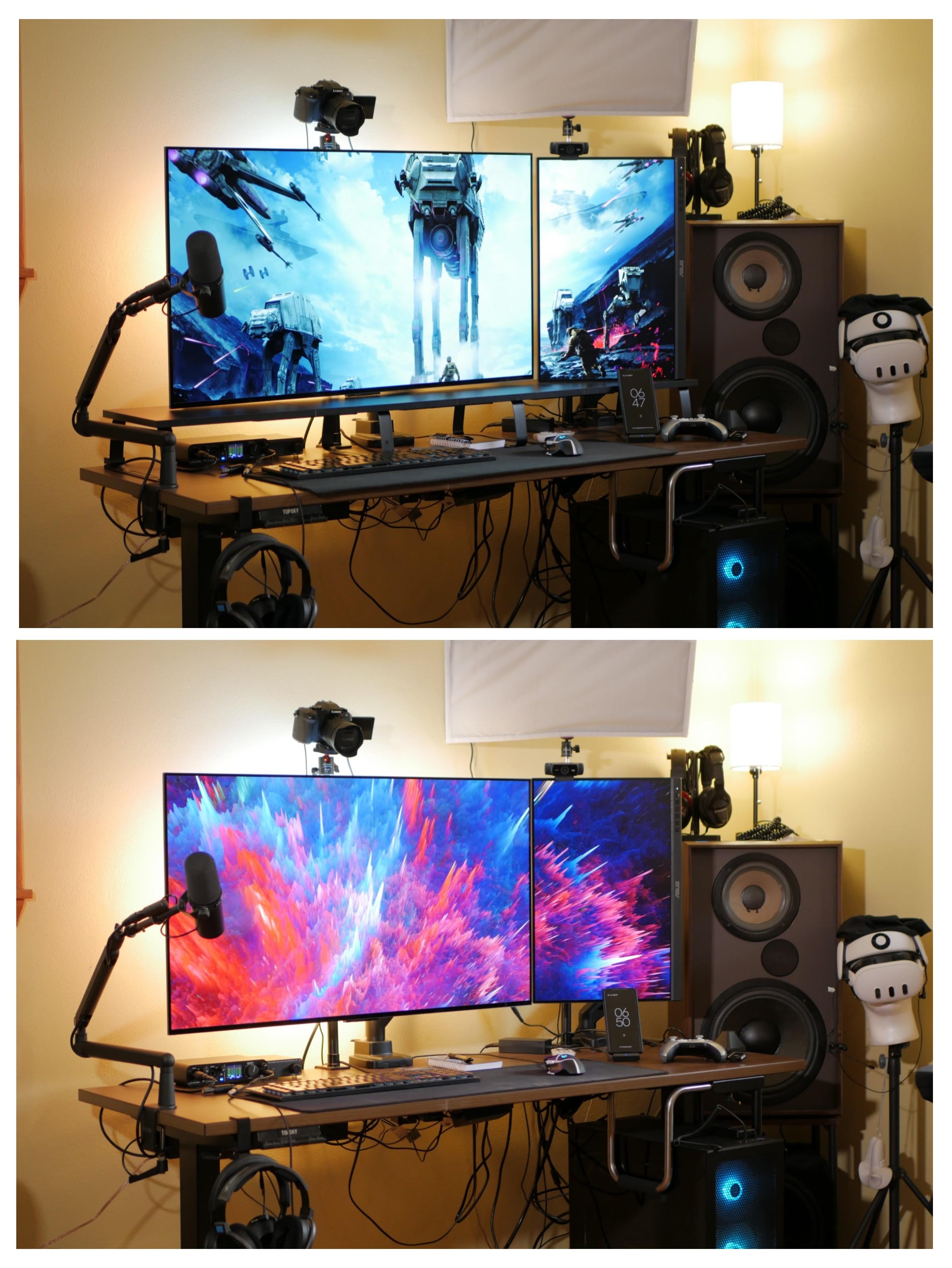
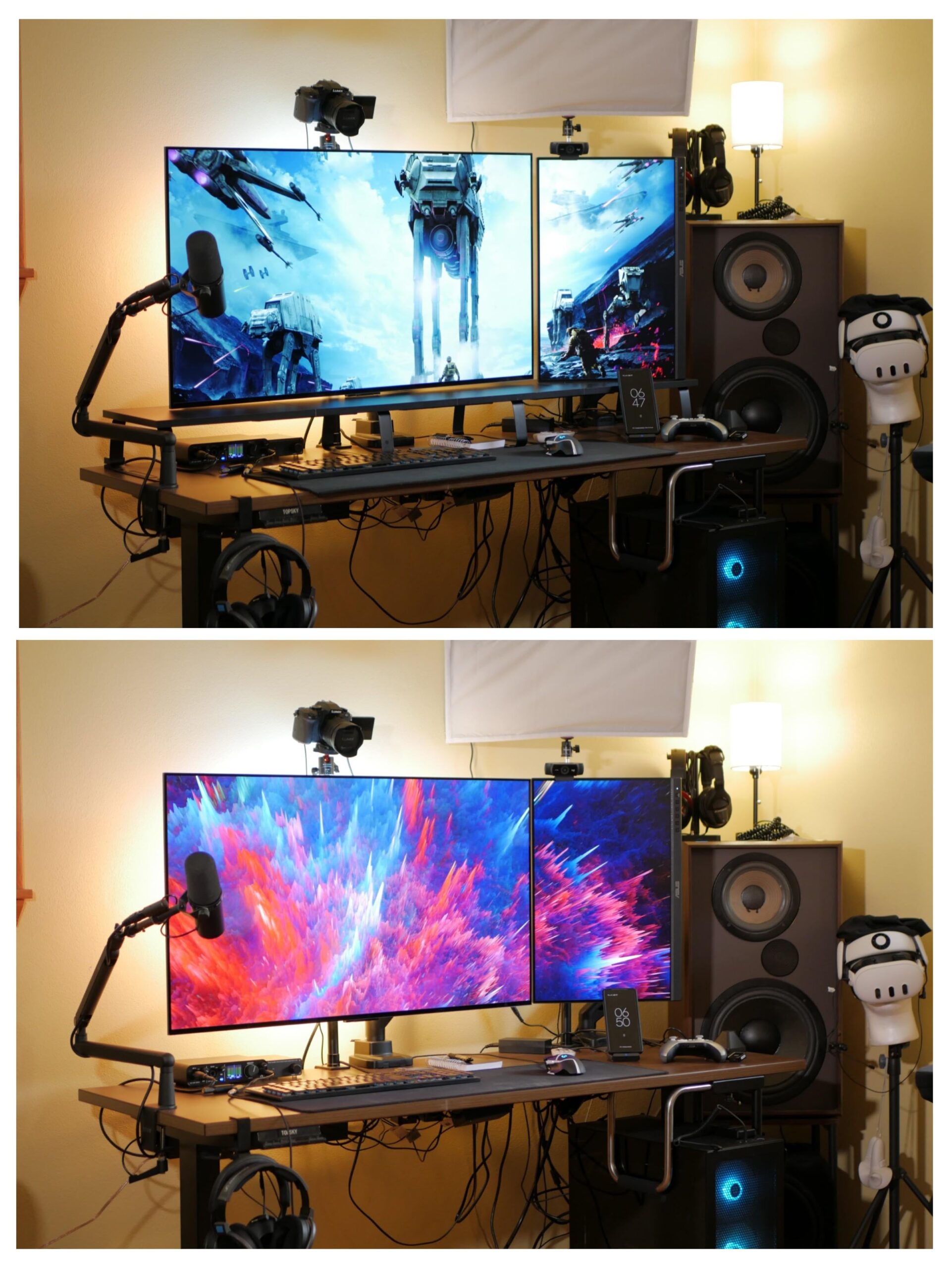
Without, it doesn’t add function just clutter, imo
PixelSquish
How about just Cable Management? I’ll choose option c.
Thiccron
Whats the point it clearly has no use?
stackemz
Just take a scissors to all those cords so we can’t see them. Disgraceful tbh
Aggressive-Daikon232
Doesn’t matter. This setup is an absolute catastrophe regardless. I wouldn’t last 5 minutes sitting in front of that mess.
DrunkMonkey7
Why do you have a monitor riser if they are desk mounted on arms? Literally no use
monkeyboyape
Do you have carpet with your PC on the floor?
h1pp1e_cru5her
For what? It’s not doing anything
parocarillo
Looks cleaner without. I don’t see the point in it
WestSideSponge
What wing (side) monitor do you have?
hewhodevs
Didn’t notice a difference, as the cables stand out too much.
Onilink146
I like the top but those weird legs sort of ruin the feel of a top shelf. With those legs you are just better off with the bottom photo. On top of that it looks like you were able to adjust the both monitors to align better.
HANAEMILK
Cable management first
RedXditX
Without, never saw a point for monitor stand when monitors already come with them inbuilt anyway 🤷♂️
Plus they add to the unnecessary clutter
Void_Of_Galaxies2727
With, in my opinion, and this is just me, I think it just looks good. Not to mention, if you were to put drawers in the bottom, like pencil drawers, it adds some functionality to it. Or you could do what others tend to do, which is put an audio interface and other important gear underneath. But this is just something I would do, I’m not saying you should.

18 Comments
With.
What are the two displays?
with
Without, it doesn’t add function just clutter, imo
How about just Cable Management? I’ll choose option c.
Whats the point it clearly has no use?
Just take a scissors to all those cords so we can’t see them. Disgraceful tbh
Doesn’t matter. This setup is an absolute catastrophe regardless. I wouldn’t last 5 minutes sitting in front of that mess.
Why do you have a monitor riser if they are desk mounted on arms? Literally no use
Do you have carpet with your PC on the floor?
For what? It’s not doing anything
Looks cleaner without. I don’t see the point in it
What wing (side) monitor do you have?
Didn’t notice a difference, as the cables stand out too much.
I like the top but those weird legs sort of ruin the feel of a top shelf. With those legs you are just better off with the bottom photo. On top of that it looks like you were able to adjust the both monitors to align better.
Cable management first
Without, never saw a point for monitor stand when monitors already come with them inbuilt anyway 🤷♂️
Plus they add to the unnecessary clutter
With, in my opinion, and this is just me, I think it just looks good. Not to mention, if you were to put drawers in the bottom, like pencil drawers, it adds some functionality to it. Or you could do what others tend to do, which is put an audio interface and other important gear underneath. But this is just something I would do, I’m not saying you should.
With. But Bro pls clean your cables