
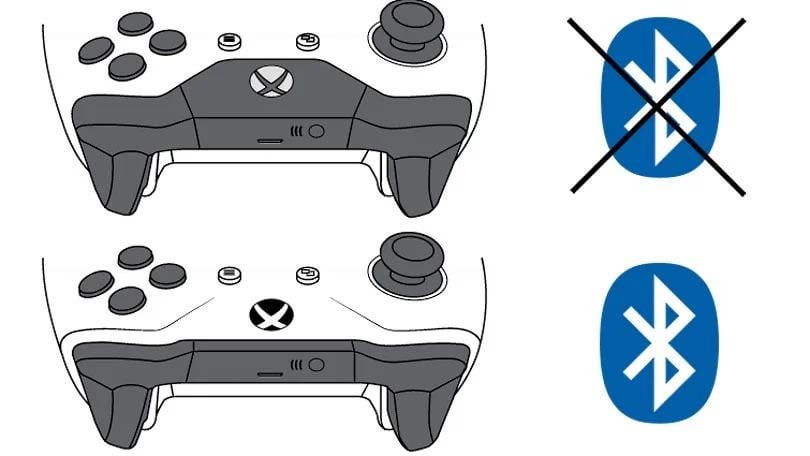
Use USB 2.0 not 3.0!
hey guys,
ive been having issues with my xbox controller on pc for so long and all threads say „update your firmware, make sure its not connected to any other source etc“ and i found out that bluetooth dongles have issues when you put them into a usb 3.0 port.
its has something to do with frequencies or whatever.
i feel like thats something, few people would consider and get frustrated
i just wanted to share this with anyone who has this problem!
38 Comments
I just use this it runs the controller like its on the console
https://preview.redd.it/1s2e2equvmaf1.png?width=3447&format=png&auto=webp&s=8ec614cbff228ccc6726ec55bf79e39985263bff
Xbox accessories app in the store picks it up right away also no bluetooth
Edit: the usb device has a sync button you pair it like you would pair a xbox to your controller.
Wow, thats pretty damn random.
Everyone out here using dongles, i use a usb cord straight to my pc 😎
I had connectivity issues all the time (to the point where I just started playing with my controller plugged in) until I downloaded the XBox Accessory app and updated the controller firmware. Haven’t had issues since.
Rotating the dongle might also help. Try all possible rotations both horizontally and vertically to see which is best
You can also try downloading the xbox controller app from the Microsoft store (I think it’s the only thing I’ve ever used that store for) so you can update the firmware on the controller. That helped a couple little issues mine had at least.
Anything in the 2.2-2.8ghz spectrum has issues with a usb 3.0 port. Or I should say that the other way around, the radio frequencies from wifi/bluetooth dongles jack with the chip in the usb 3 control hub. Has been a thing since inception. the only solution is to get an extender cable and get it away from the control node.
(All uses of the word ‘control/er’ in this reply are talking about the chip that drives and sequences the universal serial bus signals down the wire)
Has anyone tried the switch 2 pro controller? I can’t make it work on PC.
There are three connection options with the Xbox controller number one wired number 2. Bluetooth number 3. USB dongle you have to buy the USB dongle adapter separately. That’s what I use, not Bluetooth. And yes, download Xbox controller app from the Microsoft store to update the firmware for the controller
I dunno about it as I use my mobo built-in BT. But I personally don’t have issues with other wireless dongles connected to USB 3.0/1/2 ports.
personally i prefer to just use a wire, wires just work, no funny business, they only stop when i bite them in two, then i have a soldering iron, tape, and heat strink to fix it
Had to connect the antenna provided with mu motherboard
That fixed my issue
Laughing in GameSir Nova
I just use a type c cable it’s long enough I got tired of Bluetooth long ago.
i dont even have usb 3.0 ports on my case lol
Everytime I have issues with an Xbox controller connecting to a PC I “threaten” it by opening the Bluetooth settings in Windows to “troubleshoot”. Once I open this it typically connects within 5secs..without doing anything special
for mouse, keyboard and gamepad usb 2.0 is always a better option.
Am I missing something? Most motherboards ship with a wifi/Bluetooth chip on board. Why are so many people using dongles?
I have issues with it, and my problem is that the dongle overheats and drops connection. It’s so hot I can’t touch it… I replaced it with an 8bitdo controller instead. Could probably have added a heatsink or something, but I couldn’t be arsed at the moment since I just wanted to finish the game I was playing.
I had all kinds of usb issues (Bluetooth dongle included cuz it’s plugged in via usb). Took my aio out for an air cooler and have zero issues since. (Damn Corsair single aio, was fine for 3 years then boom everything but my mouse and keyboard would drop every 2-5 mins)
I switched to 8bitdo controllers and couldn’t go back now.
Most dongles are best to use USB 2 or USB 1, since it causes problems due to electrical interference or from other interferences (such as congestion from wifi and other Bluetooth devices. Technically even keyboards and mice don’t fully utilize USB 3 and USB 2 will work just fine and could solve some issues (such as audio crackling, microphone buzz/humming)
Tbh rarely used Bluetooth, I use the Xbox dongle mostly and back when I also had a laptop, if I didn’t have the dongle with me I nearly always had a USB C to USB C cable of sufficient length
my ps5 controller doesnt have a dongle though
Had this problem with my steamdeck. I got one of those 8bitdo Xbox controller adapters and I haven’t had a problem since.
I used to have random disconnects and windows uninstalling dongle drivers.
Turns out I was using the motherboard’s Bluetooth and dongle at the same time. Disabled motherboard BT from device manager and 0 problems so far. For me the dongle had better range that MB’s one.
The Bluetooth built in to my wifi card works perfectly with my controllers
I like the ps5 controller but Bluetooth connection is terrible on my PC. Does anyone know if there is a similar dongle to the Xbox for ps5 controller on pc or if going to usb 2 will help. I just hardwire currently.
Couple of months ago I got an Xbox controller and had these kind of issues that got resolved after updating firmware…now what I’m having is the controller turning off at 40% charge…
I can’t say I have this issue, I bought new controller the other day and with a Bluetooth 5.3 adaptor works a charm.
I use the dongle when playing on a TV but sitting at a desk just play wird in IMO. Bluetooth has an awful amount of input lag
bro i use a xbox 360
this shit is not going to work
series controllers are really good. avoid xbox one and 360 controllers unless they’re wired.
Less black equals better? Alright Reddit
If you’re out of USB 2.0 ports, you could also try using a powered usb hub (plugs into the wall and your computer), helped me
Ideally just grab the Microsoft wireless receiver for Xbox controllers. It uses wireless instead of Bluetooth and works flawlessly. Does cost 20 od so but is worth it if U use a Xbox controller a lot. Basically get a console experience and reliability in connection
I got sick of charging batteries. Type c cable with series s controller is way to go!!
Never had any issues at all, I have 3 controllers (2x Xbox One V2 and 1x Xbox Series) using them all on my laptops, even all at the same time and exclusively via Bluetooth.