
Hey everyone,
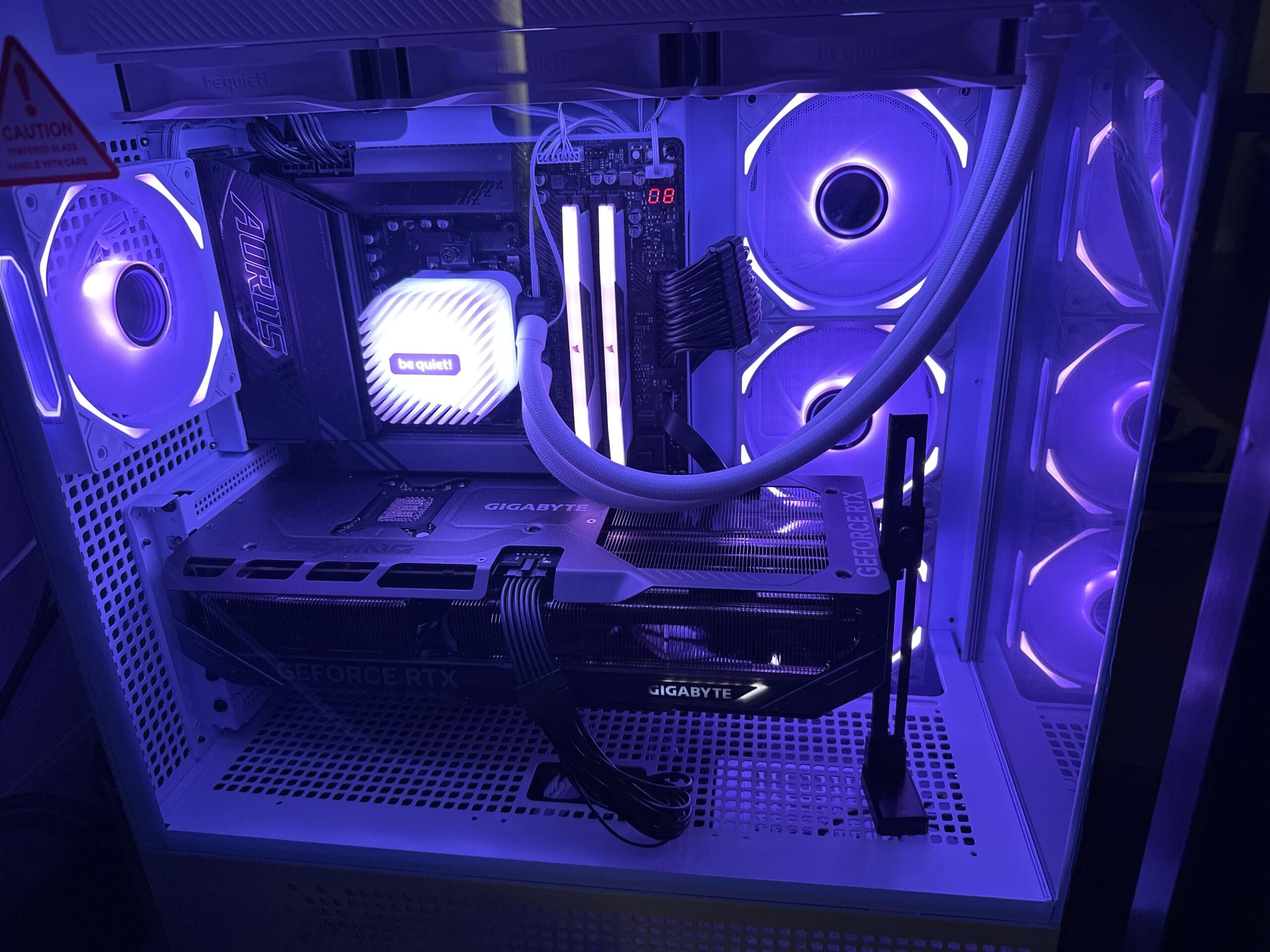
I’m running a 9800X3D with a be quiet! Light Loop 360mm AIO (top-mounted), 3 side intake fans, and 1 rear exhaust. All fans are on the default Gigabyte BIOS profile (not low RPM). Ambient temps are around 22°C.
At idle, my core temps sit around 26°C, but IO die, CCD, and hotspot temps are much higher—around 50°C. On first boot, the CPU idles at ~47°C, but after light browsing or gaming, it never drops below 50°C again, even after closing all background apps and letting the PC sit.
I’ve already repasted the CPU with Arctic MX-6 (pea-sized method), and thoroughly cleaned the CPU and cold plate using the included wipes. I’ve been going crazy double-checking my cooling setup, fan placement, and BIOS settings—nothing looks wrong physically or in firmware.
Could this be a bad bin, or is this just how the 9800X3D behaves?
Specs:
- Gigabyte X870E AORUS Elite WiFi 7
- Ryzen 7 9800X3D
- Gigabyte Gaming OC RTX 5070 Ti
- Samsung 990 Pro 2TB NVMe SSD
- Corsair RM1000x PSU
- be quiet! Light Loop 360mm AIO
- iBUYPOWER Element 9 Pro case
Would appreciate any help or insights!
9 Comments
This is normal for 9800x3d
I have the same light loop 360 and processor. I used kold-01 thermal paste.
44c idle
50-65 in game occasional 70 if it’s really intensive and only for a minute maybe.
81 in cinebench r23
This is normal behavior. You can probably get things a little lower if you under volt or raise radiator fans higher. Do you have the pump head cable connected to the correct motherboard header?
I reread your post. Did you use the 8mm offset with your light loop 360? The 9800x3d hot spot area isn’t dead center, on the bracket for the light loop there is a “8” where you should screw the bracket into the motherboard. You need to do this, I tried it both ways and not using the offset will cost you something like 5c increase in idle, load, and benchmark.
Also, the pea size in the center is not the best way to do it. You need to frost the whole thing, even the wired corners/cut outs.
High idle temps are normal, as you already saw its not caused by the cores on Ryzen cpus but the SOC takes alot of power, even when idle ~30w.
Arround 50°c on Ryzen idle is completely normal, the real test is always gonna be all core load, as long as you stay below 95°c you are golden, at 95°c youll lose a bit of PBO performance and above 95°c you have cooling issues.
it’s fine. please post to the right sub next time
You bought a 9800X3D, not a Core i5. Did you honestly expect to be sailing smooth at 32C?
Arctic Freezer III 360mm + Arctic MX-6. Idles around 45c ambient is 29c
It’s normal even with a -30 PBO all core UV I get temps in idle of around 44-47c and in cs2 65-70c.
It’s totally fine it gets worse when it’s at 80 and above in idle ….
Corsair 360 AIO as intake, pre-applied factory thermal compound, 500rpm fans, ambient 20C, idles at 45C drawing 30W package power
I think pea size method is the issue. It was developed for small IHS CPUs. For modern large IHS you need way more thermal compound than a pea. With the weird corners on an AM5 you really need a spatula to spread out or the X method
I have the same cpu 9800x3d with msi x870e
Cooled with corsair 360 aio.
-30 PBO
Cpu idle temp is 45-48c
In games like cyberpunk temp is 52-58c
cinebench r23 temp 71c
Ambient temp is 27-29c