
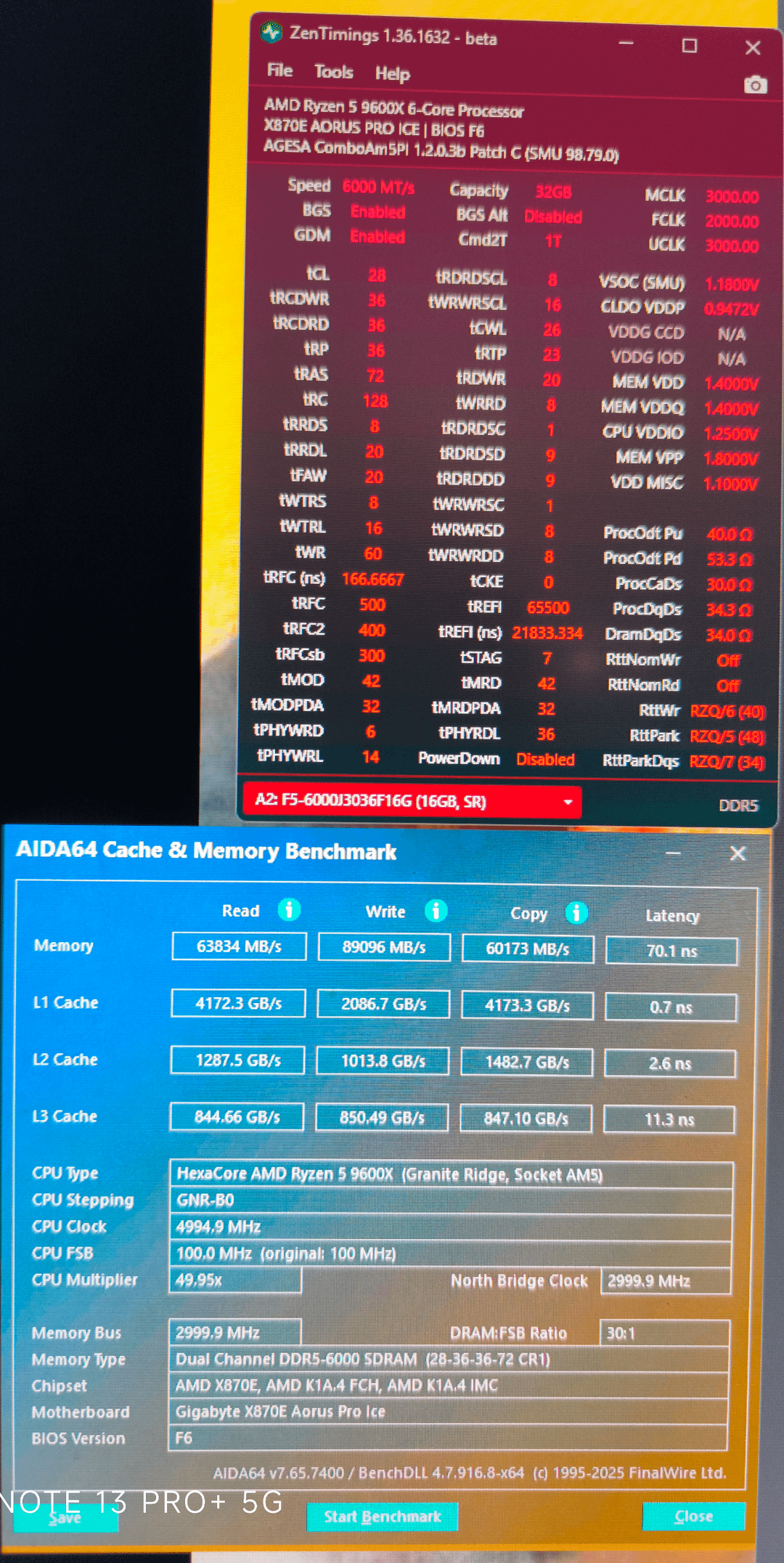
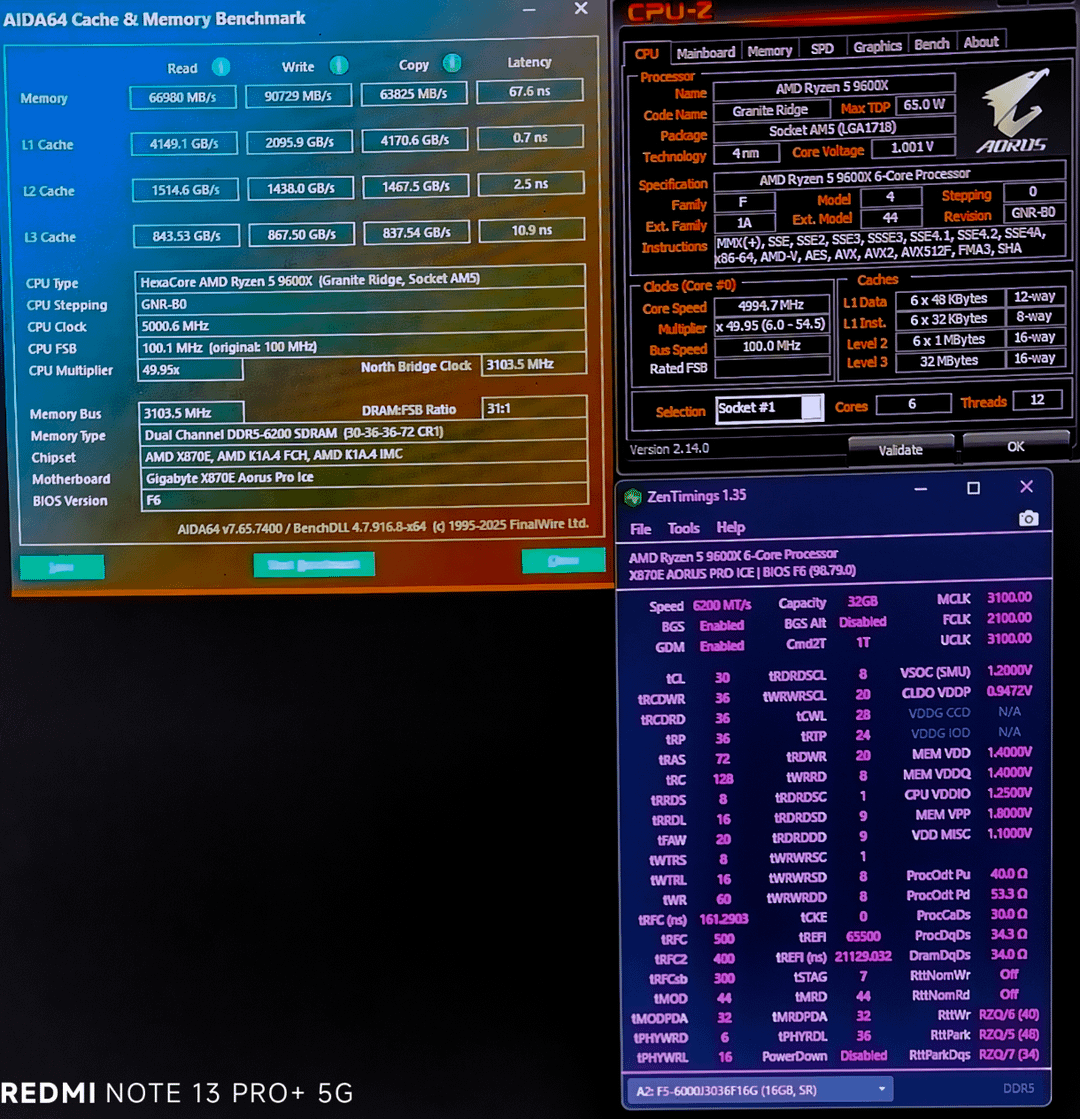
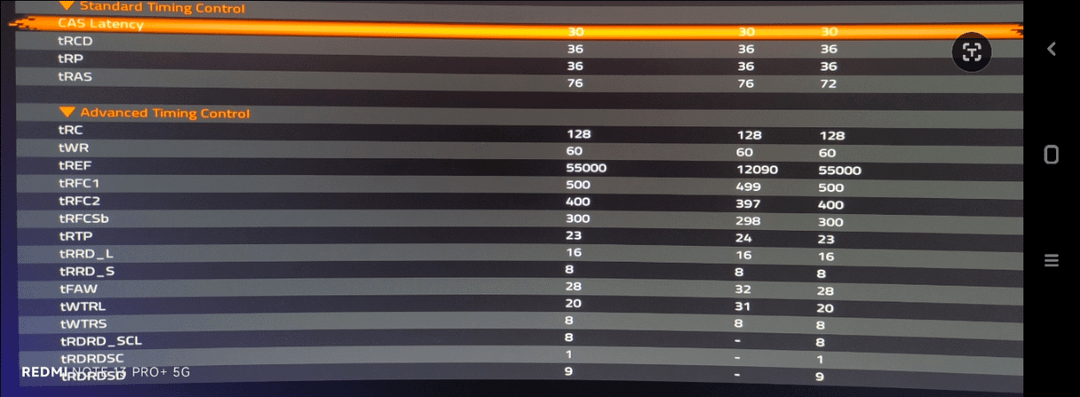
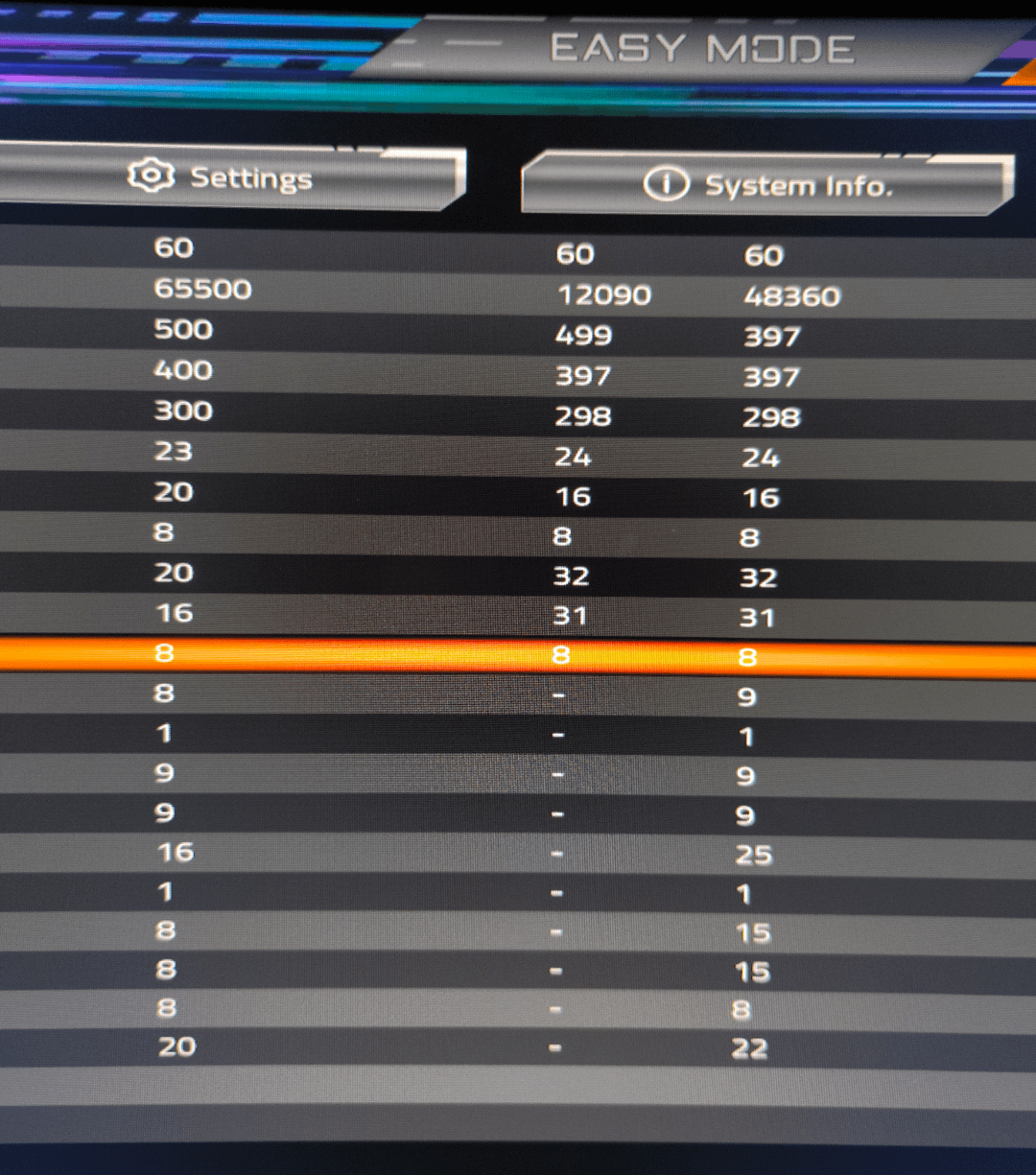
These are my settings and seem but still getting PC crashed when I start gaming or sometimes after a few hours… At 6200 CL30 the same thing happened but it started happening since last month… For about 7 months it was always stable… Not anymore…don't know why… Any advice
4 Comments
These timings are kinda all over the place, honestly.
Temperature info under load would be a useful metric to help diagnose.
Maxed out TREFI is fine but active cooling (i.e. a fan pointed directly at the modules) is recommended if you’re gonna set it that high. You could lower it to 50k which isn’t a huge difference in performance but is more suitable for passive cooling.
It’s probably worth running some diagnostics
Run PowerShell as administrator
Enter the following command “dism /online /image-cleanup /scanhealth”
(If that doesn’t work it might be “cleanup-image” my dumbass can never keep it straight)
If that returns a status saying it “can be repaired” follow it up with “dism /online /image-cleanup /restorehealth”
(Again if I was wrong about word order just flip it around)
Then run an “SFC /scannow” at the end.
I don’t see anything egregious that should be unstable, if anything it looks like pretty loose expo timings with a handful of values changed, but someone with more experience than I have can chime in and advise on wether or not only partially tuning those settings can, itself, cause issues.
When you say crashing; are you referring to a Bluescreeen, or does the computer straight up turn itself off? Have you checked any Windows error logs?
Have you been running any software to log temperatures while you are gaming (Like HWiNFO)?
Have you done any changes lately? Updated BIOS, changed components, done any major OS updates?
Lower trefi to 50000
CPU stock? If not reset everything CPU related to stock and see if it crashes.
If it does:
Tfaw needs to be 4x trrdl (Four Activation Window).
Your vSOC and VDDIO are big low, try vSOC at 1.2 and VDDDIO at 1.35v
If that doesn’t work, set your VDDG’s at 1000mv (1.0v).