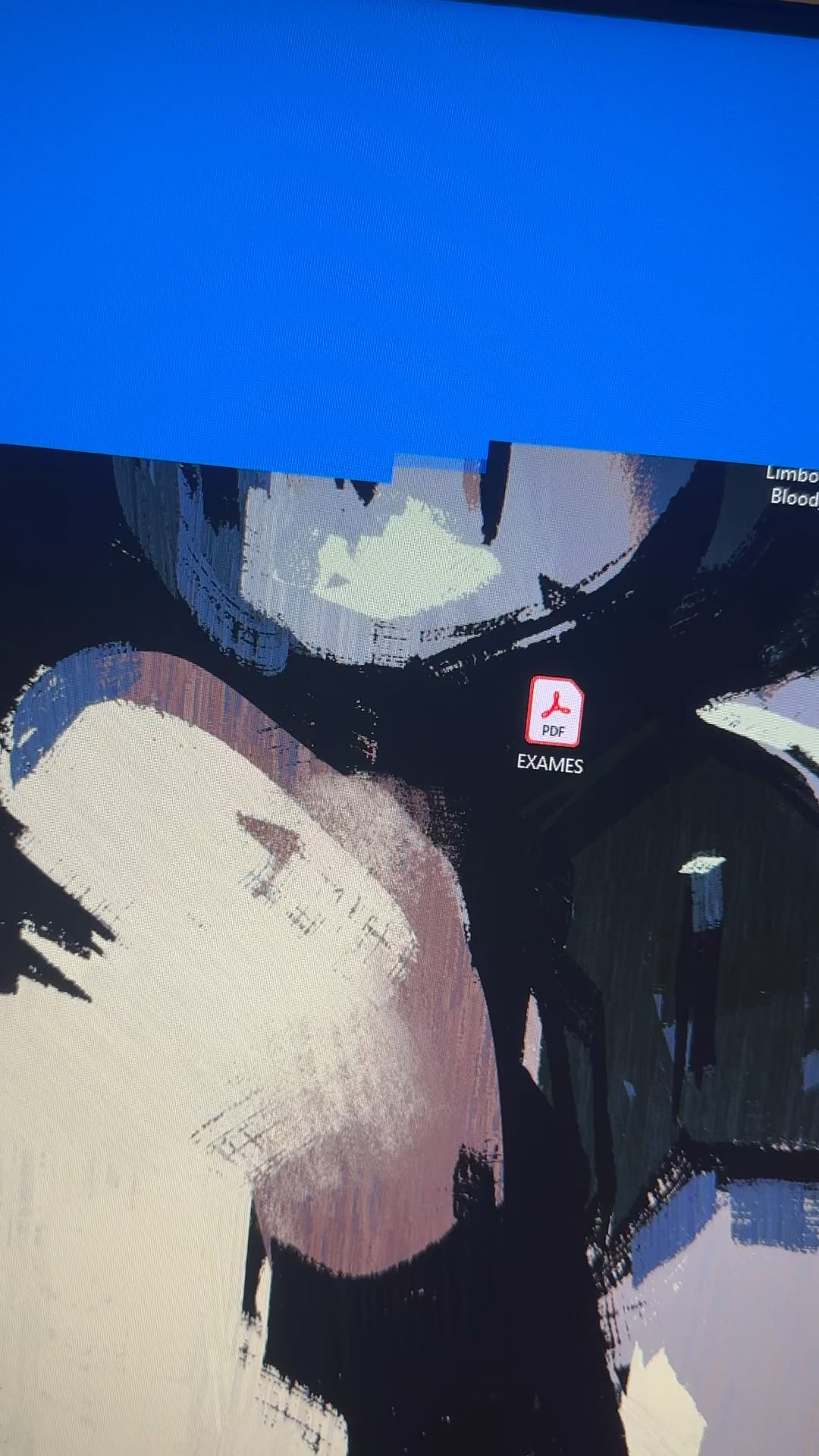
Title is self explanatory, i have no idea what the hell is going on here.
Pc froze and this happened.
I was playing helldivers 2 before this, dont know if this is relevant but its all i got.

Title is self explanatory, i have no idea what the hell is going on here.
Pc froze and this happened.
I was playing helldivers 2 before this, dont know if this is relevant but its all i got.
39 Comments
Is your CPU overheating? Looks like the blue you’d see in a BSOD, but it’s filling in ***really*** slowly.
Is that the “Did you move your wallpaper file from it’s original folder?”?
Blue screen is still loading
Your system is defragging.
/s
Update: a friend of mine told me it could be a RAM issue, since i use multiple modules of different brands.
I dont know if that is the case and im worried about buying anything wrong because im not very tech savvy 😔.

Ahhh, the new shutdown animation
/s
Viruses/trojans can do that
https://preview.redd.it/a7n3n0v8287f1.png?width=720&format=png&auto=webp&s=f01a1c394e3c8b10fcb1425416f067be727505ec
It is de-rendering your screen to generate power
Looks like opening a colorful webpage in 1996
reverse cinebench?
OP can you just take out 2 ram sticks and just check it since that’s the easiest thing to do right now.
Defragmentation
blender render
That’s the slowest and most dedicated BSOD I’ve ever seen.
Pacman is eating your pixels. Get the ghosts out to take care of him before it’s too late!
Silence child your ram is loading
Involuntary desktop game of snake
I know a cinebench render when I see 1
It’s just the blue screen corruption, don’t worry about it..
It’s the Gommage
It’s like a reverse CPU stress test
When you whole system becomes reverse-Cinebench R24
I’ve legit never seen this kind of voodoo shit with any system. Just wtf.
Lol I’ve never seen BSOD load like jpeg on 90s dialup.
I had something similar happen to me. The actual issue ended up being RAM related. 4 sticks being overclocked a little too much made them very unstable and resulted in almost this visual ‘glitch’ exactly.
Solution was to remove all ram, remove overclock and add one by one until I found a bad stick and was then able to find a new stable overclock.
That’s the new cinebench benchmark update
Cinebench Rendering Blue in a Single Core /s
The blue screen of death is taking over
Looks like you’ve hired a windows cleaner

Looks like you stopped paying your pixel subscription
Hmm not seen this CPU benchmark before… Let us know what your final score is
The Pale
can you not hear your CUDAs scream!
Cinebench R24 (BSOD Edition)
Defragmentation but of the monitor
Bro’s doing a Cinebench run.
In all seriousness though, seems like something that would happen from either VRAM, RAM or storage.
brick by brick