
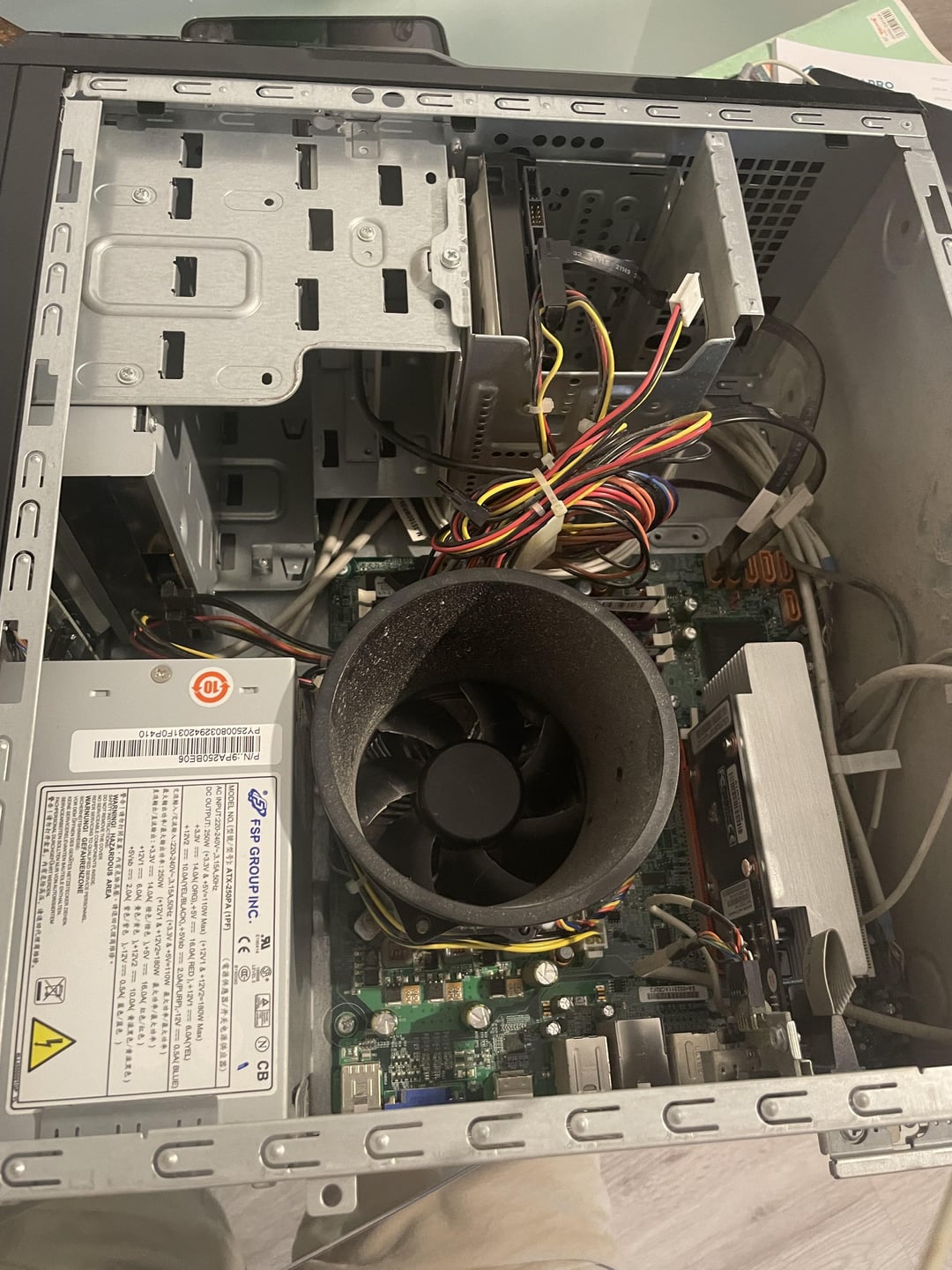
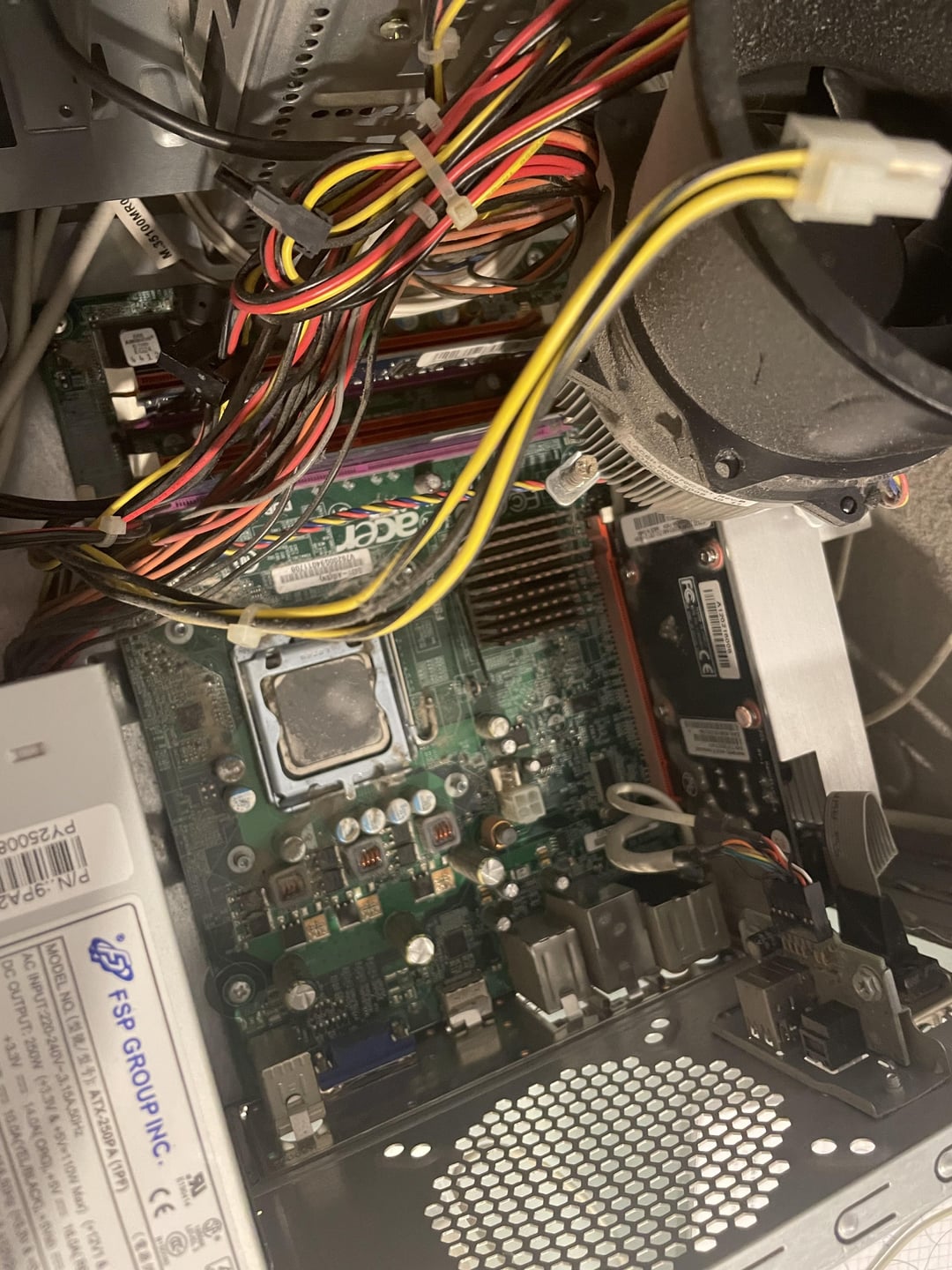
My PC Specs:
CPU: Intel Pentium E5300 @ 2.6 GHz
GPU: GT 520 1GB
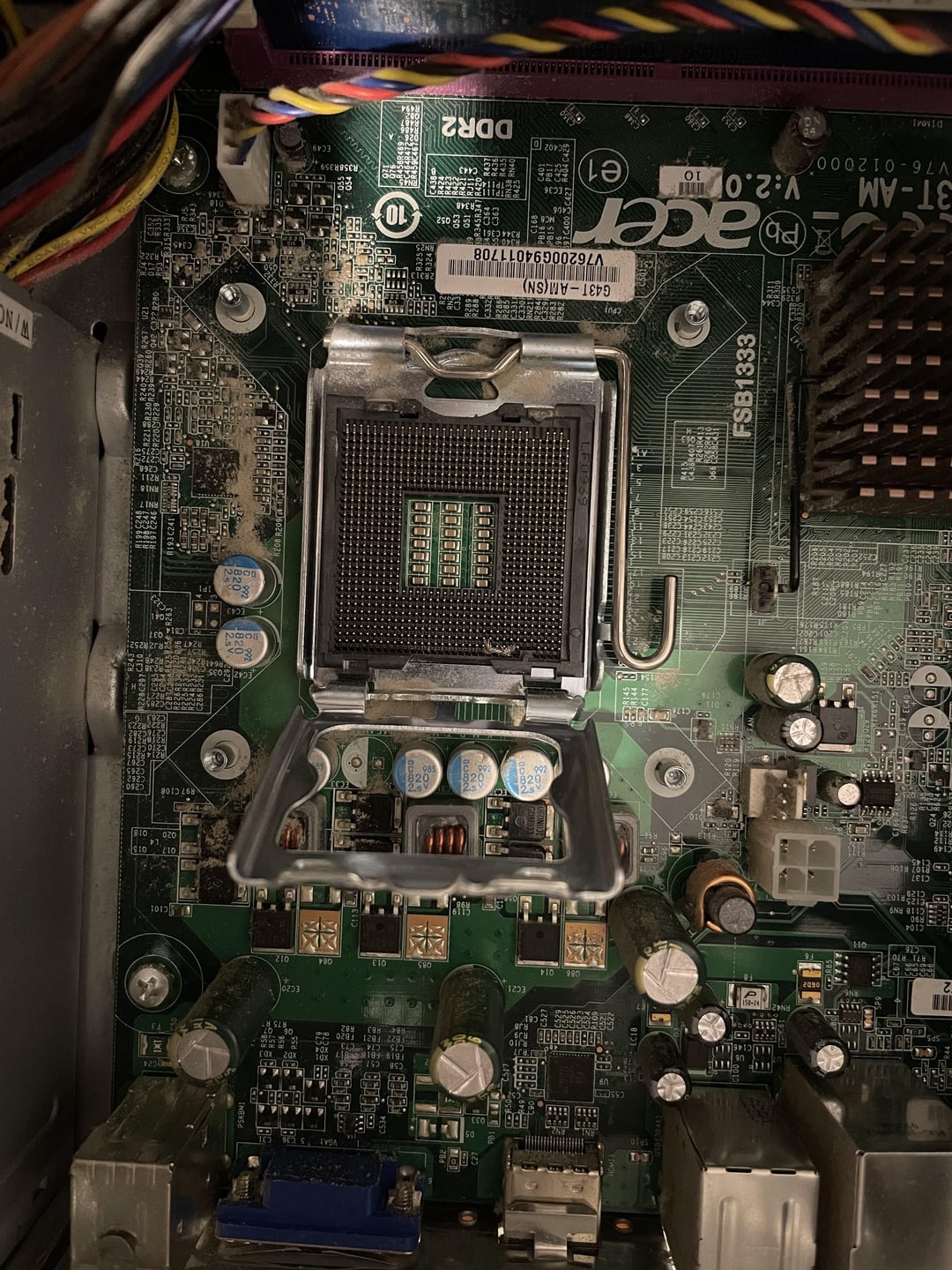
Motherboard: Acer G43T-M2 (Version 2.0) RAM: 3GB DDR2
Note: My motherboard is locked, so I can’t overclock the CPU from the BIOS!
This is Day 2 of me trying to overclock my Pentium E5300. It’s the only PC I have, and I got it as a gift from my aunt. I’m a student, so I’m trying to get the most out of it until I can save up and buy a secondhand PC.
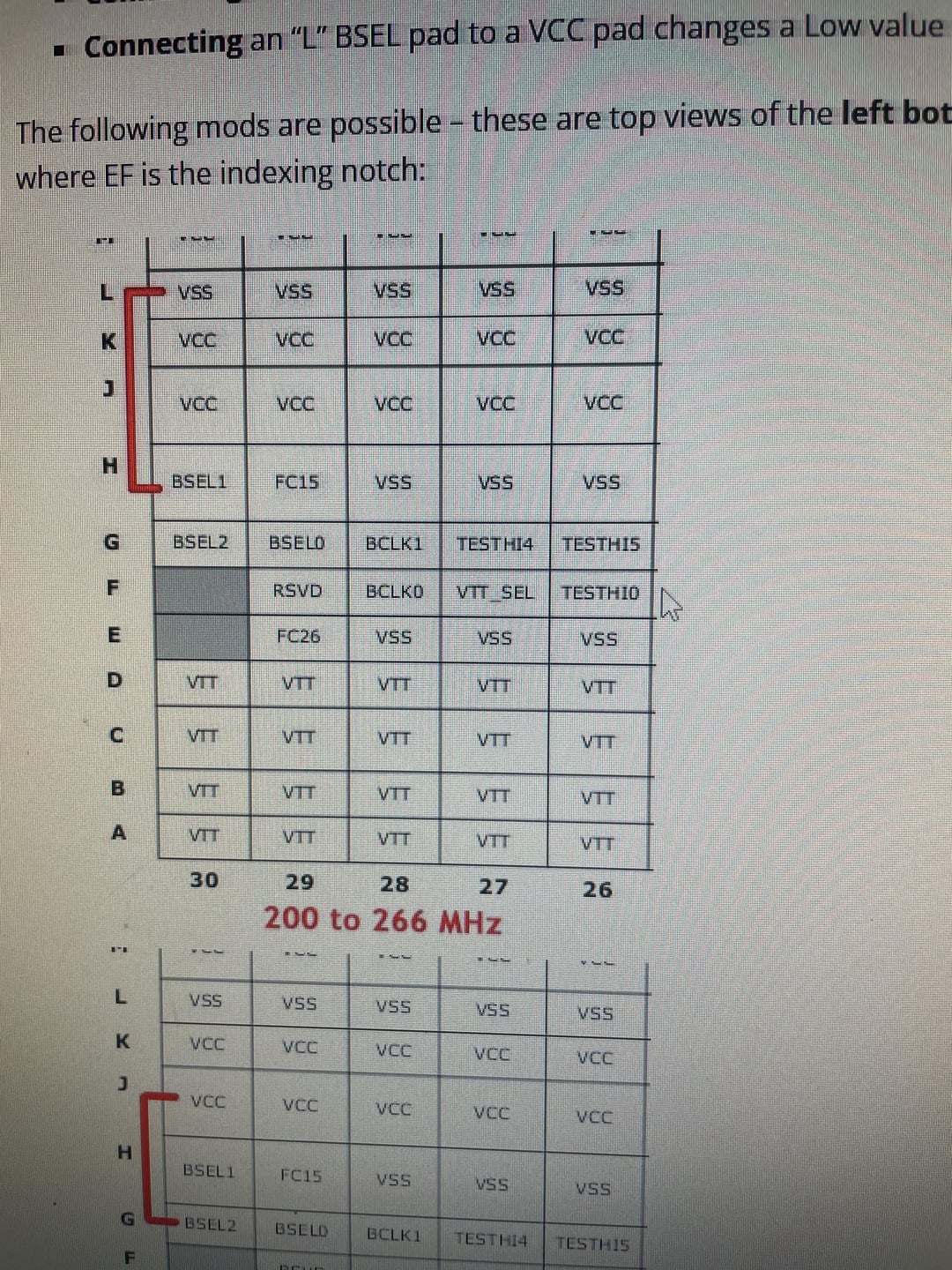
Yesterday, I made a Reddit post sharing my experience with SetFSB. Since my BIOS is locked, it seemed like the only option to get a bit more speed out of this CPU. I managed to push it up to 3.1 GHz, and someone in the comments suggested trying a BSEL mod.
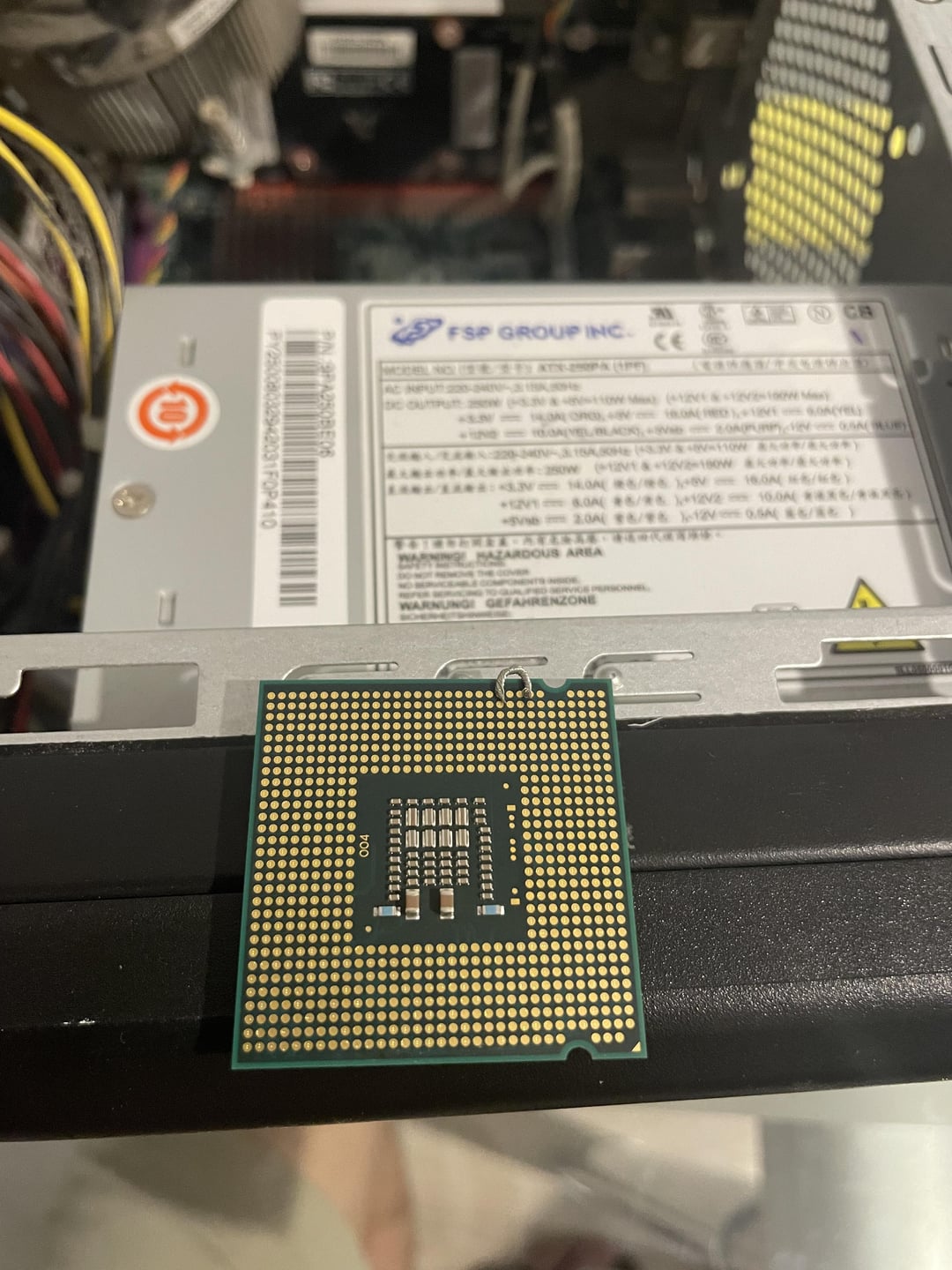
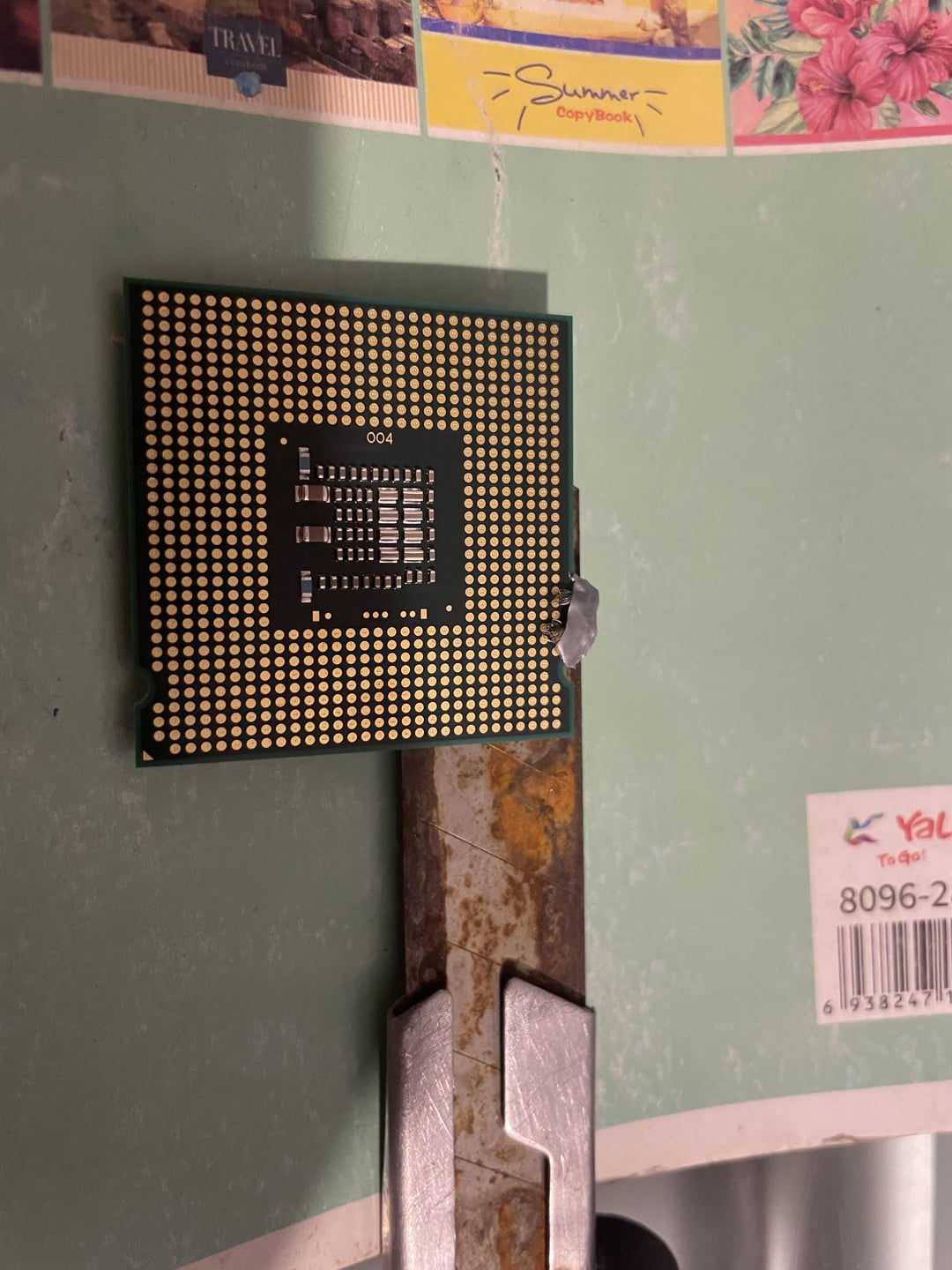
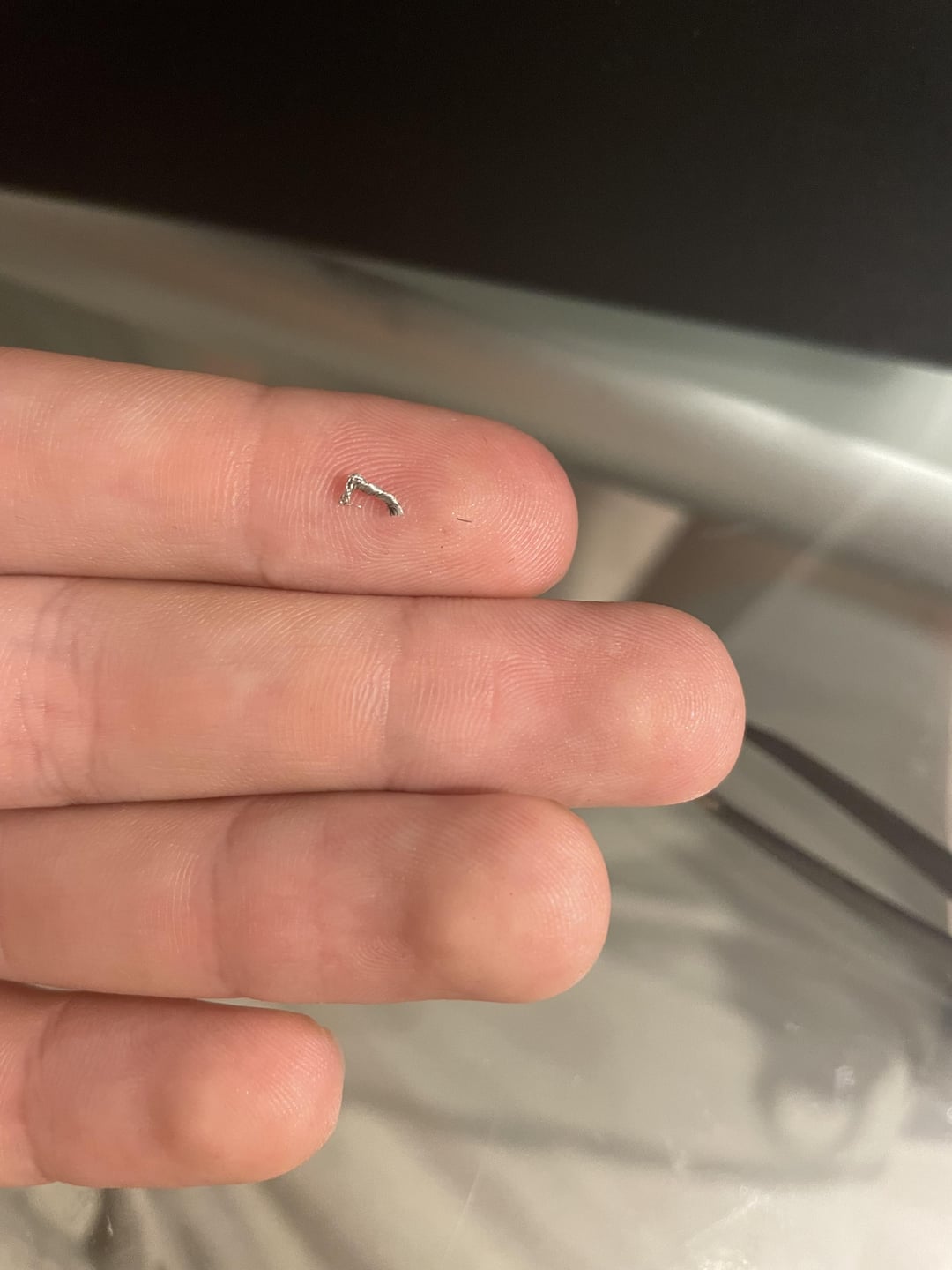
After school, I started researching how to do the mod. Thanks to some guides, AI help, and armed with only a screwdriver and some tape, I gave it a shot. I stripped an old iPhone cable and used the copper wire inside. Apparently, the proper way is to use a conductive ink pen, but I definitely don’t have access to anything like that where I live.
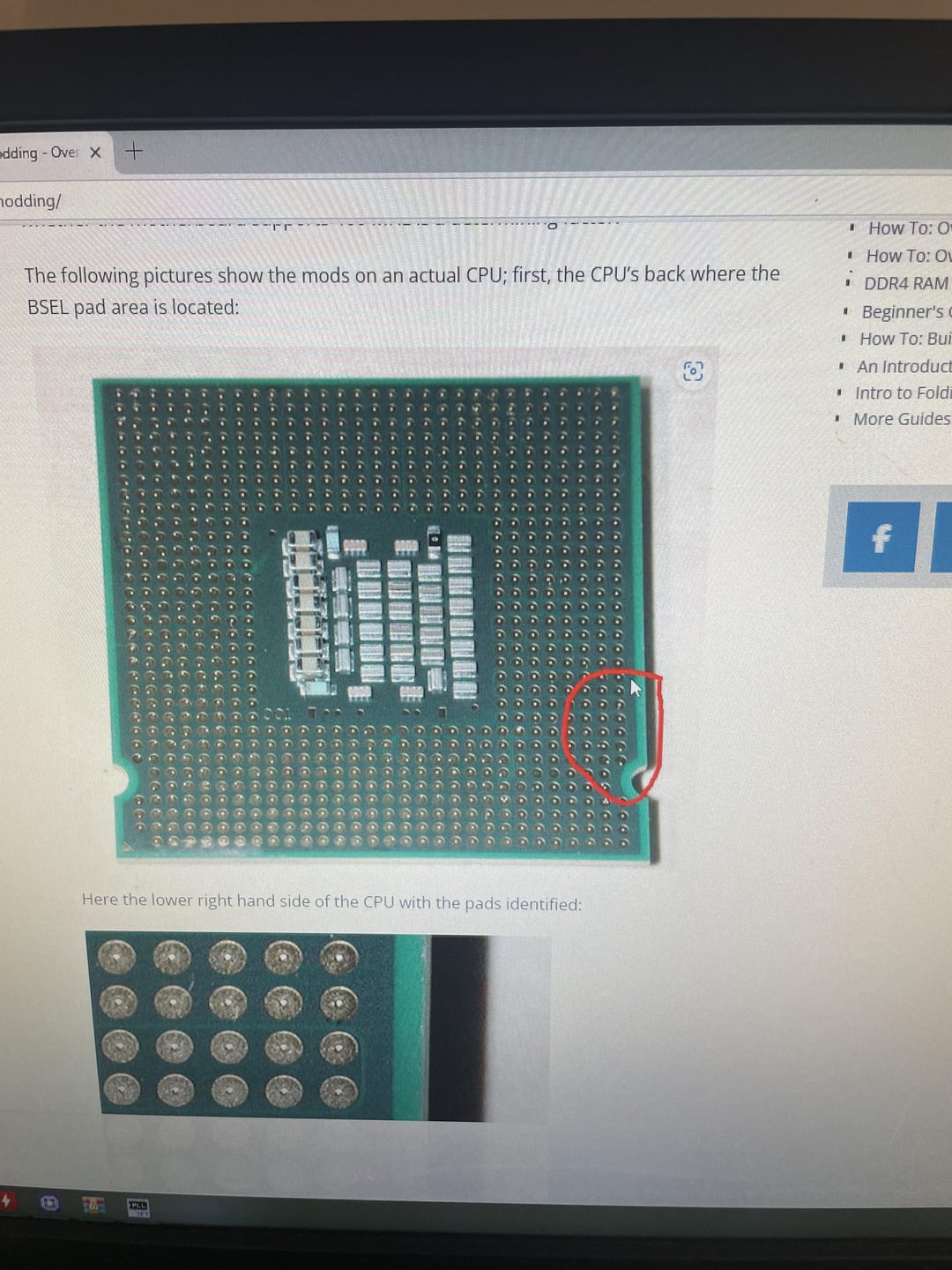
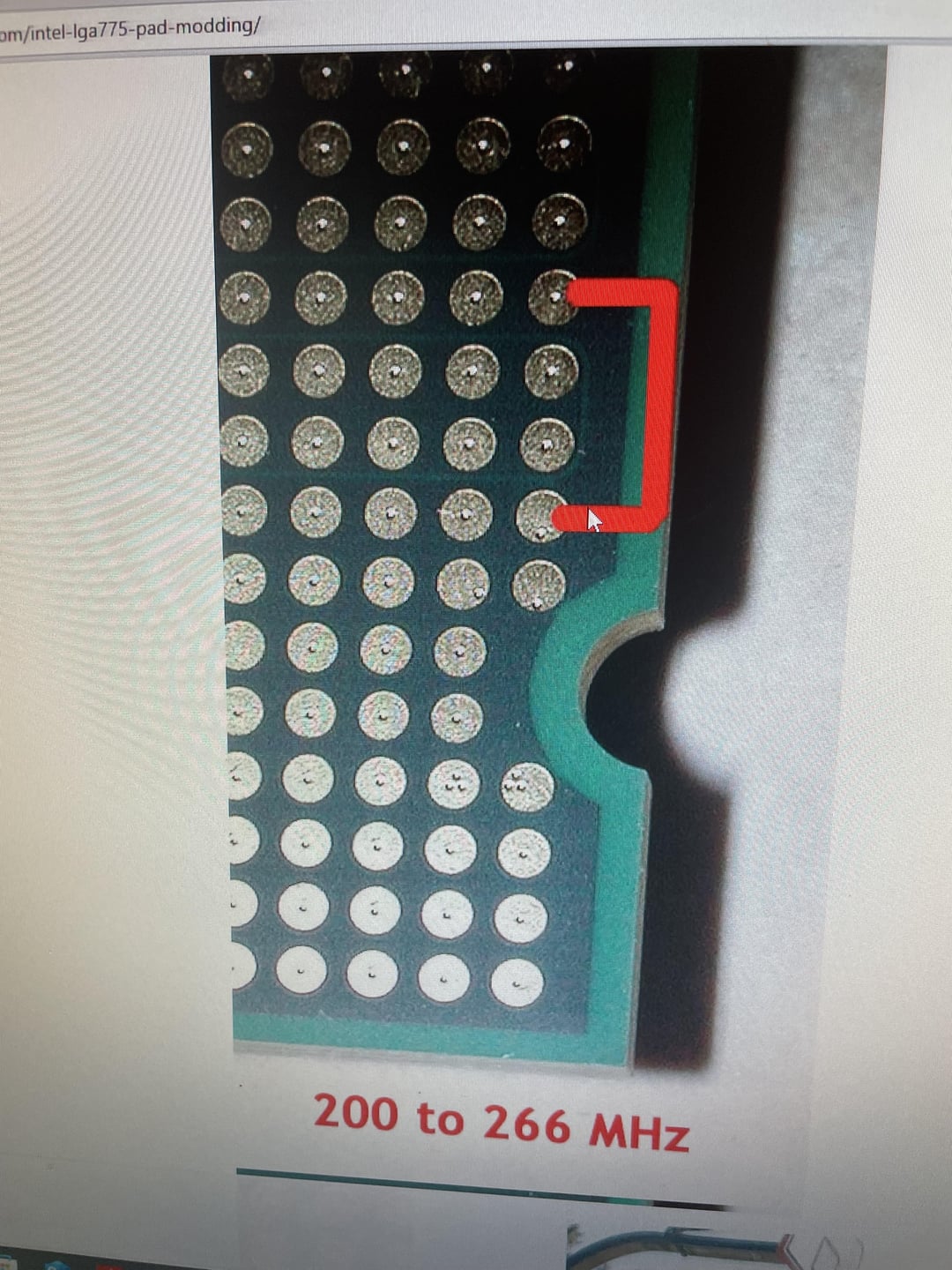
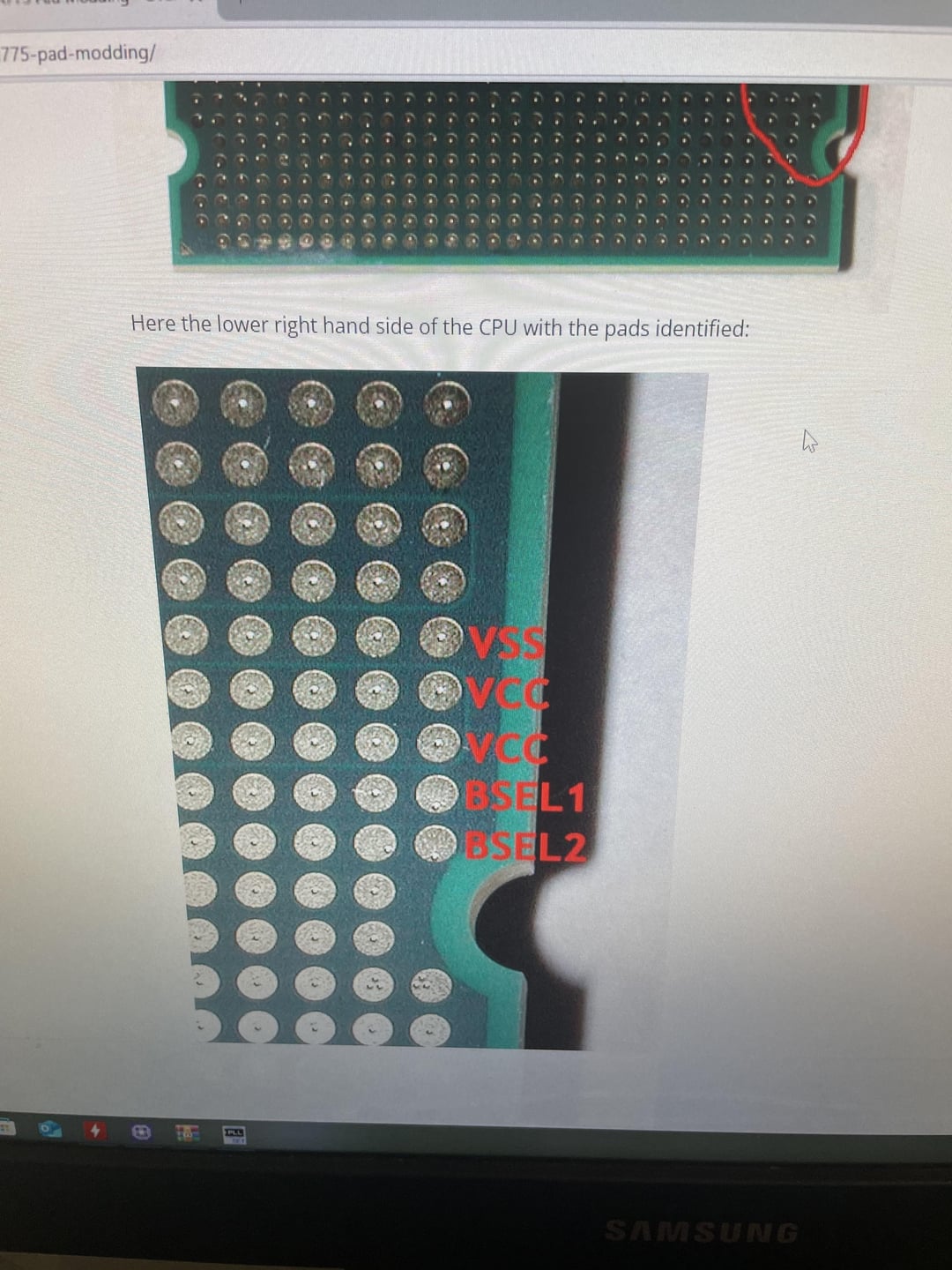
I took out the CPU and tried to connect BSEL1 to Vss using the copper wire. It was absolute torture — I’m never doing that again. I got really tired and was about to give up, but when I removed the wire, I noticed that I had bent one of the CPU pins 🤦♂️.
Using a needle (and a bit of luck), I managed to straighten the pin and reassemble everything. Now, I’m getting occasional blue screens, but it still runs and that’s better than nothing!
If you spot any mistakes or have any tips for improving performance, feel free to reply. Keep in mind, I’m a total newbie at this, but it’s been a fun learning experience!
Check out the photos for more details.
Thanks for reading! 🙂
1 Comment
An alternate method to thin wire or conductive ink is to cut a small “U” shaped piece of thin metal foil and tape it in place so that the two pads are connected when it’s placed in the socket. Might be worth a try. 🙂
(Semi-unrelated [example pic](https://www.overclock.net/media/no-title.4084870/full), for illustration)