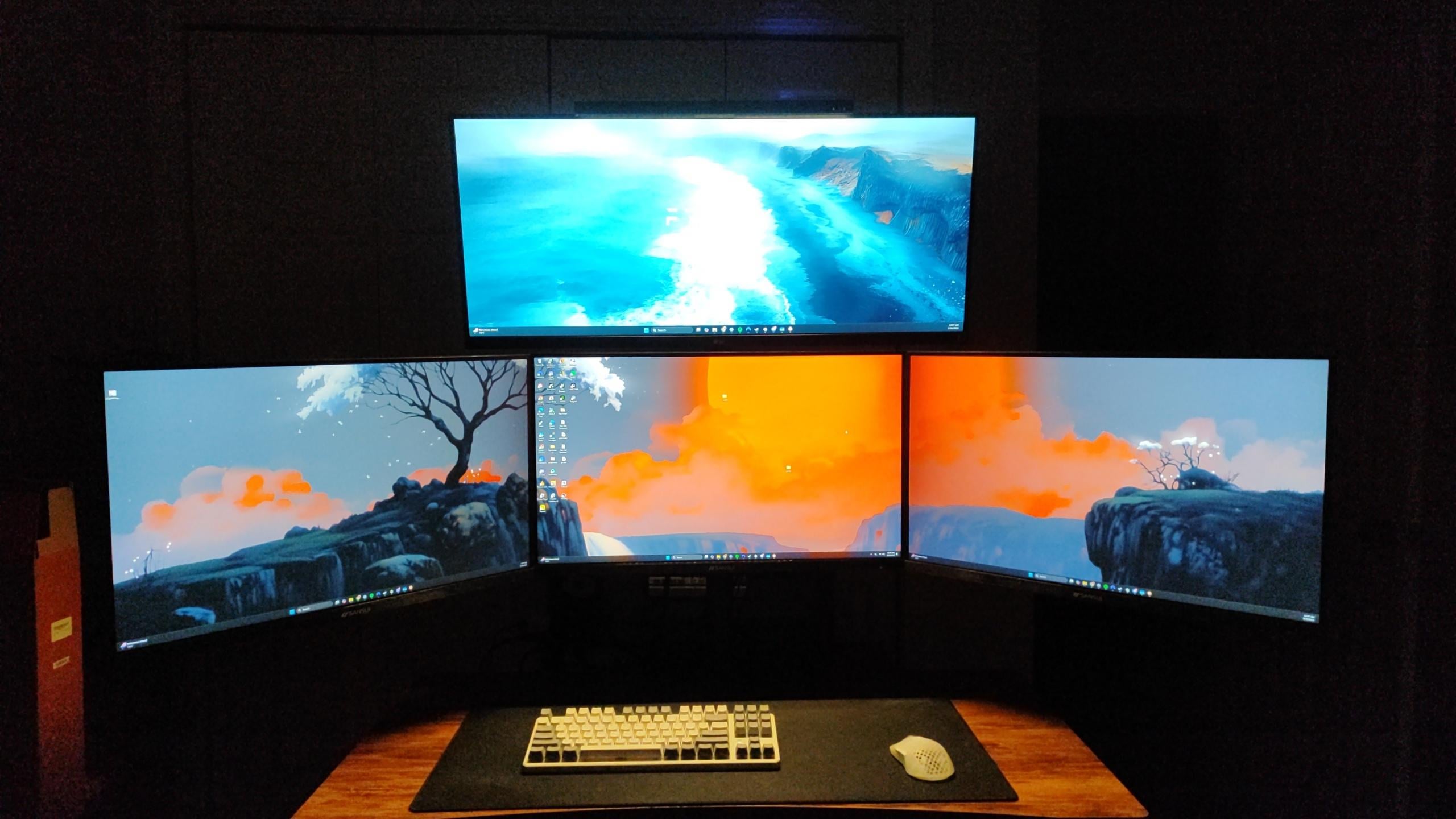
I am not sure how exactly to manage my cables for this setup since I use a sit stand desk and since it goes up and down you get the idea. Any suggestions?

I am not sure how exactly to manage my cables for this setup since I use a sit stand desk and since it goes up and down you get the idea. Any suggestions?
5 Comments
Secret lab’s tables have an add-on to their sit/stand desks where there is an extention cord built into the desk, allowing you to plug stuff into the bottom of the desk.
So my advice is, make sure only 1 cable is extending up and down when the table moves and give it some slack. Plug everything else into non-moving parts.
Then ur only worried about that one cable getting caught/pulled, instead of 10
YES! I perfected cable management for this type of desk.
Use tape/tacs/cable management clips/ties whatever you prefer to secure the excess cables between ur monitors and PC on the underside of the desk. (Assuming ur PC isn’t just on the ground) you can connect a power strip of your choosing to the wall as a main power source and then secure the power strip to the underside of the desk as well. This will negate any issues with the cables affecting the desks ability to move up and down.
So, you could spend the money to make your cables line up perfectly and bundle them together and do this and that or something like that. OR…get a basket, shove the cords in there, mount basket to underside of desk, BOOM done.
https://www.amazon.com/dp/B074GMNW7T?ref_=ppx_hzsearch_conn_dt_b_fed_asin_title_53&th=1
I use these for your exact problem. i Start at the monitors etc and then weave into bigger and bigger bundle until it leaves the desk on one side and everything connects to the pc’s.
– “Attach” PC to desktop, either by putting it on top, or bolting it to the bottom of the board in some way.
– You can now have only a single cable going from the floor/wall and to the desktop area. Ideally, it’s a spiraling power cable, which basically means it keeps tight-ish in both lowered and heightened states for the table. Connect a hook at the bottom of the legs to hold it in place.
– Get a tray below your desk to stuff all excess cables. Should be fairly easy to hide most cables from this point