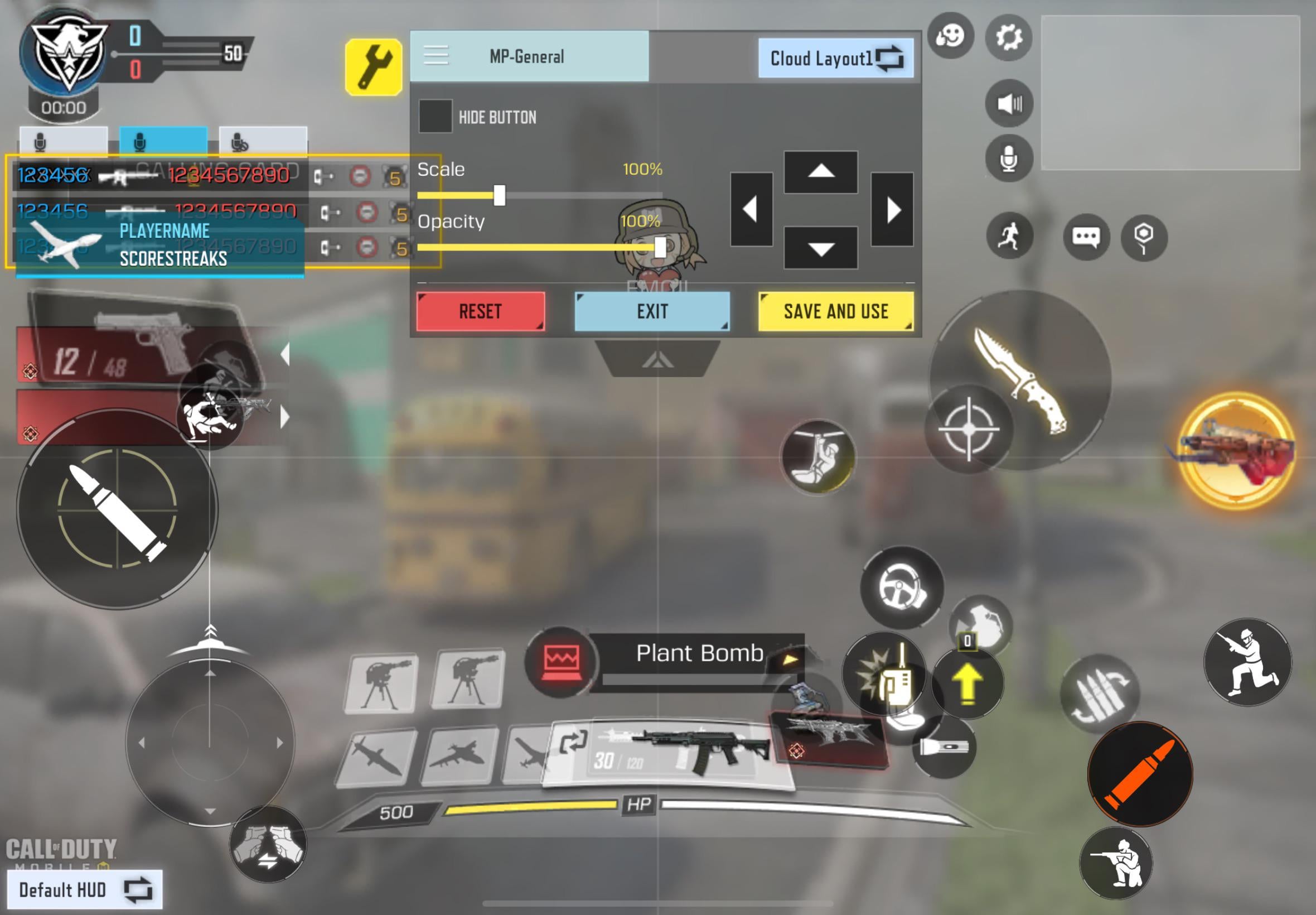
Might be a silly question but how do I lay down on the floor? I’d assume it’s in my custom layout but I don’t even know what the icon is supposed to look like, any help is appreciated.

Might be a silly question but how do I lay down on the floor? I’d assume it’s in my custom layout but I don’t even know what the icon is supposed to look like, any help is appreciated.
10 Comments
Hold crounch button when walking or standing
See that button under your red fire button at the bottom right?
That’s the crouch button, tap & hold that and you will automatically go prone (lie down flat)
stand up off the chair. take a step. bend your knees until your butt hits the floor. lower your back to the floor. straighten your legs. congrats, you’ve done it
Jump from 10th floor you’ll get laid on floor then in coffin then under the ground RIP
The button that shows a little person crouching. When you’re in game, hold it down. You’ll lay on the floor or go “prone” as its called. In your settings, you can change this setting called “Hold crouch to prone”. And it enables you to customise the location on your display of a seperate button for going prone which only requires you to tap it once. Then again to get up.
Prone.

Okay, just because only one other person Is mensioning it here, you can either hold the crouch button or in settings you can Split it into two buttons one for crouch/slide and one for prone.
Better change this parameter in settings, you can add separate button for laying down
Hold Crouch button