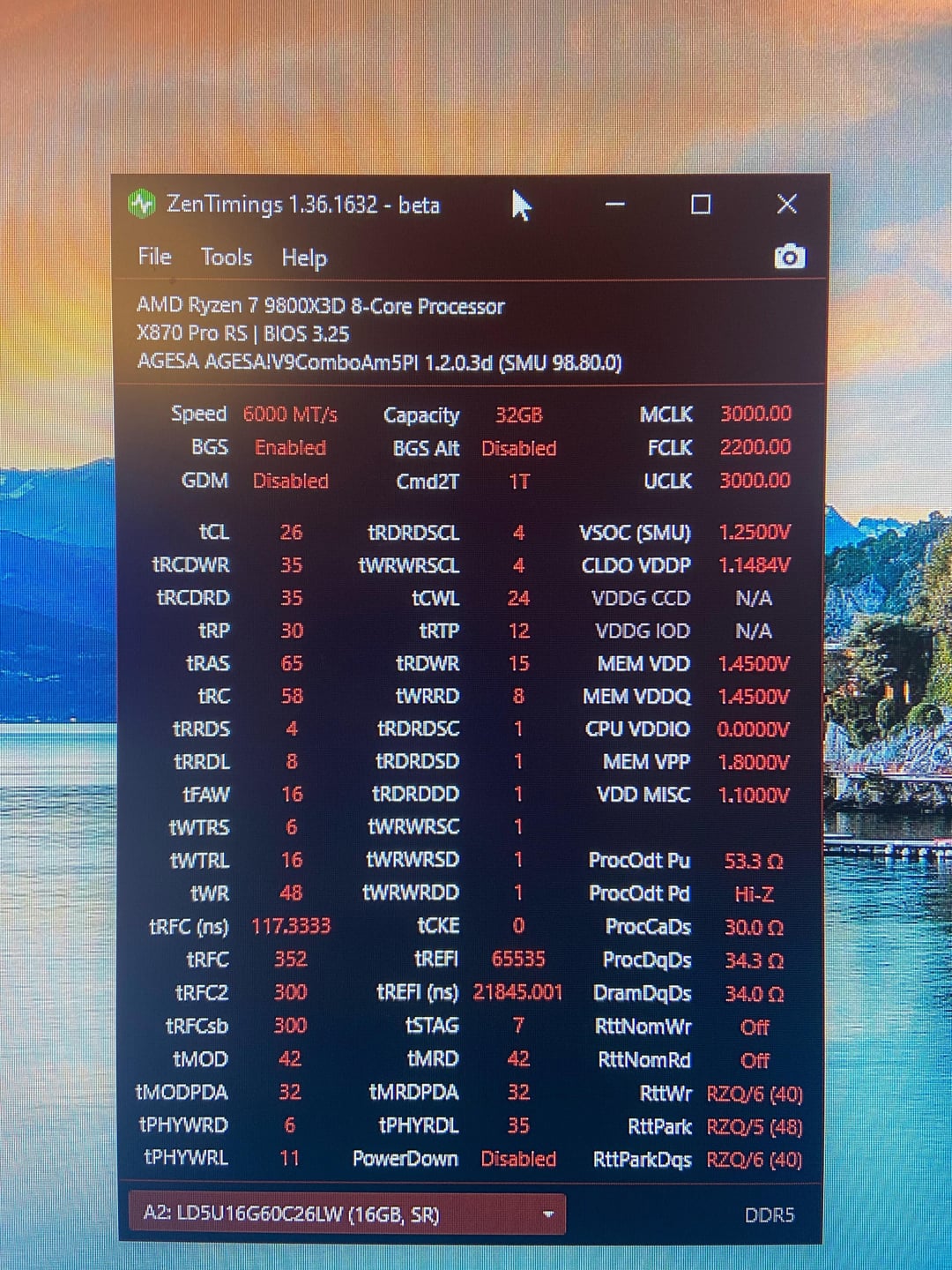
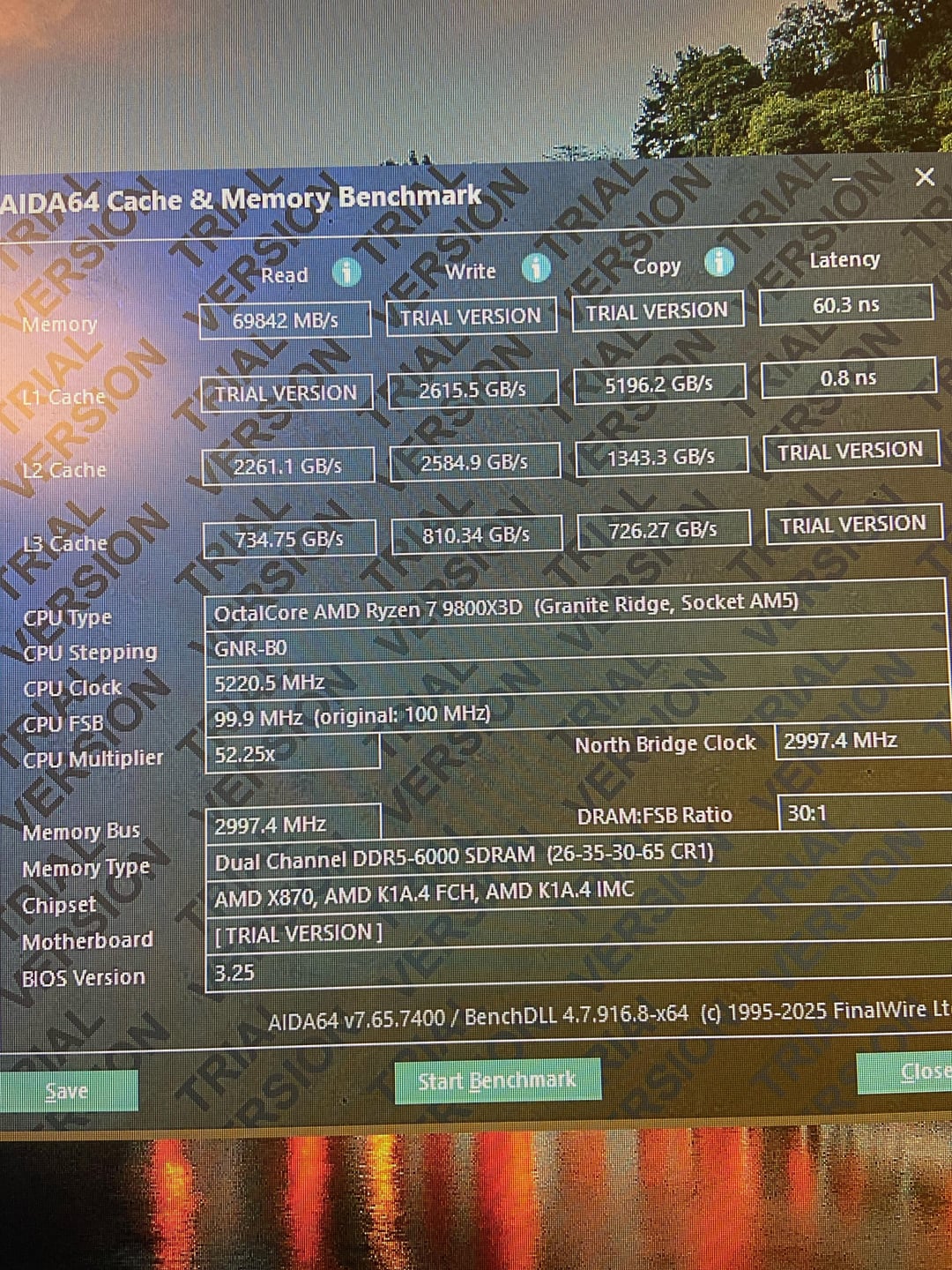
Newbie to tuning memory. Input on my current timings and things i should change for lower latency would be appreciated :).
I have fans for the dimms so increasing temps would probably not be a big issue.
Thanks!

Newbie to tuning memory. Input on my current timings and things i should change for lower latency would be appreciated :).
I have fans for the dimms so increasing temps would probably not be a big issue.
Thanks!
2 Comments
I’d verify ram temps under heavy load and long gaming sessions max trefi can sometimes be randomly dicey at above 50c. Which is not to add depending on case air flow and GPUs with flow through designs that dump right on the ram.
You are probably fine but it’s always worth checking.
If all is good you can try to push for 6200 or 6400 1:1 just make sure you set uclock= memclock as they go out of sync by default past 6000 m/t. You may have to slacken to cl28 for 6200 or 6400 or add more voltage for vdd or vddq vddio is normally pretty happy being quite a bit lower
For tWTRS, it should be 4. I don’t think I’ve seen many setups where that needs to be higher, but I’m a dummy, so I could be wrong.
Also, try:
* tRRDS = 8
* tRRDL = 8
* tFAW = 32
And compare that to what you are running now. To compare, you can use [y-cruncher](https://www.numberworld.org/y-cruncher/) (options 0 -> 1 -> 8, looking at “Total Computation Time”), [PYPrime](https://github.com/mbntr/PYPrime-2.x/releases), [Clam/MicroBenchmark](https://github.com/clamchowder/MicrobenchmarksGui), 7-Zip’s built in benchmark, or if you have Kharu for stability testing, you can mouse over the percentage readout for “Coverage” to see a test speed (wait a few minutes for it to stabilize). Keep whichever settings give you the best results there, but generally, 8/8/32 is best for most people with 32GB kits, but sometimes things work out differently.
Then:
* tRDWR = 16
* tWRRD = 1
If tWRRD isn’t stable at 1, back it off until it is stable. Typically, 1 is best for single rank setups (32/48GB) and 4 is best for dual rank setups (64/96GB).