
I’m pretty new to all this, so I’m hoping someone can explain this to me like I'm touching the BIOS for the first time.
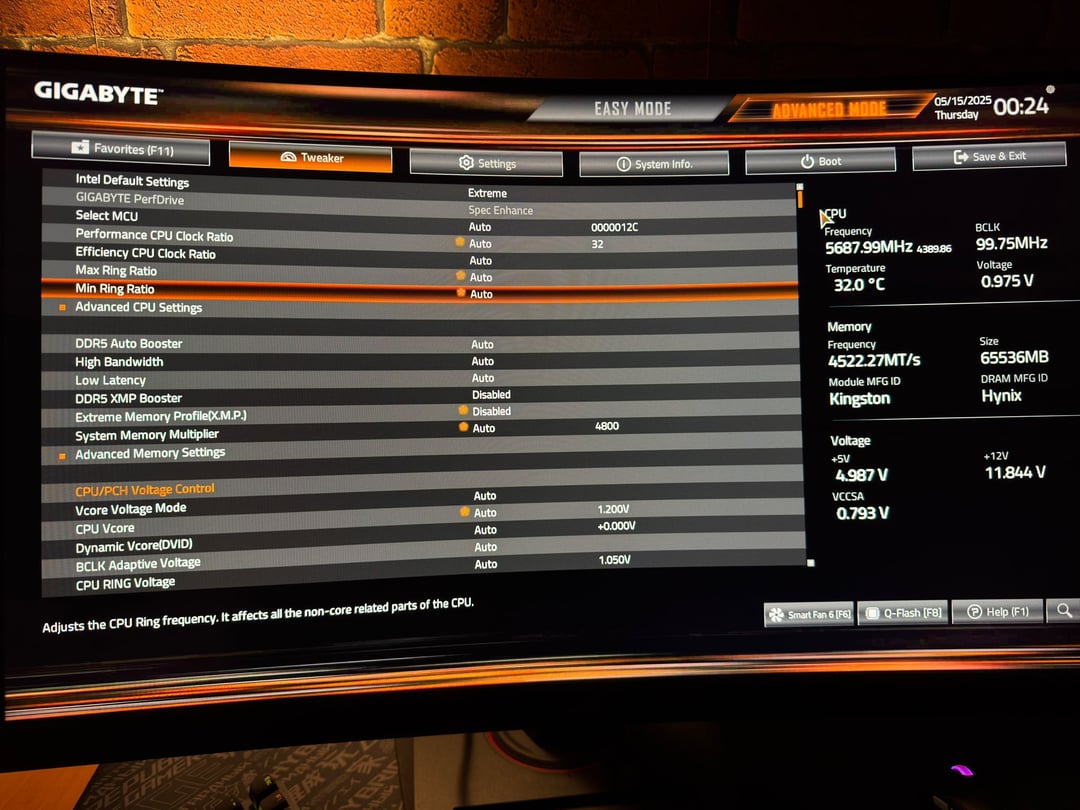
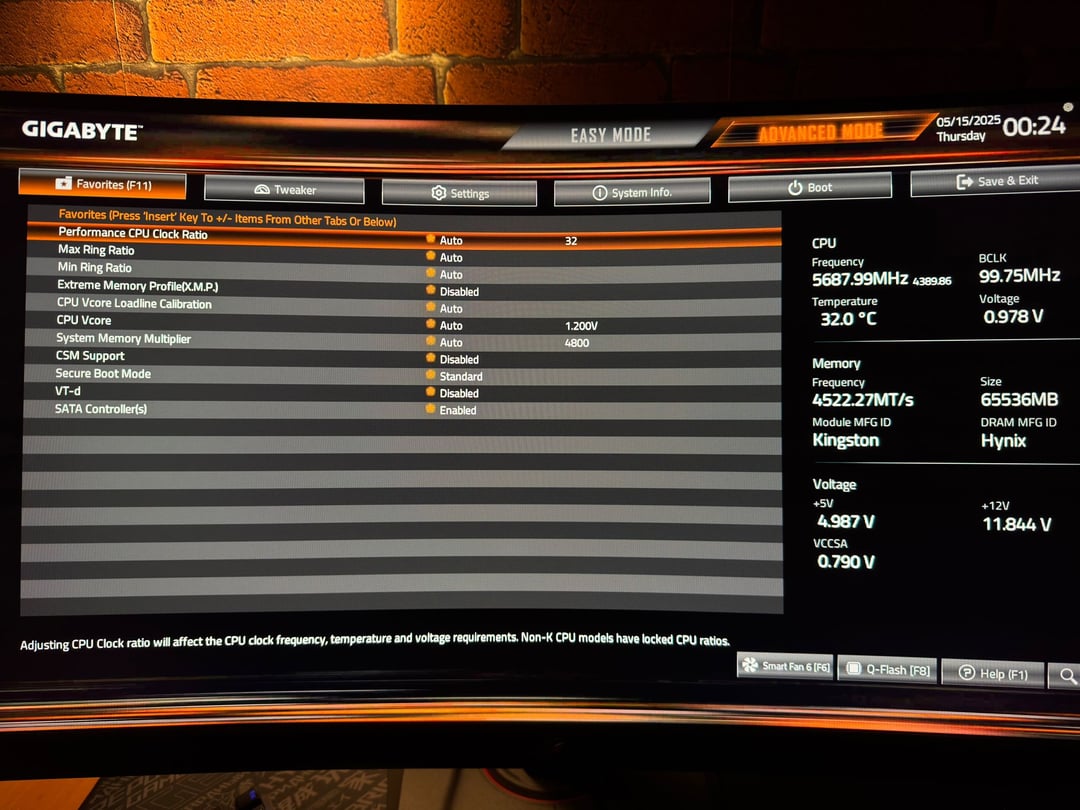
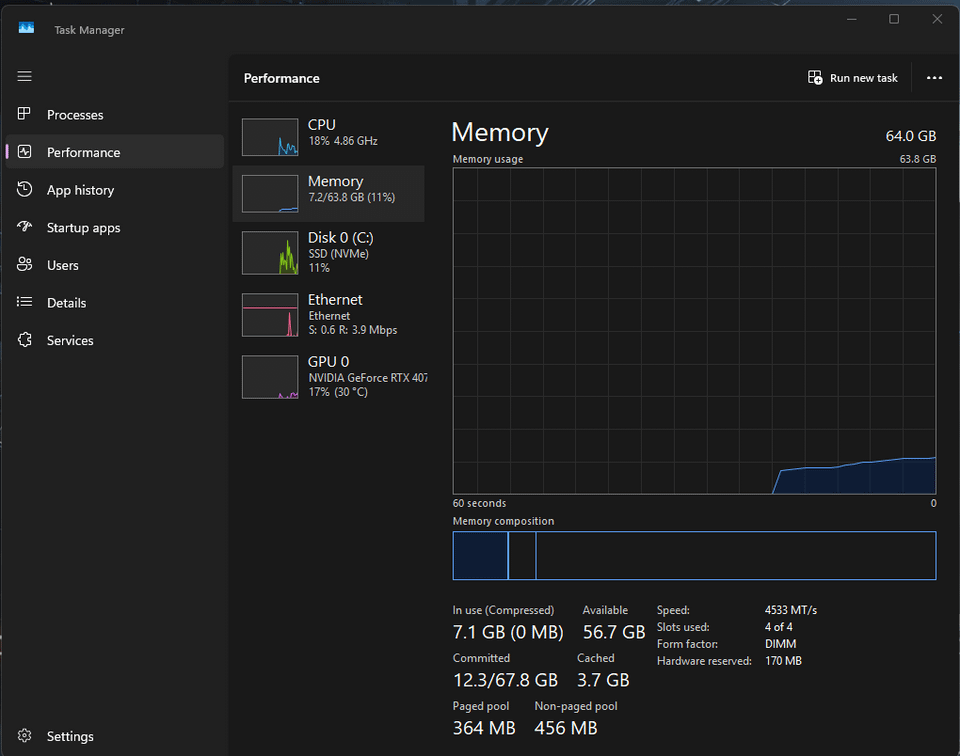
I recently built my PC and installed 4 sticks of Kingston CL30 6400 MHz DDR5 RAM (4x16GB = 64GB total), but when I checked Task Manager, it shows my memory running at 4500 MHz (or specifically 4522 MT/s). In BIOS, I saw that the System Memory Multiplier is set to 4800, but the speed in Windows doesn’t match that.
Here are a few more details:
Motherboard: Gigabyte B760 Gaming X
XMP is currently disabled
BIOS shows memory speed at 4522 MT/s
I haven’t changed anything manually because I don’t really know what I’m doing
Task Manager shows speed as ~4533 MT/s
So I guess my questions are:
- Is something wrong or is this normal?
- Do I need to enable XMP for it to run at 4800 or higher?
- Is running 4 sticks limiting my speed somehow?
- Is there a simple and safe fix I could try without messing anything up?
Thanks a lot in advance!
3 Comments
Why would you run them at 4800mhz ? And why would you buy 4 dimms ? It’s probably the base speed for 4 ddr5 dimms so I wouldn’t worry about it. Set the ratio to 48 and not auto if you want them to run at 4800mhz
You have to enable XMP profile, otherwise it just runs at default.
4533MT/s seems like a weird value, but answering your question – yes you need to enable XMP to run advertised speeds. However, with 4 sticks it may not boot. If it won’t at 6400 you can still enable XMP to set the timings automatically and then just change memory multiplier to lower value until it works.