
Hey everyone,
I'm not an expert in overclocking, but I’ve been tuning my i9-14900KF on an MSI Z690 DDR4 motherboard, and I’d really appreciate some guidance. I’ve been testing different LLC (Load-Line Calibration) modes and I’m trying to better understand the trade-offs between system responsiveness and game stability.
Here’s my current setup:
- P-cores: 5.7GHz
- E-cores: 4 active at 4.0GHz
- Vcore: 1.29V (stable in Cinebench, even for 30+ min)
- LLC modes tested: 4, 5, 6, 7
- Lite Load Mode: 3
- RAM: DDR4 4000MHz
- Motherboard: MSI Z690 DDR4
What I noticed:
- LLC Mode 4–5 seem more efficient (lower temps, better Cinebench scores), but I feel more input lag — especially in fast-paced games like Fortnite and Valorant.
- LLC Mode 6 feels perfectly balanced: the system is responsive and stable.
- LLC Mode 7 gives super snappy mouse and keyboard input, but causes desync in games (especially in endgame situations or when enemies appear suddenly).
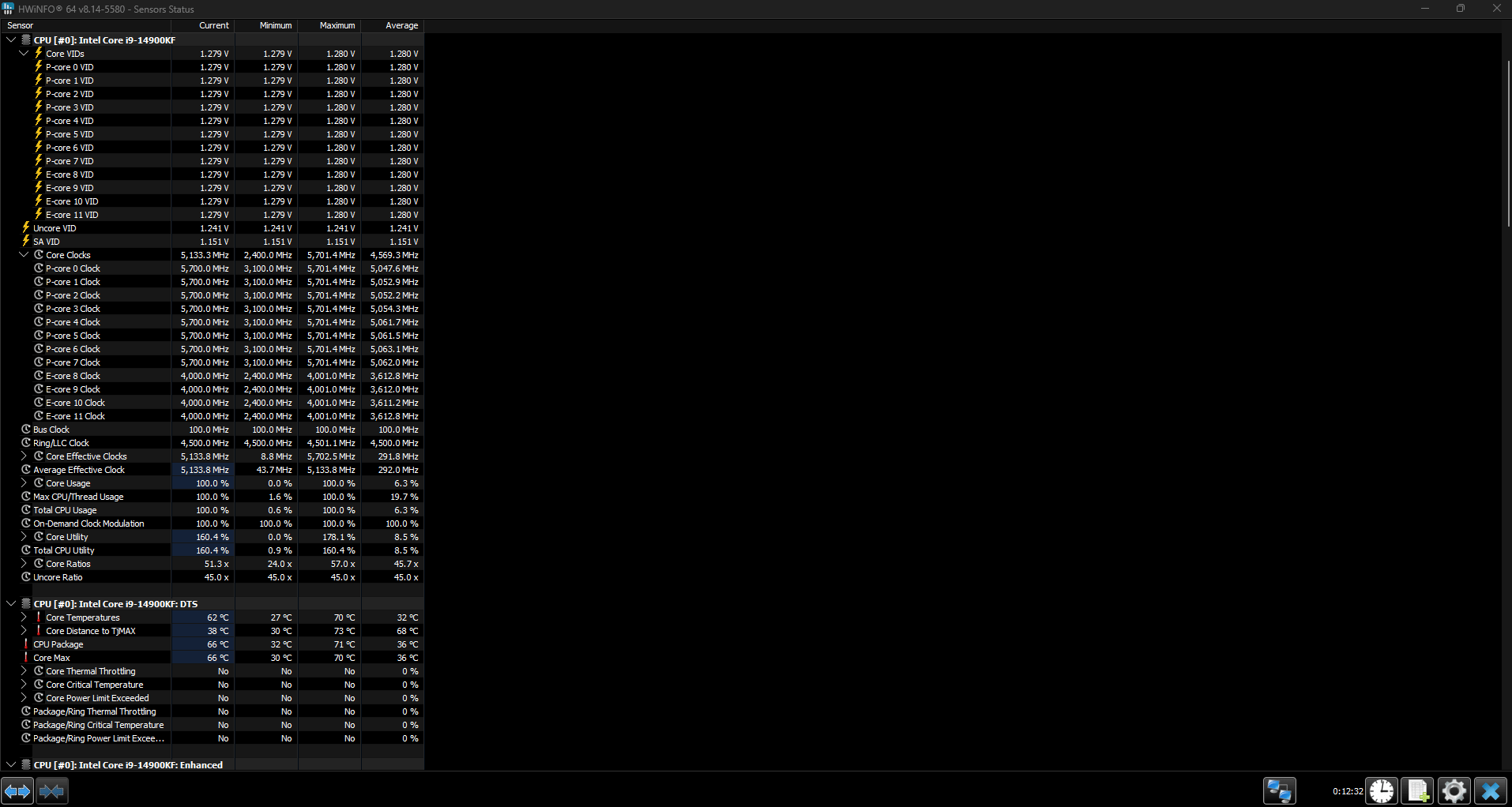
- With Lite Load Mode 3, Task Manager shows 5.67GHz, but HWInfo reports around 5.13GHz core clock — not sure if E-cores affect this?
- I’ve also tested manual AC/DC loadline settings with LLC 6 and 7 — they helped reduce desync and keep the clock stable.
What I’m asking:
- Is there a better way to balance input responsiveness vs game sync stability?
- Could the input lag be due to too much Vdroop (LLC 4-5)?
- Is it normal to feel smoother input with higher LLC, but also risk desync or instability?
- Am I going in the right direction tweaking Lite Load and AC/DC loadline?
- Why does Task Manager report higher clocks than HWInfo?
I’d be super thankful if someone with more experience could help me calibrate this properly. I'm not aiming for extreme OC — just a smooth, responsive and stable system for competitive gaming.
Let me know if you need logs or more info!
1 Comment
Also, I’ve noticed something interesting with clock behavior across different games:
* In **CS2**, the Task Manager shows clock speeds between **5.65–5.67GHz**, and the game feels very smooth.
* In **Valorant**, it’s around **5.64GHz**, also very stable and responsive.
* But in **Fortnite**, the clock often drops to **5.55GHz or even lower**, and that’s when I really start to feel input lag or a kind of “heaviness” in gameplay – almost like high ping or delayed response even though my actual latency is fine.
I’m wondering if these drops are related to E-cores affecting the overall clock or if Fortnite is just more sensitive to frequency fluctuations or latency.
If anyone has insight on how to keep clocks more stable across different game engines, I’d love to hear it!