
Here's my hardware:
- Ryzen 7 7700
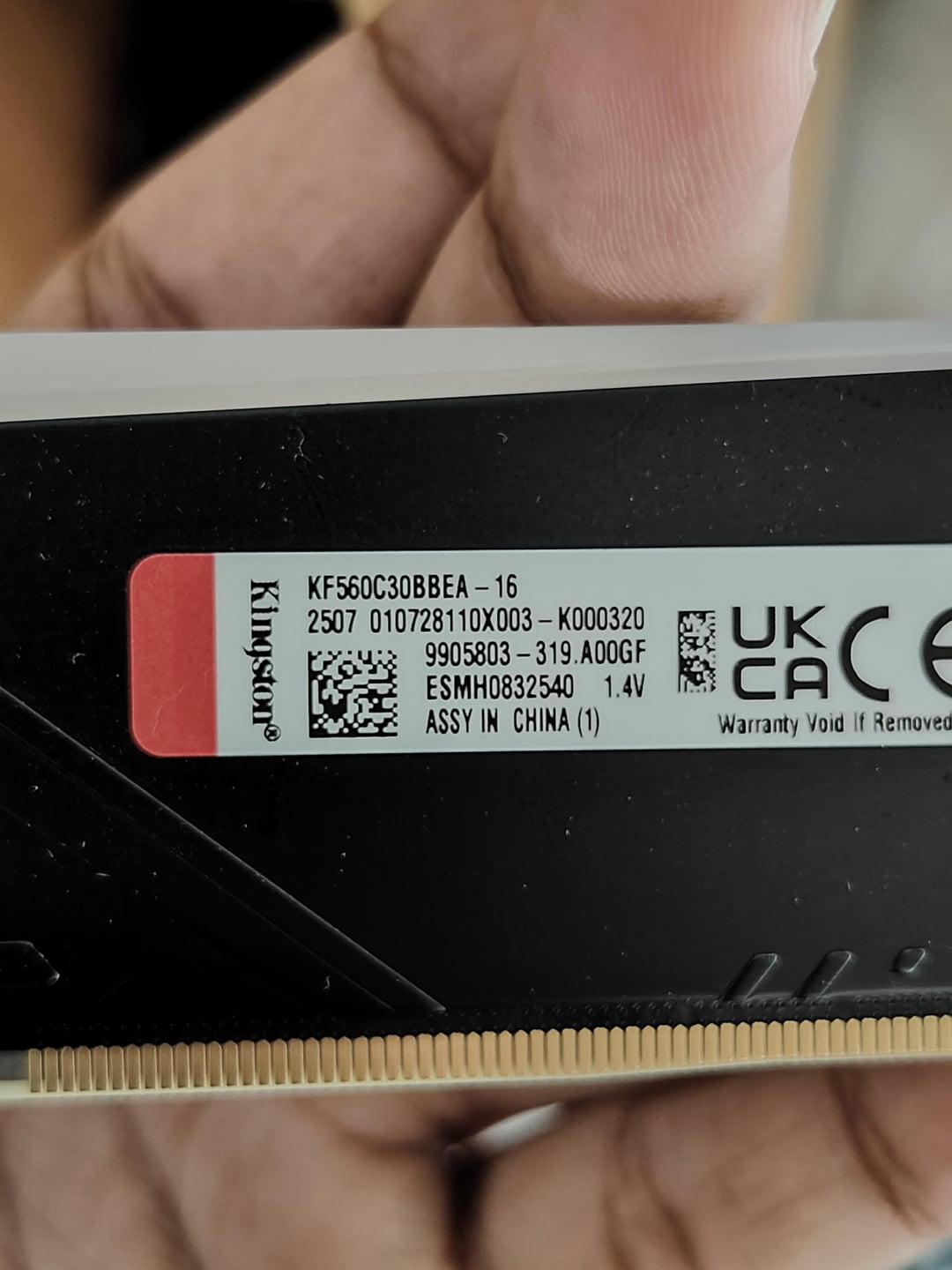
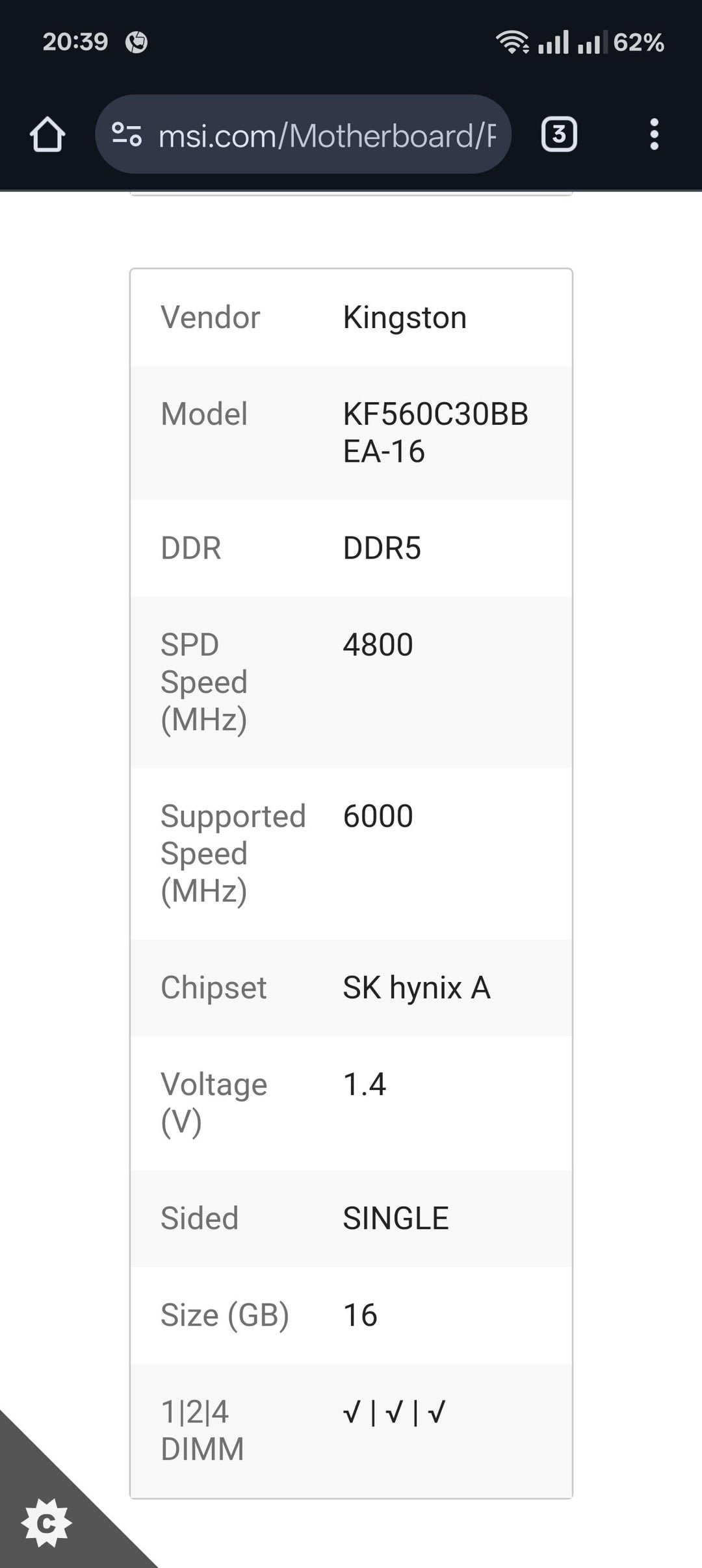
- KF560C30BBEA-16 X2 (16+16) 6000MHz CL30 EXPO RAM (Hynix A-die)
- MSI PRO B650m-A WiFi with the latest agesa 1.2.0.3c (from April 30th, 2025)
So a bit of context first.
-
I got this Ryzen 7 7700 for a killer deal 3 weeks back from my local retailer, for about 193$ (according to conversion rates) fully new. Not a tray processor.
-
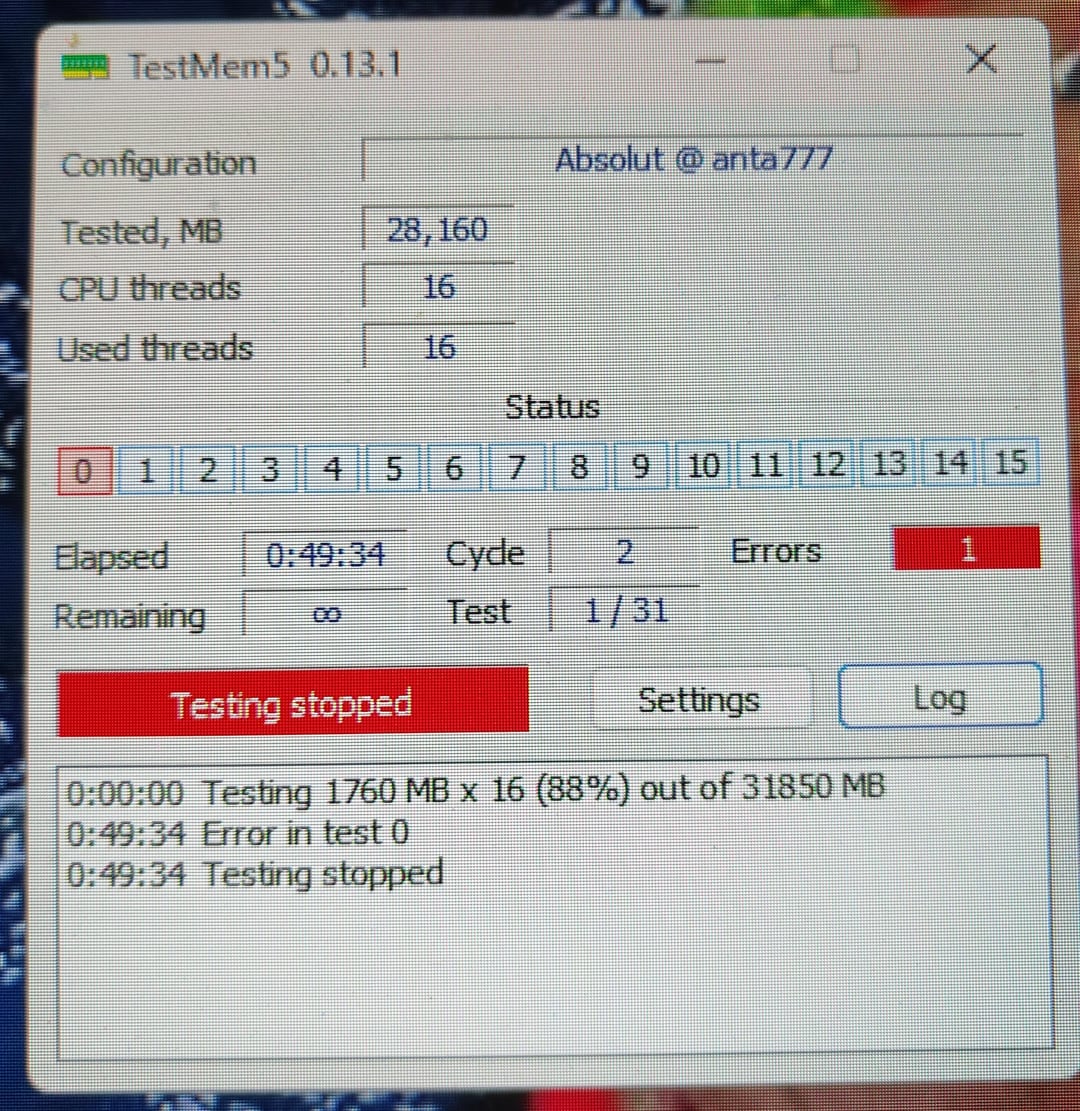
Now, for the first two days… I enabled EXPO, didn't get any crashes, or BSODs. Used it for games and streaming. Then I thought about using Buildzoid's timings of the Easy Hynix A die timings. After that, I stress tested with TestMem5 and got an error within 15 minutes. So I thought maybe the voltages were a bit off. Checked in the BIOS, SoC voltages were locked to 1.3 Volts. So I decided to use Buildzoid's 1.25 volt suggestion and tested it again with manually setting the timings and not enabling EXPO. Stable for 3 hours TestMem5 anta777 Absolut, HCI Memtest Pro 1500%, Y-cruncher VT3 stable for 7 hours straight…
So I didn't bother testing anymore until a couple of days later when I get a game file corruption in Apex Legends.
-
I test the same configuration again and this time get an error within an hour into TM5. So I decide to go back to EXPO default timings and then boom, error within an hour again. I am confused very much at this point…
-
I crank the SoC voltage up to 1.3 (because in a video Buildzoid mentioned how some 'bad' CPUs can't do 3000 UCLK without SoC well above 1.2) and then test again, this time 2000% memtest pro stable, TestMem5 3 hours 21 minutes stable, then overnight Y-cruncher didn't finish because I had a power outage about 5 hours in, checked the log files… No errors. Great.
-
Then 12 days later (today) I decide to check up on it again, because I had an itch and a gut feeling, telling me 1.3 SoC was a bit too high, so I test it again with everything the same as in point 4, errors out within 50 minutes into TM5.
Now I am genuinely confused and frustrated, what should I do here to get 6000 MHz stable on my 7700? If anyone can help, it would be much appreciated. Thanks in advance, y'all.
Note: RAM is in the motherboard QVL list.
5 Comments
Also some points to add:
VDD, VDDQ, CPU VDDIO all are at 1.4V as per EXPO.
VPP is at 1.85V
VDDP, VDDG CCD/IOD all are auto.
tPHYRDL mismatched 35/37
Steps I have tried so far:
1. Raising VDD to 1.43
2. Raising and lowering VSoC to 1.3 and lowering in steps all the way to 1.15V
3. Flashing back BIOS, updating to the latest beta.
4. Talking to MSI support. (No issues on their end)
5. Talking to the retailer for a CPU change, though they said 5200 MHz is within spec so they won’t change it.
6. Lowering it to 5200MHz C26 which is mostly stable? Idk, haven’t done extensive testing on that. Still running TM5 as I’m writing this post.
Also, curve optimiser is at -30 all core. Could that cause an error in TM5? Should I lower that?
I’m just giving my two cents here, same happened to my 7600! 6000mt/s not stable not matter what. Nitro mode solved it 1-2-1 (1-2-0 doesn’t post).
I have similar cpu but 7700x and ram to you my current speed for ram is 5800mhz and it’s been stable so far. Lowered it because marvel rivals and Cyberpunk kept crashing on me. My curve optimizer is -15 but I haven’t tried -30 with the current 5800mhz.
Update: -30 curve optimiser isn’t the issue, because with curve optimiser disabled, I got a very quick error within 20 minutes.[ERROR WITHIN 20 MINUTES CURVE OPTIMISER DISABLED ](https://i.imgur.com/zqEy0tz.jpeg)