
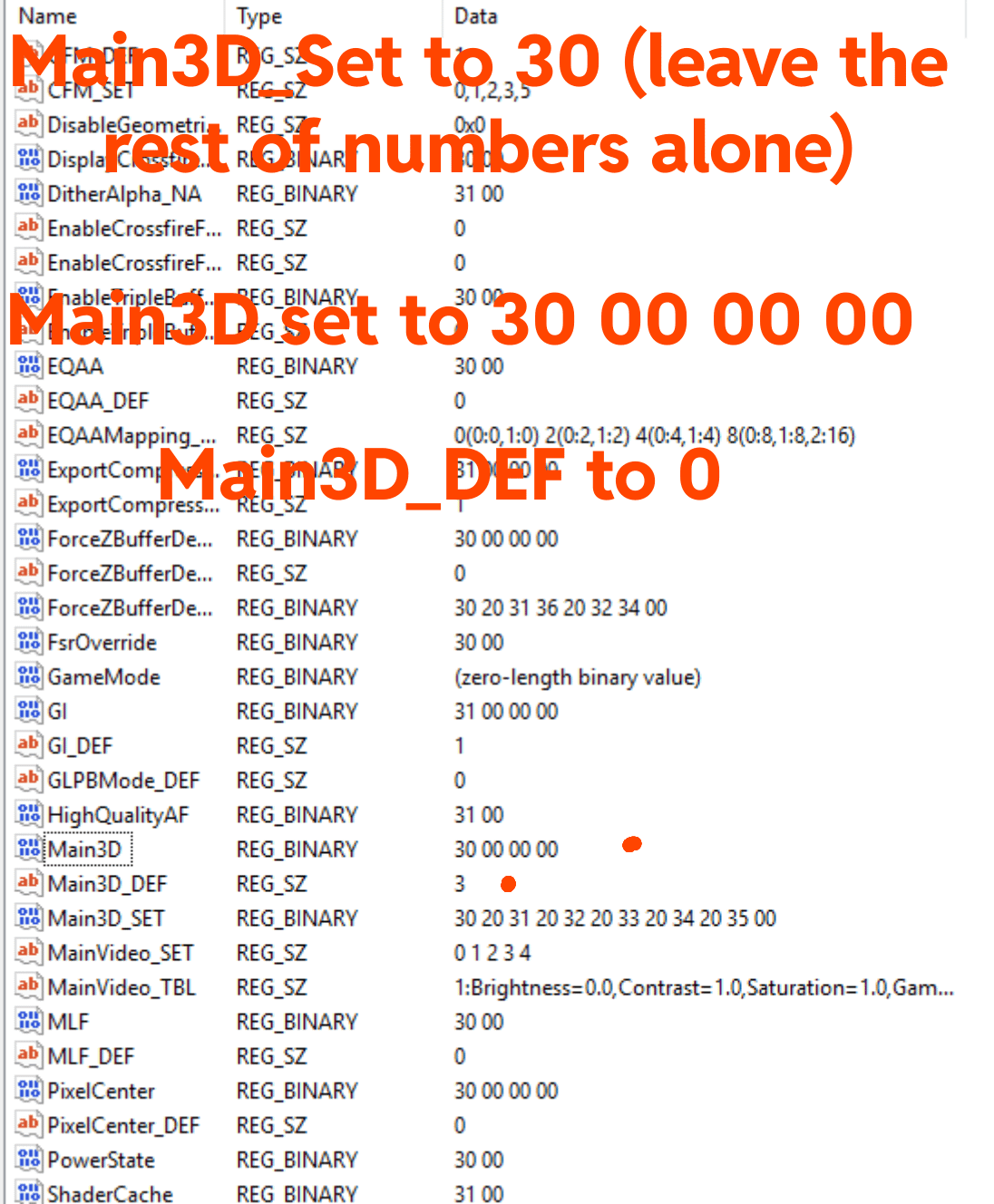
Open registry editor and search for Main3d, youll see all these files. Just edit them as ive said above. Reboot the pc and enjoy the pc feeling much better. Those of you good at the game or sensitive to latency will notice this. Its even noticeable on the desktop. Your mouse will feel less floaty. Theres tons of things you can do for amd gpus. If you want more tutorials like this upvote and comment. I'll post an entire guide if people want it.
Also, disable anti lag, its bugged. It adds render queue of some reason. Make sure fps is set to unlimited. Have a grear day!
7 Comments
” More I want moree ” Emperor Shaddam
You also should force AMD shader Cache to Always Enabled (value 3200)… Default is AMD optimised..wich means Off for most games..
Also you can disable Whitepoint correction for a little bit better Color Pop
I have tons of experience with AMD regedit tweaks.. tried Months of fixing there shitty drivers and improving my Games and Input latencys..
My final solution that solved everything was buying a Nvidia GPU..
I will never buy a AMD GPU again because of that months of fixing and trying every tweak i found on the Internet to fix there shit
Thank you, please post more if possible.
can you also share optimal settings in AMD adrenalin for COD?
Disable anti lag in the game you mean ?
Don’t have an and care but will upload for visibility and the good work!
What exactly do you mean by disable anti lag? Is this an ingame setting or a windows setting or a registry entry?