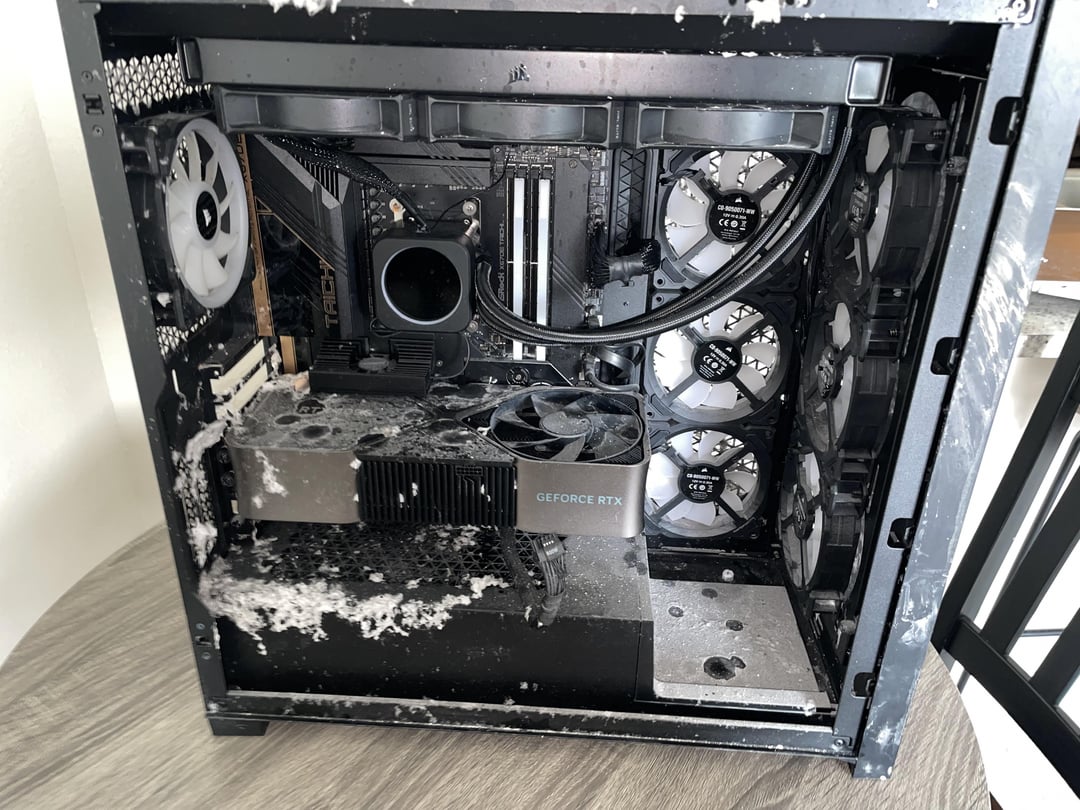
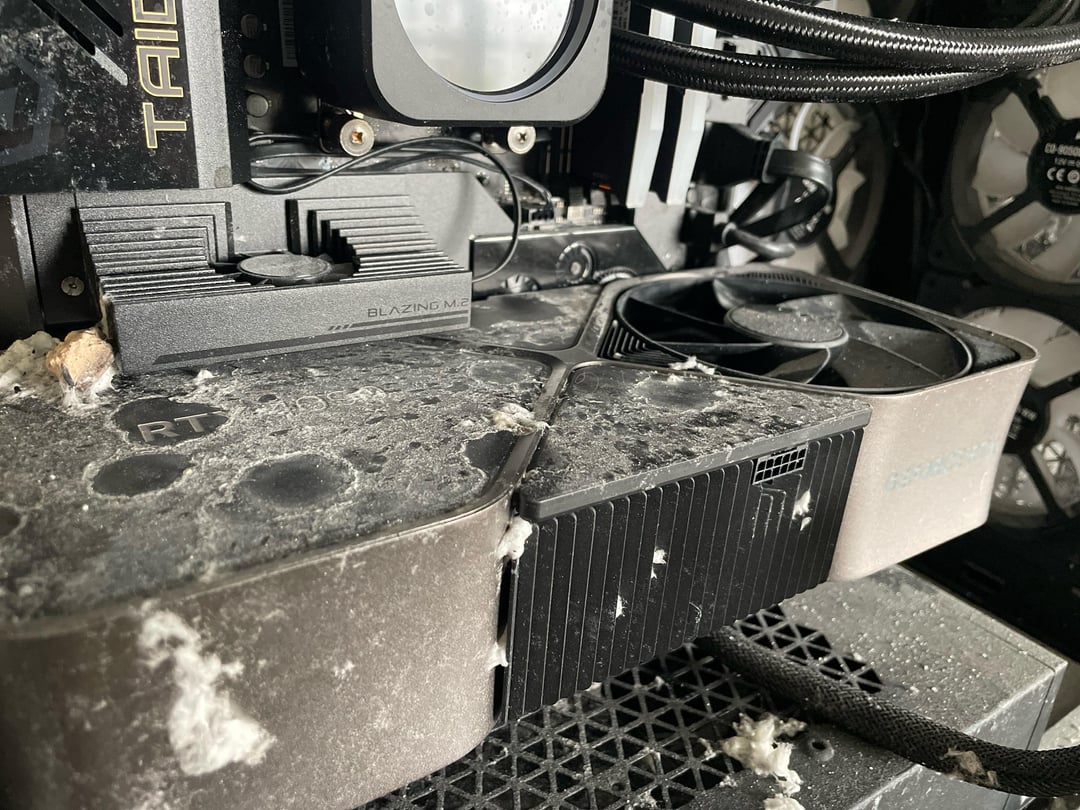
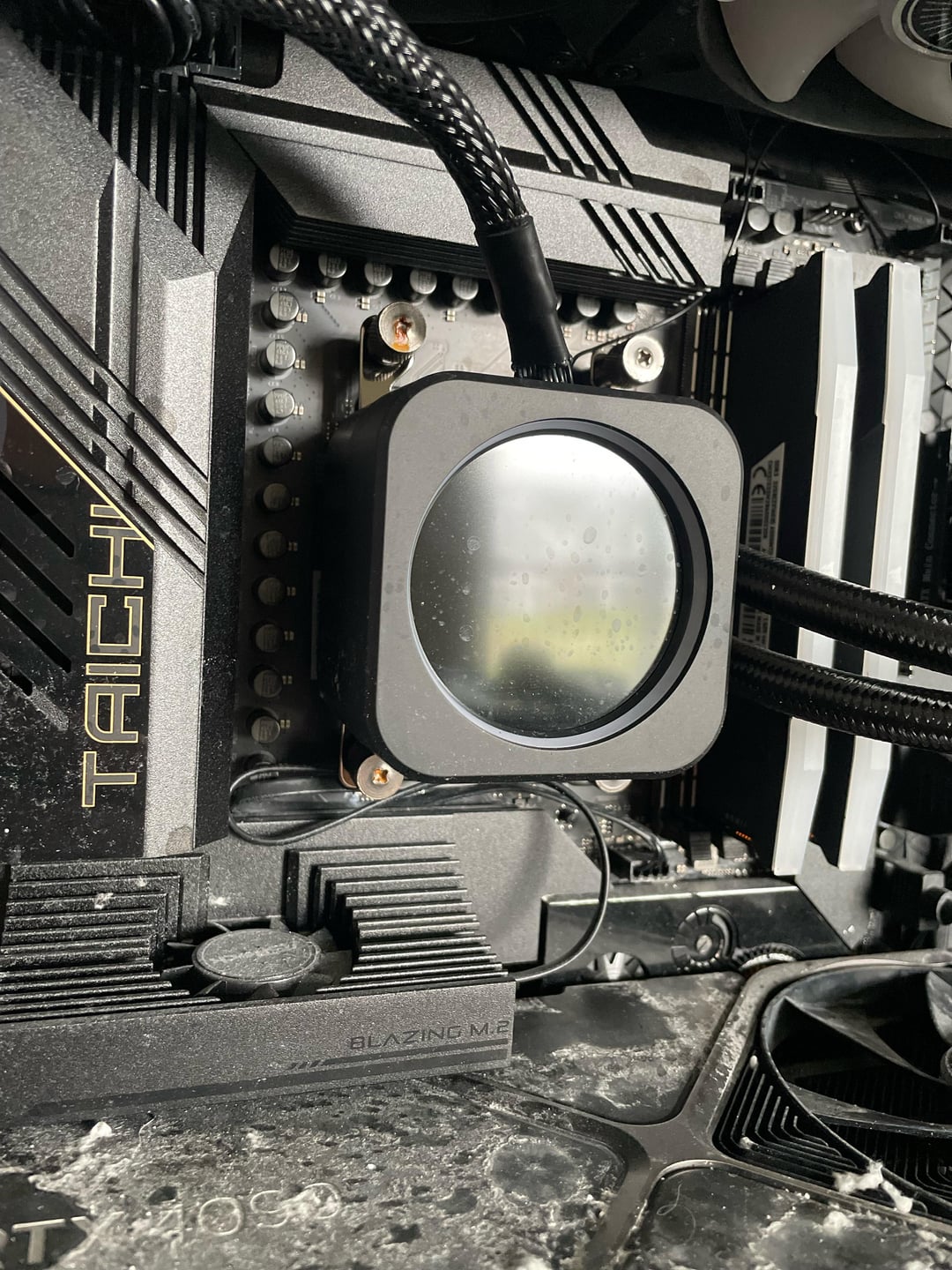
My apartment building burned down 2 weeks ago. We just got let in to get some belongings. Any hope at all for my poor 4090 7950x3d rig?
If so, any tips on how to salvage some stuff?

My apartment building burned down 2 weeks ago. We just got let in to get some belongings. Any hope at all for my poor 4090 7950x3d rig?
If so, any tips on how to salvage some stuff?
26 Comments
it just looks dirty
I bet it post as is
Maybe some parts survived, you won’t know until you know.
clean it, seems fine to me. check if the cables are fine
i would change the psu just in case
+ i would remove the gpu and cpu and check its pins and check motherboards pcie slot / cpu socket while at it
then pray to god and try to open it
Condolences 💐
There is always hope
big cleanup of everything ( note if anything is starting to rust, like screw maybe, so you can plan to replace them), replace the PSU just to be safe ( and because it would be ill advise to try to clean inside it )
you actually have a good chance most thing work because the pc was probably power off when the foam hit it.
my bet on what may be dead would be in order from most likely:
– the LCD on the AIO
– the motherboard (not that likely if no rust and proper cleanup)
– the GPU (not that likely if no rust and proper cleanup)
Clean, replace power supply and send it
i would recommend, removing every component from the case.. clean it with isopropyl alcohol 91% and soft brush toothbrush, clean it as best you can.. replace the psu though.. and start slowly testing it.. test mobo/cpu/ram.. if that powers with no issues.. id then test with the gpu…
looks like a load of alcohol cleaner would sort that out in a giffy
Dude, look at your cables. They look immaculate. Fans, aren’t burnt, aren’t dirty, plastic isn’t melted. Surely there was heat, and fire, but this computer doesn’t look like it was affected (on the inside) at all. My first thoughts when I saw the picture, I thought you had some accident where you got some cotton inside your computer fans. It’s gonna be fine.
Google says house fires temperatures are up to 600° Celcius, which should probably pulverize most things, but it looks like your cabinet withstood it very well!
https://youtu.be/04GYxpyK9ew?si=vnQ37-V6P4_eR6TI
Maybe that ll Help you. Sadly its not on his english channel, but subs will do.
Was it on or off during the fire? I would replace AIO and PSU and see if it spins up. AIO I can imagine the liquid boiling in it and being bad now. PSU because of water damage. Could put it in rice!
If it was off when it got wet there’s a chance it’ll be ok.
I hope you had renter’s insurance on the case that it’s not ok
Clean it out dissasembe gpu, dunk in 99% isporcyl and wait 2 days
It most likely survived, doesn’t look bad just dirty. Clean it, blow the dust out, inspect the cables and and see if it posts, maybe swap the power supply. Great rig, poor thing. Hope you’re also okay.
You can go through a meticulously clean every bit of corrosion and hope it’s all dry….but tbh I hope you had renters insurance.
gooners these days
I really hope you can salvage it! I lost my pc in September in a housefire and the water wasn’t the issue. But the smoke/soot for sure killed my system. Even after replacing the psu it was still f’ed
I would thoroughly clean every item. By that I mean full disassembly of the computer and also disassembly of the video card. Clean with isopropyl alcohol and low abrasion tools like q-tips, wait for it to dry, then reassemble. If you have another computer handy, try individual components in the other computer to see which ones work.
I bet most of it works.
Ditch the power supply it’s not safe to disassemble and properly clean.
shoulda used a tissue or sock at least bruh!
As long as it was powered off and I mean powered off when it clearly got wet, you should be fine… I would test the PSU first after CLEANING THE HECK OUT OF IT!!! what others have said is a good way to clean it.
Given all things if it was fully off you should be good because unless it was submerged for a long period electronics are fairly resilient to water when no power is going through them
So I’ve done my share of working on water damaged parts, I did phone and tablet repair for 7.5 years, so the first biggest question is was the computer powered on or was it powered off? If it was off the chances of parts surviving is much high because for water to do damage it has to bridge and short a part, the deposits it leaves behind can also shorts. I would disassemble and tear everything down as far as you can and carefully use a soft toothbrush and q-tips with 99% IPA, or 91% minimum, to clean up any spots you see and make sure you’re careful to not knock any parts off. As others have said don’t even bother with the PSU just replace it because that just isn’t worth the gamble of possibly killing other parts. So disassemble, clean, let it dry as long as possible, and then test one part a time if you can.
First and foremost. Do NOT try to turn it on. Dust/mineral deposits from the fire could cause a short.
Disassemble the system, use an air can or blower to remove any loose like dust/light debris. Then get the highest % isopropyl alcohol you can. At least 90%. Put that into a spray bottle and use it to flush the board and components.
You may want to consider getting a very soft bristle brush. We’re talking extra sensitive toothbrush. And then be very gentle when using it.
After you do the above. Let it sit at least a day somewhere with some airflow so the IPA will fully dry.
Then, re-assemble with a new PSU and try to turn it on.
Clean that shit with the highest purity isopropyl alcohol you can get after you take it apart. Yeet the PSU and start testing the rest.
Honestly it doesn’t look too bad. Fortunately, components can really survive a lot, LTT did a video a few years ago when they tested parts from a PC that was in a pretty serious fire, and a lot of it survived if my memory serves me well.
Like the other guy said, probably should disassemble and clean every part with 91%+ alcohol. Also I’d recommend throwing away the PSU, even if it works.