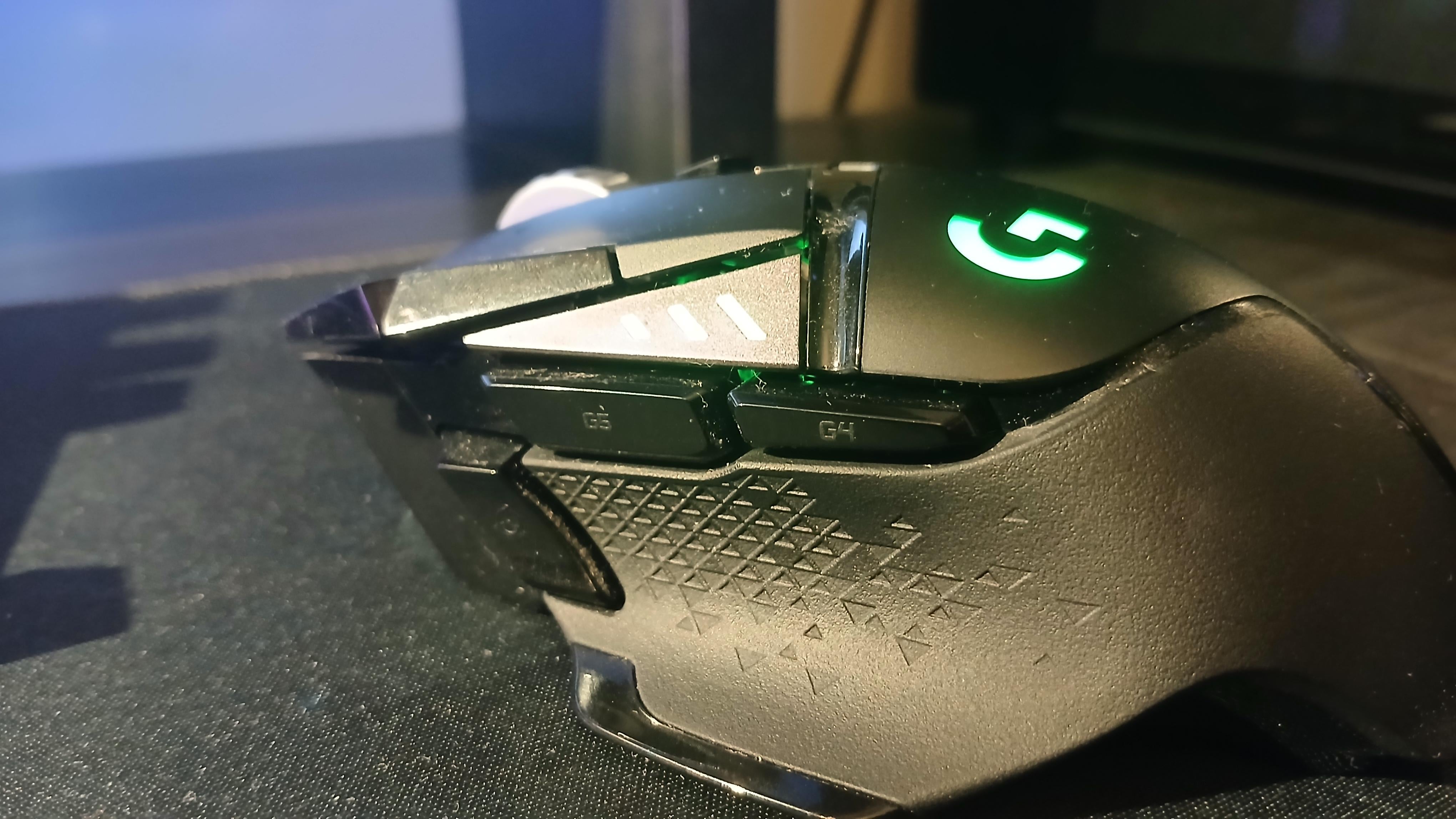
=- for g4/g5
[ ] for uhhh wtvr the larger thumb button is and the button under wheel
luuuuuku
I use multiple profiles for games and applications. Things like copy, paste etc can be pretty useful on the mouse
Edit:
I have a mouse with lots of buttons. If you need some inspiration, here are some more buttons:
– Back/forward (Button 4 and 5)
-arrow key left/right (mouse wheel to left/right), this is useful to go forward pages bin pdf documents
-Overview of programs
-switch workspace left/right
-ctrl-c
-ctrl-v
-space (mostly used for previewing files)
-volume up/down
-page up/down
-play/pause
This is what I have set up for regular desktop use. There are more bindings for specific programs
Any-Street5902
Ones that enable me to keep my fingers on movement keys more often, or ones that I push often
Example, in dayZ I have it mapped to the zoom view key
ChucklesNutts
PTT
CourseofRuin
Depends on what fps or rpg I’m playing. Usually reload or spells. And equipment usage
Homewra
Depending on games it could be a voice bind, skill bind, utilitary hotkey, etc.
tungs5ten_carb1de
In fps games that have a lean mechanic, i use mb4 for left and 5 for right
Autistic_Business
Microphone
ElectricWorry_968
G5 and G4 are Crouch and prone, the precision button is for push to talk for Discord. I use fixed 800 DPI.
HarrynwJ
G5 – Local voice chat
G6 – Team/Squad voice chat or thirdperson
Bottom one – Hold for lower DPI
nicsaweiner
Crouch in almost every game I play.
WetAndLoose
Running a G600 and basically everything besides movement is done with the mouse
Mozgodrobil
here come some useless info:
Desktop setup (work/browsing)
Thumb button – play/pause
G4/G5 – ctrl+c/ctrl+v
Index finger buttons are next/previous track
Games setup is specific to each game, had to bind melee attacking in Space Marines 2 to thumb button, as otherwise too many important functions are on your left hand (movement, dodge, parrying etc). Same reason why I bind ctrl and tag in Darktide to buttons near the thumb, as it just allows for better control.
TehWildMan_
In office use, side mouse buttons are just a previous/next tab shortcut
For games, “push to talk” and “reload” most often. Side mouse tilt gets special actions depending on context. DPI shift on that third side button is also very helpful in a few situations.
Creoda
I have 2 on my mouse, for gaming 1 button is Select/Open/Action like E on a keyboard and the other is putting away/holstering a weapon.
Commercial_Ad_2832
Depends on the game! Usually a quick melee is on one, then it’s a toss up between things I need quick access to (dodge is a primary one)
Low-Dog-8027
different things., currently I have a sound switch makro on there, to switch my sound output between speaker and headphones.
Wallowing_Rhino
For squad, I make them proximity coms, squad coms and squad lead coms & reload.
Pretty_Frosting_2588
Usually tied to a macro on a game that I play on the regular. When I played FFXIV I had like a bunch of tank buffs through a macro set to them mainly out of laziness.
The_Captain1228
Pg up/ pgdwn for easy web scrolling on the thumb buttons.
Close tab and open last closed tab on the extra pinky buttons.
xSnowLeopardx
Since I multitask a lot (game playing, in the meantime browse the web), I don’t have those G4 + G5 keys mapped to anything in game. For other stuff, it’s back and forward. The sniper button is double click outside games.
Enreekay
I usually play FPS games, so:
DPI Shift -> Melee
G5 -> Reload
G4 -> Grenade
EDIT:
I should mention that I use a Azeron keypad, not a keyboard.
fiercedeitysponce
I didn’t expect to feel like such a heathen but for fps game I bind melee and grenade to those. Surprised to see no one else doing the same.
Heyo13579
I have the same exact mouse! I use g5 for melee and g4 for crouch/slide that way I can use them faster when needed!
Wrong-Shower-2427
Adrenalin overlay and volume keys
ElectricPhoton
Push to talk
ricebaby_uk
KFC.co.uk
Si-Nz
Discord push to talk mouse 4
Every other push to talk mouse 5
Very rarely i use it as a binding in games too, for example parrying in sekiro with mouse buttons is just so much smoother than on keyboard.
TRECT0
top 2 are volume up and down side is discord deafen and mute and the thumb button is play and pause video. didn’t really configure anything for the scroll wheel left and right. (this is for desktop only btw I have a different preset for every game)
courtcoffee
One for voip other one for aimbot
Viruz_v1
push to talk microphones, running in minecraft
ill4two
PTT & throwables
Irbricksceo
m4 is usually for crouch, m5 is going to be something like a quick melee, or a movement ability like a roll or smth, depending on the game.
Economy_Tip8242
Melee, crouch or reload are usually my go too. Grenade can be useful but it takes some getting used to
Proper-Award4198
I have a Razer Orochi V2 and Hypershift is my bff
I use the front-side button to play/pause media, and the back-side one I hold it while scrolling to control de volume. The DPI button is used to skip songs (I keep the DPI on 400 and adjust the sensitivity on the games’ configs)
Not a big fan of keyboard shortcuts, I’d totally have a Naga Trinity just for the convenience
JezebelsCheapVodka
Absolutely nothing.
i_am_maidenless
I tied it to directly open phub by clicking it 5 times
PyroGamer45
Bought the razer Naga I think it’s called (12 buttons on there) for when I play mmos
Rreizero
You can bind a number of things depending on the game and what you do. Let’s take a desktop for one example.
Home/End – So you can jump up and down a webpage/document
F5 – Refresh/Insert time-date (Win+F5)
Enter – So you don’t need to take your hand off the mouse
Win+tab/Win+Ctrl+(left/right) – Create a combo keys for desktop switching. Win+tab is particularly good for App management.
Win+Shift+S – Quick desktop snip. Puts the snipped image in your clipboard.
Win+D – Show/hide desktop
Ctrl+(X/C/V) – Quick cut/copy/paste
The point is, you have to know which game and understand the shortcuts that’s worth binding on the mouse based on your personal usage. Familiarization + trial and error is key. There’s a lot of subjectivity when it comes to extra-keys. Take it from a Logitech G600 and a Razer Naga user.
itsBillerdsTime
Stroke as a baby left my left handed fingers kinda useless in terms of motor ability. Makes Q & Eing and other things very difficult. The Razer Naga Trinity is a game changer for that.
Granted…I still suck but I can play relatively normally.
Heroic_Folly
Browser back and forward.
In games, reload and grenade/special.
AUDI0-
For warframe i use it as crouch/slide and roll
itrTie
MB4 – Melee (in Valorant it’s party PTT)
MB5 – Push-to-talk everywhere, I just leave game voice or mute if I’m in a Discord call
Rohen2003
quicksave. especially for games where you spam it like every minute.

45 Comments
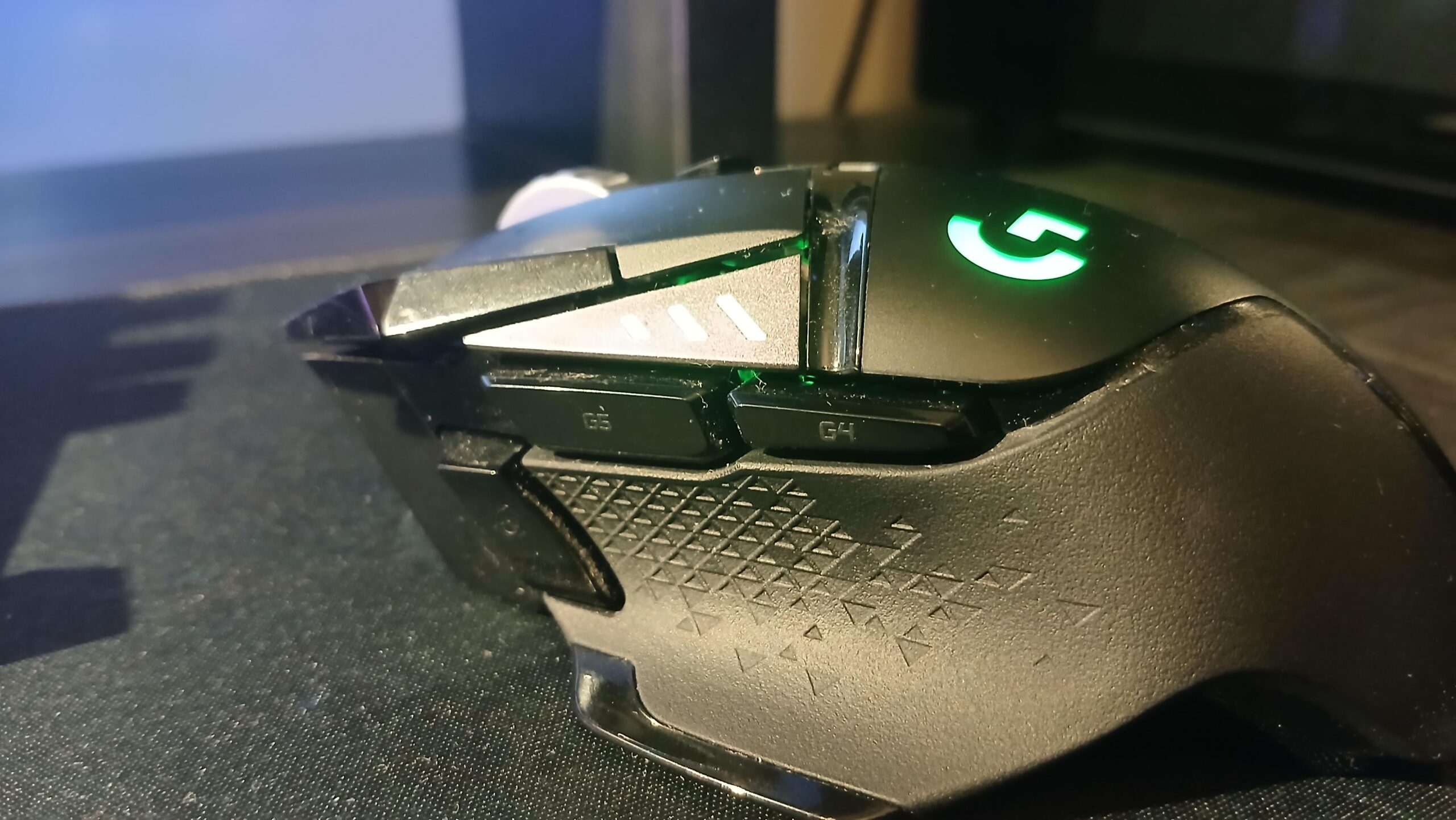
=- for g4/g5
[ ] for uhhh wtvr the larger thumb button is and the button under wheel
I use multiple profiles for games and applications. Things like copy, paste etc can be pretty useful on the mouse
Edit:
I have a mouse with lots of buttons. If you need some inspiration, here are some more buttons:
– Back/forward (Button 4 and 5)
-arrow key left/right (mouse wheel to left/right), this is useful to go forward pages bin pdf documents
-Overview of programs
-switch workspace left/right
-ctrl-c
-ctrl-v
-space (mostly used for previewing files)
-volume up/down
-page up/down
-play/pause
This is what I have set up for regular desktop use. There are more bindings for specific programs
Ones that enable me to keep my fingers on movement keys more often, or ones that I push often
Example, in dayZ I have it mapped to the zoom view key
PTT
Depends on what fps or rpg I’m playing. Usually reload or spells. And equipment usage
Depending on games it could be a voice bind, skill bind, utilitary hotkey, etc.
In fps games that have a lean mechanic, i use mb4 for left and 5 for right
Microphone
G5 and G4 are Crouch and prone, the precision button is for push to talk for Discord. I use fixed 800 DPI.
G5 – Local voice chat
G6 – Team/Squad voice chat or thirdperson
Bottom one – Hold for lower DPI
Crouch in almost every game I play.
Running a G600 and basically everything besides movement is done with the mouse
here come some useless info:
Desktop setup (work/browsing)
Thumb button – play/pause
G4/G5 – ctrl+c/ctrl+v
Index finger buttons are next/previous track
Games setup is specific to each game, had to bind melee attacking in Space Marines 2 to thumb button, as otherwise too many important functions are on your left hand (movement, dodge, parrying etc). Same reason why I bind ctrl and tag in Darktide to buttons near the thumb, as it just allows for better control.
In office use, side mouse buttons are just a previous/next tab shortcut
For games, “push to talk” and “reload” most often. Side mouse tilt gets special actions depending on context. DPI shift on that third side button is also very helpful in a few situations.
I have 2 on my mouse, for gaming 1 button is Select/Open/Action like E on a keyboard and the other is putting away/holstering a weapon.
Depends on the game! Usually a quick melee is on one, then it’s a toss up between things I need quick access to (dodge is a primary one)
different things., currently I have a sound switch makro on there, to switch my sound output between speaker and headphones.
For squad, I make them proximity coms, squad coms and squad lead coms & reload.
Usually tied to a macro on a game that I play on the regular. When I played FFXIV I had like a bunch of tank buffs through a macro set to them mainly out of laziness.
Pg up/ pgdwn for easy web scrolling on the thumb buttons.
Close tab and open last closed tab on the extra pinky buttons.
Since I multitask a lot (game playing, in the meantime browse the web), I don’t have those G4 + G5 keys mapped to anything in game. For other stuff, it’s back and forward. The sniper button is double click outside games.
I usually play FPS games, so:
DPI Shift -> Melee
G5 -> Reload
G4 -> Grenade
EDIT:
I should mention that I use a Azeron keypad, not a keyboard.
I didn’t expect to feel like such a heathen but for fps game I bind melee and grenade to those. Surprised to see no one else doing the same.
I have the same exact mouse! I use g5 for melee and g4 for crouch/slide that way I can use them faster when needed!
Adrenalin overlay and volume keys
Push to talk
KFC.co.uk
Discord push to talk mouse 4
Every other push to talk mouse 5
Very rarely i use it as a binding in games too, for example parrying in sekiro with mouse buttons is just so much smoother than on keyboard.
top 2 are volume up and down side is discord deafen and mute and the thumb button is play and pause video. didn’t really configure anything for the scroll wheel left and right. (this is for desktop only btw I have a different preset for every game)
One for voip other one for aimbot
push to talk microphones, running in minecraft
PTT & throwables
m4 is usually for crouch, m5 is going to be something like a quick melee, or a movement ability like a roll or smth, depending on the game.
Melee, crouch or reload are usually my go too. Grenade can be useful but it takes some getting used to
I have a Razer Orochi V2 and Hypershift is my bff
I use the front-side button to play/pause media, and the back-side one I hold it while scrolling to control de volume. The DPI button is used to skip songs (I keep the DPI on 400 and adjust the sensitivity on the games’ configs)
Not a big fan of keyboard shortcuts, I’d totally have a Naga Trinity just for the convenience
Absolutely nothing.
I tied it to directly open phub by clicking it 5 times
Bought the razer Naga I think it’s called (12 buttons on there) for when I play mmos
You can bind a number of things depending on the game and what you do. Let’s take a desktop for one example.
Home/End – So you can jump up and down a webpage/document
F5 – Refresh/Insert time-date (Win+F5)
Enter – So you don’t need to take your hand off the mouse
Win+tab/Win+Ctrl+(left/right) – Create a combo keys for desktop switching. Win+tab is particularly good for App management.
Win+Shift+S – Quick desktop snip. Puts the snipped image in your clipboard.
Win+D – Show/hide desktop
Ctrl+(X/C/V) – Quick cut/copy/paste
The point is, you have to know which game and understand the shortcuts that’s worth binding on the mouse based on your personal usage. Familiarization + trial and error is key. There’s a lot of subjectivity when it comes to extra-keys. Take it from a Logitech G600 and a Razer Naga user.
Stroke as a baby left my left handed fingers kinda useless in terms of motor ability. Makes Q & Eing and other things very difficult. The Razer Naga Trinity is a game changer for that.
Granted…I still suck but I can play relatively normally.
Browser back and forward.
In games, reload and grenade/special.
For warframe i use it as crouch/slide and roll
MB4 – Melee (in Valorant it’s party PTT)
MB5 – Push-to-talk everywhere, I just leave game voice or mute if I’m in a Discord call
quicksave. especially for games where you spam it like every minute.
Always RELOAD