
https://reddit.com/link/1k8zugc/video/mwus5xnpecxe1/player
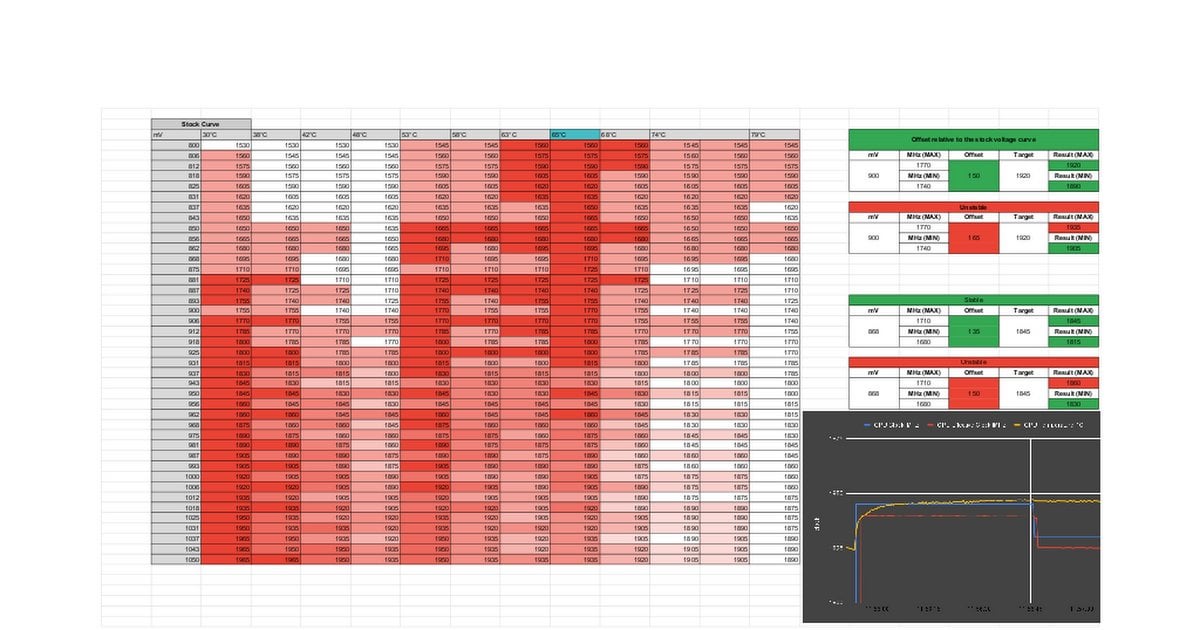
This leads to questions like: "Why is my frequency 1830 MHz when I set 1800 in MSI Afterburner (cry, cry)", "…overshoots by as much as 30 MHz, which sometimes means your games crash." This clearly leads to instability and makes testing a given offset difficult, but for some reason, "overclockers" on youtube don't mention this behavior in their undervolting guides. They don't explain that you need a smooth curve similar to stock, not a spike as is usually shown in guides, which leads to lower effective frequency and overvolting on the left side of the curve.
In my video, I show:
- An example of how Nvidia GPU Boost behaves at different temperatures.
- How your frequency differs from the effective one depending on how close the previous point on the curve is to the next.
- How Nvidia GPU Boost, due to raising points on the left side of the curve, shifts the set voltage.
Google Sheet: https://docs.google.com/spreadsheets/d/1qaA8nU7HxCJ-fA-f0JgrQluuJ6pAlMT7dXrOvyFr5M8
Detailed videos by SkatterBencher about NVIDIA GPU Boost: https://www.youtube.com/watch?v=55TopAt9KCk
https://www.youtube.com/watch?v=YMsYd8YOWtw
5 Comments
Uh, it’s actually the other way around in my case. Actual clock always 5mhz lower than the preset
You can set a cap for the clocks with nvidia-smi command.
Only with biosmod you can tame boost behavior. you are just wasting your time with those ridiculous tools.
If your gpu can’t handle the factory frequency and crashes it is time to rma it.
This is so annoying! My 5090 can handle 3200 core but it can’t handle 3250. Occasionally while gaming it will spike from 3200 to 3250 for no apparent reason and crash.