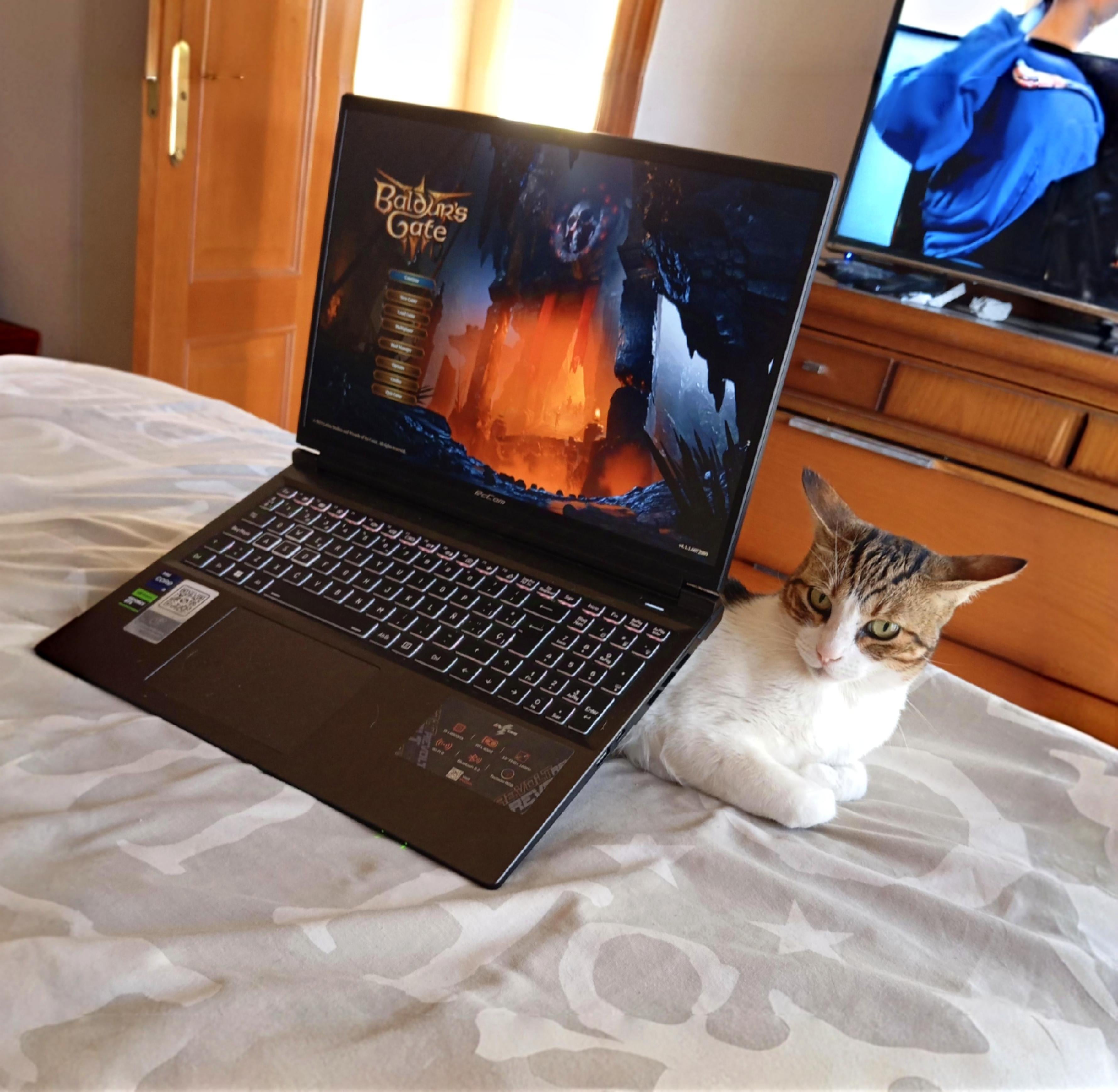
Why is my laptop overheating? I am stumped, I can’t figure it out. As you can see, I elevate it for better cooling, like everyone advised, but no success.

Why is my laptop overheating? I am stumped, I can’t figure it out. As you can see, I elevate it for better cooling, like everyone advised, but no success.
27 Comments
not enough cat under the laptop
Try removing the hair from your cooling mount and see if that improves the air flow.
you need to overclock your cat
I’m purrty sure I know the problem. What you do with this information is up to you meow.
Oh stop playing with your pussy and get a desktop
I see your using a cat-alyst cooling tray, how would you recommend. Asking for a friend.
Why car in airplane mode? 🚗🛩️
r/shittysysadmin
You need to attack a heatsink to your cat and possibly more ram.
You must have Karlach in your party.
r/airplaneears
Did you take your pic already? Can I get this thing off me now?
https://preview.redd.it/3977l6rpvmwe1.jpeg?width=945&format=pjpg&auto=webp&s=d9fe1d388e933f88164849c0553115b4449cbbfa
Cat
It’s simple. The cat goes _on top_ to keep the vents clear.
your laptop cooling fan got enough skritches?
I genuinely love how pissed that cat looks
I think you need to investigate furrrrrther
Shut it down
Use a bigger cat
Clogged up fans and heatsink, use your sister’s toothbrush to clean it when you tear it down. Also replace the thermal paste with some Honeywell PTM 7950 for better temps and longevity.
Idk man but that car sure is losing its cool
Hence it’s obvious your laptop is overkitty.
What laptop? Nice Baldur’s Gate Cat warmer though.
I mean I know you’re joking but I think you might have to open that thing up and remove the hairs that go in
Cat looks so pissed 😹
Lol cat is happy to be a part of your day however is unsure about being used as an ergonomic platform 😆
Are you still alive, OP?