
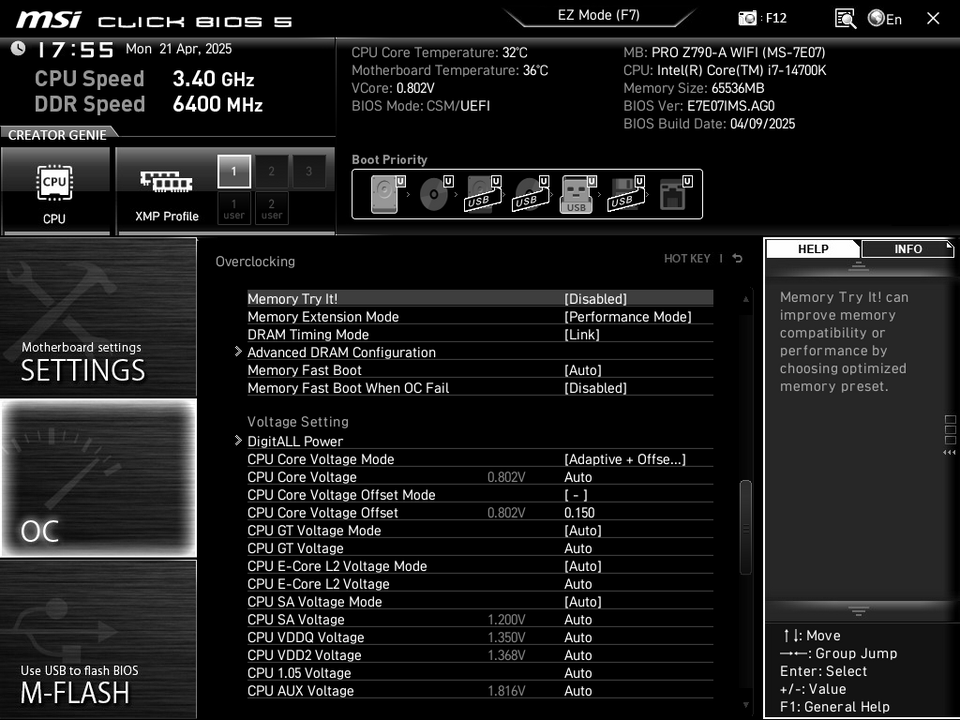
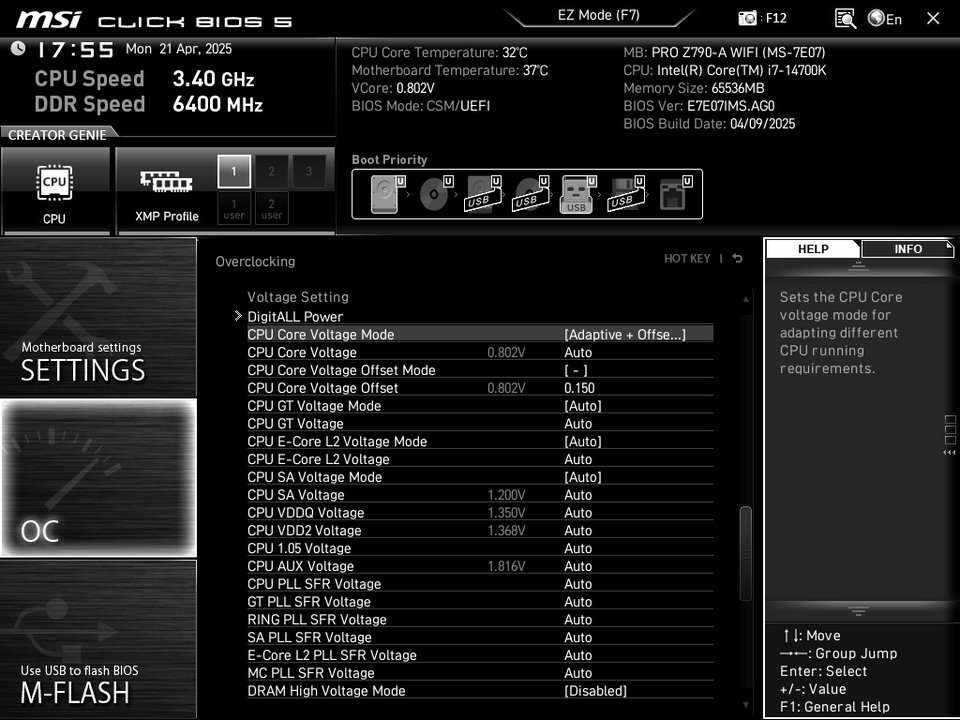
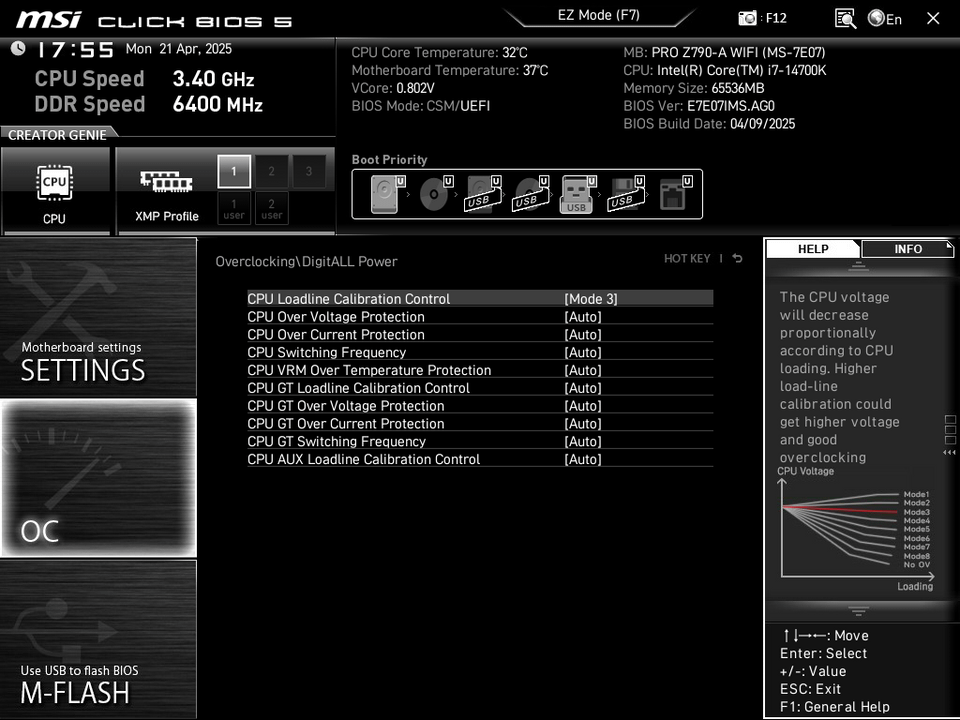
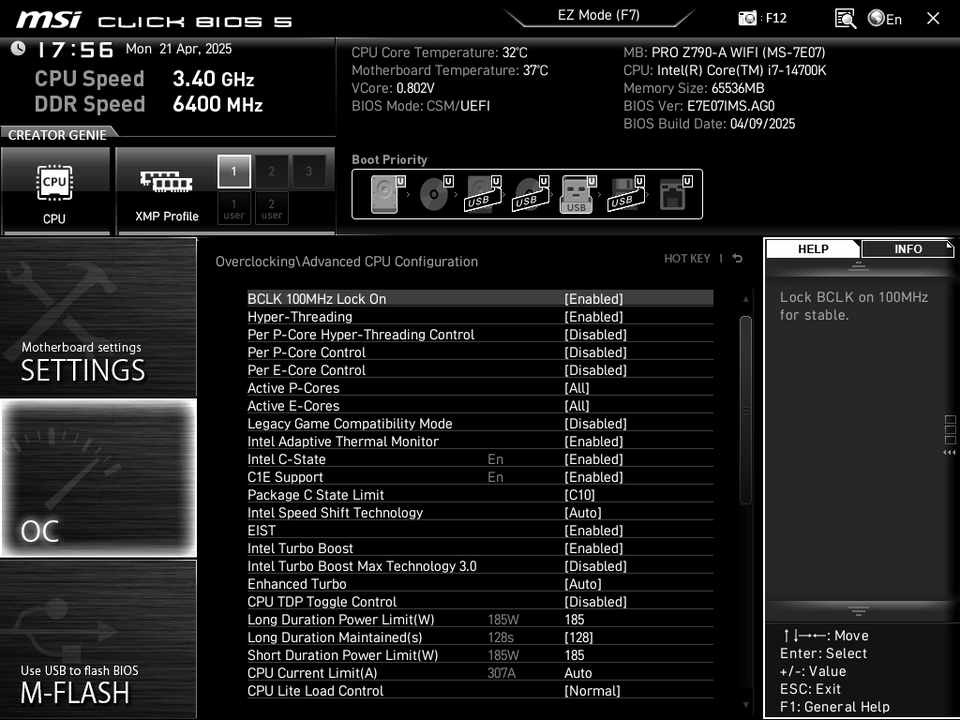
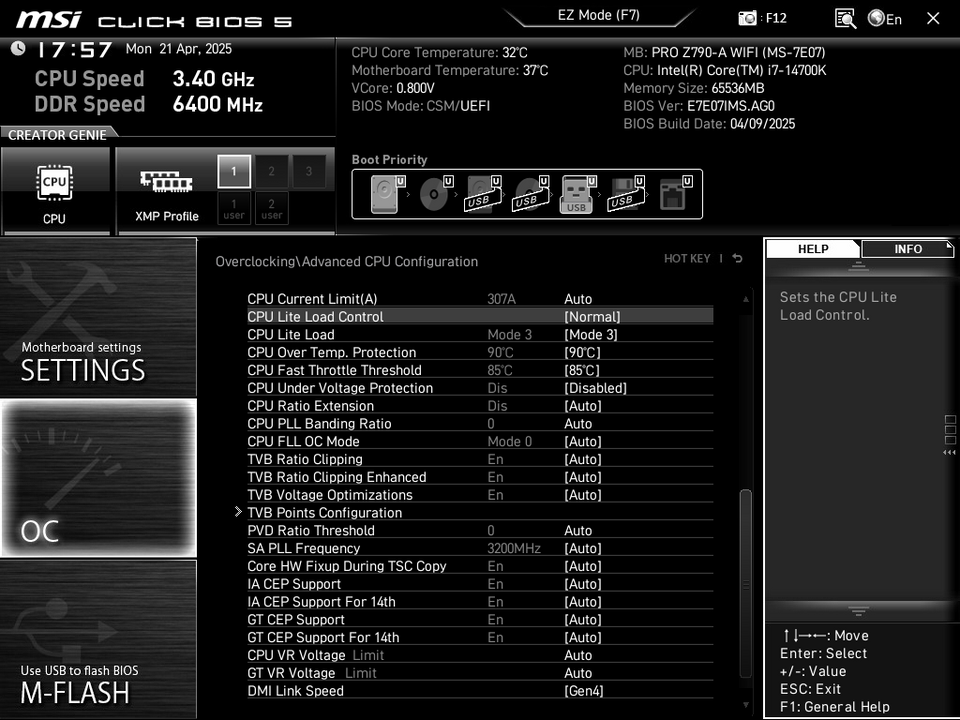
Thought I’d share my undervolt setup for the 14700K — stable for over a year, solid temps, and good performance. Hopefully it helps someone dialing in their own config.
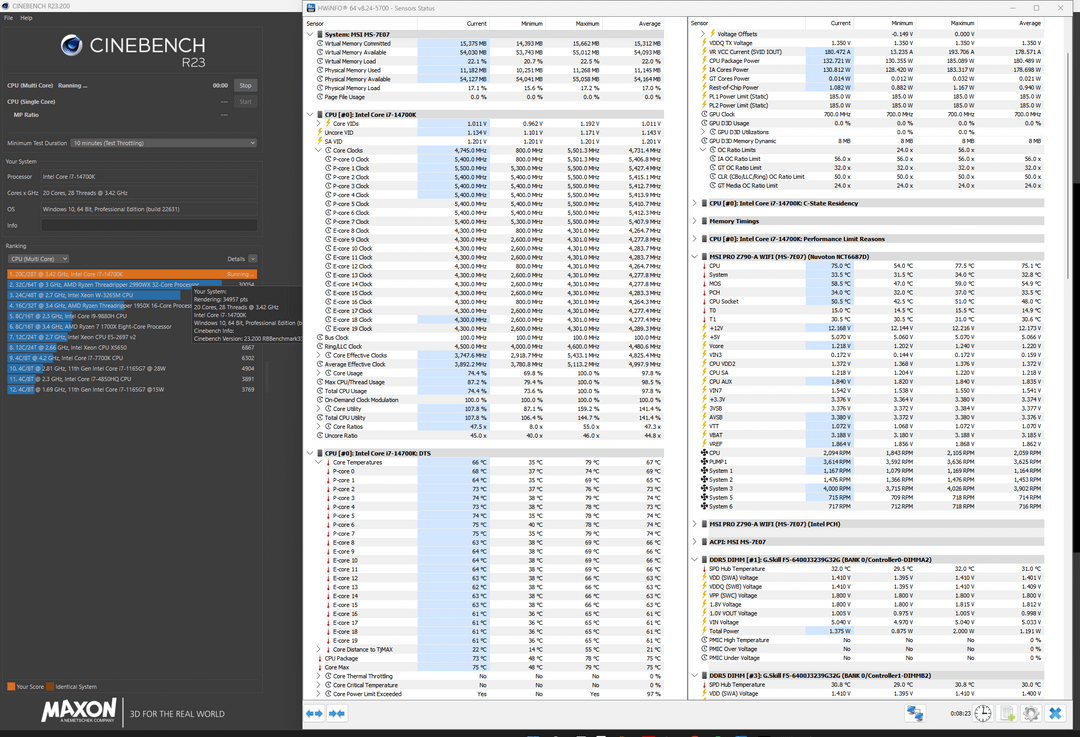
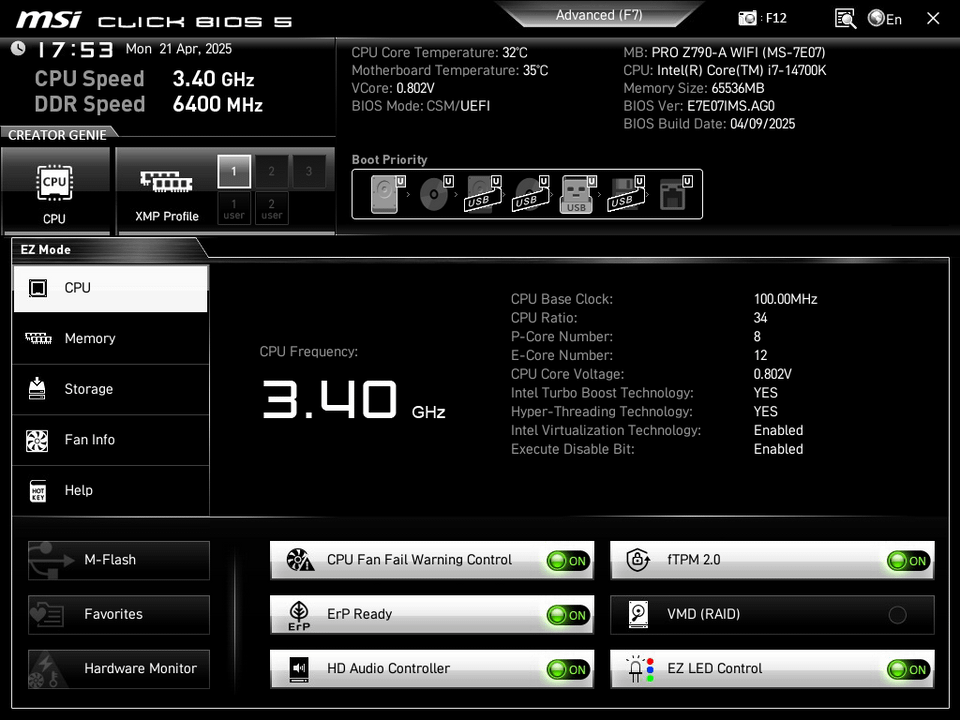
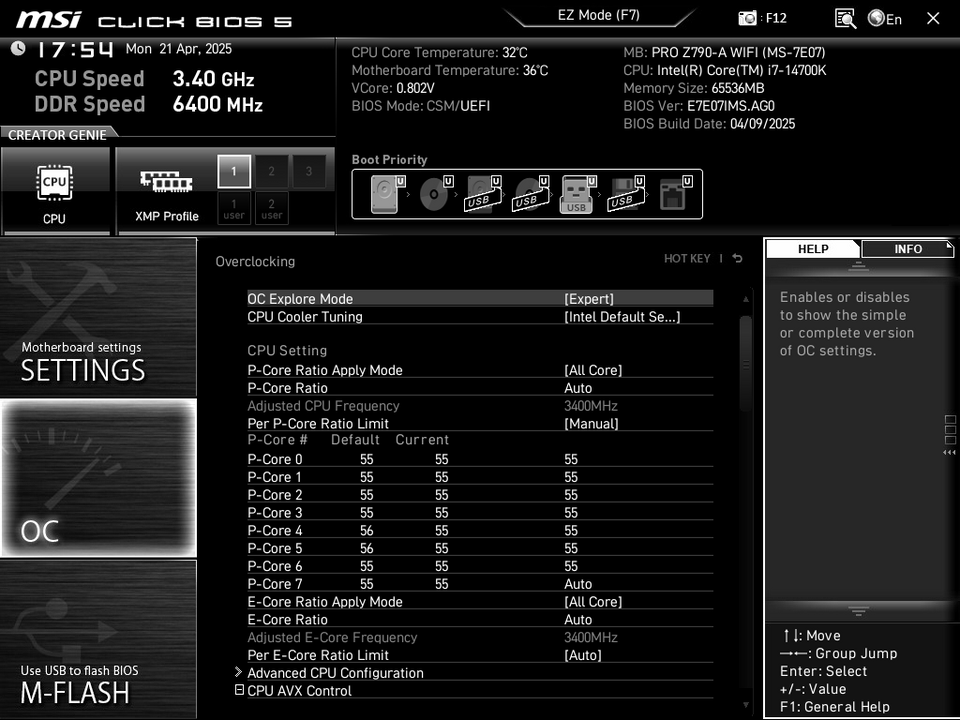
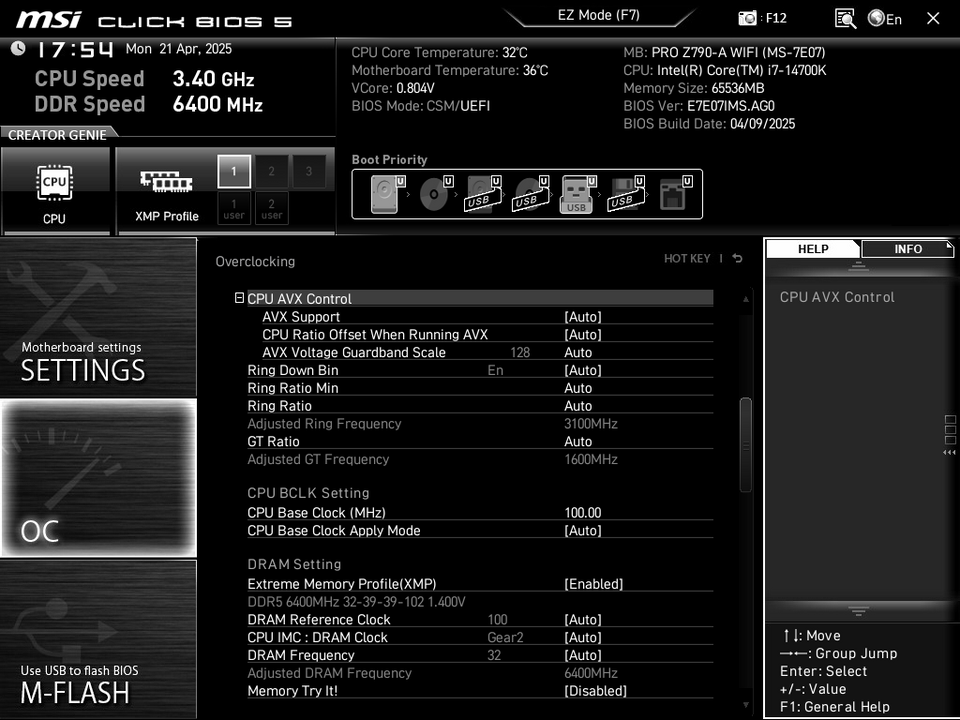
Included screenshots of BIOS settings, Cinebench R23 scores, and HWInfo temp results for reference.
Just a reminder: even if your hardware is identical, undervolting isn’t one-size-fits-all. Silicon lottery is real — test and experiment to find your own stable sweet spot. What works for me may not work for you out of the box.
All of this is shared in the spirit of open testing and tweaking. If you don’t agree with the settings or logic, that’s totally fine — tweak as you see fit. My goal was to balance low temps with high performance, which is why I capped the Long/Short Duration Power Limit at 185W. This gave me solid performance while keeping the system cool.
Shoutout to u/buildzoid — his insights helped shape the logic behind this setup, and I added my own twists to better fit my needs. Highly recommend checking out his content in general.
https://www.youtube.com/watch?v=TmU3COA-32E&list=FLIMOuBMWiJtFaO5HdWftldg&index=13
🛠️ BIOS & System Specs
- CPU: Intel i7-14700K
- Motherboard: MSI PRO Z790-A WIFI
- Cooler: Corsair iCUE H150i Elite 360mm AIO
- CPU Cooling Mods: Contact frame + KryoSheet
- Ambient Temp: ~20°C
- BIOS Versions Tested: 7E07vAG, 7E07vAE, 7E07vAB (All stable)
⚙️ Key Settings & Tweaks
- CPU Cooler Tuning: Intel Default
- P-Cores: 5500 MHz (55)
- E-Cores: 4300 MHz (Auto)
- XMP: Enabled
- Memory Extension Mode: Performance Mode
- /DigitALL Power: CPU Load Line Calibration: [Mode 3]
⚡ Voltage & Undervolt Settings
- CPU Core Voltage Mode: Adaptive + Offset
- CPU Core Voltage Offset Mode: [ – ]
- CPU Core Voltage Offset: -0.150V
- (Start with -0.075V and work your way up. I reached stability at -0.150V — rock solid for at least a year with all games i've played.)
- BCLK 100MHz Lock-On: Enabled (For round clock numbers)
🧠 Power Management & Misc.
- Intel C-State: Enabled
- C1E Support: Enabled
- Package C State Limit: C10 (Allows dynamic frequency scaling instead of max clocks all the time)
- Intel Turbo Boost Max Tech 3.0: Disabled
- Long/Short Duration Power Limit: 185W
- CPU Lite Load: Mode 3
- CPU Over Temp Protection: 90°C
- CPU Fast Throttle Threshold: 85°C
- CPU Under Voltage Protection: Disabled
- AI CEP to GT CEP Support (14th Gen): Enabled
🧪 Cinebench R23 Results
- Test Protocol:
- Warm-up: 3x short multi-core runs
- Stress Test: 10 minutes
- HWInfo timer reset 1.5 mins in (for more realistic averages)
- Score: 34,957 (Apps open: HWInfo, AIDA64, OpenRGB, WigiDash, etc.)
🌡️ Thermals & Voltage
- Max P-core Temp: 79°C
- Max E-core Temp: 69°C
- Max Vcore: 1.240V
Sidenote: a friend of mine has a MAG Z790 TOMAHAWK WIFI and couldn't get anywhere near my results using the exact same settings. We've even swapped CPUs (both are 14700K) — and the results follow the motherboard, not the CPU.
✅ On my rig (same CPU), results are identical.
❌ On his rig (same CPU, different mobo), scores are lower, temps slightly higher.
He’s running:
- Cooler: DeepCool LT720
- CPU Cooling Mods: Contact frame + KryoSheet
- Mobo: MAG Z790 TOMAHAWK WIFI
It really shows how much the motherboard's power delivery, BIOS behavior, and tuning options can affect undervolting, thermals, and overall stability.
1 Comment
Did you overclock your RAM? I also have a 14700K and have been trying to work on RAM timings but it’s difficult to find good info. Everyone I’ve seen also uses Zentimings but that’s for AMD.