
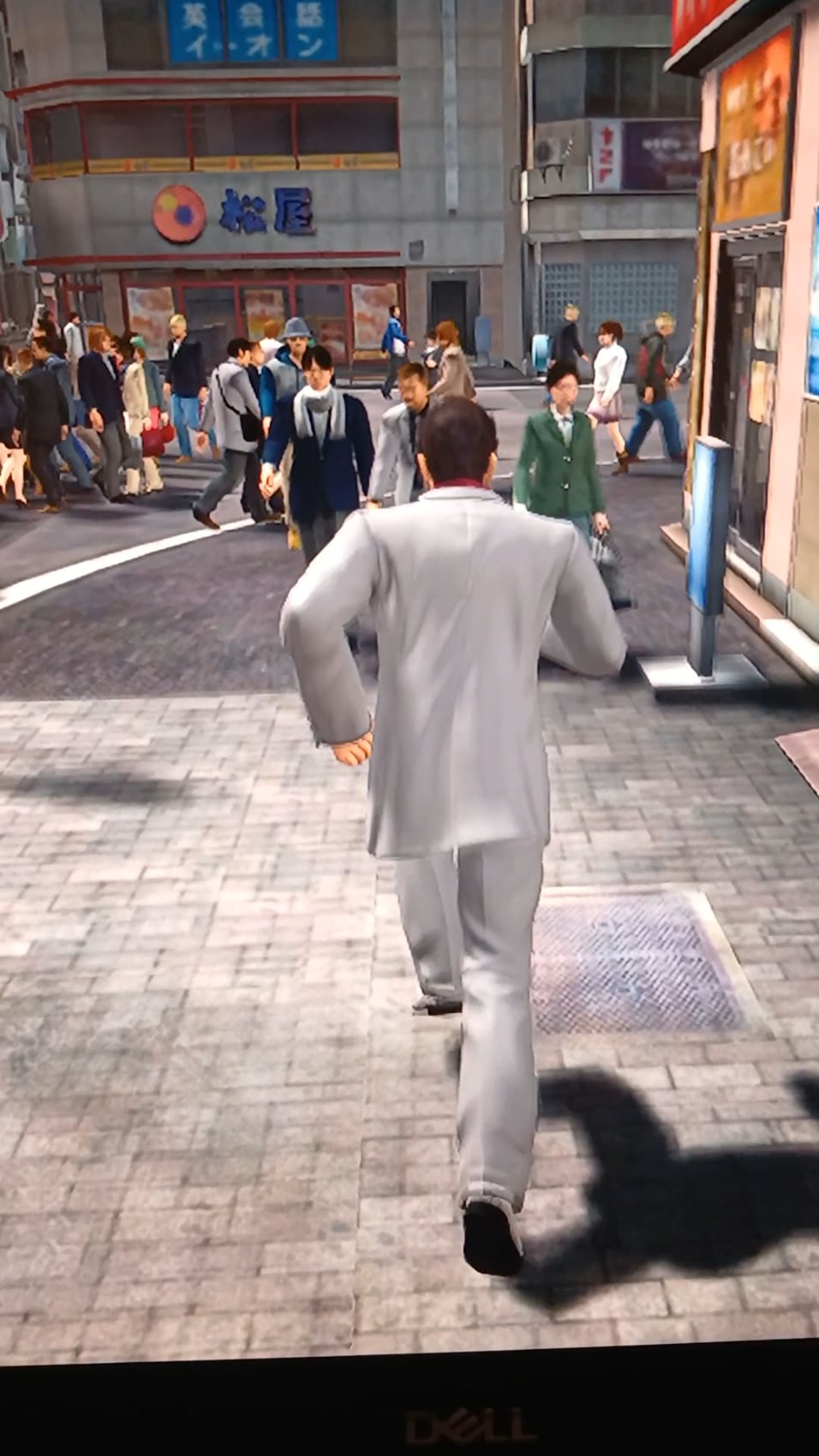
and no I didn't just upgrade from 10 (the title might be misleading) i did a fresh install. the laptop itself isn't slow but when i try to play a game, yakuza 3 for example (which is old) it's just UNPLAYABLE and too slow. it's better in the video sometimes it just freezes. what could be the problem? could it be a hardware problem?
Core i7 8th gen 16Gb ram
gpu is Nvidia quadro p1000 (4GB)
i know it's not a gaming laptop but this game isnt too demanding and it used to work just fine before upgrading. heck even yakuza kiwami 2 which was a bit more demanding worked pretty fine
i even tried to disable game bar but i didnt find an option to disable it like in windows 10
sorry if the post is too long. I'm tired
47 Comments
another note, I’ve been using this laptop since September 2023 and I’ve been mostly gaming on it, and where i live is pretty hot so maybe it’s time to change the thermal paste? does it affect performance this much? I’m pretty lost and not so good with this stuff, sorry.
This is new, I’ve seen low fps, high fps with stutter, crashes, but game moving actually slower. It’s like someone captured the game and plays it at a smooth, yet low speed
Mind pulling the HWinfo when gaming? Check the temps and see if the CPU and GPU utilization is abnormal
Does your clock advance at a normal rate or is it slow too? Try running the stopwatch in the clock app.
Check all your drivers, starting with GPU.
Maybe your PC is moving couple percent of light speed relatively to you?
I think you broke entropy.
I updated to windows 11 and it completely messed up all my audio. Ended up having to rollback the update
Quadro and GeForce driver is different, try reinstalling the driver again. The Quadro P1000 should be about GTX 1050-1060 in terms of performance
Maybe you’re too fast so the world is in slowmo?
turn off vsync
Did you try running the game direct .exe in compatibility mode with diff compata.
Forcing cap fps to a certain rate in Nvidia (try 30,45,60)
Turning off some app-controlled features in Nvidia (mainly FXAA,AA,DLSS,AF & frame timing adj.)
Running in different fullscreens/windowed mode.
Running project lasso and forcing off cores to the game to (2-4-6-8)
My ideas.
Probably this is not the issue. It looks like refresh rate of the screen is not matching the games refresh rate. Is there vsync off? Or maybe windows refresh rate is wrong.
isnt there some hardware GPU acceleration nonsense that windows tries to enable? i am willing to bet its something to do with GPU interactions with the OS but not driver-related. its a setting i think.
Quite literally *running slow*
Permanent bullet time
Permanent bullet time..
That sounds like a V-sync problem or something doing weird things with matching fps, because I know older games tie their physics to FPS
seem like the game’s clock is running at a lower tickrate to “keep up” with the performance, the same thing happen in game like terraria where the game will slow down if your fps get too low
“The os is just so fast your games feel slow now” some Microsoft dev
Integrated graphics?
Hey, this happened to my old pc while playing GRID 2. I naively let it be and the pc died a bit later.
I believe this is either a hard drive issue (see if your windows is on HDD), or a dying cpu. As far as I know this isn’t related to windows updates or RAM, but it’s a hardware that’s failing to keep up
Hope that helps
Seems like game physics is tied to framerate.
So first things first, the remastered Yakuza games are designed to run at 30 fps and require a patch to remove high fps bugs from them, like sidestepping and heat bar draining too fast
Next, have you tried cheat engine speedhacking? If that fixes the issue then it may be that under Windows 11 your hardware clock does not work properly due to weird chipset/RTC/HPET shenanigans
If that’s the case disabling HPET could help, if Yakuza uses it
But if it uses other timers then you’re out of luck on that one
Be wary that disabling HPET will make system clock more unreliable, so without NTP it will go out of sync much faster
It’s almost as if hardware acceleration is off.
When you go to change the refresh rate in the windows control panel what options are there? I had something like this happen with my laptop, the two options were 120hz and 48hz for some reason. Since 48 is closer to 60 than 120 is games would select that for 60hz locked games and then they would run slow.
After using a tool to edit the EDID of my monitor to remover the 48hz option and install a 60hz option the problem went away.
You can try a bios update .
That made my system performs better after switching to 11.
Yakuza turned into max Payne or matrix
I had the same issue a couple of days ago, but I forgot exactly how I fixed it. I think it had something to do with unlocking the FPS—If I remember correctly, I managed to fix it by setting it back to 60 FPS in the game settings.
This is me running to the bathroom after a chinese buffet
yakuza 3 acts like this when the fps is in-between 30 and 60, try setting the fps limit to 30 in the game settings
Some old games run badly on new machines or straight up refuse to run. From mount and blade warband lagging in battles to prototype straight up crashing. Dont know if it’s the machine, the OS or both.
lmao, this reminds me of when game FPS was tied to CPU speed in old PCs
hood irony
I feel like this belongs in r/comedyheaven lol
Reinstall the chipset drivers. Looks like some optimization gone wrong. If your temps stay like that you will kill your computer in the long run.
Do you have 24H2 installed cause that will cause it
I think that you might have a energy saving profile or something similar that is auto adjusting the system frame rate. Did you try to change the energy profile from balance to something else? Check in your laptop driver page if there is a driver related to that and try to Re install it, maybe there is some registry missing that actually tells windows how to behave properly. Does being connected to the wall change something?
Go back to windows 10. Most likely the easiest fix.
Looks like someone using cheat engine to adjust the game speed, oh the memories.
honestly this looks like when my power cable isnt fully plugged in correctly
Cue -[Chariots of Fire](https://youtu.be/8a-HfNE3EIo?si=r3Qz38ac9ACgiJh8)
looks like it’s moving at half speed.
I remember having a similar issue in ancient times of the Pentium and Pentium II.
The game was called Autobahnraser 3, and as many of you can probably gather its a racing game. Minimum specs say Pentium II, but no specific frequency, meanwhile I had a Pentium 133, but more RAM and a better GPU than the game required.
The game still booted up fine, ran fine….ish, I was 6 and 15 fps was not something I minded at the time, and the races against the AI were fine as well. Tricky thing came at the third race, which was against the clock. No matter what, at about the third checkpoint it would run out of time. Turns out the physics ended up running significantly slower than they should courtesy of my meager CPU, but the clock didnt.
Doesnt explain what happened here though. Old games tend to use some really weird black magic sometimes that just doesnt work right on a modern system, maybe the update somehow broke that. All I can recommend is to roll back the update.
It’s because windows 11 copilot sends every second frames to the nsa to analysed.
Get your ass back in Windows 10
Or switch to linux
Bro underclocked his game