
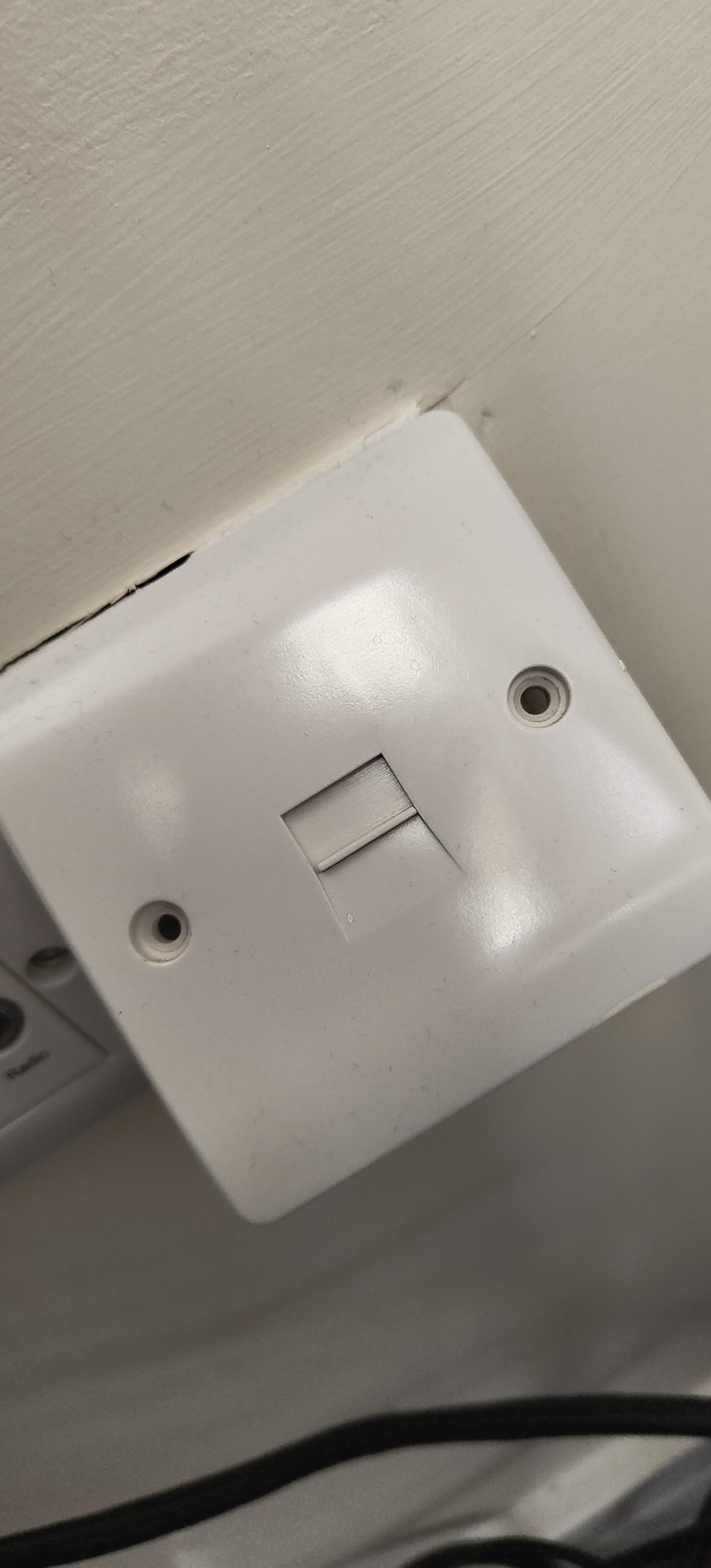
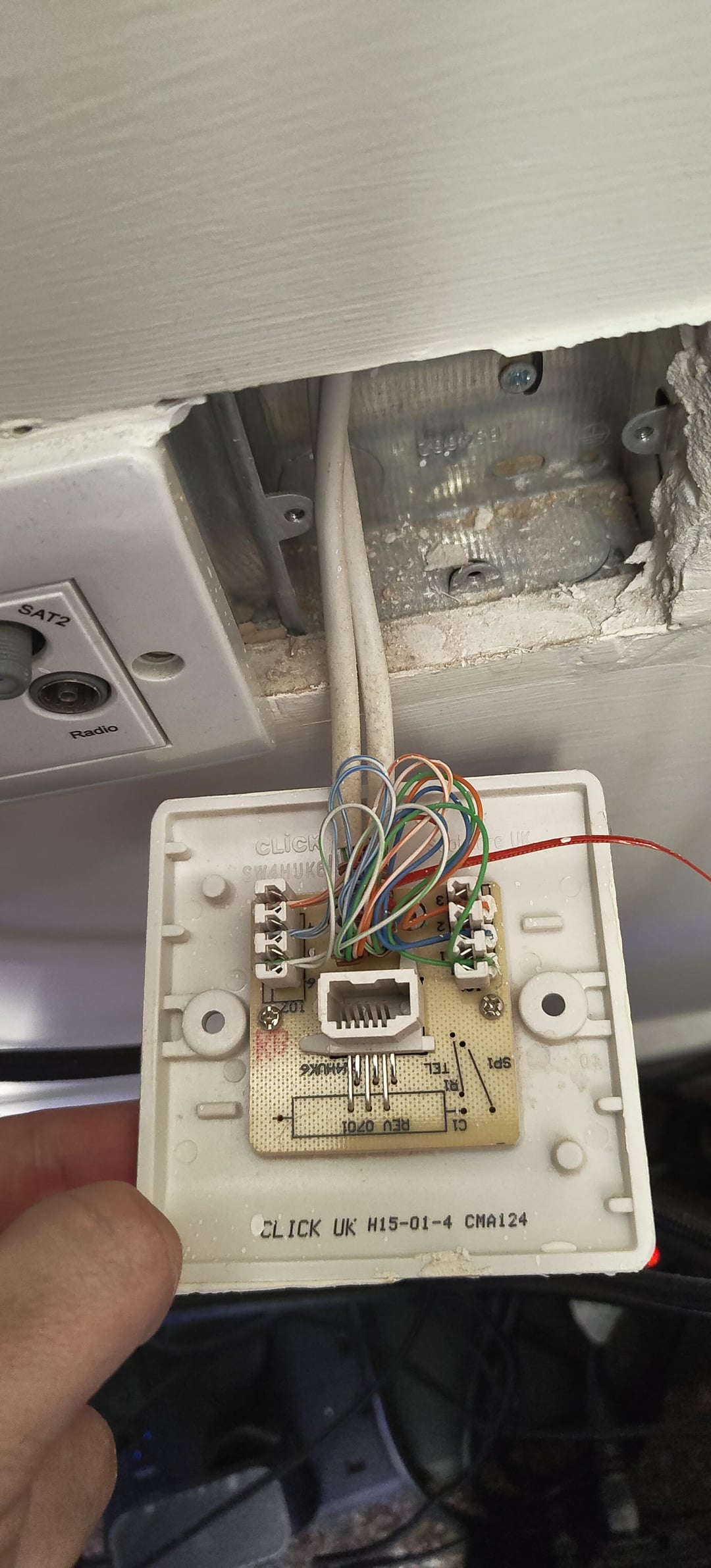
So I remember long ago something about changing up old phone sockets turning them into ethernet ports without having to do much wiring? Would this socket in this house I moved into not too long ago work? I've not done anything like this before but I'm pretty confident in my ability to get it done given right guidance?
33 Comments
Does look like cat cables behind there, assuming the cable is fine all you’ll need is RJ45 face plates and a punch down tool.
While it does look like there’s 4 pairs (the brown pair seems to wrap around the others) it may be a lower standard however, so it could hold it back.
It’s a 6 wire cable and socket if I’m seeing correctly. You could run 100mbps over that (only needs 4 wires), but not gigabit, which needs 8. And regardless of that you’ll need to figure out where the cable runs to, if it doesn’t end up somewhere near your router / switch it’s not gonna be much help.
Technically you can turn anything into an ethernet port if you’re brave enough.
https://preview.redd.it/sqibsp6syeve1.jpeg?width=2268&format=pjpg&auto=webp&s=e877d3976d90f0d71792515982f5082773956e01
I use one for my router, and in extension for my pc via ethernet, so it definitely seems possible
That is three pair cable. You can get 100Mbps Ethernet out of it if you terminate it right. But no more. If you have the fourth pair (brown) then you’re good for Gigabit or more.
That Jack also looks to be Daisy chained with other jacks in the house. You’ll need to rewire it so there is no more daisy chain. Otherwise it won’t work for Ethernet.
EDIT: Hard to tell but maybe brown is in fact there, just coiled up. If you have a brown pair, then yes. You can rewire that to get two RJ-45 jacks onto it and have full speed. You still have to remove the Daisy chaining situation, which might mean rewiring all of the other jacks as well, and figuring out where the lines all go to.
Worst case it may be a good pull string depending on how it was ran. If it’s tacked down inside the wall it won’t be!
Have a look at the cable inside.
If it’s not twisted pairs but straight wires, good luck on having more than 10 Mbit for 3 meters.
Despite the color coding of the individual wires, This is likely still only cat-3 wiring, which won’t be that useful since that maxes out at 100Mbps.
Though check the insulation for any stamped writing that might indicate what it truly is.
Listen here, Rosey the Robot doesn’t have to take this kind of shit.
You can see the brown twisted pair at the bottom, so yes.
Am I the only one seeing the unbothered 😐 and 😵 face?
I thought I had Cat 6 ran to all my rooms in the house when I bought it. Nope only 4 pair wired in for a phone. No worries I will just terminate them, nope over half them must be in a junction block somewhere i never located.
I’d probably just buy a PowerLine ethernet Adaptor but that’s me.
Where does that cable actually run to? If you’re in the UK like I am those sockets are just copper cables to the telephone exchange so if you even put an RJ45 end on it it won’t connect to anything. If it connects to another side of your house it should be possible to rewire it for 100mbps Ethernet connection but I’m not sure you’d get proper gigabit speeds and at that point I’d just get a powerline adapter instead
It already looks terrified and definitely wants to scream, be careful and good luck
You also have a TV port (Coax) next to it. I’m assuming it’s wired to a central spot.
If those are hooked up, you can use MOCA technology to send data, and it terminates in Ethernet too.
I had a similar issue, with older keystoned cat5e. I gave up on that, and just used the house’s Coax instead, with MOCA adaptors.
cat5 is fine tbh
Done this recently for a friend, had 6 points Daisey chained with a single cable, similar low quality looking cat5e cable and is easily getting 1gb connection now. Will need joiners or face plate modules and then either bridge the ports or put a switch at each port
This is probably an old isdn connector. It won’t hold cat 5, but the faceplate should fit an ethernet head. Just get a standard connector on the back, and you’re good to go. Finding a connector that has just the right angle might be a bit of a chore, though, so it might be easier to change the faceplate as well
If it was me I would just use the old cables to fish through a new cat6
It’s possible, yes. Lookup a keystone jack. Use matching colors (test/tone the line if you need to) and “punch down” the wires in “b” configuration and you’ll be set. You are probably better off trying to use these wires as a pull string for a new cat6 cable tho.
Anything can be an ethernet port if you’re brave enough
https://preview.redd.it/haoz0tl8pfve1.jpeg?width=915&format=pjpg&auto=webp&s=4b5f0972a9e8eb0035d2039bf8b0731e1f64265a
Is that a slide cover on the frobt there or is it a switch?
Replace the socket on both ends and replace the wire. You could just pull the new one through by attaching it to the old cable, so should be fairly easy
Beautiful. Beautiful. Think of all the stuff you can ram into that slot
If no effort with putting new connectors won’t work…
You can try if the cable is in some tube or something and is loose, you can use it as a pull string, tie new cable to this one and pull on the other end… That way you get new cable in the wall and you can get even 10tbps if you’d like that (with appropriate optics, lol, but 10gbps metal should be fine)
O _ O
Why are they looking at me like that?
It’s cat 3 and it daisy chains from plate to plate starting at the demarcation point to the last box.
Designed for phones might get 5mbps dsl
If this is indeed 8ply cat 5, Despite what people are saying, you could run a suitable network using the existing wiring.
I believe cat 5 is 100mb limit, depending on your needs it may suffice for a simple substitute for where WiFi is patchy or not feasible on particular devices.
However, you would need substitute the daisy chain for a network switch if you would like multiple points to plug in to the network.
if this is the only place you would plug in a device just substitute your existing rj11 socket for a rj45 socket, regarding wiring I recommend you follow “T568-B” style wiring on all the sockets and terminals so that it interfaces with modern equipment.
first shot is a guy happy you are taking an interest. Second pic is after you ripped his face off and he is screaming in agony
.maybe good enough for 100/10mbps