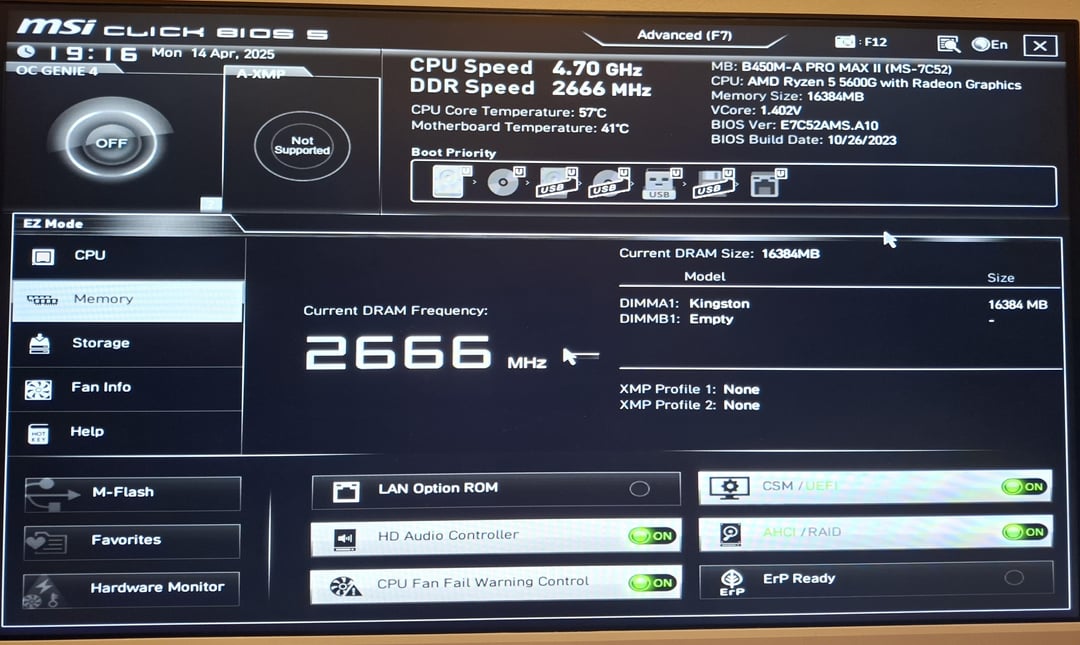
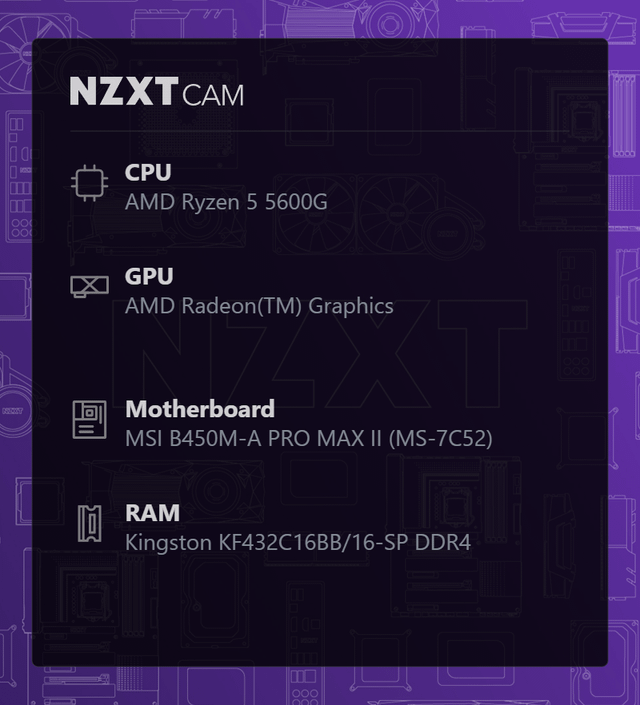
Share Facebook Twitter Pinterest LinkedIn Im very new to pcs and one of my friends told me to enable XMP so I tried, but I couldnt edi the profiles even in advanced mode game pcOver ClockingPC 4 Comments OnJerom 1 year ago Odd, try this guide ? [https://www.youtube.com/watch?v=h-MLhGMtheM](https://www.youtube.com/watch?v=h-MLhGMtheM) Spare_Ad3182 1 year ago put your stick in second ram slot zexph_ 1 year ago Single stick kit? Also move the stick to ‘A2’, you currently have it in ‘A1’. (Unless your motherboard said to start with ‘A1’) ‘A-XMP: Not supported’ is where the toggle will be when you have it in the correct slot (unless the issue is something else) crazydavebacon1 1 year ago Because xmp is intel. EXPO is for AMD Write A CommentYou must be logged in to post a comment.

OnJerom 1 year ago Odd, try this guide ? [https://www.youtube.com/watch?v=h-MLhGMtheM](https://www.youtube.com/watch?v=h-MLhGMtheM)
zexph_ 1 year ago Single stick kit? Also move the stick to ‘A2’, you currently have it in ‘A1’. (Unless your motherboard said to start with ‘A1’) ‘A-XMP: Not supported’ is where the toggle will be when you have it in the correct slot (unless the issue is something else)
4 Comments
Odd, try this guide ?
[https://www.youtube.com/watch?v=h-MLhGMtheM](https://www.youtube.com/watch?v=h-MLhGMtheM)
put your stick in second ram slot
Single stick kit?
Also move the stick to ‘A2’, you currently have it in ‘A1’. (Unless your motherboard said to start with ‘A1’)
‘A-XMP: Not supported’ is where the toggle will be when you have it in the correct slot (unless the issue is something else)
Because xmp is intel. EXPO is for AMD