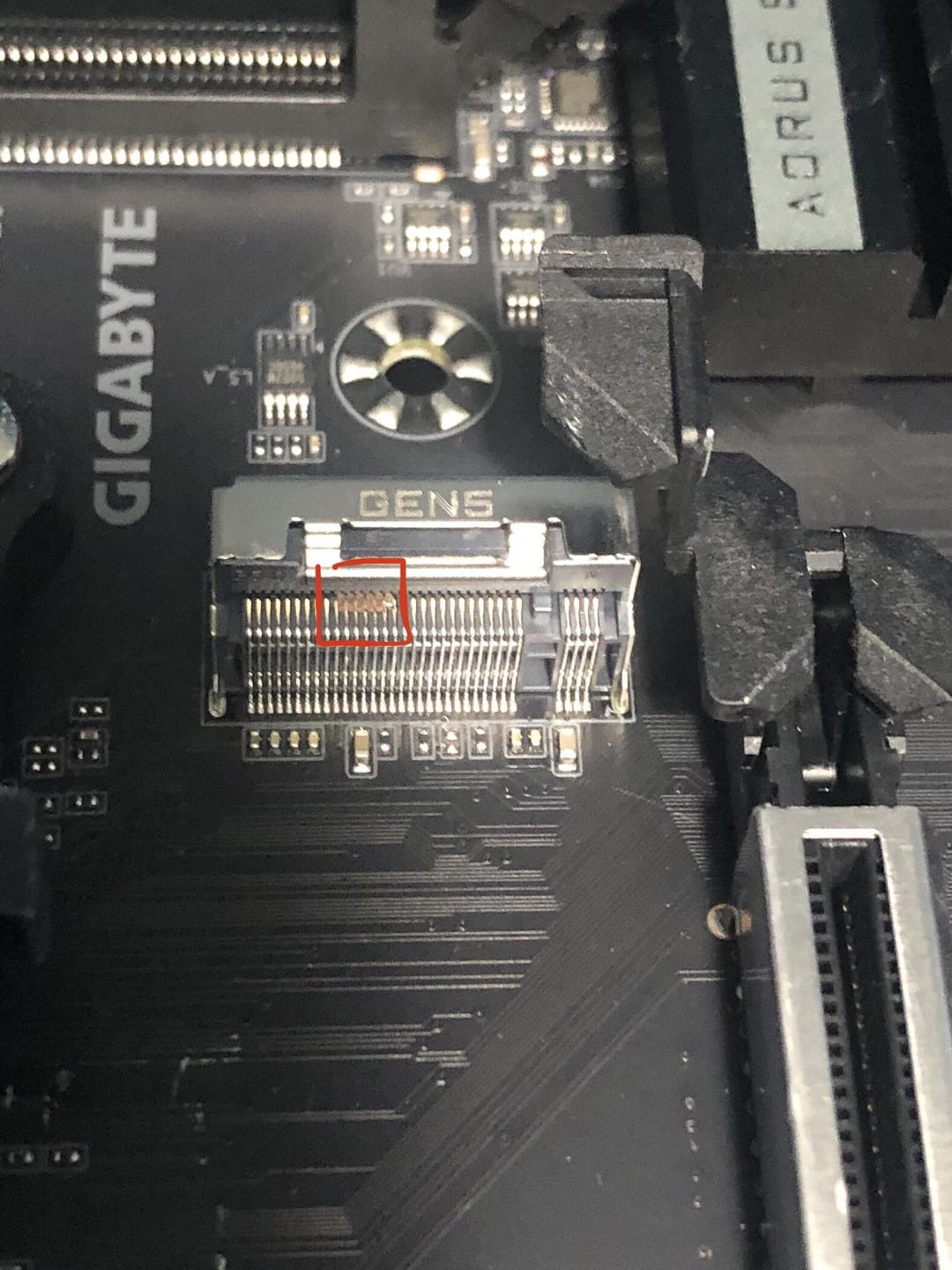
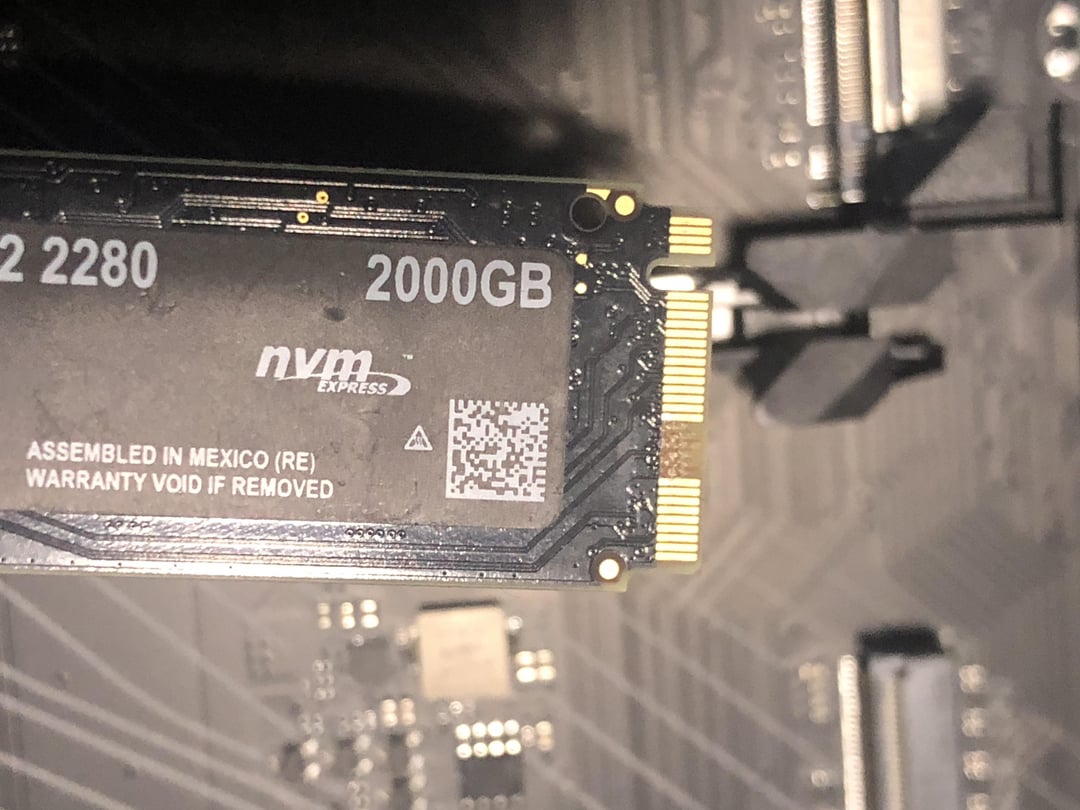
I’ve never had this happen in my life and i have no clue who’s at fault.
B650 Aorus elite ax v2, crucial 2tb nvme.

I’ve never had this happen in my life and i have no clue who’s at fault.
B650 Aorus elite ax v2, crucial 2tb nvme.
44 Comments
[deleted]
yummy :3
What exactly happened here?
Theory: SSD gold wasn’t soldered properly; you lift to remove which flexes the board under the SSD pins causing the gold to detach from the SSD board.
Did it just eat the contacts?
thats a new one
Damn when last time you feed it to be that hungry.
But yeah that crazy.
question here how does he remove it without ruin his mother board . sure he can get refund for SSD if its brand new
Beginner’s mistake. You are actually supposed to feed your motherboard daily, or it’ll start eating your components
cannibalism
If this was under warranty i’d try starting the process with the vendor.
If it’s still within a return window i’d just return it… but that would be way too convenient.
I have seen this before, but it is generally due to poor QC control on the drive pins.
New fear unlocked
The PCB of the nvme is at fault.
nom nom, ssd goooood, feed me moooooore
Motherboard brand name checks out. It certainly bit your gig.
And this is how m.sata drives are made
cold fusion?
(for anyone not familiar this is a 100% real thing that can happen to certain materials. its why thread galling is an issue with aluminum and stainless threads, basically the two materials are either in a vacuum where an oxide layer wont form or their oxide layer is scraped off and the materials molecularly bond to the point they are fused together)
Hungry hungry motherboard
Killed two components in one fell swoop, ouch. Guessing you only have one Gen5 too.
When you RMA/return the NVMe, I’d just say it doesn’t work and that it came like that, don’t complicate things. Maybe they misapplied the pins?
well this is first
New fear unlocked.
Back ups people, do your back ups.
Make it spit it out
Wait so nobody told you to feed your motherboard? Thats bad
I’m not gonna judge you but it looks like user error
i’d be pissed, good luck in warranty
Wasn’t expecting QC this bad form a big brand like Crucial.
My friend did this but he didn’t realize the m2 pulls up and out at an angle. He was trying to pull it straight horizontal
you should have fed it
ATE M2
ATE RAM
ATE GPU
LUV ME PSU
LUV ME CPU
SIMPLE AS
Board took a GIGABYTE /s
I bet you didn’t get any scratches during this build, did you? If your mobo doesn’t get its blood sacrifice then it feeds in other ways.
This is why you don’t take chips away from hungry moms!
damn is crucial switching to chinesium pcb’s now
Did you lift and pull or did you pull straight out?

Nom Nom Nom
Nom nom
I see you Gigabyte, doing gigabyte things again
Gigabyte living up to its name.
If the SSD is new I’d say manufacturing error. If this is an old one transferred to the new board, it might be age and long term heat de-soldered it.
The board hungers ….
Some people have never had a Tamagotchi and it shows
I misread the ssd and thought it said 200GB. And I was wondering wtf you used a 200GB ssd for in this economy. Lmfao