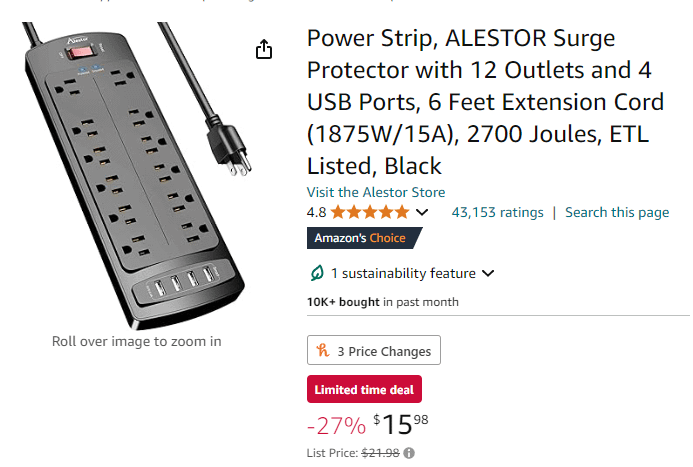
How do Powerstrips with Surge Protection compare against Uninterruptible Power Supplies? Are they obsolete or do I need to spend $200 on a UPS to protect my high-end PC

How do Powerstrips with Surge Protection compare against Uninterruptible Power Supplies? Are they obsolete or do I need to spend $200 on a UPS to protect my high-end PC
25 Comments
UPS devices condition the power going into your device, power strips/surge protectors do not.
What this means is the $200 device monitors the ‘dirty’ power coming in from the pole and ‘clean’ levels it to be as constant as possible. This prevents voltage irregularities from screwing up delicate components. Also directs proper power out to all devices connected to the UPS. You also get the perk of a UPS maintaining power to your devices for a short time if there is a power outage so you can finish up whatever task you might be doing and shut down rather than go instant lights out with a strip/surge protector.
Powerstrips/surge protectors don’t care about any of the devices hooked into them and will only fuse blow if there is a large voltage spike to hopefully stop the surge from frying delicate equipment hooked up to it.
EDIT TO ADD: You will notice outlet markings on the outlets of UPS devices. They notate what level of protection is offered on said outlet. All outlets are spike protected and conditioned but only a handful of them benefit from the battery backup power in the event of a power outage. You would want to ensure your PC tower is plugged into a battery backup outlet in order to benefit from that feature…probably want to include your monitor on another so that you can see what you are doing still, haha. You don’t get a half day of battery run time remember, the battery will drain as fast or as slow as possible based on the power requirements of all items leeching from it when it goes into battery mode.
Where do you live? Is power stability an issue?
You should have something with surge protection, don’t get a cheap one though, a ups will have surge protection and it’s a giant battery to let you save your stuff if the power goes out
Surge protectors usually have two forms of protection: MOVs (metal oxide varistors) and GDTs (gas discharge tubes).
Both of these clamp voltages which are too high. With a 230V supply, you’ll typically use MOVs rated to 450V and GDTs at 600-750V. They’re intended to prevent damage to downstream appliances.
PCs are somewhat uniquely positioned here as they use extremely robust power supplies. The mechanism of active power correction in a PSU completely disrupts the mains coming in, converting it to a higher frequency and lower voltage which is largely independent of input voltage and frequency. If your AC RMS is between 80 and 300 volts and it crosses zero vaguely between 40 and 100 times a second, your PC is very happy with it.
A PC PSU will also usually have an EMI filter (two capacitors across live and neutral, with a common-mode choke between them) which will filter out practically everything nasty on the mains. A good PSU will also have several MOVs and, for the very good ones, a GDT or two. We talked about these two paragraphs ago: They’re surge protectors.
UPS devices do things differently. A line-standby UPS just passes mains through unless mains fails, then it jumps in. These are the cheapest units and usually the ones you’ll find. They will have the same surge suppression as a PC PSU or a cheap power strip surge protector, because it’s virtually free.
Line-interactive UPS are usually found in slightly more expensive units, they will not only clamp surges, but also use their batteries to boost sags.
Finally, double-conversion UPS units don’t let the mains get through them. Their inverter is active all the time, mains is converted to a low voltage at battery level, then boosted back up even while the mains is connected. This makes them inefficient but also means they offer the most protection from crap on the mains: That crap plain never gets anywhere other than the UPS’ own PSU (which is basically a much cheaper version of a PC PSU, and handles the crap in much the same way). Again, their inlet side will have MOVs and GDTs, because they cost almost nothing and offer good benefits.
If you have a good PSU 9/10 times it will take the hit and not pass a large voltage through the motherboard. A surge protector is all you really need to almost never have a power surge kill a pc. It will never be 100% protected but a good power supply and surge protector is all you really need
The only guaranteed protection is not having an electrical connection between the input and output of the UPS, such as a flywheel driven UPS. They ain’t cheap.
powerstrips and ups are not comparable at all
Its entirely up to your residential situation whether u need one.
Do u live in an area where there’s power outages or experiences extreme weather ? Get one
Do u live in a developed area where there isnt any issues ? An AVR or surge protector will do enough.
If u got the money i would just get a good UPS and replace the battery every now and then, i have no issues with weather, power outages nor brown outs so i just use a surge protector and replace it every year.
If you can spare the $500, a single machine line conditioner would be best.
I deal with this crap at work all the time and have seen countless equipment failures due to power. These are much better than any UPS you can get from APC or tripplite for under $2000 (if we are only talking about protection from power related issues).
The real way to do this without going crazy is to put a line conditioner in front of a UPS and configure to UPS to safe shutdown the PC at like 30% and power back on at 100%
Two entirely different things. A surge protector protects you from surges while a ups stops you from losing power.
I spent almost 3k on my computer. Spending less than 1/10 of that on a ups to protect it seems to make a lot of sense to me.
In my experience using both UPS and Surge protector, the only real benefit from using a UPS is that you get a warning and can save your work, or close a game, etc. I pull around 650-700 watts, and my 1000W UPS gives me a little less than 5 minutes to shut it down while under load. If I’m just browsing, I can get as much as 30 minutes or more. It’s really not a big deal to use a surge protector, but if you have important documents or school work, etc. investing in a decent UPS (most if not all good brands will have surge as well) will save you hours of time and effort in the case you lose power and your progress gets lost.
Randomly generated name chinesium ones probably aren’t something I’d trust to protect anything.
UPS are only worth it if you have critical systems that cannot go down. For the causal user they’re pointless.
I live in an area where the power goes out semi-frequently due to severe weather (basically right in the bad part of tornado alley in the US.) My PC has a really nice power supply (RM1000x) connected to a surge protector and has survived more power outages and storms than I can count on both hands. I do replace my surge protectors every ~5 years just to be safe, but I think that a decent one is definitely good enough if you’re in a situation similar to mine.
I do not have any technical knowledge of surge protectors and how they compare to a UPS, though judging by the responses by smarter people in this thread I think my conclusion is pretty reasonable.
Ive got a UPS on my Plex server, but I dont see the need for anything more than a good surge protector for my gaming rig.
Don’t be cheap and get a UPS. It’s crazy how many people will go crazy on the setup but when it comes to this more money is spent on doordash.
You can usually find decent UPS secondhand for good prices, businesses replace whole units instead of just batteries a lot of the time, so you can grab massive discounts on higher end UPSs you might need a battery replacement but 99% are relatively cheap and straightforward, obviously check that before you buy.
Don’t listen to these low-brow assholes. If you want REAL protection, you gotta move up to your own personal nuclear power plant.
you don’t need a UPS unless you’re concerned about losing data. a surge protector works well enough
They both protect. A ups provides power when the power goes out.
This is probably already stated. But to add I did buy the 50 dollar walmart ups and if I calculated right it will power my 3d printers for around a minute of no power. This was enough for at my old home that had power flickers regularly.
My 2080super got cooked because of a power outage just use a ups and it’ll save you some money
Is it me or does EU electrical (recent installations ± 15yrs) not yave this problem at all.. I’ve never heard anyone in this country ever needing a surge protector or anything for any appliance in their home.
Surge protectors and UPS are on two completely different levels.
Unless your power grid is *super* unstable or you are constantly experiencing brownouts and blackouts, a UPS is probably not necessary.
(Or if you work on extremely critical information and need protection even against rare blackouts)
For most people, a surge protector is all they will need.
I’ve been using the same commercial grade surge protector *(which I take apart once a year to inspect the PCB and more importantly the MOV’s)* for around 7 years now. Even when I lived in areas of Florida with extremely frequent brown outs and black outs, I’ve never had any of my PC’s or the other electronics that I’ve connected to it get damaged from surges. A **high quality** surge protector is more then enough to keep your PC safe from power related events, but there is no denying that a high quality UPS would be even more full proof due to the nature of their design.