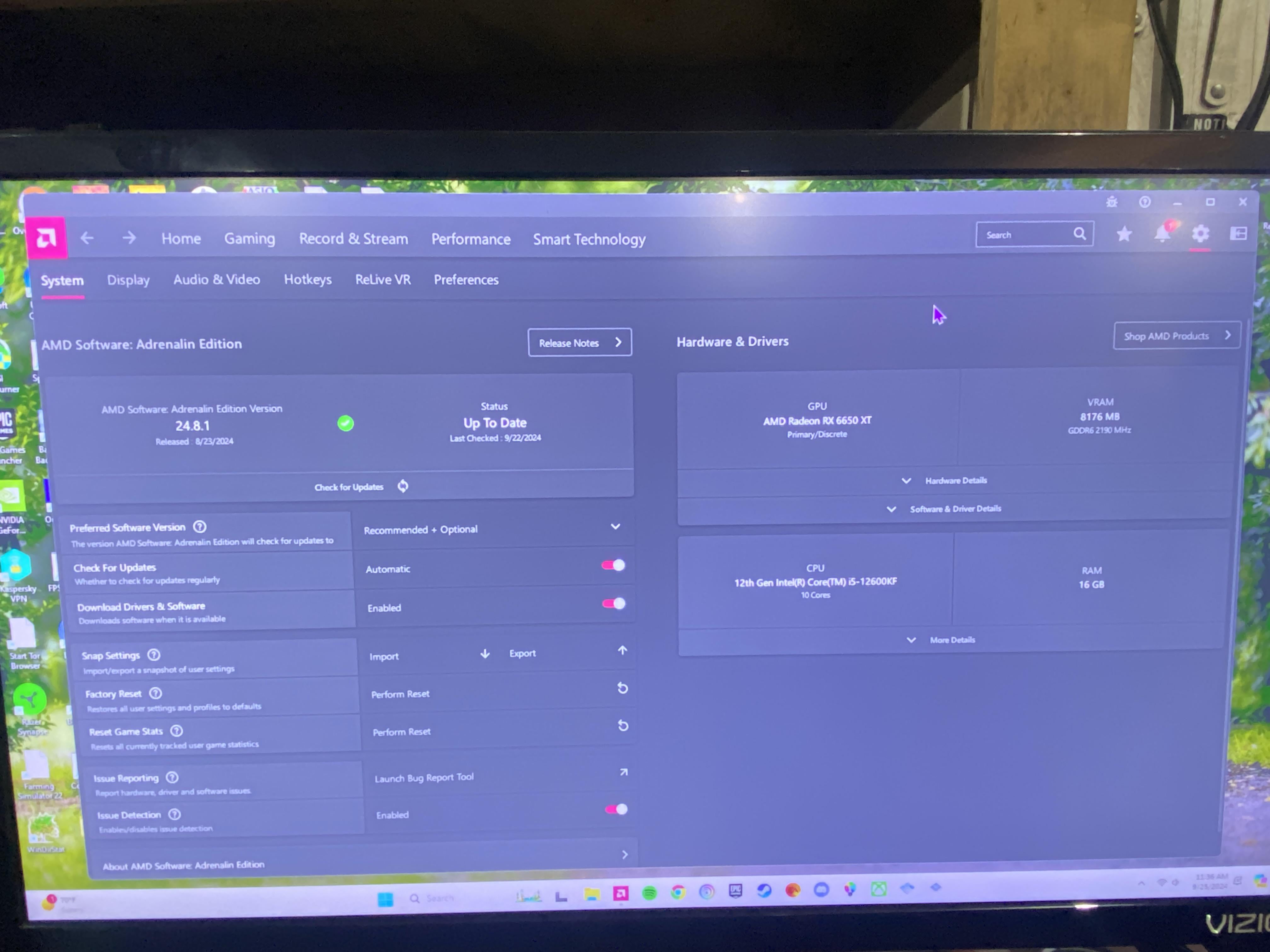
Should be self explanatory, it’s amds software for cpu/gpu. As for why it comes back on, there might be a setting to disable that through its menu. Not too familiar with it.
PadreSJ
Sorry man… I though you wanted to see that.
I’ll stop triggering the program.
Superb_Leopard_1211
See if this works
Open task manager
Go to startup apps and disable amd software
Or dive into the software’s settings to disable it
If this doesn’t work then
Win key+r
Type msconfig
Go to services
Check the box Hide microsoft services
Then disable the amd servies
This will not interrupt driver functionality
But the software will not be able to run properply
Mindless_Slice9632
Its a bug with amd adrenaline. it will be fixed in the next update which should be soon.
FlaccidSWE
It’s a bug in their latest release. Hopefully fixed with next update.
Cypher_Aod
I experienced something similar when I moved an OS drive from a laptop to my desktop and installed the chipset and GPU drivers without cleaning the old ones out.
Try ddu and clean out all GPU drivers and do a clean install
Smith6612
Radeon Software 24.8.1 has a known bug which causes Radeon Settings to Launch whenever the computer resumes from sleep or is unlocked.
>Fixed Issues: AMD Software: Adrenalin Edition may unexpectedly initiate upon system wake from sleep mode.
assmerica1
because you cant use a computer
Leather_Expression30
Open task manager, click on startup and disable the app you don’t want to open on startup
Blekanly
Oh! It isn’t just me!
Dazzling_Detective79
Hahaha i was actually about to make the same post. I rarely put my pc in sleep mode but when i do Adrenaline is up and running. Nice to know now it’s just a bug.
Zuokula
Is that win 11 “feature” or smth? I don’t have it.
Swineservant
Lol. I’ve been trying to fix this for a week or so. Good to know it’s just a known bug.
RimiruTempest67
Same dude
Effective-External50
Go into the settings and turn off launch at startup

18 Comments
Should be self explanatory, it’s amds software for cpu/gpu. As for why it comes back on, there might be a setting to disable that through its menu. Not too familiar with it.
Sorry man… I though you wanted to see that.
I’ll stop triggering the program.
See if this works
Open task manager
Go to startup apps and disable amd software
Or dive into the software’s settings to disable it
If this doesn’t work then
Win key+r
Type msconfig
Go to services
Check the box Hide microsoft services
Then disable the amd servies
This will not interrupt driver functionality
But the software will not be able to run properply
Its a bug with amd adrenaline. it will be fixed in the next update which should be soon.
It’s a bug in their latest release. Hopefully fixed with next update.
I experienced something similar when I moved an OS drive from a laptop to my desktop and installed the chipset and GPU drivers without cleaning the old ones out.
Try ddu and clean out all GPU drivers and do a clean install
Radeon Software 24.8.1 has a known bug which causes Radeon Settings to Launch whenever the computer resumes from sleep or is unlocked.
See: [https://www.amd.com/en/resources/support-articles/release-notes/RN-RAD-WIN-24-8-1.html](https://www.amd.com/en/resources/support-articles/release-notes/RN-RAD-WIN-24-8-1.html)
Junk anyway. If you want to oc. Much better ways to
It’s a bug with 24.8.1
It’s been fixed in the latest preview drivers. They’ve been good for me.
[https://www.amd.com/en/resources/support-articles/release-notes/RN-RAD-WIN-24-20-11-01.html](https://www.amd.com/en/resources/support-articles/release-notes/RN-RAD-WIN-24-20-11-01.html)
>Fixed Issues: AMD Software: Adrenalin Edition may unexpectedly initiate upon system wake from sleep mode.
because you cant use a computer
Open task manager, click on startup and disable the app you don’t want to open on startup
Oh! It isn’t just me!
Hahaha i was actually about to make the same post. I rarely put my pc in sleep mode but when i do Adrenaline is up and running. Nice to know now it’s just a bug.
Is that win 11 “feature” or smth? I don’t have it.
Lol. I’ve been trying to fix this for a week or so. Good to know it’s just a known bug.
Same dude
Go into the settings and turn off launch at startup
Why is it on your computer at all?