(Sorry, not sure why I couldn’t add text to my post somewhere)
I’m looking to do a new desk setup, with the major upgrades being a sit/stand desk and some monitor arms. Do I need to worry about the weight of 3 monitors on one edge? Do hand-crank style sit/stand desks like this one raise and lower gently, or do I need to worry about the weight of things making it slam to the ground when I engage the crank? How do people feel about the weight of mounting a mid size case under the desk – and should it be the cargo straps style mount, or the C-bracket style mount?
Kypsylano
You’re better off getting the frame separate and using your own desk; if you get it all in one you’re locked into whatever style they provide. I got a Karlby and a separate motor and I’m a fan.
smartcomputergeek
Make sure to account for wire length I suppose
prettycuteVAL
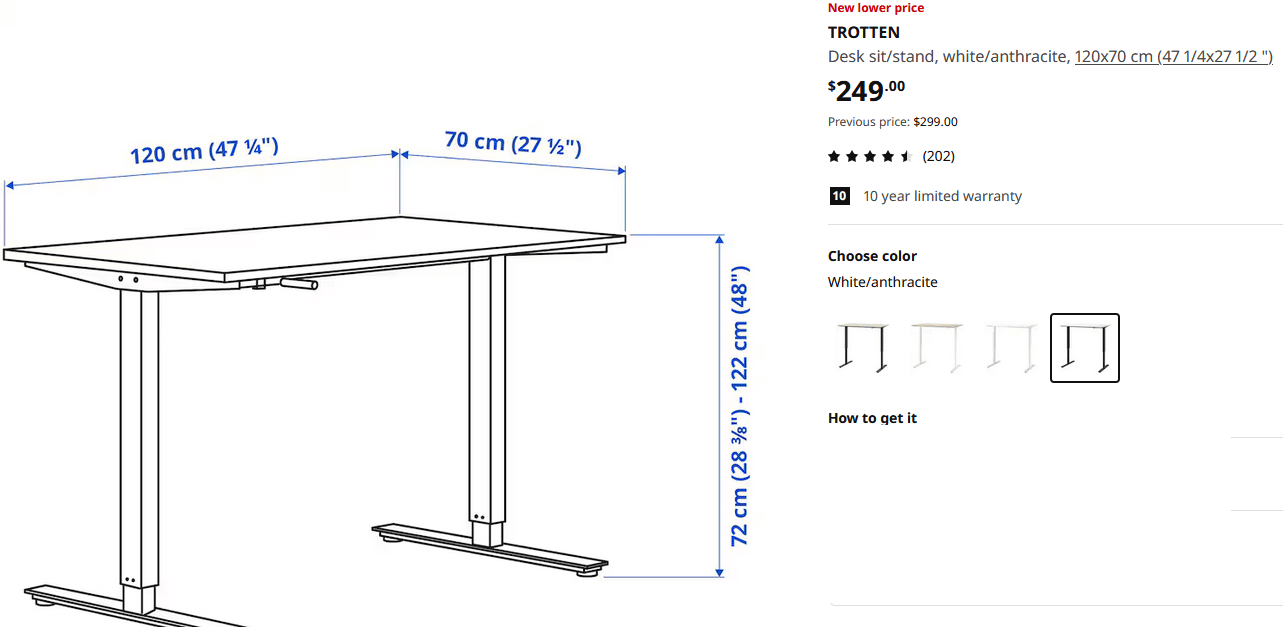
Make sure that the desk goes as low as you’d want it to be. Most of these desks never got as low as a person needs it to be to have a perfect ergonomic posture with a chair correctly adjusted for it. Cable lengths also matter since you’d need to make sure the cables can reach the desk at all ranges that you’d use it at
RussianBot_2077
sometimes they wobble, depending how cheap it is
Rein_k201
The lowest height of the desk is the most important. Find the appropriate measure for you. It varies with our height, torso height and posture.

6 Comments
(Sorry, not sure why I couldn’t add text to my post somewhere)
I’m looking to do a new desk setup, with the major upgrades being a sit/stand desk and some monitor arms. Do I need to worry about the weight of 3 monitors on one edge? Do hand-crank style sit/stand desks like this one raise and lower gently, or do I need to worry about the weight of things making it slam to the ground when I engage the crank? How do people feel about the weight of mounting a mid size case under the desk – and should it be the cargo straps style mount, or the C-bracket style mount?
You’re better off getting the frame separate and using your own desk; if you get it all in one you’re locked into whatever style they provide. I got a Karlby and a separate motor and I’m a fan.
Make sure to account for wire length I suppose
Make sure that the desk goes as low as you’d want it to be. Most of these desks never got as low as a person needs it to be to have a perfect ergonomic posture with a chair correctly adjusted for it. Cable lengths also matter since you’d need to make sure the cables can reach the desk at all ranges that you’d use it at
sometimes they wobble, depending how cheap it is
The lowest height of the desk is the most important. Find the appropriate measure for you. It varies with our height, torso height and posture.