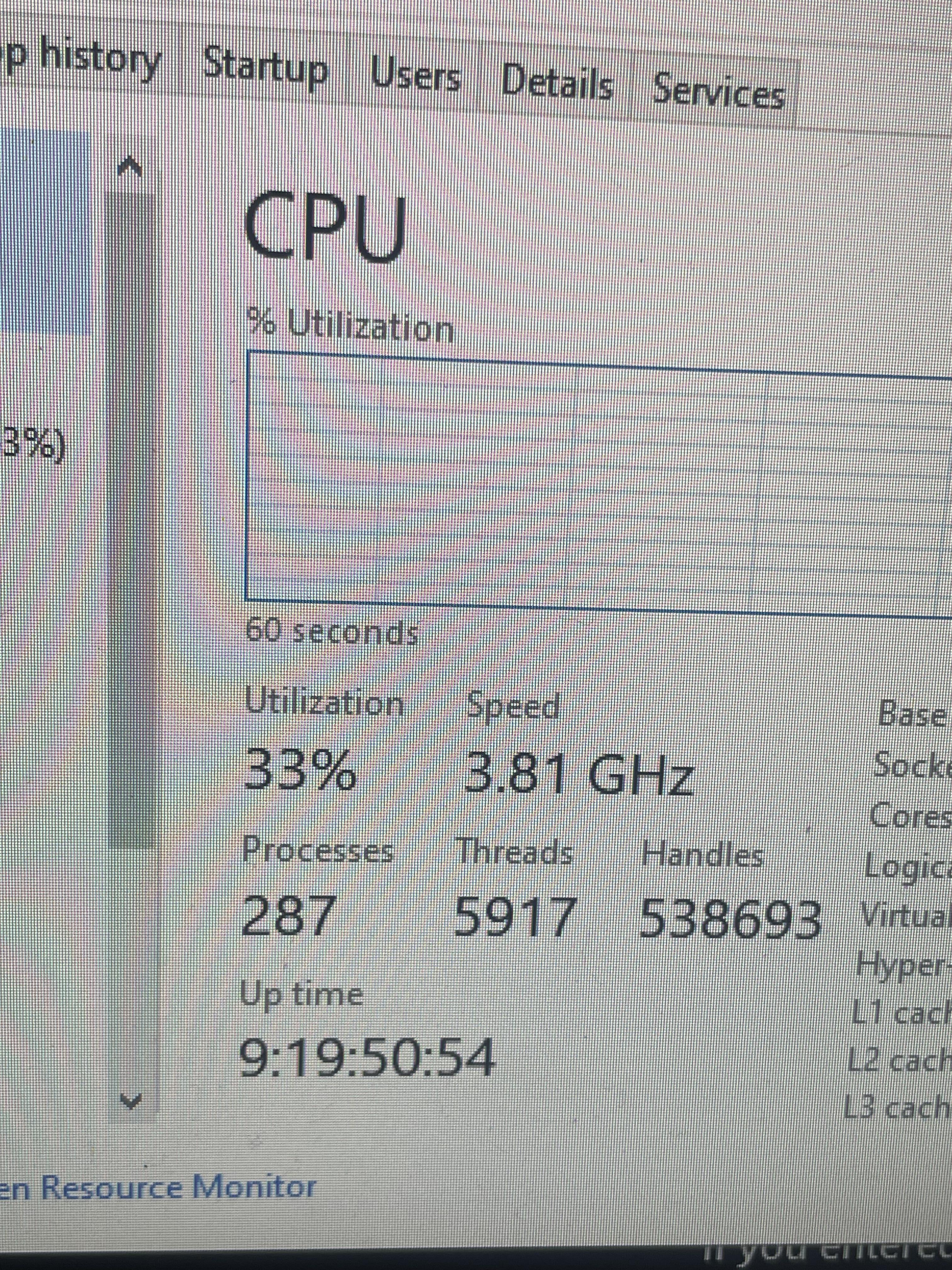
I have to wonder if it’s not actually turning off when you turn it off. I remember reading somethign about windows replacing power off with a sneaky very-asleep sleep mode that was called power off.
GoblinRice
Fast boot
LadBooboo
Control Panel > Power Options > “Change what the power buttons do”
Disable “Fast Startup”.
“The Fast Startup feature in Windows 10 allows your computer start up faster after a shutdown. When you shut down your computer, Fast Startup will put your computer into a hibernation state instead of a full shutdown. Fast Startup is enabled by default if your computer is capable of hibernation.”
– Microsoft
fueled_by_caffeine
Turn off fast startup
d1ng0d4n
Fast Startup. Bloody nuisance.
You can get around this by using Restart instead of Shutdown, but it’s just better to kill the setting.
Valoneria
Fast startup, or the reason why i just use CMD > “shutdown -s -f -t 0” to shutdown my PC anyway. Can even set a timer this way if i need it to finish a minor task before shutting down.
Paulio-
I’ve had mine on for 43 days
bananagamerna
It’s normal
KairuConut
You have fast boot enabled and you are using shut down. If you restart instead it will work. Or just turn off fast boot.
Den1701
You can restart your pc and it will reset
FloppyZied
Hold SHIFT while you shut down the laptop
Money-Scar7548
When you gonna shutdown/restart PC, hold shift and click on button you want(shutdown or restart), it will reset uptime
blacklotusY
Windows for some reason have fast boot enabled on default, and it’s really dumb because they want you to boot up fast. I had to turn that off too. It should just be turned off by default, tbh.

18 Comments
I have to wonder if it’s not actually turning off when you turn it off. I remember reading somethign about windows replacing power off with a sneaky very-asleep sleep mode that was called power off.
Fast boot
Control Panel > Power Options > “Change what the power buttons do”
Disable “Fast Startup”.
“The Fast Startup feature in Windows 10 allows your computer start up faster after a shutdown. When you shut down your computer, Fast Startup will put your computer into a hibernation state instead of a full shutdown. Fast Startup is enabled by default if your computer is capable of hibernation.”
– Microsoft
Turn off fast startup
Fast Startup. Bloody nuisance.
You can get around this by using Restart instead of Shutdown, but it’s just better to kill the setting.
Fast startup, or the reason why i just use CMD > “shutdown -s -f -t 0” to shutdown my PC anyway. Can even set a timer this way if i need it to finish a minor task before shutting down.
I’ve had mine on for 43 days
It’s normal
You have fast boot enabled and you are using shut down. If you restart instead it will work. Or just turn off fast boot.
You can restart your pc and it will reset
Hold SHIFT while you shut down the laptop
When you gonna shutdown/restart PC, hold shift and click on button you want(shutdown or restart), it will reset uptime
Windows for some reason have fast boot enabled on default, and it’s really dumb because they want you to boot up fast. I had to turn that off too. It should just be turned off by default, tbh.
https://preview.redd.it/b59v6uxwgxnd1.png?width=849&format=png&auto=webp&s=b7804701722d085383393807c133cd12b7cbf70c
Nice.
Restart resets the timer
You don’t need to disable fast boot, but you *do* need to occasionally restart, not shut down.
This is one of those windows settings that should be default off. (fast boot)
Is fast startup okay to be on or better off? I had no idea this was a thing