
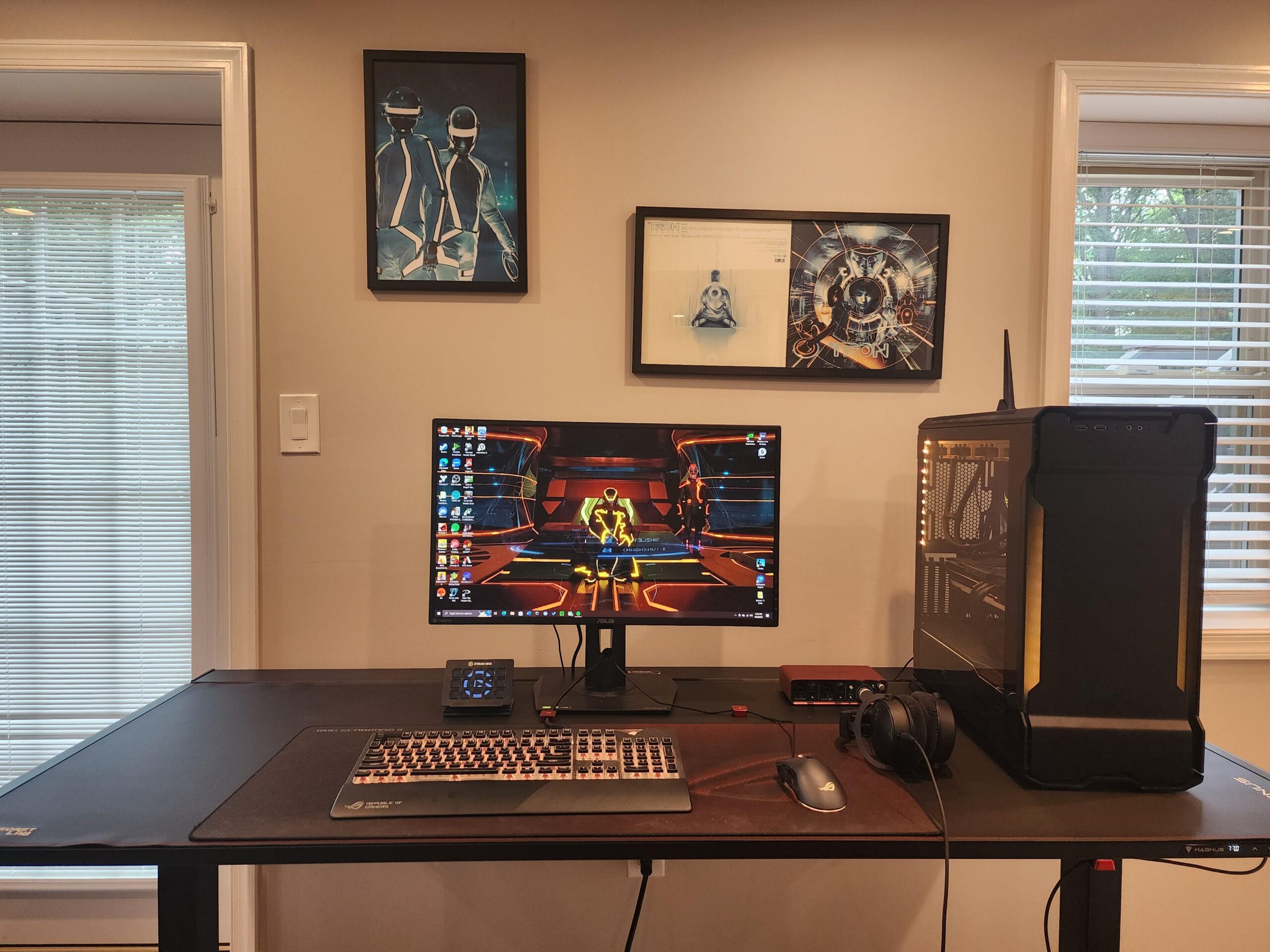
I'm gonna apologize in advance, this photo is from over a year ago. Desk is a little messy at the moment and was a little embarrassed 😅 Biggest changes are microphone/monitor arms, the tower being mounted under the desk, and replacing the mouse and keyboard with ones that are actually good lmao
Long story short, I just had double Cataract surgery at 27, and what was normal for me has been drastically changed in the matter of a month. Things that used to be easy to handle with my eyes aren't as easy anymore, while some things that were difficult are much better. Unfortunately, the negatives are drastically outweighing the positives at the moment, and while I do know things are gonna get better over time, I need help figuring out where to go from here.
I'm at my desk a large amount of time during the day, but the strain on my eyes has gotten a little difficult post-op, and unless I have the lights on fully, I can't really see my keyboard well – leading to a few misinputs at times. Low-light isn't helping a ton even with RGB on the keyboard. The strain I'm sure is gonna get better with time since my eyes are still healing and all, but I'm trying to think of ways to minimize that strain in the long run as well.
I know about light bars for the monitor being helpful on that end but was hoping ya'll might have some other ideas I'm not thinking of? Would appreciate it so much more than I could express. Thanks a ton~
by Vex-Core
3 Comments
I was gonna say fix the monitor tilt but then I saw the picture frame and now cant tell whether its just tilted photo or your monitor and frame is tilted lol
as to your problem, I used to have some inflamations in my eyes and what helped was reducing brightness of the monitor to the lowest so try play with that.
when it comes to keyboard I can type blindly and feel it by touch so not really a problem for me if its highlighted or not
A light bar will help loads, I got the Benq Halo last year and it has made everything on my eyes so much better. You can set the color temp and brightness on this one.
I would advice a light bar combined with a light behind the monitor pointing to the wall that illuminates the wall. This way the monitor won’t “stand out” as much, light wise. It’ll be softer on the eyes that way.
Turn off anti-aliasing.