Since they are disable, I’d look to see if you can uninstall the “program”.
PS This is just convincing me more to switch to Linux distro before Co-pilot becomes an “option” (opt-in). I already have Edge loading in the background for no reason. Hope you manage to resolve your issue without doing what I am considering.
Cool_Affect3966
Did you download once human this happens when you download that game for some reason
Beansoupystew
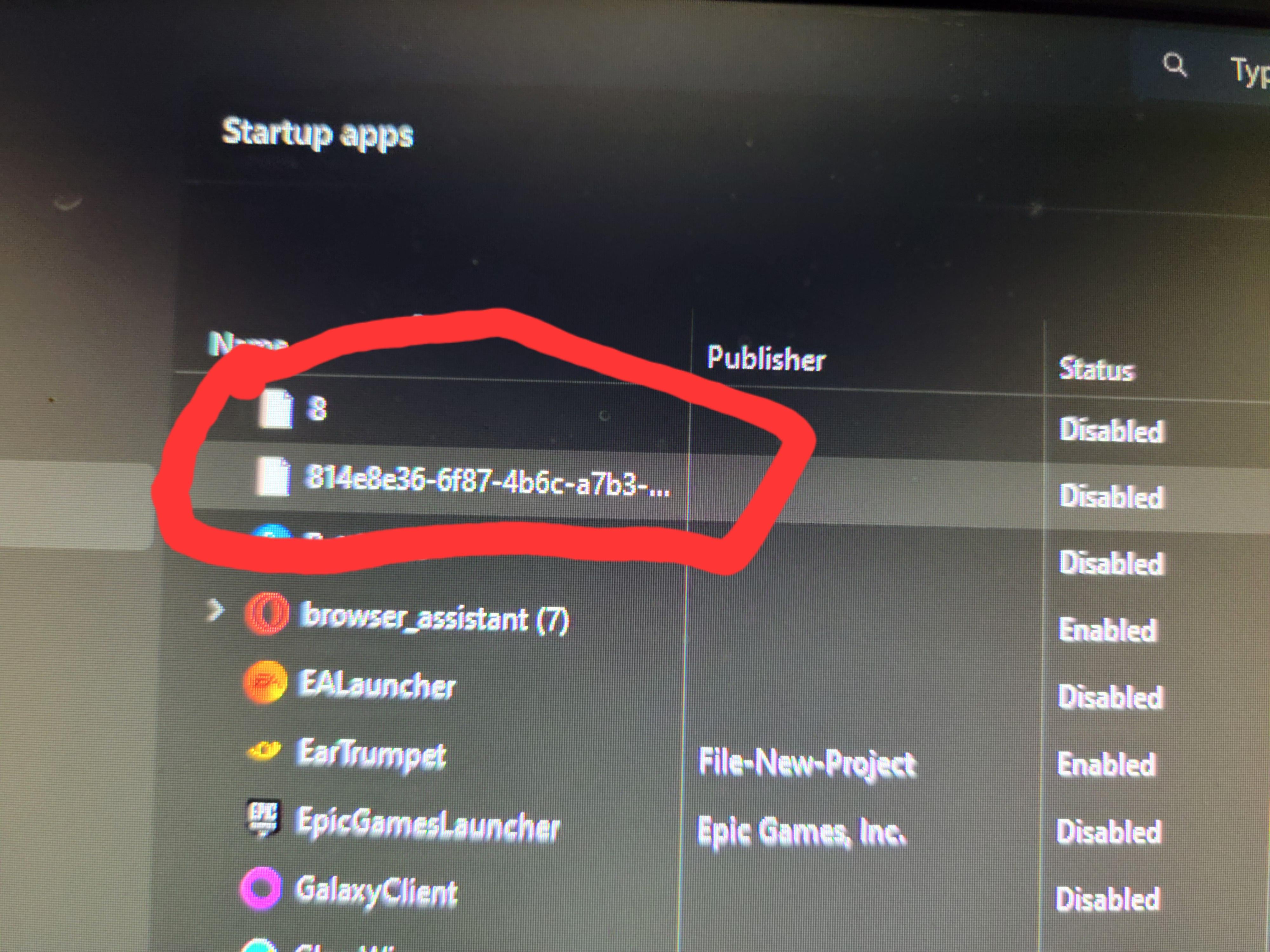
These are from the game once human, Google “once human start up files” and you’ll find a few posts, they’re actually registry entries that for some reason show up in the start up as files, something about a counter for how many times you’ve started the game, and the long string of numbers and letters is your pcs ID the game associates with.
Confident-Lake7807
ok
aravind_krishna
Wait is this a repost? Someone posted something similar like this and am pretty much sure that’s the exact photo too
I tried searching for it but all I can remember is someone else wrote the correct answer like “36 refers to the number of days since you opened that game”
Definitely not a deja Vu, must be within 2 months
Bold_Borders
I know that you already got an answer, but there are two places that can have startup apps that I’m aware of that you can just send to the bin and remove them from there and it should clear that tab in TM.

9 Comments
They tend to appear…
I’m really considering to start from scratch and fabric reboot my system, but time investment is a thing..
Hope we get an answer anytime soon
I would assume that you right click on it and open file location and then just delete said file?
With this:
[https://learn.microsoft.com/en-us/sysinternals/downloads/autoruns](https://learn.microsoft.com/en-us/sysinternals/downloads/autoruns)
I am more curious to know how many launchers you have on your PC.
For your solution:
[https://www.crucial.com/articles/pc-users/how-to-remove-startup-programs#:~:text=Go%20to%20Task%20Manager%20by,start%20automatically%2C%20then%20click%20Disable](https://www.crucial.com/articles/pc-users/how-to-remove-startup-programs#:~:text=Go%20to%20Task%20Manager%20by,start%20automatically%2C%20then%20click%20Disable)
Since they are disable, I’d look to see if you can uninstall the “program”.
PS This is just convincing me more to switch to Linux distro before Co-pilot becomes an “option” (opt-in). I already have Edge loading in the background for no reason. Hope you manage to resolve your issue without doing what I am considering.
Did you download once human this happens when you download that game for some reason
These are from the game once human, Google “once human start up files” and you’ll find a few posts, they’re actually registry entries that for some reason show up in the start up as files, something about a counter for how many times you’ve started the game, and the long string of numbers and letters is your pcs ID the game associates with.
ok
Wait is this a repost? Someone posted something similar like this and am pretty much sure that’s the exact photo too
I tried searching for it but all I can remember is someone else wrote the correct answer like “36 refers to the number of days since you opened that game”
Definitely not a deja Vu, must be within 2 months
I know that you already got an answer, but there are two places that can have startup apps that I’m aware of that you can just send to the bin and remove them from there and it should clear that tab in TM.
Win+R for both of these:
Shell:common startup
Shell:startup