
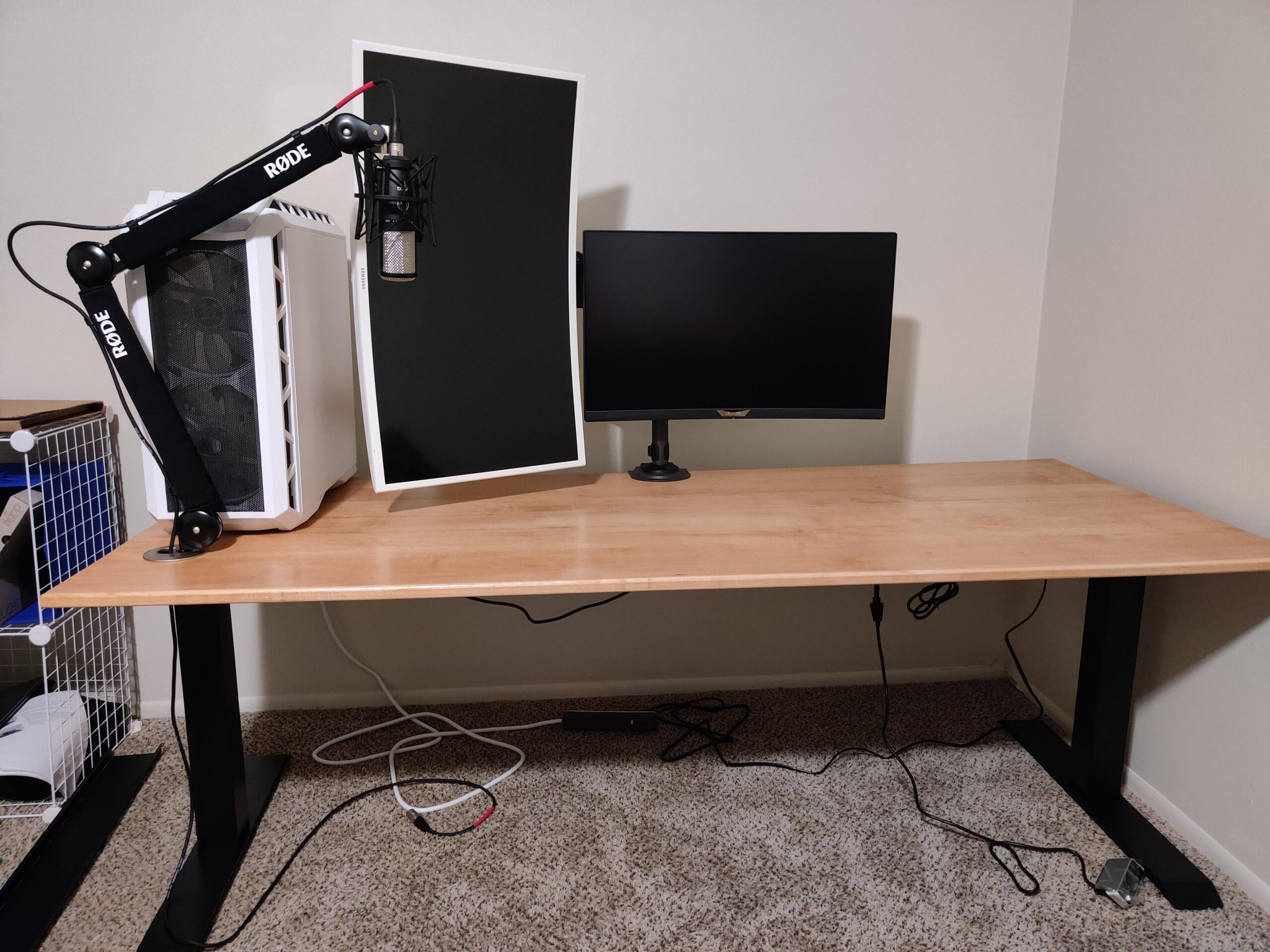
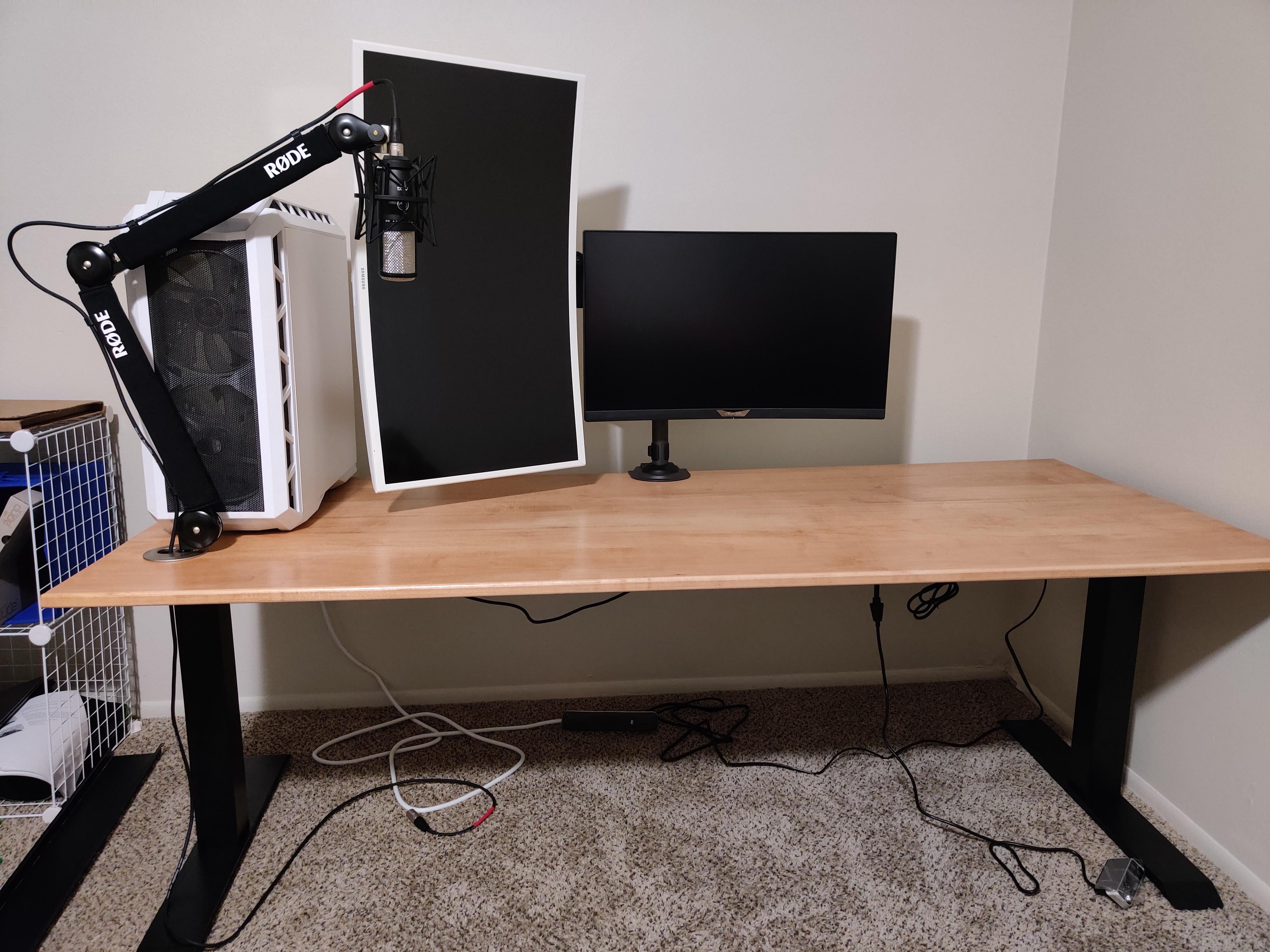
Before I finish stuff up on my new desk, does anyone have any tips for a layout? I mostly will be doing software dev work, hobby music production, and gaming on it.
I kind of wish I biased the monitor arm hole to the left more so I could get my main monitor more centralized. Any ideas besides drilling a new hole for that? The issue is that the arm for the white monitor is too short to let the main monitor go the center. The main monitor would cover up the white one.
Legs: Flexispot E7b
Top: Custom Maple
by corbinfd
2 Comments
Tower under or to the right.
Tower to the right, boom arm coming from between landscape monitor and tower (if possible, looks like an interesting mount).
You could manage your cables too. I found a very easy way – just clump cables into highways based on two categories – Highway A is every cable going from a device to your tower, and Highway B is every power cable (probably to a shared power strip. Tie them together with velco straps if you have the money or leftover twist ties from bread/buns/bagels if ya dont.
Good luck!