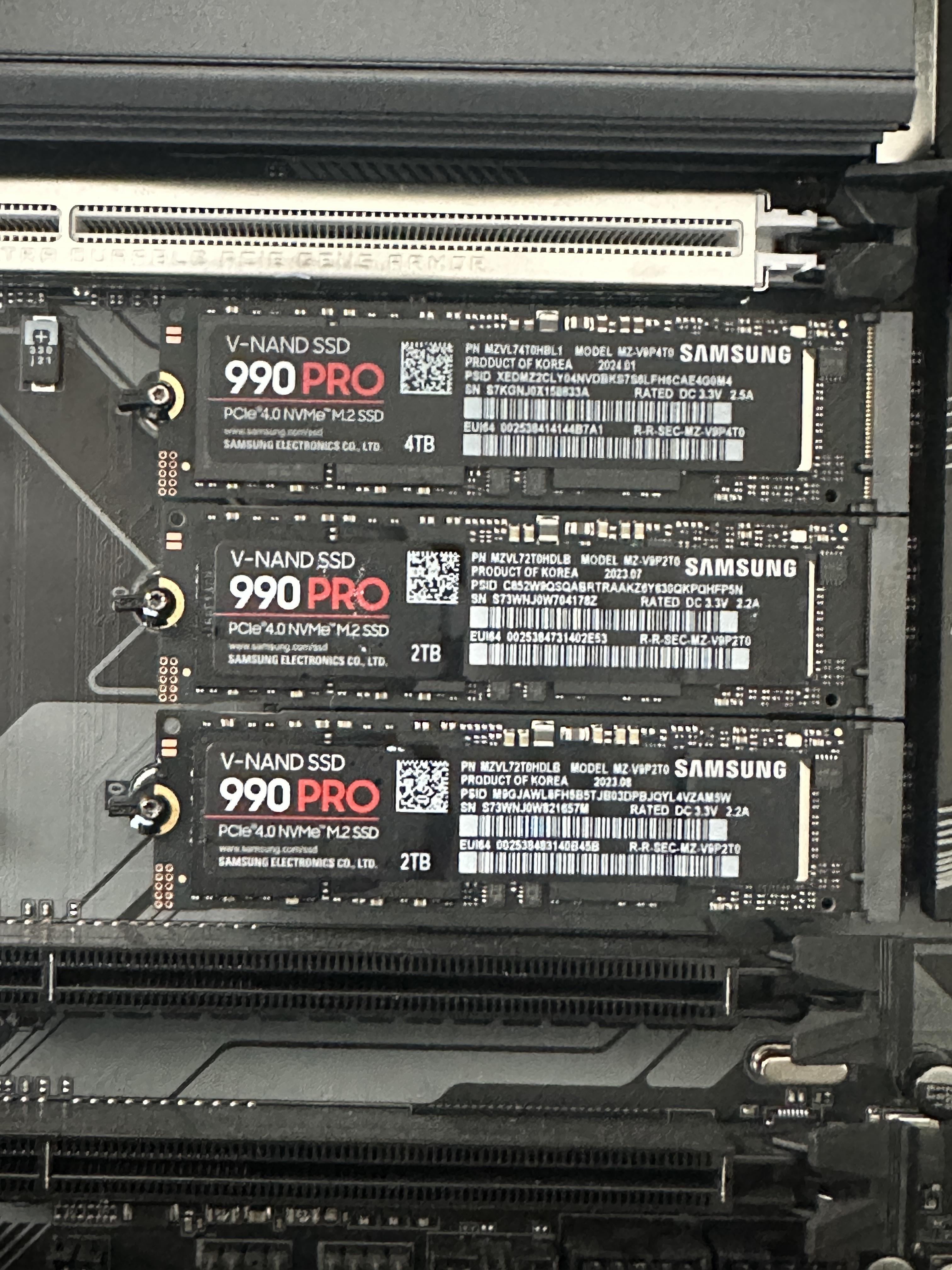
Repost from before, got downvoted a lot. Is this set up bad/incorrect? I don’t know much about lanes and how it’ll affect performance. All drives are just used for game storage.

Repost from before, got downvoted a lot. Is this set up bad/incorrect? I don’t know much about lanes and how it’ll affect performance. All drives are just used for game storage.
18 Comments
Looks clean asf but i’d like to see the drives that have heatsinks. The 990 pro heatsink looks baller.
8TB is a little overkill though for just gaming. I’m struggling to fill 2TB, so having more than 4 or 6 would be unnecessary imo.
*Edit: For all the people stating “I have 765 TB installed and it’s only 10% of my games library.” I’m willing to bet the significant majority of your downloaded games are titles that you haven’t played once in over 5 years.* **Either that or you really do play 8TB worth of games constantly and are simply failing to realize that you are in the overwhelmingly rare minority of gamers.**
You have a Gigabyte board with 4 m.2 slots, I assume the top one not shown is your OS drive?
Sometimes the lanes are shared with your PCIe slots or other things.
If you a newish, premium mobo, the lanes might not be shared.
typically the cpu has a set number of of pcie lanes hardwired to the cpu, typically encompassing the top pcie x16 slot as well as the top m.2 pcie x4. the rest of the lanes are connected to the chipset, which i believe would increase latency as it is another step between the cpu.
Literally disregard 90% of the comments on the sub and tell us what your motherboard is. We have to know how your PCIe lanes are wired in order to give you any relevant feedback. Otherwise we’re just making shit up and guessing.
we need to know which exact model of motherboard and cpu combination you are using before we can tell you anything
How come you got 1x4TB and 2x2TB? Why not 2x4TB?
Bad lol, that’s not even enough. I got a z790 aorus master, that thing has 5 m.2’s, 4 SATA ports and every single slot is filled. And I have a pci-e to 4 port SATA addin card cause I have more drives than that.
My system is rocking 5 m.2’s, 4 HDD’s and 3 optical drives. Total system capacity is currently like 44TB or something. You can never have enough storage 😅👍
well you might not get 100% of the bandwidth that those drives could do, but tbf the bandwidth you’ll get should be plenty anyways
Prepare for more downvotes
doubt you’ll see a noticeable difference if your using the drives just for gaming where transfer speeds are usually limited by internet
I have the exact same board and populated all my m.2 slots as well. You will be fine if you don’t use SATA 2,3, like others have mentioned.
Is this a HEDT board? I’ve never seen that many nvme slots like that before.
“bad” is usecase dependant
Your maionboard manual should have a list of which PCIe slot (m.2s as well) is wired to what.
It may happen that one or 2 siphon some PCIe laned from your GPU , OR they will disble 2 SATA ports
IIRC There was a 990 Pro software fuckery with the controller of theese . may be good to check for BIOS updates with Samsung magician
wait didnt 990 had had horrible reputation?
Are you running any type of raid? If you want full performance run raid 0. They’ll all act as a single drive giving you faster read and write speeds (depending on a bunch of factors).
Generally, impacts would be one or more disabled SATA ports. If you’re SATA-less, no problems.
If it doesn’t Interfere with a graphics card you should spend $10-15 and at least put a heatsink on your primary OS drive to keep it cool under sustained loads. You are much less likely to stress the secondary ones just storing games.