
Hello!
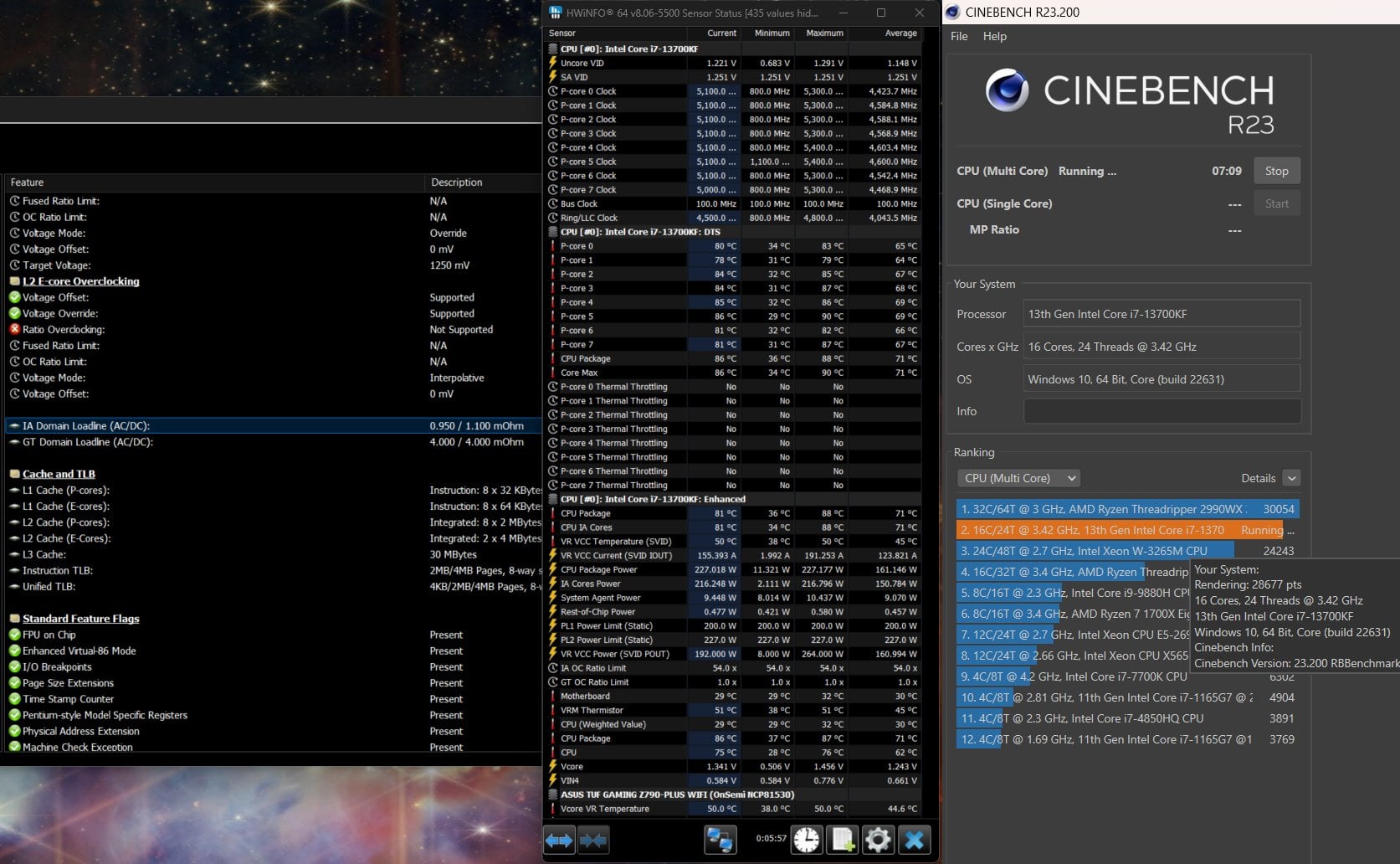
I've been trying to get as low voltage under load as possible, while getting a high score in CB23.
P-cores only boost to 5.1, sometimes 5.2 for a really short time at the start of a Rendering pass in CB23.
I'm new to this, so some of my settings might be.. wrong 🙂
I've been changing settings (PL's, AC LL, undervolt) and running CB23.
If CB crashes or I thermal trottle i adjust settings until it passes and does not thermal trottle. However, I'm probably doing this wrong.
CPU i7-13700KF
Mobo: ASUS TUF GAMING Z790-PLUS WIFI
Cooler: iCUE H150i 360mm RGB ELITE
P-core 4 and 5 are the fastest.
- Summary: SVID Behaviour = intel's Fail Safe
- ASUS Multicore Enhancement = Enabled – Remove all limits
- PL1 = 200 PL2 = 227 / Default 125/253. – Anything above 227 on PL2 = Thermal trottle
- LLC = Auto (3)
- IA AC LL = 0.95 (default AC/DC 1.1). -Any lower than 0.95 on AC = CB crashes. I see people having this super low, so I must be doing something wrong here.
- Undervolt protection = Disabled
- Global Core SVID Voltage/Cache SVID Voltage = Adaptive -0.019. Any lower = CB Crash
1 Comment
Latest BIOS?
What happens if you run CB23 with default settings? (F5 in BIOS to reset)
If it’s unstable RMA your CPU. Otherwise I would recommend you start from the default settings and only lower AC_LL, with disabled IA CEP of course. AC_LL 0.7 with DC_LL 1.1 and LLC3 (1.1) should always work.