i bought an open box i5 13400f after 5 days returned after reading that gen 1314 intel CPUs die
Healthy_Macaron2146
userbenchmarks thanks you for blindly following them to your pc death.
honestly this does suck and my heart gos out.
coffeejn
Hope Intel RAM is painless. Good luck, sorry for your loss.
smoothartichoke27
*had* I’m assuming?
nickierv
Good news, a single crash fine. Multiple crashes randomly is when its dead.
Gxgear
Had*
torrrrrgo
People are so spooked in this sub they’re starting to believe that such blue-screens never happened prior to the intel via-oxidation problem.
DctrGizmo
Time to switch to AMD.
Aitor_204
Did u update bios?
baloneyslice247
🙁
Legitimate_Earth_
Oof 🙁
Ok_Butterscotch1549
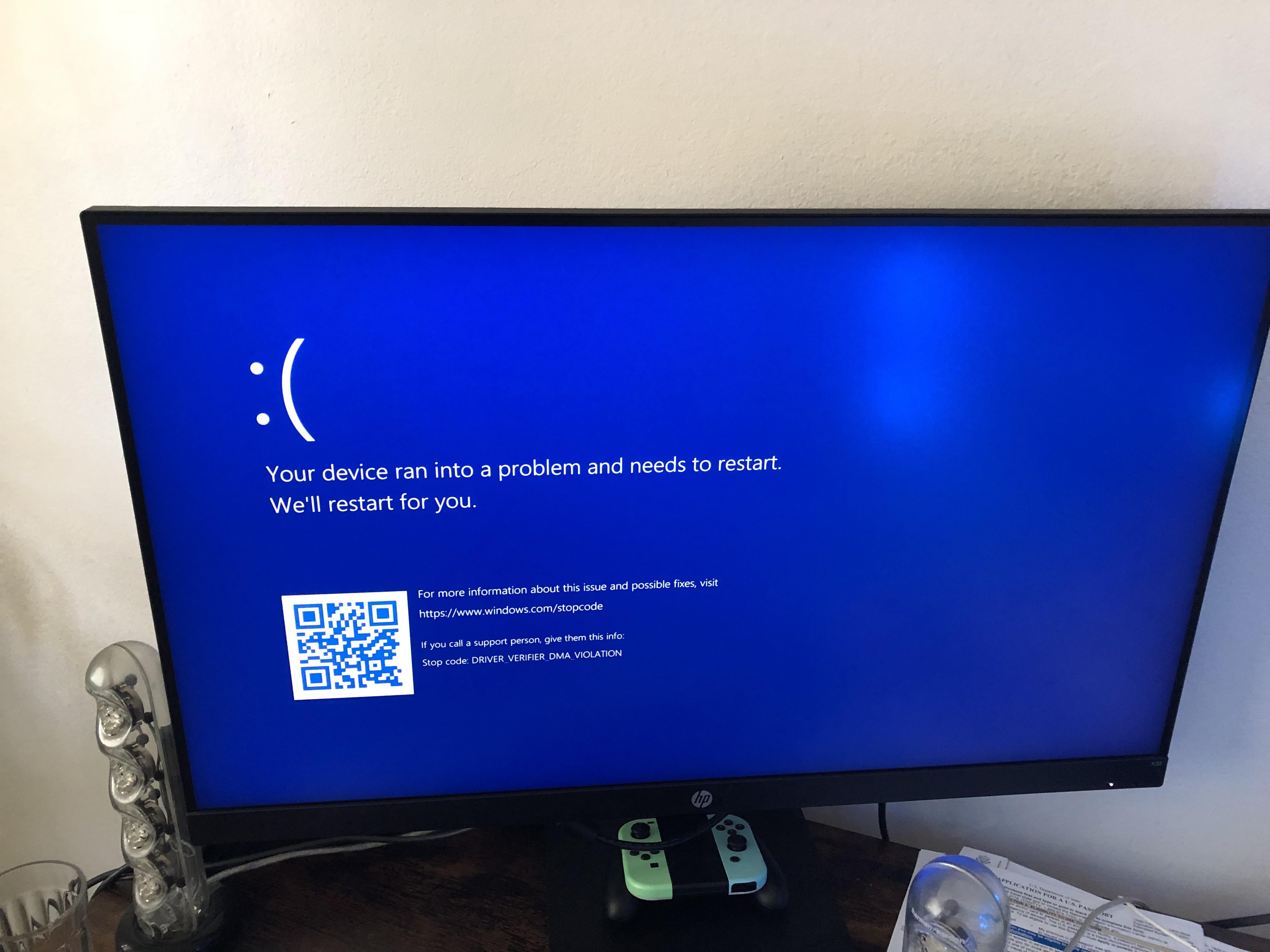
FALSE ALARM! It was just gpu drivers. 👍
phantom165
I had this, and I have an i5 13600k. I later found out this specific problem is about driver compatibility. Updating Windows and checking my drivers/performing a bunch of recoveries solved it. It had nothing to do with my cpu.
Edit: I just saw your comment, see? It’s better to not jump to conclusions.
Ducksflysouth
RIP
phero1190
Had*
Jackedman123
*had
Novel-Weakness4297
Intel: too bad loser
SignalGladYoung
you have warranty you can swap to new CPU. love my 14600k even with +200mhz OC had no issues and run stable.
hilltopper06
You “had” a 13700KF
Tim-the-second
i have one too ;-; sweating buckets rn
Bangaloaf
Did you happen to update the microcode yet?
iamgarffi
Well that’s just a bad driver. Anything unsigned or questionable Chinese peripheral?
By the way, BSOD is not a bad thing. It’s a way for operating system to simply halt on unrecoverable error. It’s better to halt than corrupt memory contents or data on drive.
Since most drivers run in kernel space, poorly written or optimised drivers cause issues from time to time. Thankfully most GPU drivers live now in user space (Vista and later) and crashing driver will drop you to the desktop without dragging the whole system. Can’t say the same thing for many other things.
Try to trace your steps to lastly installed software or driver.
I have a I9-12900KS, should I be concerned anyone?
Shad0wUser00
Bad driver ez fix can use driver program or windows update
Maroon5Freak
13700K-Dead
Biscuits4u2
Those hot spots on your panel are no picnic either
iktdts
Rip
jerry22717
Guys, if you zoom in slightly you can see the cause of the crash…
Don’t just jump straight to Intel
Goldwyn1995
Is there any easy way to install amd drivers without adrenaline software? I seen one YouTube video. But if followed, it is telling i have latest driver installed. But it not working without that software installation.

32 Comments
My condolences
im sorry for your loss
i bought an open box i5 13400f after 5 days returned after reading that gen 1314 intel CPUs die
userbenchmarks thanks you for blindly following them to your pc death.
honestly this does suck and my heart gos out.
Hope Intel RAM is painless. Good luck, sorry for your loss.
*had* I’m assuming?
Good news, a single crash fine. Multiple crashes randomly is when its dead.
Had*
People are so spooked in this sub they’re starting to believe that such blue-screens never happened prior to the intel via-oxidation problem.
Time to switch to AMD.
Did u update bios?
🙁
Oof 🙁
FALSE ALARM! It was just gpu drivers. 👍
I had this, and I have an i5 13600k. I later found out this specific problem is about driver compatibility. Updating Windows and checking my drivers/performing a bunch of recoveries solved it. It had nothing to do with my cpu.
Edit: I just saw your comment, see? It’s better to not jump to conclusions.
RIP
Had*
*had
Intel: too bad loser
you have warranty you can swap to new CPU. love my 14600k even with +200mhz OC had no issues and run stable.
You “had” a 13700KF
i have one too ;-; sweating buckets rn
Did you happen to update the microcode yet?
Well that’s just a bad driver. Anything unsigned or questionable Chinese peripheral?
By the way, BSOD is not a bad thing. It’s a way for operating system to simply halt on unrecoverable error. It’s better to halt than corrupt memory contents or data on drive.
Since most drivers run in kernel space, poorly written or optimised drivers cause issues from time to time. Thankfully most GPU drivers live now in user space (Vista and later) and crashing driver will drop you to the desktop without dragging the whole system. Can’t say the same thing for many other things.
Try to trace your steps to lastly installed software or driver.
Good luck.
https://preview.redd.it/2oc3ax9grjid1.png?width=1767&format=png&auto=webp&s=30249a9c1b3139f9b4f69d1f098e6a78406a3de5
I have a I9-12900KS, should I be concerned anyone?
Bad driver ez fix can use driver program or windows update
13700K-Dead
Those hot spots on your panel are no picnic either
Rip
Guys, if you zoom in slightly you can see the cause of the crash…
Don’t just jump straight to Intel
Is there any easy way to install amd drivers without adrenaline software? I seen one YouTube video. But if followed, it is telling i have latest driver installed. But it not working without that software installation.