
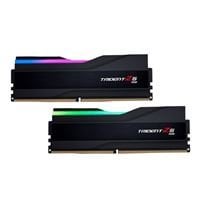
So I have this RAM: G.Skill Trident Z5 RGB 64GB (2 x 32GB) DDR5-6400 PC5-51200 CL32 Dual Channel Memory Kit F5-6400J3239G32GX2-TZ5RKDDR5-6400_PC5-51200_CL32_Dual_Channel_Desktop_Memory_Kit_F5-6400J3239G32GX2-TZ5RK-_Black#tab-reviews-bm)
And this motherboard: Gigabyte X670E AORUS Pro X AMD AM5 ATX Motherboard
and I am stuck on 4800 MHz as seen here:
The RAM is listed in the compatible RAM list on the Gigabyte website:
And I have 2 32 GB sticks slotted into A2 and B2. I've so far only attempted the base 6400 XMP profile, which is listed here:
Unfortunately this leads to no boot and I have to reset my BIOS through the jumper. Mobo CMOS battery is hidden beneath a plate, which is locked in place by the GPU, so it's a huge pain to remove the battery. And worse still, the jumper is extremely inconsistent and often takes over a hour of various methods to finally reset the BIOS. Pressing the BIOS reset button on the MOBO also for some reason does not work.
This has lead to me being very reluctant to mess with the OC because I dont want to have to spend an hour every time I have to reset the BIOS to get the computer to boot.
And seeing as the FAQ and Wiki do not really address DDR5 other than maybe stating that some methods many not apply to it, I thought I'd see if anyone had some tips before I began. Currently my thought is to just head into BIOS and manually copy all of the settings from here: https://www.youtube.com/watch?v=dlYxmRcdLVw
and giving that a shot (Except changing FCLK: 2033MHz to 2133MHz).
So, any thoughts on this approach?