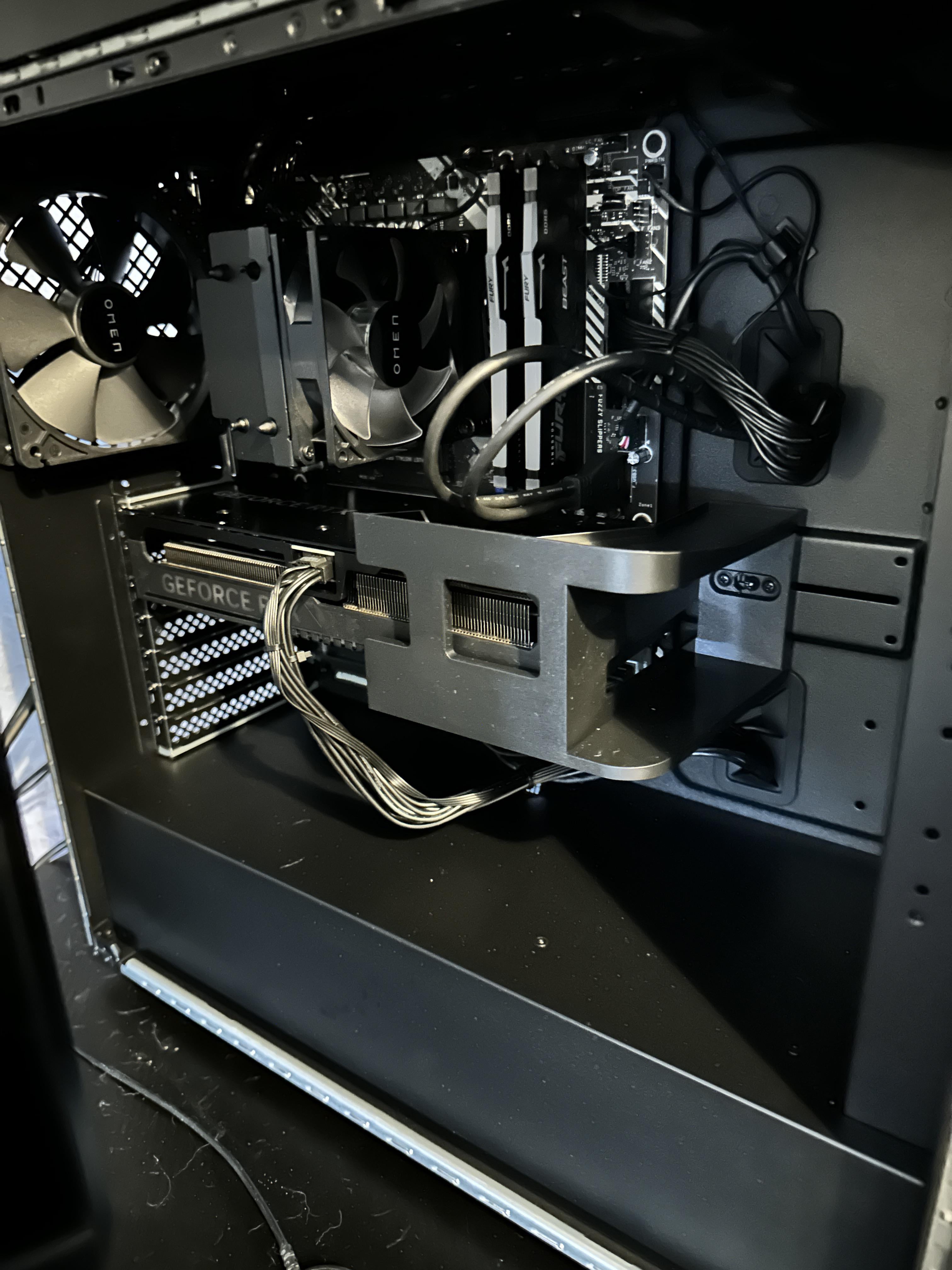
This is probably a really dumb question but I’ve never bought a prebuilt before. Is this bracket around the gpu just for shipping or is it a heavy duty anti-sag bracket? Should I leave it or take it off?

This is probably a really dumb question but I’ve never bought a prebuilt before. Is this bracket around the gpu just for shipping or is it a heavy duty anti-sag bracket? Should I leave it or take it off?
11 Comments
If it’s not blocking the fans on the GPU in a major way, I’d just leave it tbh. At least one prebuilt company figured out how to ship PCs with GPUs installed.
Is it plastic? Metal?
I’ve never seen anything like that. I think if you’re supposed to remove it, they’d tell you in the instructions. Who is the build from? Maybe there is a copy of the instructions available online.
Like in 2024 I’d expect a “yes this bracket comes out before turning on” sticker if it is supposed to come out.
Is the computer currently running?
It is both a shipping and support bracket. It stays in until you need to remove the GPU.
It’s in there for shipping but also designed to be left in
There is [this guy](https://youtu.be/0n2zRVkGCZs) that measures temps with and without it
Leave it those gpus need all the support they can get. This one also looks intentional
I’ve seen a Dell office type pc that came with a graphics card get knocked off a desk repeatedly and was asked to check it out at one point. It had a smaller built in support, and I’m pretty convinced that it was the only thing that saved it from ripping out the pcie slot or just snapping off the pcb on the card. Honestly, I wish they made stuff like that for use in custom builds.
Don’t mess with the prebuilt if it’s still in warranty.
Many pre-build PCs have this, from Lenovo to HP, just not every Pre-build has 1 this large.