
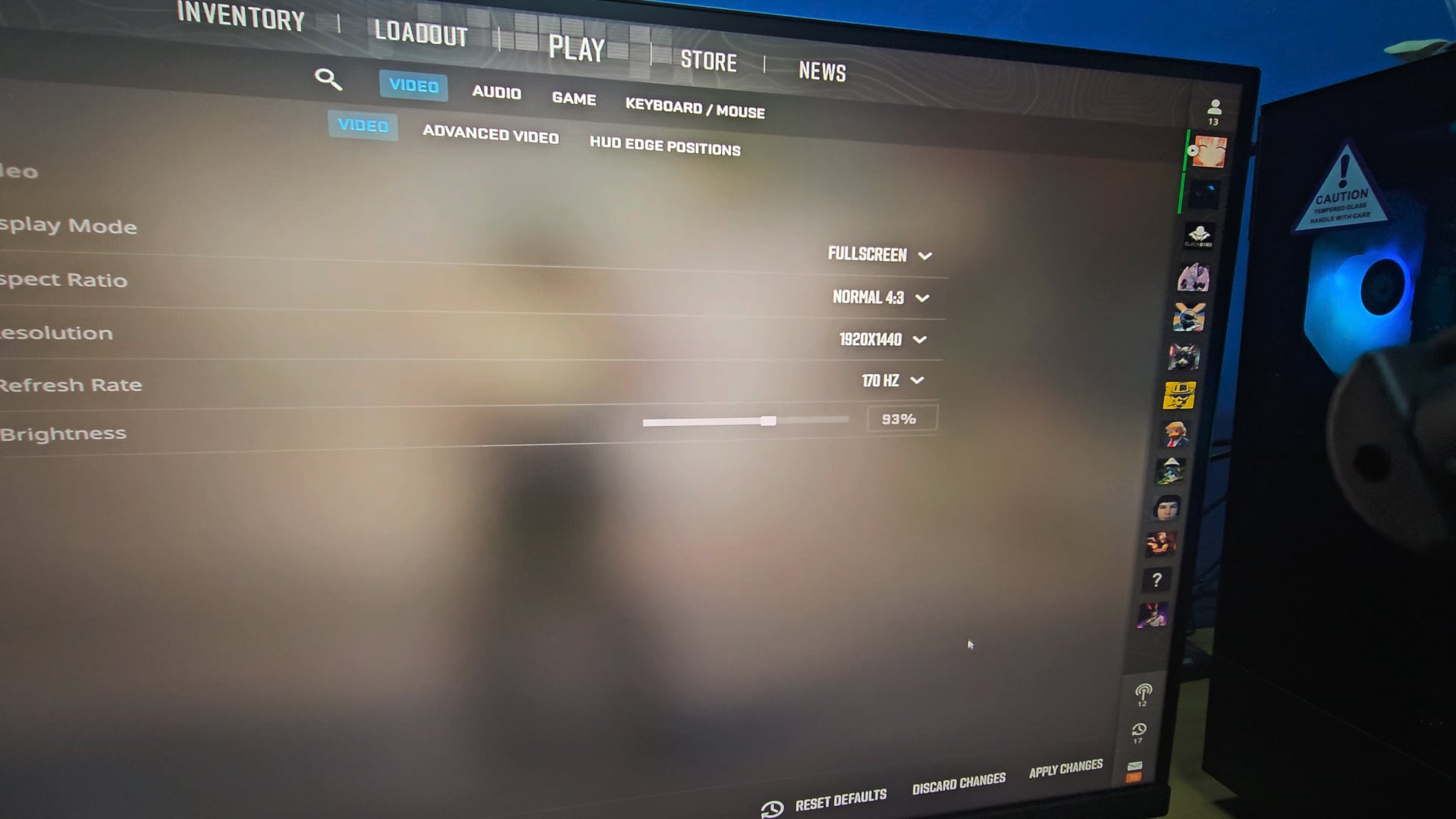
Got this weird problem where any lower rez i set to i cannot seemed to play above 120hz. At top left corner is the monitor in-built refresh rate monitor so it is indeed 120hz. Only when i set to high resolution example 1440 can set above 120hz. Any clue why this happening? Monitor spec is MSI G74QPF-QD.
8 Comments
I also tried diffrent monitor. Same issue. Both monitor are capable of 170hz
Try dp cable
I believe its the latest nvidia driver, I changed to 16:10
Try posting in some pc subreddits like r/pchelp and r/buildapc
[custom resolution utility](https://i.imgur.com/tldey6r.png)
It’s definitely an issue with the latest nvidia drivers.
I play on 1920×1440 and it was locked at 143Hz, although my monitor’s refresh rate is 165Hz.
~~So what I did was create a custom resolution in Nvidia control panel with [these settings](https://imgur.com/a/ml4XDsv) and it let me set 1920×1440@165Hz.~~ –> t*his solution might not work if you don’t set your scaling to be performed on the GPU instead of the display.*
LE: Nvidia have a [workaround posted](https://nvidia.custhelp.com/app/answers/detail/a_id/5558) on their website too.
Issue:
> Starting with Game Ready Driver 560.70, when Perform scaling on is set to Display from within the NVIDIA Control Panel, the driver will expose the timings supported by the monitors EDID at specific resolutions instead of the full range.
So, until nvidia decides to update the drivers with a fix, you need to set the scaling on the GPU, not on the display.
Had the same issue – fix was (for me) – to set Gsync enabled for full screen insteaf of windowed. – in Nvidia control panel
If you have Gsync enabled try that.
I fixed it guys, like everyone said its the drivers. I downgraded to 556.12. Now i can actually play comp thank you all for the support😊