
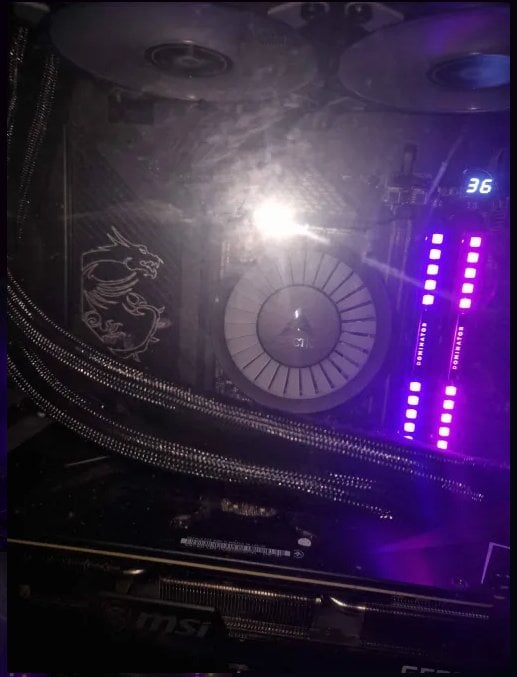
To start things off, I've just switched from a MSI MAG Coreliquid 360 v2 AIO to an Arctic Liquid Freezer III 360.
I've done basic troubleshooting and attempted to mess around with undervolting, adjusting fan speeds etc. but wasn't getting anywhere on the MSI AIO so I decided to switch to the Arctic which is providing much better results.
Previously in-games such as The Final Descendant, I would be thermal throttling all the time, reaching temperatures of up to 100-108degrees which was not acceptable.
Now I seem to be getting much better results with the new AIO and my tempratures are sitting under 80 degrees. (celsius) Which I'm happy with.
However, a minute or two into the benchmark, I seem to be thermal throttling almost constantly, temperatures are bouncing between 90-100 so that issue doesn't appear to be resolved.
I am receiving higher scores in Cinebench 2024 as previously when running a multicore benchmark I would be receiving results of like 1200 – 1350 where as now I'm reaching up to 1550 so thats an improvement but I suspect the high temperatures and thermal throttling is still dragging the performance of the bench down.
XTU CPU benchmark results seem to be close to 9000, sometimes slightly over which is a noticeable improvement as well.
I have a fairly high end-ish build (At least it was high end 2 years ago when I built it), specs below –
i9 12900k CPU running at 5Ghz (tried 5.1 and it is definitely doable but in final descendant for example the temperatures are reaching high 80s sometimes 90 ish and I'd like to sit comfortably on the 70-85 mark).
MSI Z690 Carbon Wifi MOBO
DDR5 Corsair Vengenance 5200Mhz RAM
MSI RTX 3080Ti Ventus GPU
I'm using Intel Extreme Tuning Utility (XTU) for CPU and Fan Control for my fans.
Pictures / Screnshots below (Apologies for the poor quality of pictures, AIO installed few hours ago so cable management can do some work too) –
Inside of the case (left side) – https://prnt.sc/WIDtpJfD1SRl
Inside of the case (right side) – https://prnt.sc/rn9OiKAk0fcH
Intel Extreme Tuning Utility (XTU) – https://prnt.sc/883nt2UGTQnS
Fan Control Part 1 – https://prnt.sc/PD_y6XjlXwmW
Fan Control Part 2 – https://prnt.sc/4L4CfCGEkOWo
Any assistance would be greatly appreciated, I'm an IT technician myself however still new to the job and a hell of a lot to learn, on my daily job I don't actually deal with gaming setups, little bit of everything but mostly basic software/ network configurations, printers etc. so this is all new to me and I'd love to learn more.
Edit 1 – Forgot to add my goal here, I'd love to get the bench temperatures slightly lower and ensure I am not thermal throttling. With some tweaking perhaps we could even attempt 5.1Ghz? 12900k should be able to run 5.2 with a good setup but lets not worry about that, lets focus on achieving stable performance when benchmarking on 5Ghz for now!
1 Comment
isn’t XTU and the like to be avoided? every time i’ve used such tools i end up with crazy high heat too. i feel like starting from default bios and manually tweaking all your settings will net you much better results.