
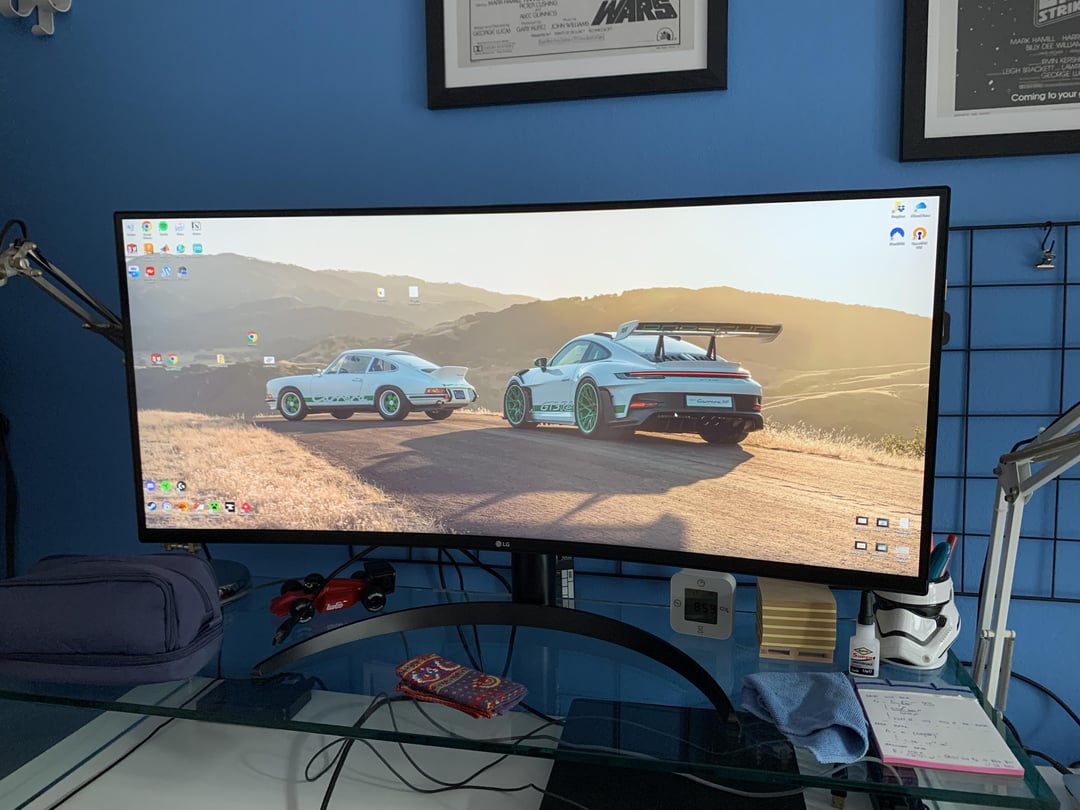
Hi everybody, yesterday my new monitor arrived: it’s an LG 34WP75CP, 3440×1440 160Hz Ultrawide. I’ve connected it to my laptop (HP Envy 17 n-106nl) through the only HDMI port i have, but i can’t get it to work at 160Hz.
I’ve already checked:
– Integrated graphics driver update
– Nvidia driver update
– Tried a different cable (I’m currently using the one that came with the monitor)
Could this be an hardware problem? Maybe my laptop can’t output “enough bitrate” from the HDMI port?
Thank you in advance
33 Comments
Old HDMI 1.4 ports only support 50hz. Check if there are other ports or if you can use a display port.
Probably old enough to have a HDMI port that’s 1.4 or something
The monitor is also HDR
Why would you even buy a 2k ultrawide monitor for a laptop that probably 10 years old, can the 950m even reach 100fps in any more recent game?
[deleted]
Bro you have a 950m that gpu wont support 1440 at 160
Trying to run 4k games at 100+ fps on a laptop 😭😭😂
Brother, this is not related to what are asking but please change table if you can. Wouldn’t want you posting about a broken desk here in the future…. Or do we….
Impostazioni from amogus
I got a brand new Porsche Taycan Turbo S, but I can’t hit top speeds. I’ve checked my battery and it’s fine, so I don’t know what to do. Here’s a pic.
https://preview.redd.it/xmlf72d2n8ed1.png?width=500&format=pjpg&auto=webp&s=a67be08b46cf750c89727c3c440251db3ce9233c
This is what you sound like
refresh rate*
newer laptops have mini display port.
You would need to lower resolution significantly to allow 120-144hz option to become available.
otherwise new laptop or pc.
A good monitor should cost <30% of your PC’s current price.
Your laptop is worth <$250 today.
Your monitor is $200 used or >$280 new.
You need a laptop/computer worth at least $600 used to take full advantage of the screen.
950M, 50hz, hdmi only, glass table… this is some serious psychopath behaviour
Hey OP, go to Device Manager – under display adapter, see if the Nvidia device is selected as the default device. Seems like it’s the Intel Integrated graphics in use. Uninstall the Intel graphics drivers and disable the Intel graphics in Device Manager… might break everything but might fix the issue. I ended up reinstalling Windows
sometimes only one of the Monitors ports support high refresh rates, take a look at the manual, it should be stated there.
nice wallpaper tho
Don’t listen to the mean people, OP
Enjoy your new monitor and do as you want
This is your computer, your stuffs
I mean the 2k resolution with over 60hz actually needs a lot of bandwidth, especially stuff like 144hz 1440p with hdr on.. So yeah good cable is definetly important, i chose chinese cable for mine and whenever i enable hdr mode i get weird glitchimg and artefacting
you are connected to the motherboard not the gpu, check if you have a DP
optimistic, 950m laptop…
Ultrawide 2k with a 950m lmao
What are you smoking brother 💀
Check bios settings, from what I remember old laptops with nvidia Optimus have some settings about video out and switchable graphics
Do you have power into the laptop?
Sometimes they default to the integrated gpu to preserve battery life.
Might be worth checking any power settings.
But yeah as has been said, your laptop might just not be capable of those framerates especially if it’s an older hdmi port.
your cable is old gen hdmi, or/and your laptop is weak
I’m sorry but I need your wallpaper.
Not enough bandwidth for that refresh rate at that res over old HDMI
Let me guess, you need more?
Why u connect to igpu when u have Nvidia
Bro spend his whole budget on the monitor 💀
You’re running on the iGPU and not the Nvidia chip
Gorgeous background!
F in chat for Italy bro. His laptop only has HDMI 1.4.
Your GPU can do the resolution or the framerate, not both at the same time.
I had the same issue with my old RX580. I could do 1080p@165Hz or 1440p@60Hz.