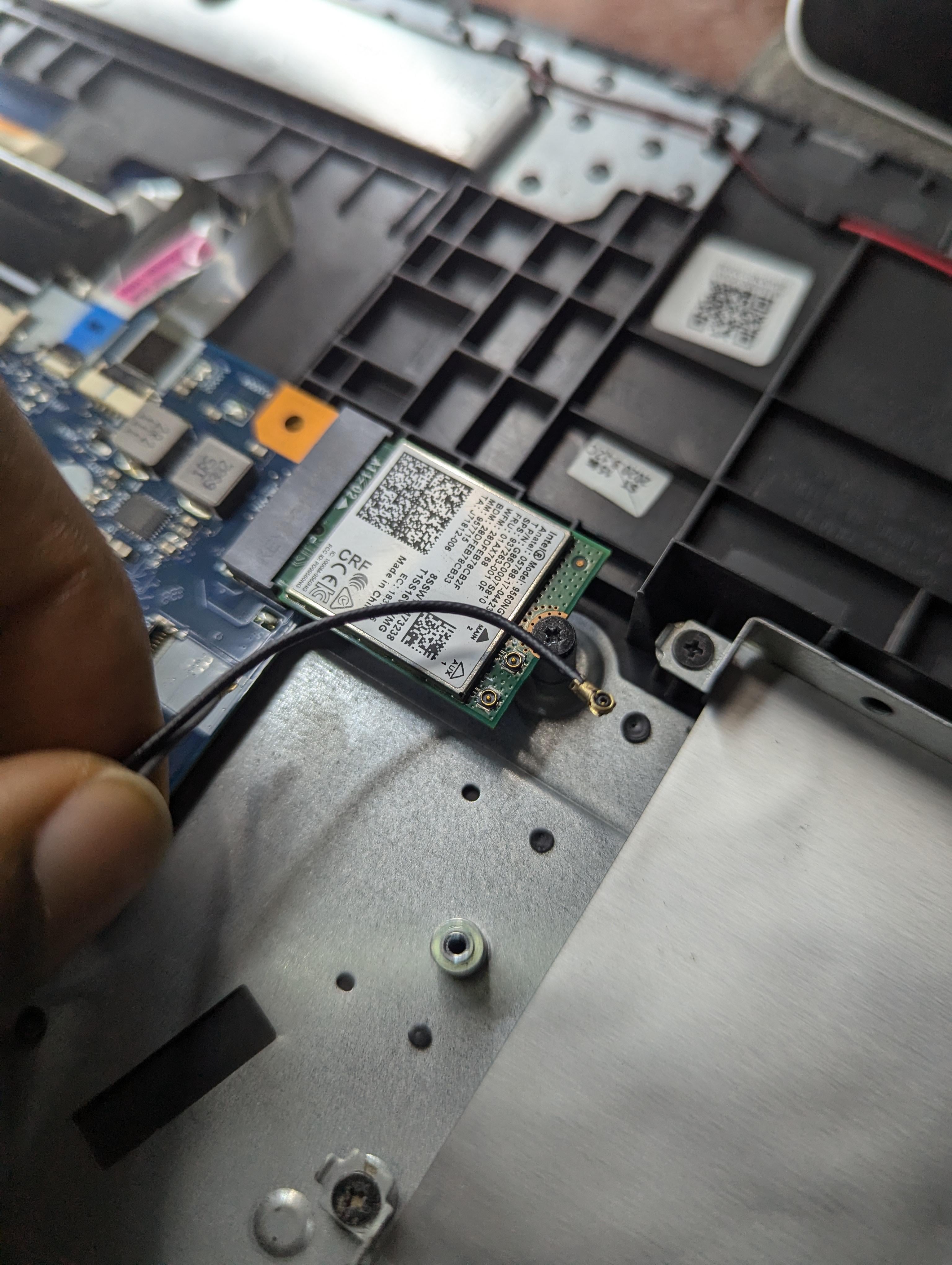
I tried to replace my laptop’s screen , I wasn’t careful enough and unintentionally pulled these wires off. Is there anyway to put them back?

I tried to replace my laptop’s screen , I wasn’t careful enough and unintentionally pulled these wires off. Is there anyway to put them back?
16 Comments
I forgot to include in the caption, it’s a Lenovo L340-15IRH
They should snap back on. They are the antenna wires for wifi
You just snap them back into place on the wifi card. It SHOULDNT matter which one is plugged into which socket.
Just make sure when you put them back on its centered and snap them back in. I bent one once but also fixed it after when I realized why it didn’t snap back on after pulling it back off for the 3rd time
That’s your wifi antenna and yes it just snaps into place.
It requires a special skill set involving steady hands and a fingernail.
Sometimes they’re easy, sometimes they’re the biggest nightmare, I suggest lining up the top of the antenna and then slowly lifting it down while applying pressure
just pop it in back from the top, theres not alot of wiggle room so be careful when pushing it back in.
Align the pin from the top to the hole and just push like a button. Ez.
You are fine they are not broken they snap back on
The cable isn’t broken thankfully. The wifi card should have 2 connectors on it which should say ‘Main’ and ‘Aux’. Connect the end of the antenna to main and you should be good.
They snap on
Those are IPEX (micro coaxial connectors) they just press back on. Be sure to get them properly lined up and pressed directly downwards. They’re easy to damage when connecting.
Those are coax cables and they are the worst type on connector. They are a bitch, but you should be able to pop them back on
The worst part is when the connector snaps off the card. At least you didn’t have that happen
Yeah those are surprisingly reliable cables and don’t saman the connections easily.
Looks like the antena cable for Wifi.
You can easily put it back, just make sure that it’s really snug in, because those often don’t stay in place if they aren’t pressed down hard enough (don’t go caveman, just a little bit of pressure on top of it with something like a credit card).